Online FreeAI Body Swap
How to Create a Body Swap Photo with AI
Choose the Person and the Pose
Tell Mew What Carries Over
Look Closely at the Join
Save the Version That Works

Decide What Changes. Keep What Matters.
Your Photos Set the Direction
This AI body swap generator accepts uploaded images and written instructions. Bring a person reference and a target pose instead of trying to describe every facial detail.
Face, Hair, Outfit: Name the Priorities
An AI face and body swap can involve different edits. Tell Mew which identity cues to retain and which body or scene details to borrow. Review likeness in the result; exact preservation is not guaranteed.
Correct the Collar, Keep the Idea
Use the body swap photo editor through chat to request a smaller head, softer jaw shadow, or cleaner hair edge. Focus each revision on the detail that makes the composite feel off.
Try a Character Before Making the Costume
For an AI body swap for cosplay, combine your portrait with an original costume reference. Explore the silhouette and pose as a visual concept before planning a shoot.
One Person, Several Scene Concepts
Ask for variations around the same person reference: a studio portrait, a sports scene, or a campaign concept. Compare the results and refine the version closest to your brief.
A Photo You Can Take With You
Export your chosen image as PNG or JPG without a watermark. Free credits after signup let you try the workflow; further generation depends on your available credits.
Give Each Reference a Job
- Assign A and B: Name the identity reference and the target body or scene. For a full-person replacement, say to bring the person’s outfit and body from A as well.
- Set the Boundaries: List the face, hairstyle, expression, clothing, or background that matters. Avoid asking to keep everything unchanged while requesting a different pose.
- Match the Camera: Choose similar viewing angles. Ask for consistent head scale, neck direction, light, and shadows rather than just “make it realistic.”
- Frame the Result: Specify full-length or waist-up and leave room for hands and feet. For follow-up edits, name one visible issue and the details to preserve.
Six Ways to Brief a Body Swap
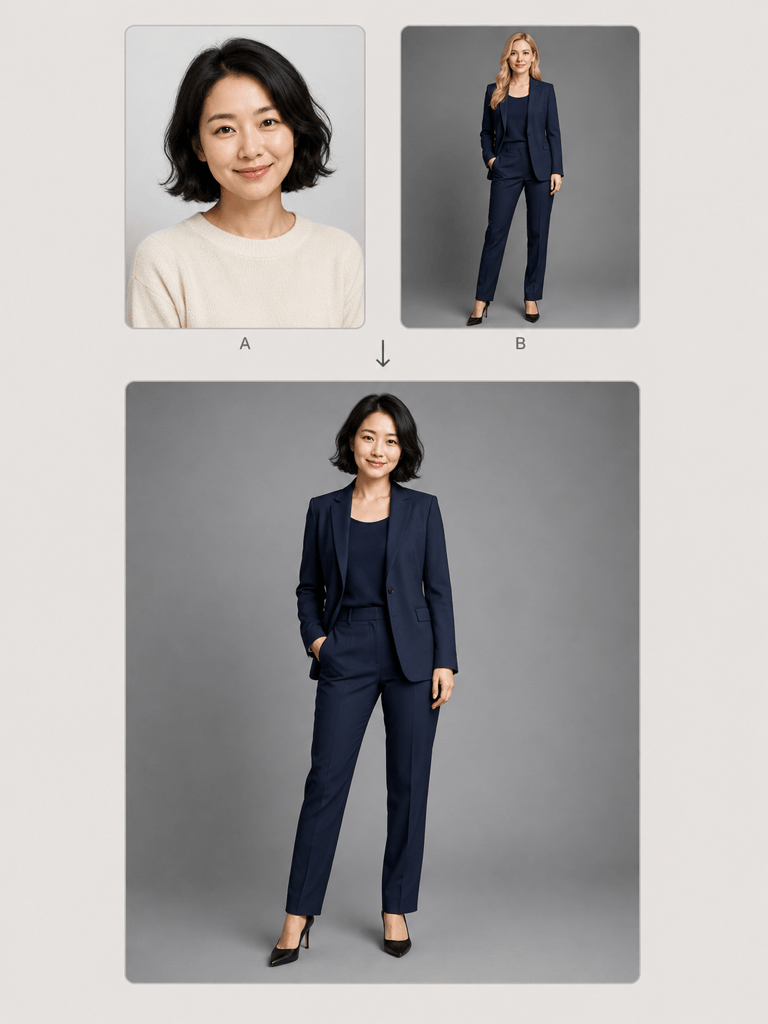
Make a full body swap from two photos for a formal portrait. Photo A supplies my face and hair; photo B supplies the navy suit, standing pose, and gray studio. Keep my expression and show both shoes. Match the neck shadow to the studio light.
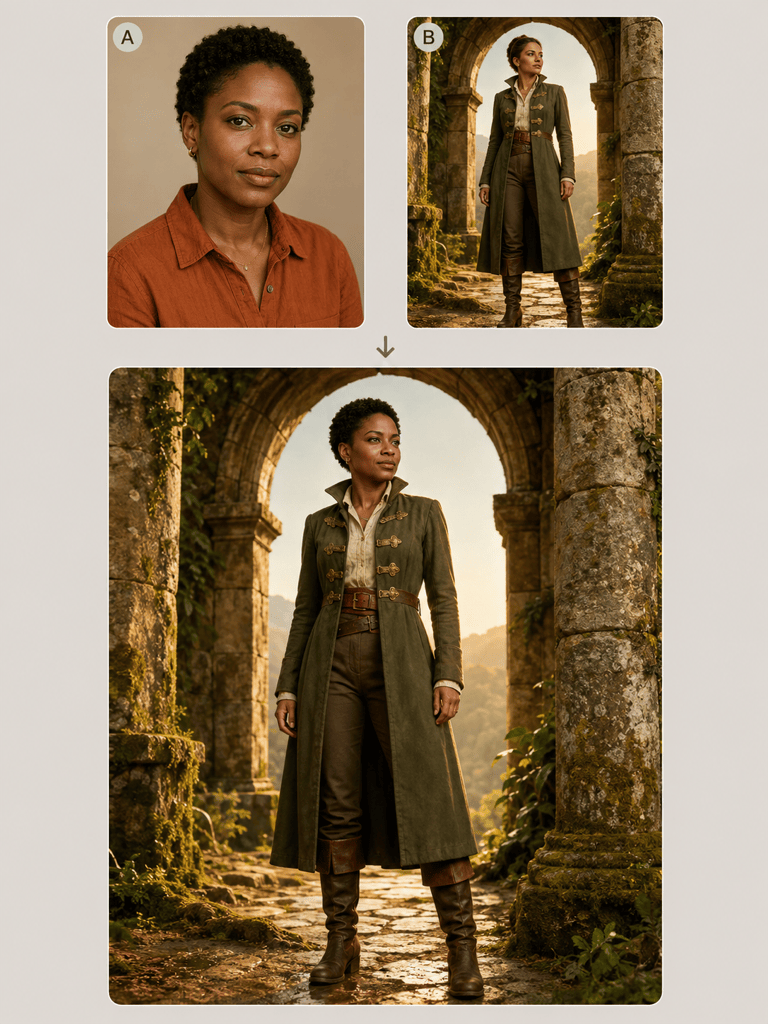
For a cosplay concept, place my face and hair from A onto the fully clothed fantasy explorer in B. Keep B’s coat, boots, and stance. Leave the face uncovered and blend the collar naturally. Use an original character design.
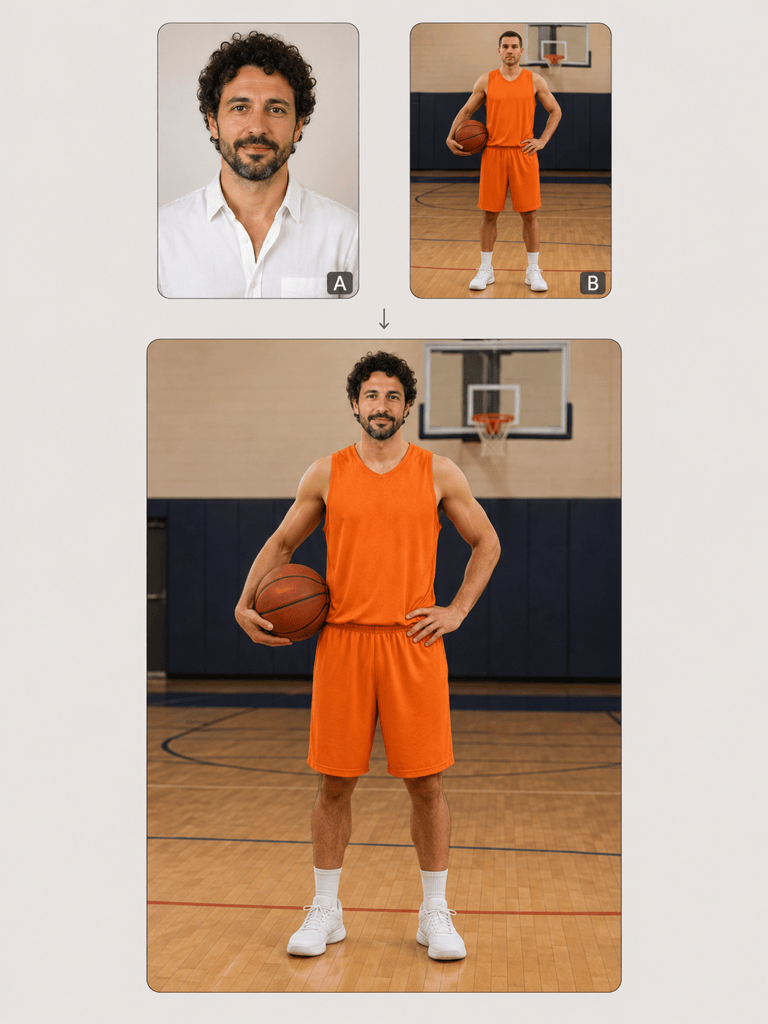
Put me into this sports portrait: take my identity from A and the fully clothed basketball pose from B. Keep the plain jersey and indoor court. Balance the head and shoulders, preserve natural proportions, and make this an obviously creative fan image.
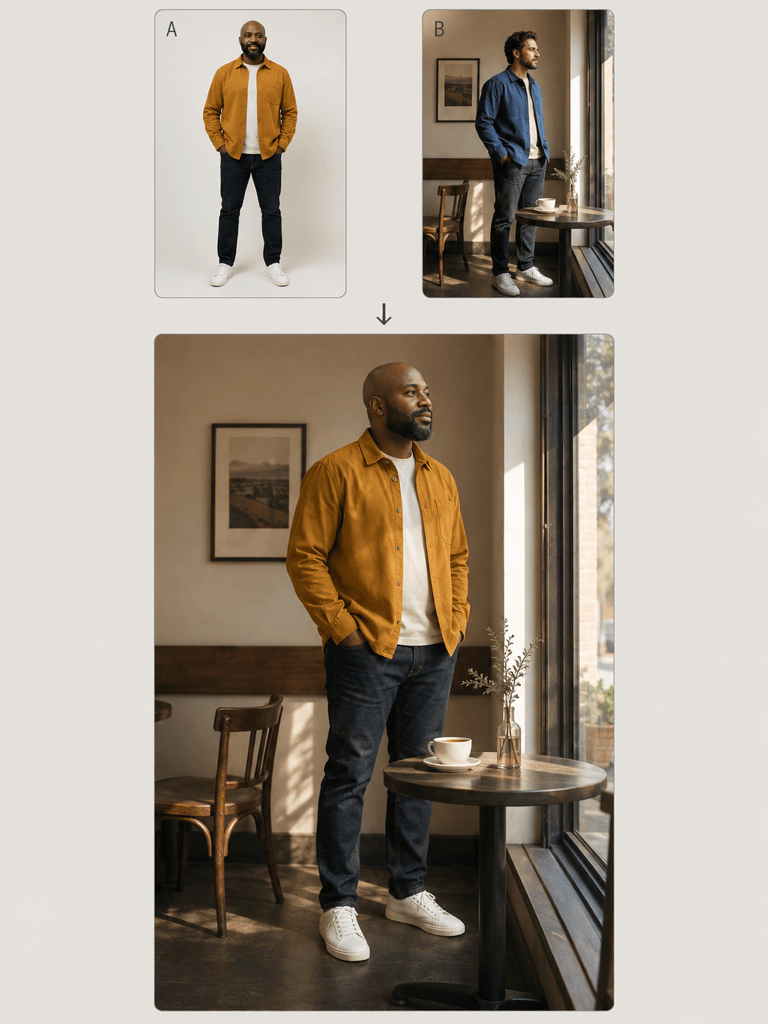
Replace the person in scene B with the full person from photo A, including A’s outfit and body proportions. Adapt the stance to the café floor and match the window light. Keep the tables and background composition from B.
Use my original illustrated character in A as the identity reference and the fully clothed astronaut pose in B as the body reference. Keep A’s face markings and color palette. Make a full-length illustrated character concept with visible boots.
Refine this photo composite. The head looks too large and the collar has a dark seam. Reduce head scale slightly and soften the neck shadow. Preserve the face, hairstyle, outfit, pose, and background as closely as possible.





