Edit Photos WithAI Body Reshape
How to Reshape a Body in a Photo With AI
Start With a Clear, Consented Photo
Name One Change and Lock the Rest
Read the Whole Frame
Refine the Boundary, Then Export

Body Retouching That Respects the Whole Photo
Describe the Edit Instead of Pushing Pixels
No liquify brush is required. Our AI body reshape workflow reads a plain-language request such as “slightly broaden the shoulders” or “adjust posture without changing body size,” then returns a complete image for review.
Keep the Change Deliberately Small
Degree words matter. Ask for a subtle waist adjustment, a gentle leg-proportion correction, or light muscle definition so the result remains connected to the source photo rather than becoming a new portrait.
Protect Identity and Styling
State that the face, hair, expression, outfit, fabric pattern, pose, and accessories should remain recognizable. Image-editing models such as GPT Image 2.5 can use those constraints while interpreting the requested body edit.
Watch the Background as Closely as the Body
The best body shape editor result also keeps nearby geometry believable. Inspect walls, shelves, horizons, shadows, and reflections, then use Chat Edit to correct any curve, duplicate, or displaced detail.
Explore More Than One Body Direction
Body editing is not synonymous with slimming. You can test a broader, softer, fuller, taller-looking, more athletic, or posture-only direction according to your creative goal—without labeling the original body as a flaw.
Compare Variations Before You Commit
Generated edits can differ from one attempt to the next. Try a few restrained versions, compare them at full size, and choose the one that best preserves the person and scene. New accounts receive free AI credits, and finished images export without a watermark.
A Better Body-Reshape Prompt Starts With Boundaries
- Locate the change: Name the waist, shoulders, arms, posture, hips, legs, or overall silhouette instead of asking for a vague full-body makeover.
- Set the degree: Use words such as slightly, subtly, gently, or moderately, and say whether the rest of the body size should remain the same.
- List the invariants: Protect identity, expression, hair, hands, pose, clothes, logos, patterns, accessories, lighting, framing, and resolution as needed.
- Guard the scene edges: Call out straight architecture, mirrors, furniture, horizons, garment seams, and ground shadows near the edited outline, then review those areas at full size.
Six Focused Prompts for Different Body Edits
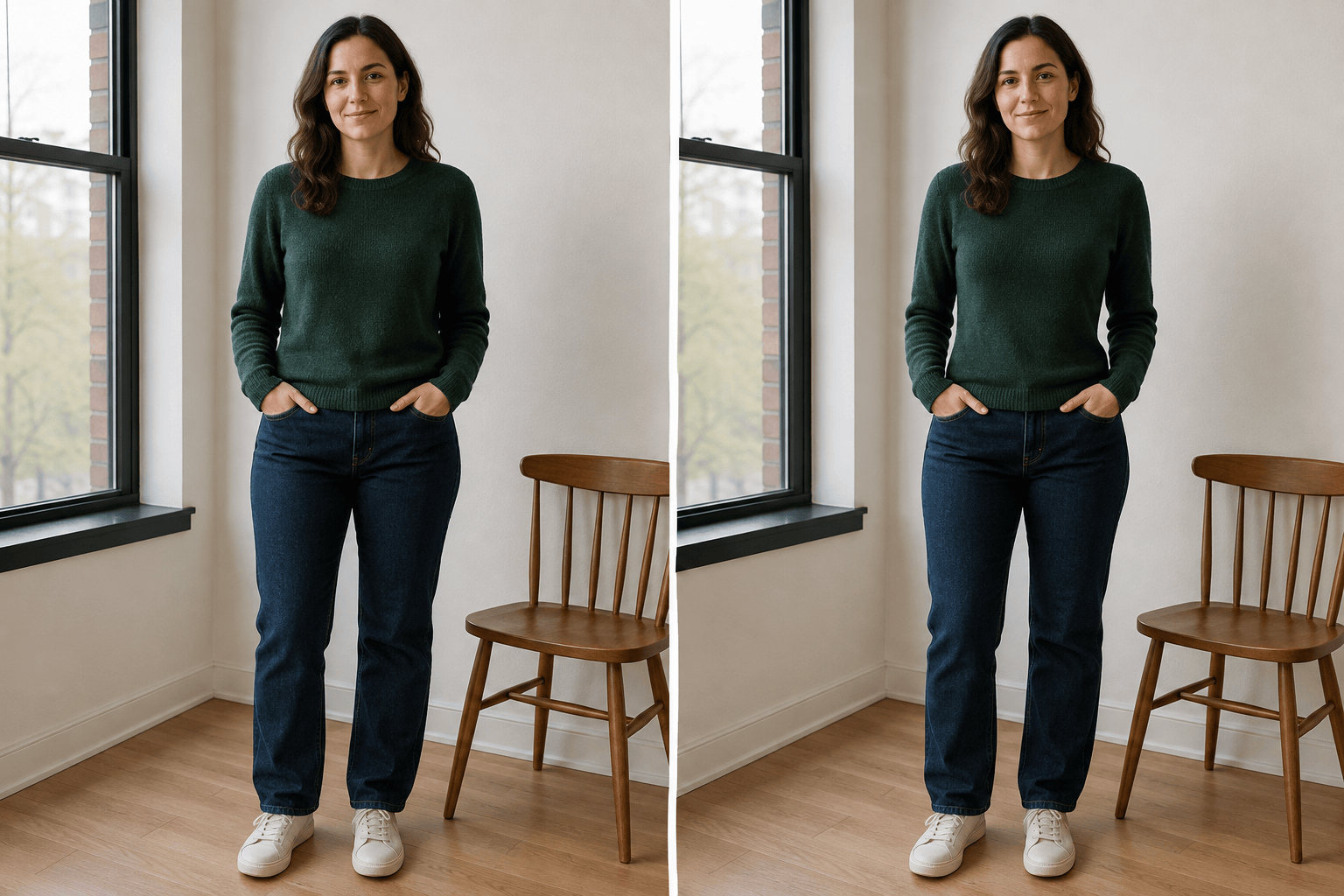
Subtle waist definition: In the uploaded full-body photo of an adult wearing a fitted green sweater and straight-leg jeans, narrow the waist slightly. Keep the face, hairstyle, chest, hips, legs, hands, clothing texture, pose, crop, and lighting unchanged. Preserve the vertical window frame and chair beside the person; make no other retouching changes.
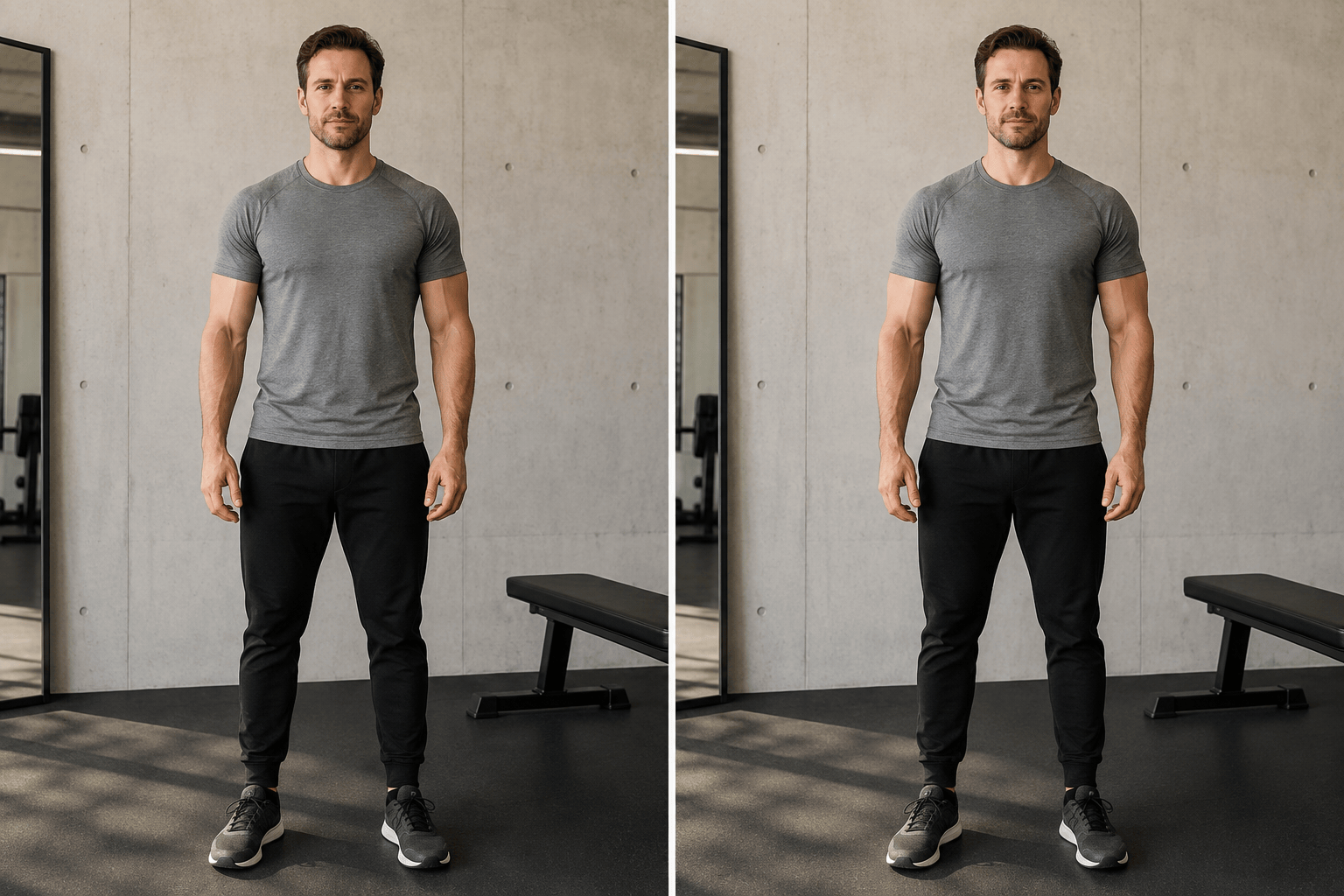
Athletic upper-body definition: Give the adult in this modest gym portrait slightly broader shoulders and gentle definition in the visible arms. Keep overall body size, face, tattoos, gray T-shirt, joggers, pose, equipment, mirror lines, and shadows consistent. The result should look like restrained photo retouching, not a fitness prediction.
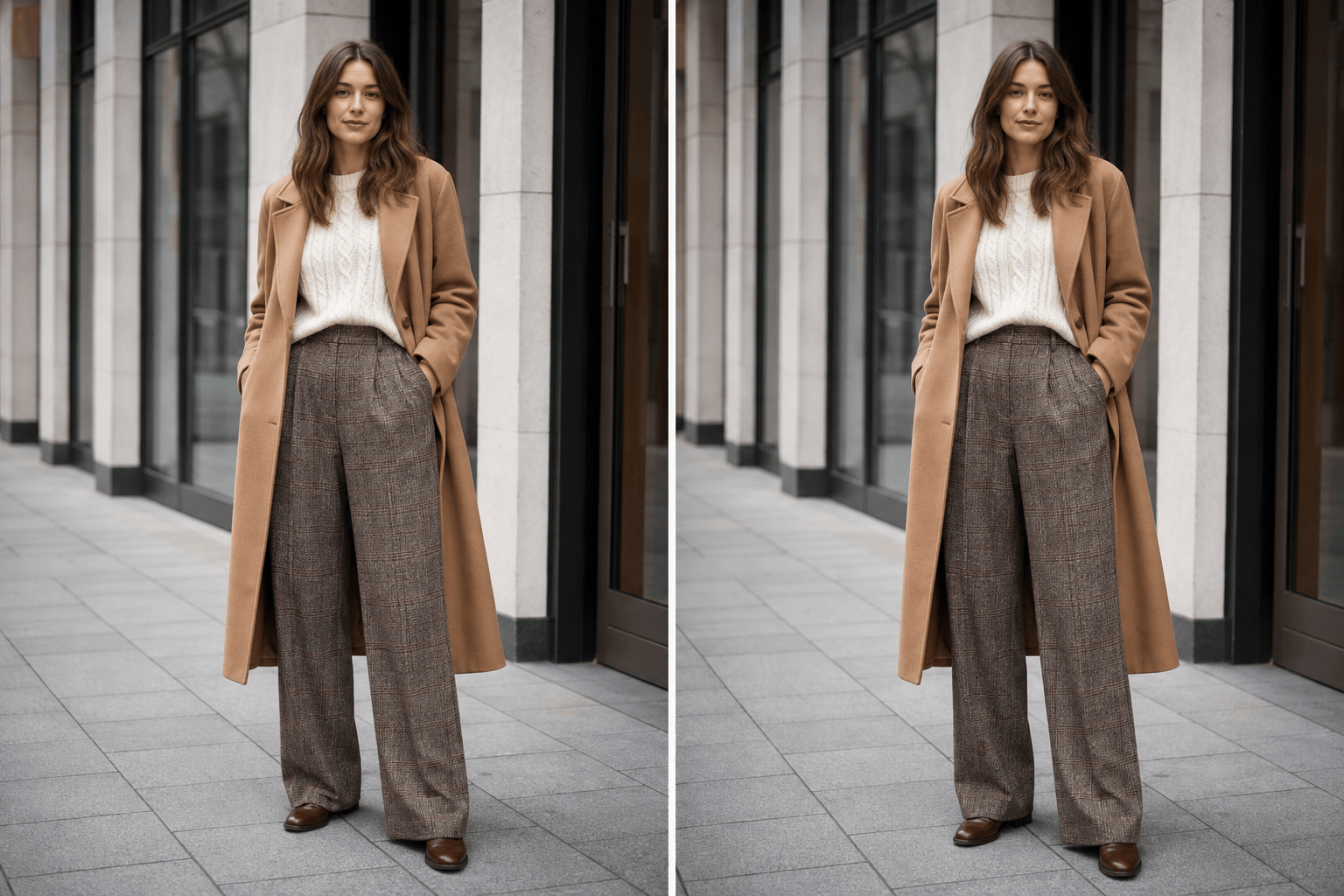
Rebalance leg proportions: Adjust this adult street-fashion portrait so the legs appear subtly longer while the torso and head stay at their original scale. Preserve the coat hem, trouser pattern, shoes, stance, camera angle, pavement lines, storefront edges, and full crop. Avoid stretched feet or bent architecture.
Posture-only adjustment: Make the adult subject stand a little more upright with relaxed, level shoulders. Do not slim, enlarge, or redefine any body area. Keep identity, expression, hands, casual outfit, wall texture, lighting, and framing the same, and maintain natural balance through the feet.
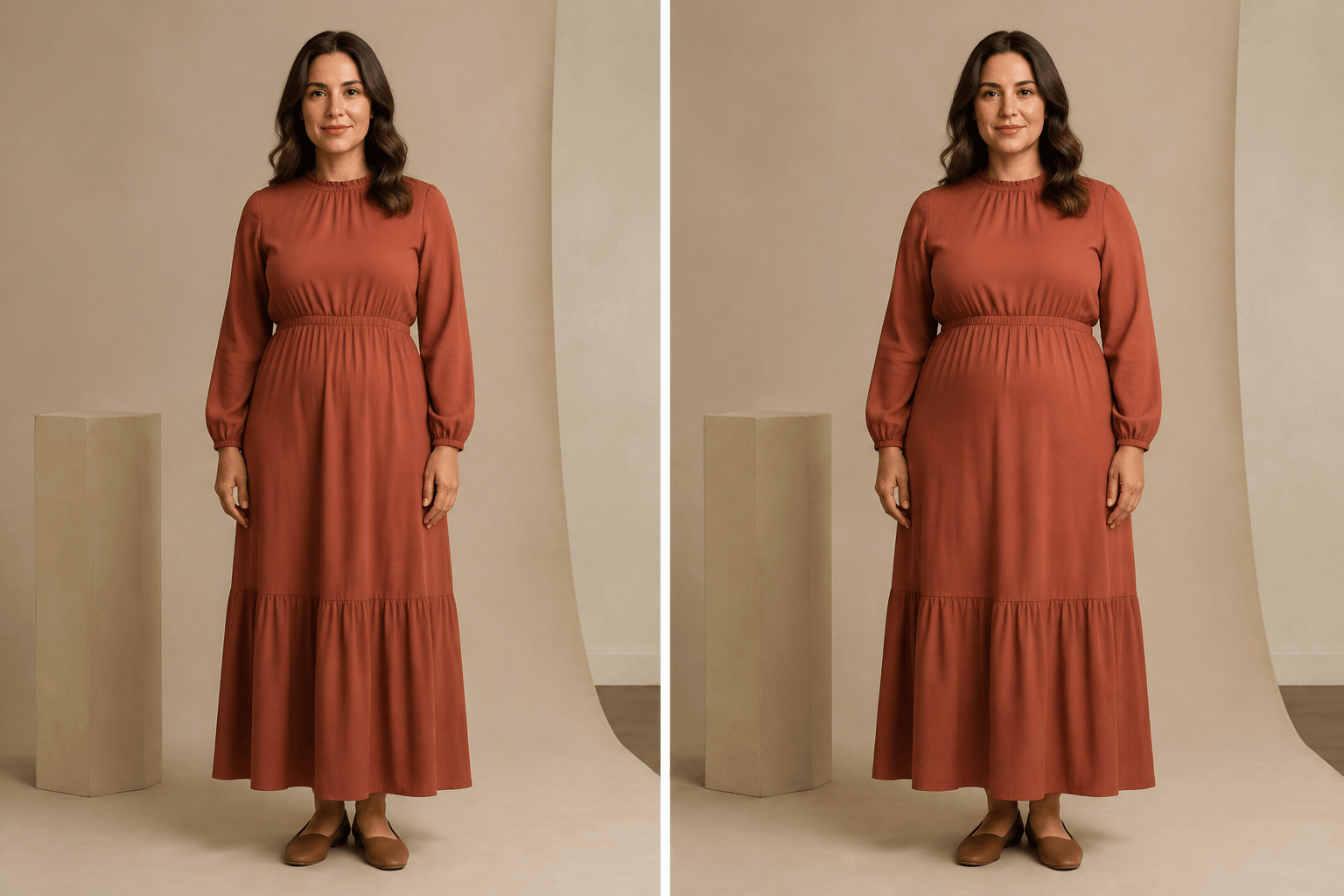
Softer, fuller silhouette: Give the adult in this editorial portrait a subtly fuller, softer overall silhouette. Preserve the face, hairstyle, pose, dress design, fabric drape, sleeve length, accessories, background, and light direction. Keep anatomy plausible and do not treat the original or edited body as a before-and-after fitness result.
Costume character study: For this fictional adult character portrait, make the build slightly broader through the torso and legs to support a sturdy explorer concept. Keep the face, age, pose, jacket graphics, belt, boots, props, environment, perspective, and lighting consistent. Return a realistic alternate character design, not a real-world body forecast.





