Free to Try OnlineAI Barbie Filter
How to Turn Your Photo into a Barbie-Style Portrait
Upload a Clear Selfie
Create Your Doll Look
Check the Resemblance
Download Your Portrait

Your Photo, Your Take on the Doll Look
Start with Your Own Features
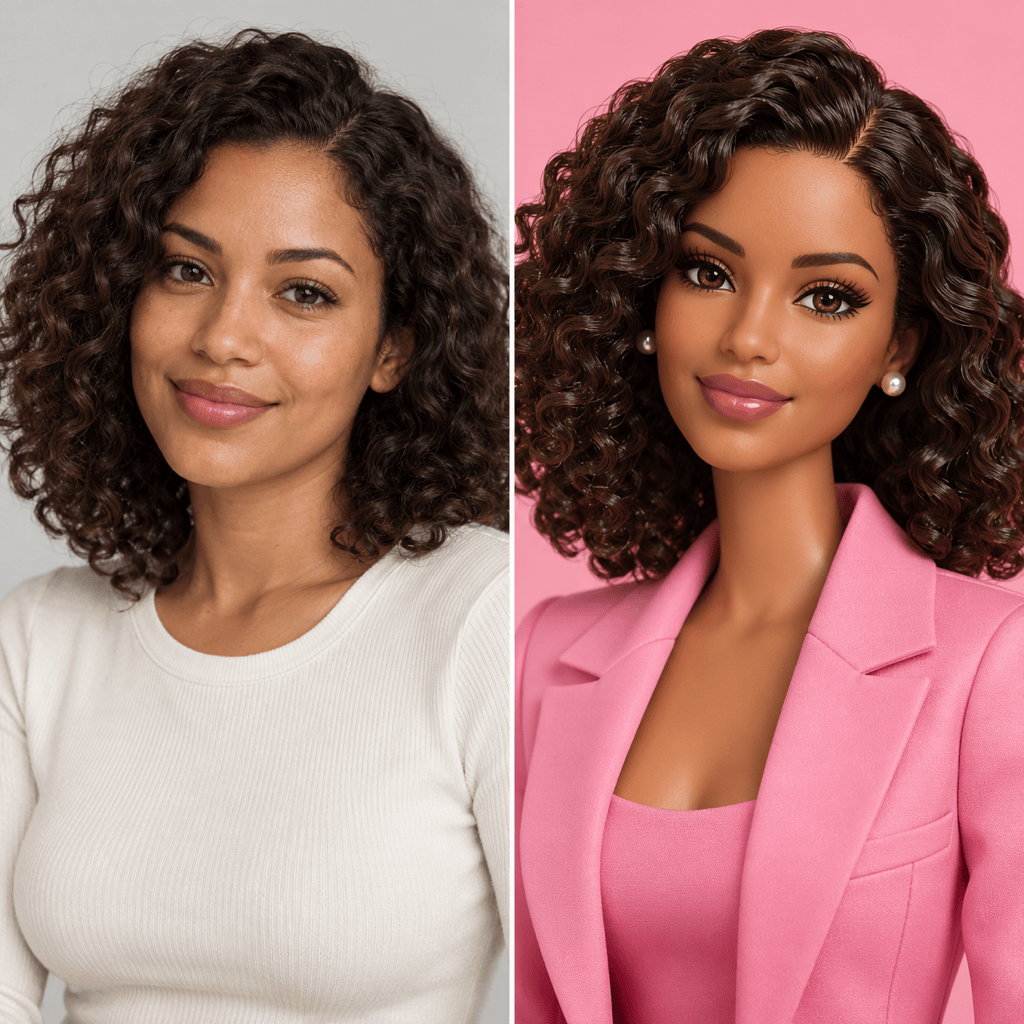
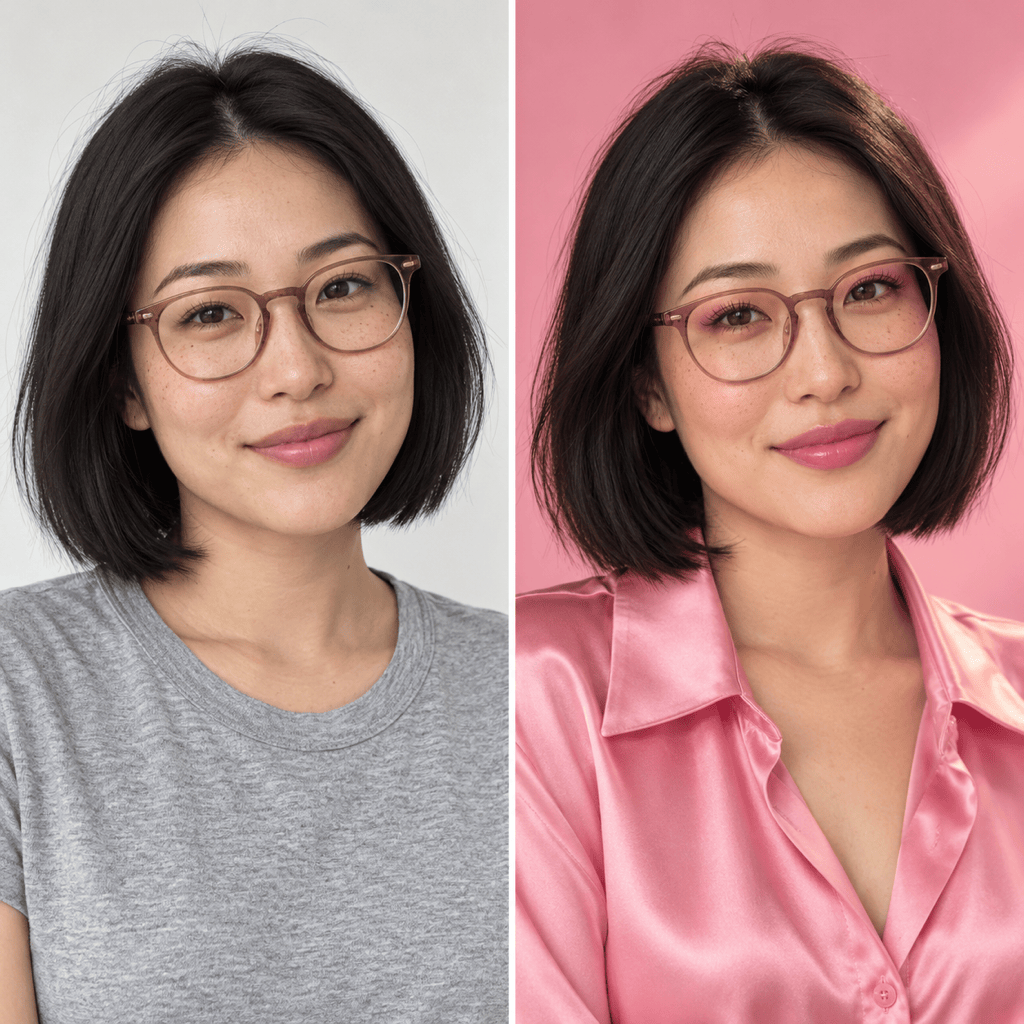
Use your photo as the reference instead of describing an imaginary face. Tell the Barbie photo filter to retain your skin tone, hairstyle, glasses, and expression, then review the resemblance.
Choose Doll Texture or Natural Glam
Ask for sculpted plastic and painted lashes, or keep a photographic finish with pink fashion and makeup. Control the look through words instead of settling for one preset.
Build a Personal Doll Box
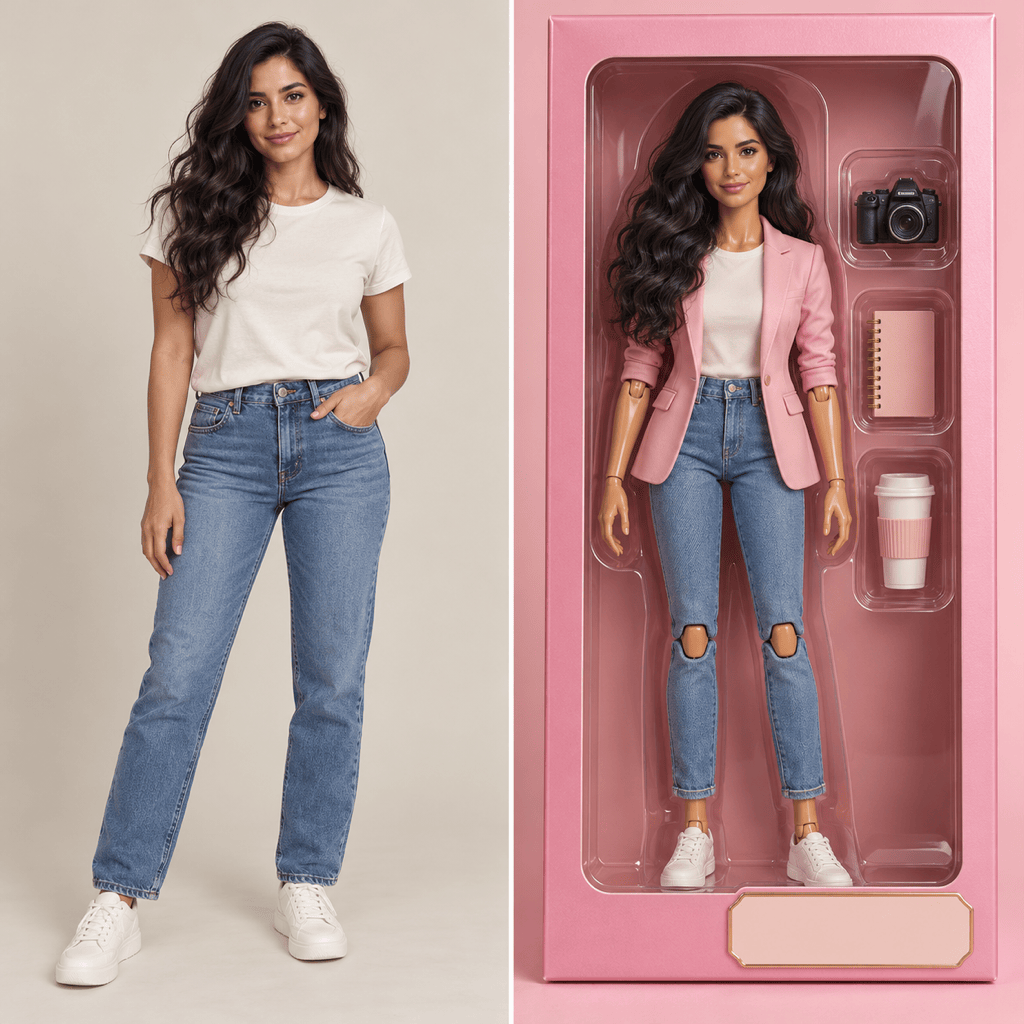
Use Mew Design as an AI Barbie doll generator from a photo. Request a full-body figure, a short name label, and a few accessories that reflect your hobbies. Check the lettering before sharing.
Explore a Ken-Inspired Style
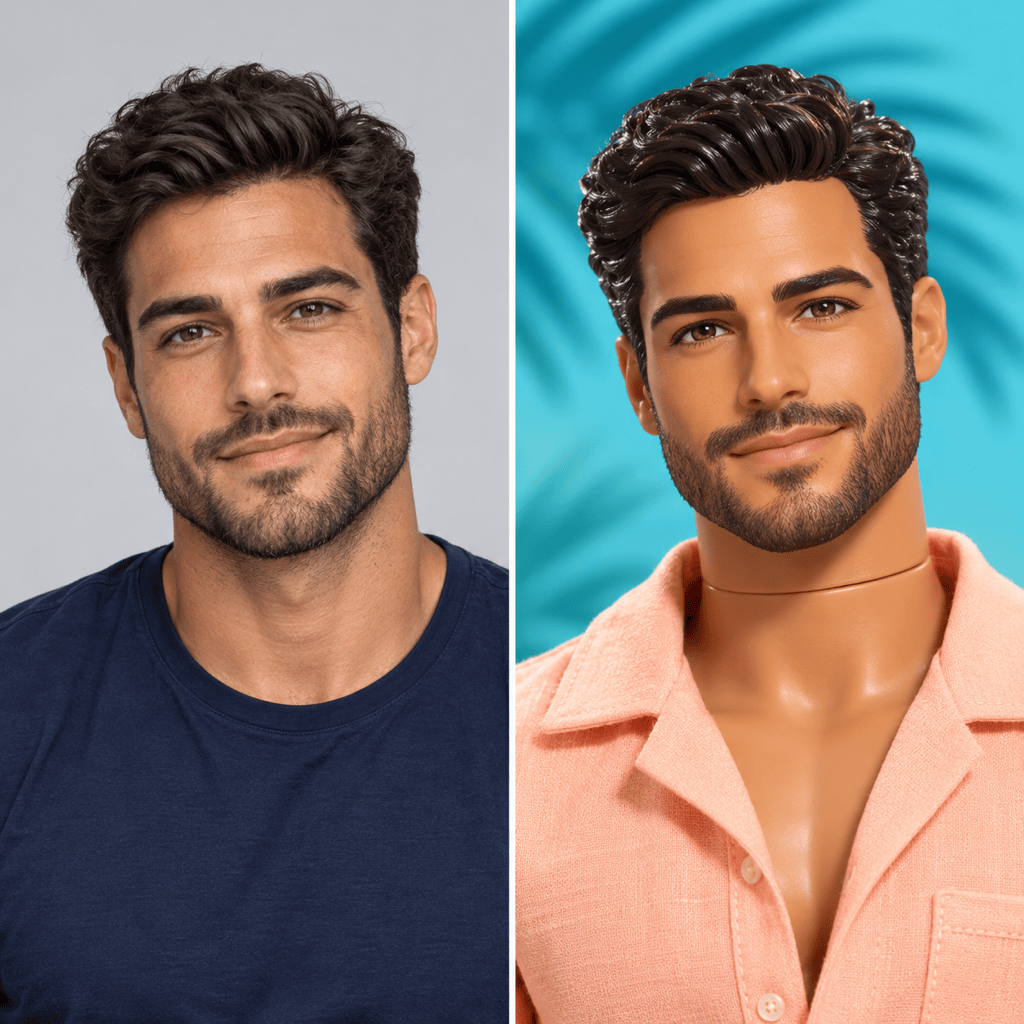
Try a Ken doll filter look with a pastel shirt, beach setting, or tailored outfit. Describe the styling you want and which personal features should stay.
Change One Detail Through Chat
Keep a composition you like while asking Chat Edit for a new outfit, softer makeup, or a simpler background. Focus each revision on the detail that needs attention.
Take the Look to Your Social Profile
Generate variations for an avatar or a full portrait, then download watermark-free PNG or JPG images. Free credits after signup let you try the workflow; generation and edits use credits.
Make the Makeover Still Feel Like You
- Give the Face Room: Use an unobstructed face with even light. Avoid tiny faces in group photos, heavy filters, and sunglasses that hide the eyes.
- Name Your Defining Details: Mention freckles, hair texture, skin tone, glasses, or facial hair if you want them retained. Do not assume a doll style requires blonde hair.
- Set the Finish: Choose a plastic doll, a softer illustrated look, or a realistic Barbiecore portrait. If the face changes too much, request less stylization.
- Match the Photo to the Crop: A headshot suits an avatar. For a doll in a box, a full-body reference gives the AI more information about the pose and outfit.
Six Ways to Refine Your Barbie Photo
Make this doll portrait look more like my uploaded photo. Bring the face shape, eye spacing, nose, and smile closer to the reference. Keep the pink outfit and background.
Restore the skin tone and natural hair texture from my original photo. Keep my freckles and glasses where visible. Leave the doll styling and framing in place.
Make this Barbiecore portrait less plastic. Use natural skin texture, softer makeup, and subtle highlights while keeping the pink fashion and my facial features.
Turn my uploaded full-body photo into a Barbie-inspired doll in a pink display box. Add a camera, notebook, and coffee cup in separate compartments. Leave a blank name panel and keep the entire box visible.
Give my uploaded portrait a Ken-inspired fashion doll look. Keep my dark hair, short beard, and smile. Add a pastel beach shirt, a turquoise backdrop, and a lightly molded doll finish.
Adapt this doll portrait into a 9:16 story image for Instagram or TikTok. Extend the pink background, keep the face fully visible, and leave space above the head for a caption. Do not add text.





