Free OnlineAI Band Generator
How to Create Band Images with AI
Describe Your Lineup
Generate the First Band Image
Check Faces and Instruments
Export for Your Next Release

Build a Band Look You Can Keep Refining
Start with a Fictional Lineup
Our AI band generator turns a description into a group image without a photoshoot. Specify distinct appearances and roles so the band has more character than a row of similar faces.
Match the Look to the Genre
Create AI rock band portraits with gritty rehearsal-room lighting, a jazz trio in warm studio light, or a colorful illustrated pop group. Describe visual details as well as the musical genre.
Bring Your Own References
Use the AI band photo generator with uploaded portraits or a moodboard to guide the image. Ask for the features you want to retain, and review each person’s likeness before using the result.
Choose How You Generate
Access the latest leading image models, with new releases added promptly. Pick a model yourself or let Mew Auto choose for a realistic group photo, stylized characters, or reference-led artwork.
Revise One Detail Through Chat
Change the backdrop, stage lighting, outfits, or member positions with Chat Edit. Specify what should stay the same and inspect the revision before making another change.
Reuse the Band’s Visual Direction
Turn an approved approach into a reusable Mew Skill for later band artwork. Carry over wardrobe, palette, and composition rules with less repeated briefing; check faces across each new image.
Get the Lineup, Instruments, and Framing Right
- Count and Assign: State the exact member count and each role. Place the drummer behind the front line and leave enough room for instrument bodies and necks.
- Separate the Members: Give each person a different hairstyle, outfit, or position. When using real people, upload clear references with their permission and identify who is who.
- Fit the Destination: Use a horizontal composition for a full lineup or press-kit image and a square composition for cover artwork. Leave space around faces for later cropping.
- Inspect Before Export: Check fingers, strings, microphone stands, duplicated faces, and missing members. Ask for one correction at a time; references improve guidance but do not guarantee exact identity.
Band Image Ideas to Try
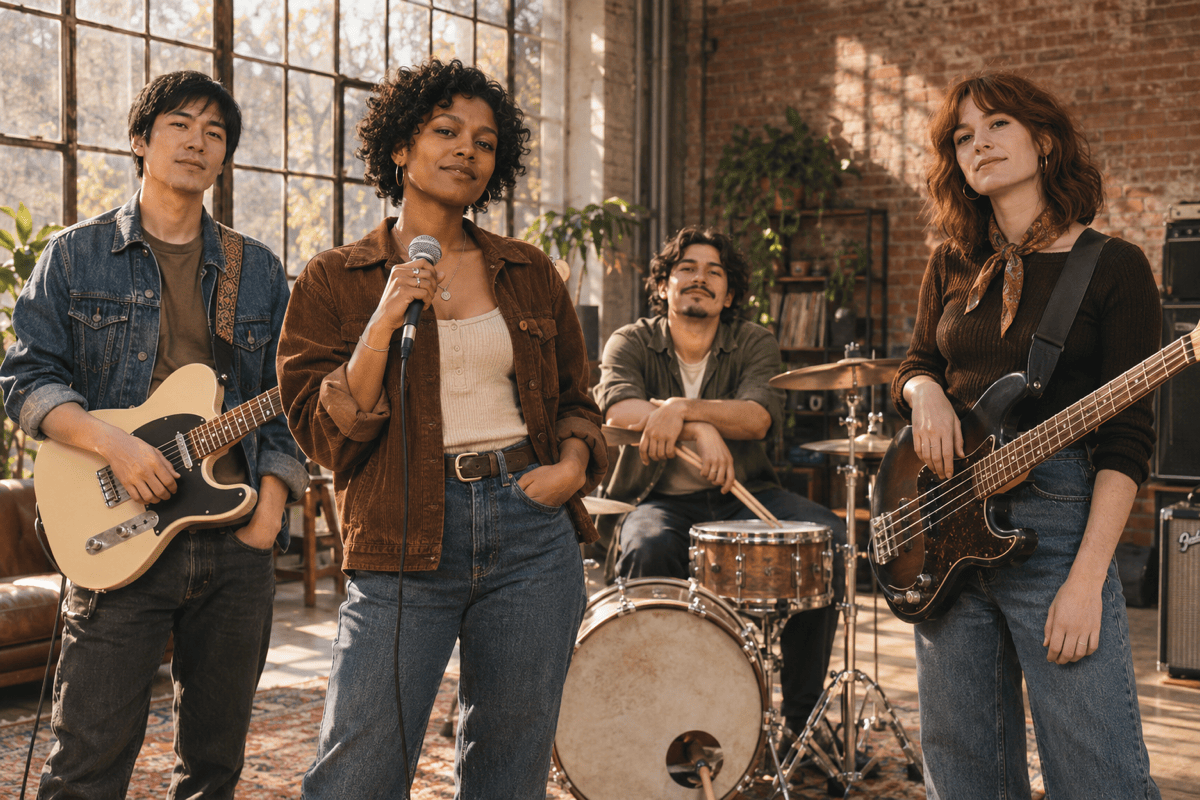
Create a horizontal indie band promo photo of four fictional adults in a sunlit rehearsal loft. Show distinct faces and coordinated denim outfits, with a guitar, bass, microphone, and drum kit placed naturally. Use a candid film-photo style and no text.
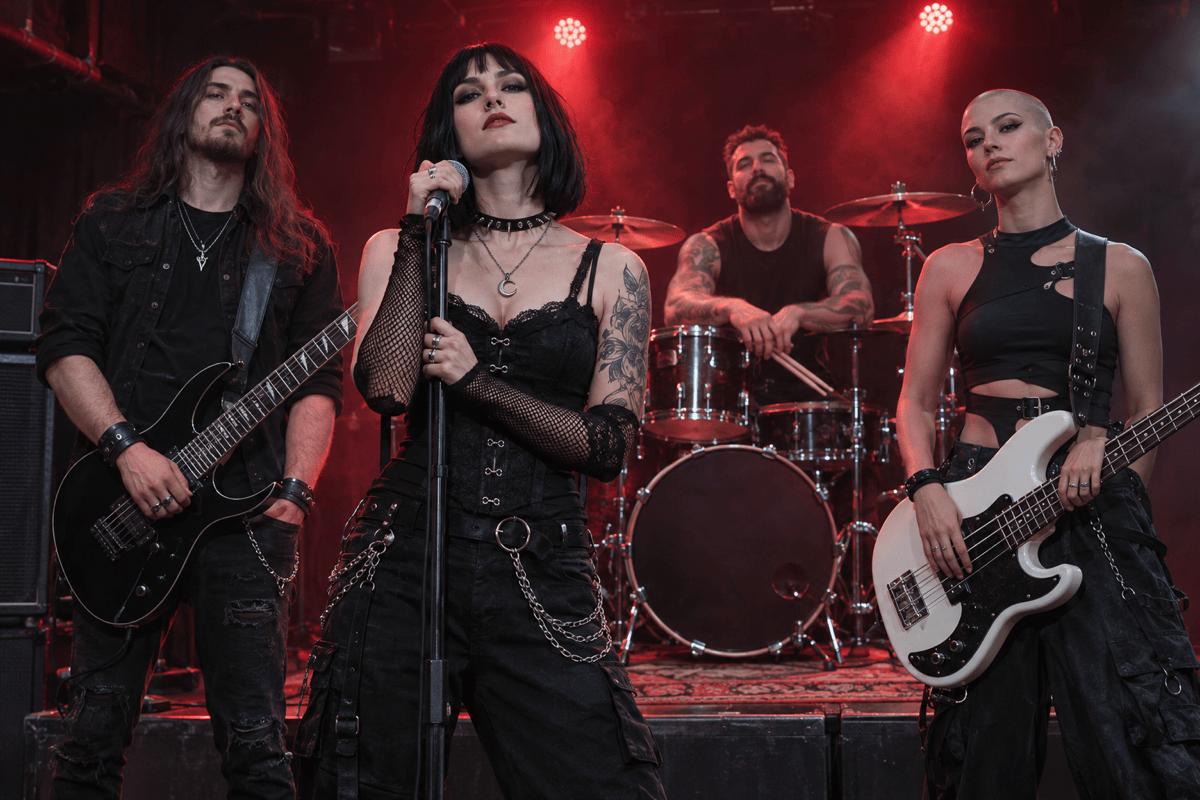
Generate a dramatic image of a fictional four-piece metal band on a small stage. Show a singer, guitarist, bassist, and drummer, with red backlighting and light haze. Keep the instrument shapes and every face clear. Use a horizontal composition without logos.
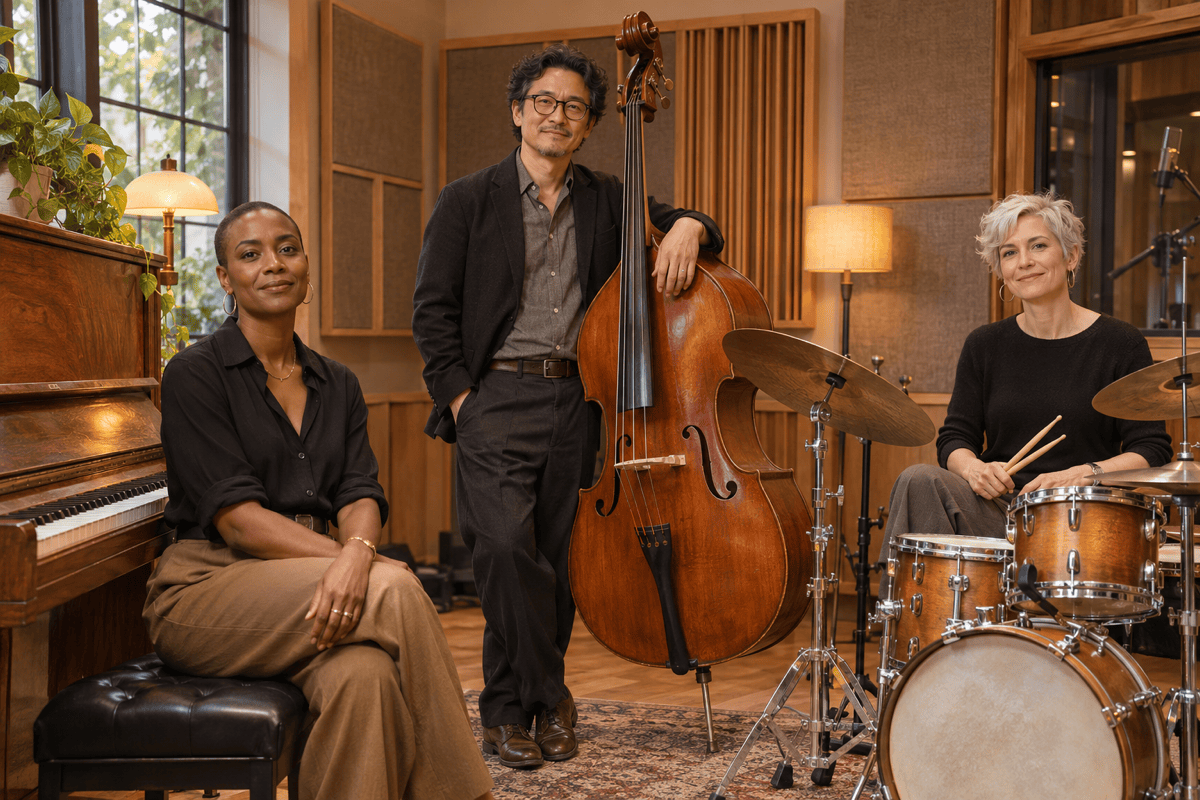
Create a horizontal jazz trio portrait in an intimate recording studio: one pianist at an upright piano, one upright bassist, and one drummer with a compact kit. Use warm amber light, understated clothing, and a relaxed editorial-photo style. No text.
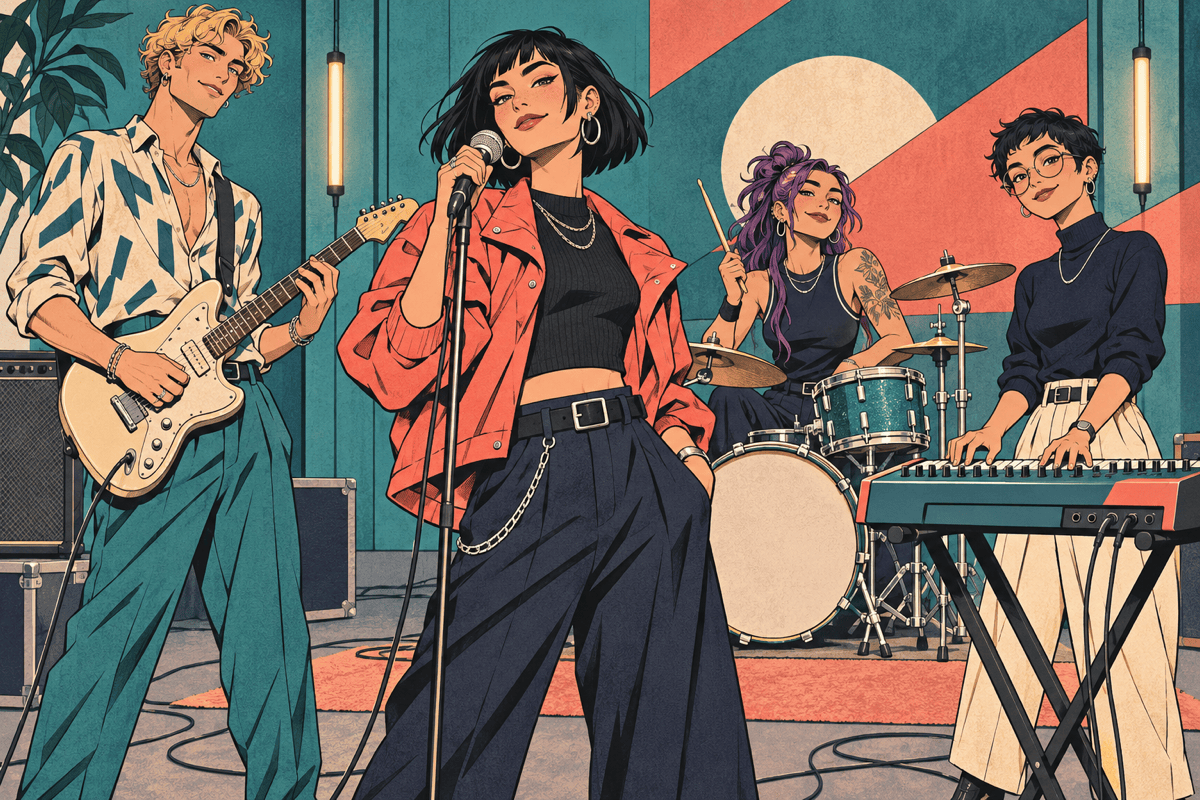
Create an illustrated virtual band with four original adult characters: a singer, guitarist, synth player, and drummer. Give each a distinct silhouette and a coordinated teal-and-coral outfit. Use clean comic-style linework and a horizontal rehearsal-stage composition. No text.
Use my uploaded band image as a reference for a square album-cover concept. Keep the same member count, wardrobe direction, and color palette. Arrange the group around a softly lit central space and leave the top clear for a title I will add later.
Use my uploaded band portrait to create a wide social header. Keep the members together near the center with space on both sides for cropping. Preserve the reference’s visual direction, and avoid text or important details near the edges.





