Free OnlineAI Ad Generator
Turn a campaign brief, authorized product photo, or accessible product page into a complete static ad concept. Mew Design - AI Design Agent works as an online AI ad maker for ecommerce products, Meta and Instagram feeds and stories, LinkedIn sponsored content, Google display assets, launches, and retargeting. Supply the approved hook, offer, CTA, brand assets, and placement, then refine the visual hierarchy through chat before platform review and launch.

How to Create Static Ad Creatives with AI

Ground the creative in approved source material, lock the message and placement, explore controlled variants, then proof every asset before launch.
1

Ground the Ad in Product Facts

Upload an authorized product photo, logo, brand guide, landing-page screenshot, or approved copy document. You can also provide a crawlable product URL when access is allowed. Tell the AI ad creative generator which source is authoritative for the product name, features, price, offer, audience, objective, and destination; blocked or complex pages may need pasted facts instead.
2

Lock the Message and Placement

Provide the exact headline, benefit, offer, dates, CTA, legal line, and any text that must not change. Choose the intended placement and current required ratio—such as 1:1 square, 4:5 feed, 9:16 story, or 1.91:1 landscape—and identify the focal product, text-safe area, logo position, and mobile reading order.
3

Generate Controlled Creative Angles

Ask the AI ad generator for product-led, lifestyle, problem-solution, feature, or offer-led directions. For a useful test set, change one meaningful variable at a time—such as the hook, hero image, benefit framing, or layout—while keeping approved product facts and campaign conditions stable. Use Chat Edit to correct the product, crop, copy, contrast, or hierarchy.
4

Proof, Export, and Test

Verify names, claims, prices, dates, testimonials, disclosures, trademarks, likenesses, landing-page consistency, safe zones, and current platform rules. Export the reviewed static design as PNG, JPG, or PDF, upload it through the relevant ad platform, and measure variants in a real campaign. Generated creative does not predict approval, CTR, ROAS, conversions, or a winning result.
How to create static ads with AI

From Product Source to Reviewable Ad Variations

Build from a Product Photo

Use an authorized packshot, app screen, food image, fashion item, or home-goods photo as the visual anchor. This AI product ad generator can place the supplied product into a cleaner scene or layout, but you should inspect labels, shape, color, packaging, UI, and model details against the original.

Turn a Page or Brief into Creative

Provide an accessible product page, pasted campaign facts, or an approved brief and state what may be summarized. Mew can use that source to organize a hook, benefit, offer, CTA, and visual direction; it should not invent reviews, certifications, prices, guarantees, or product capabilities that are absent from the source.

Design Placement-Aware Ad Sets

Create square, portrait, story, and landscape variations with deliberate safe zones and reading order instead of stretching one composition. An AI social media ad generator can accelerate adaptation, but current dimensions, crop behavior, text rules, and file requirements still need to be checked for each platform and campaign type.

Keep Brand and Product Assets Visible

Upload approved logos, colors, type references, product photos, screenshots, packaging, or prior campaign assets. Ask Mew Design to preserve the brand lockup, protect product proportions, keep critical interface details readable, and reserve space for required disclosures without copying another advertiser's identity.

Explore Testable Creative Hypotheses

Create variants around different hooks, hero visuals, benefit orders, offer treatments, or CTA emphasis. Keep a written record of what changed so an A/B test can answer a clear question. More versions provide options; they do not identify a winner or guarantee performance before live measurement.

Revise and Export Static Assets

Use Chat Edit to update copy, crop, hierarchy, color, product emphasis, safe margins, or disclaimers, then export a static PNG, JPG, or PDF. Editable means conversational revision of the visual draft—not layered PSD, Illustrator, InDesign, SVG, or PowerPoint files, video or UGC generation, direct publishing, targeting, bidding, tracking, or campaign optimization.

How to Brief AI for a Testable Static Ad

Create three static ad concepts for the fictional 'EMBER DESK LAMP' using @approved-product-photo.png, @brand-guide.pdf, and @approved-campaign-copy.docx. Objective: qualified product-page visits from remote workers in small apartments. Preserve the lamp's exact shape, finish, controls, and logo. Exact headline: 'Focused light. Less desk glare.' Exact supporting line: 'Three brightness levels for late work and quiet reading.' Exact CTA: 'See the Lamp'. Use the approved $79 price only if it appears in the source file; otherwise omit price and mark it 'TO VERIFY'. Create 1:1, 4:5, and 9:16 static versions with the product and headline inside placement-safe areas. Direction A: clean product demo. Direction B: compact-desk lifestyle scene. Direction C: feature-led comparison using only approved facts. Use deep navy, warm copper, and soft cream. Do not invent reviews, discounts, certifications, energy claims, urgency, performance results, or endorsements. Keep the landing-page promise consistent and reserve space for the supplied disclosure. Output reviewable static ads, not video or a launched campaign.
When using an AI advertisement generator, identify the source of truth, campaign objective, audience, product, exact copy, offer conditions, placement, brand assets, visual hypothesis, and review requirements.
  • Start with Approved Facts: Attach or paste the final product name, features, price, availability, dates, offer terms, CTA, disclaimer, and destination. Tell the AI to flag missing details rather than filling them with plausible marketing claims.
  • Give Each Ad One Job: Choose one objective and one dominant message. A static product ad usually needs a clear focal image, a short hook, one support point, one CTA, and only the disclosures required for that placement.
  • Name the Placement: Specify square, 4:5 feed, 9:16 story, 1.91:1 landscape, or the exact current platform dimensions. Identify safe zones, crop risks, mobile reading order, and where the logo and legal line must remain visible.
  • Design the Test Before the Variants: State which single variable should change—hook, visual, benefit framing, offer treatment, or layout—and what must stay fixed. Proof every version and use actual campaign data instead of treating AI output as a performance forecast.

AI Ad Prompts for Ecommerce, SaaS, Local Offers, and B2B

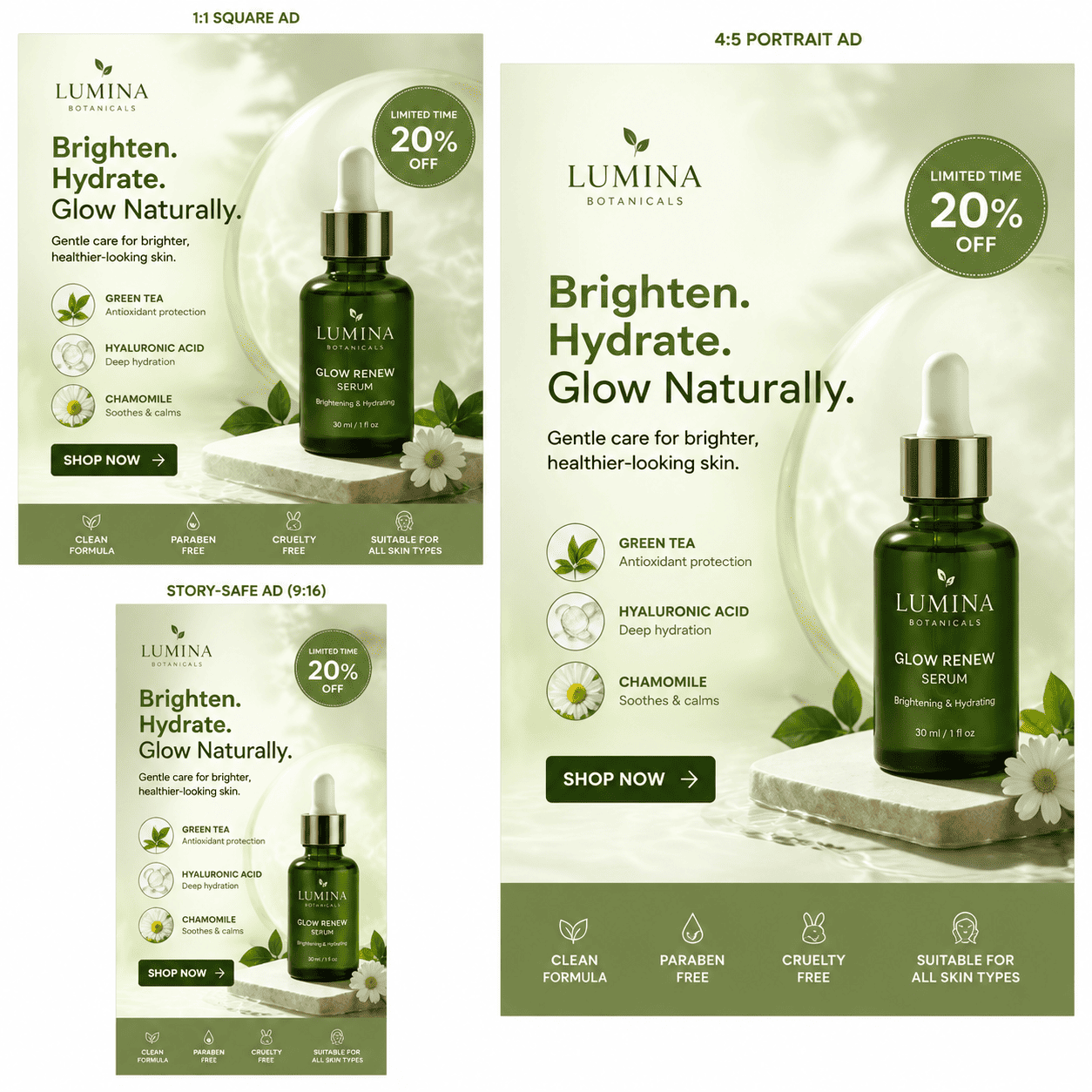
Skincare Product Ad: Create 1:1 and 4:5 Meta and Instagram static ads using @approved-serum-packshot.png, @brand-guide.pdf, and exact copy from @campaign-copy.docx. Keep the bottle, label, volume, ingredients, and logo unchanged. Use one product focal point, a short approved headline, one supported benefit, the exact offer dates, CTA, and required cosmetic disclaimer. Do not invent dermatology approval, clinical results, before-and-after imagery, reviews, or health claims.

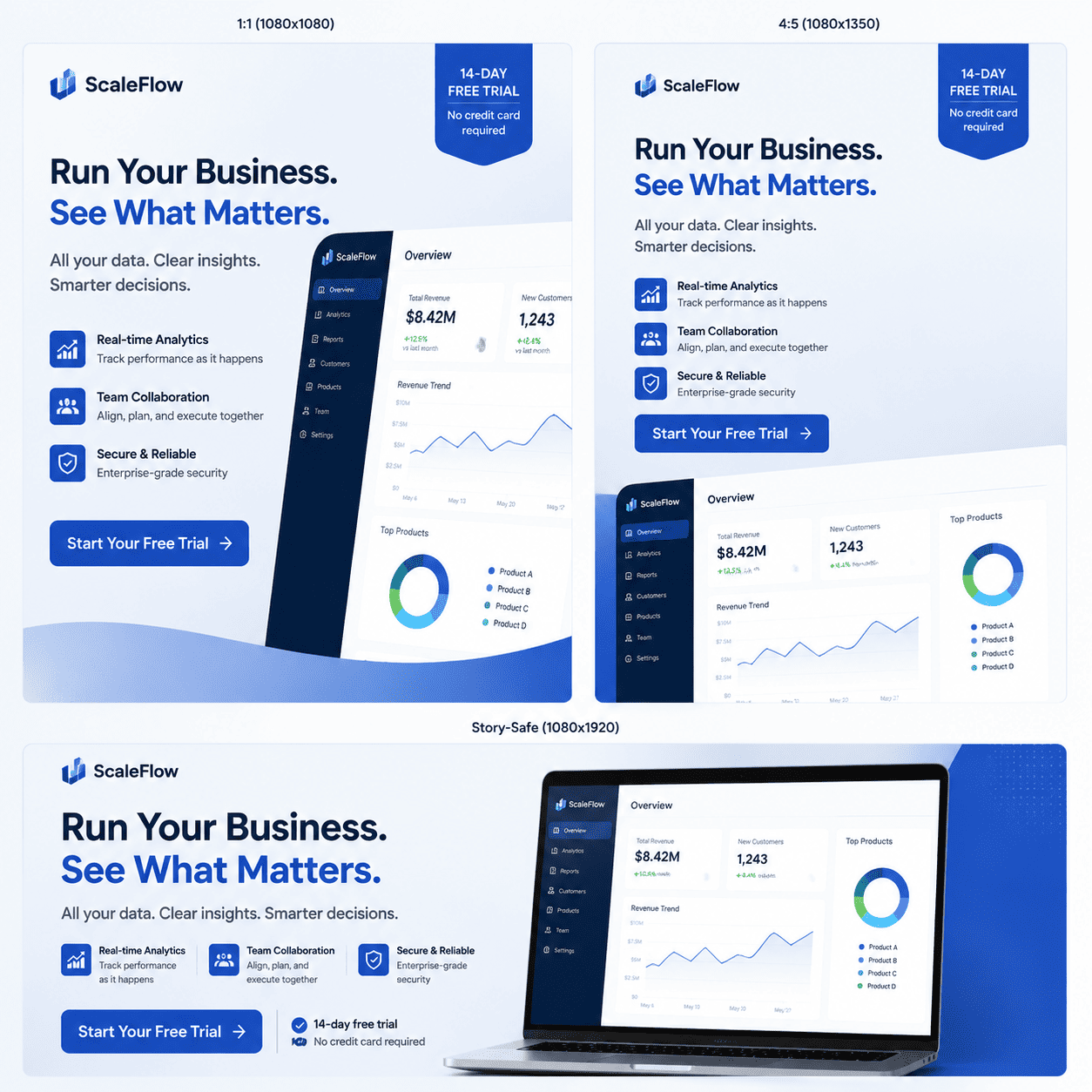
SaaS LinkedIn Ad: Turn @approved-dashboard.png and @launch-brief.docx into a 1.91:1 and 1:1 B2B single-image ad set. Preserve the real interface, company name, trial terms, and approved feature wording. Create one product-screen direction and one problem-solution direction with the exact CTA 'View the Workflow'. Do not invent revenue values, customer counts, security certifications, integrations, testimonials, or guaranteed time savings.

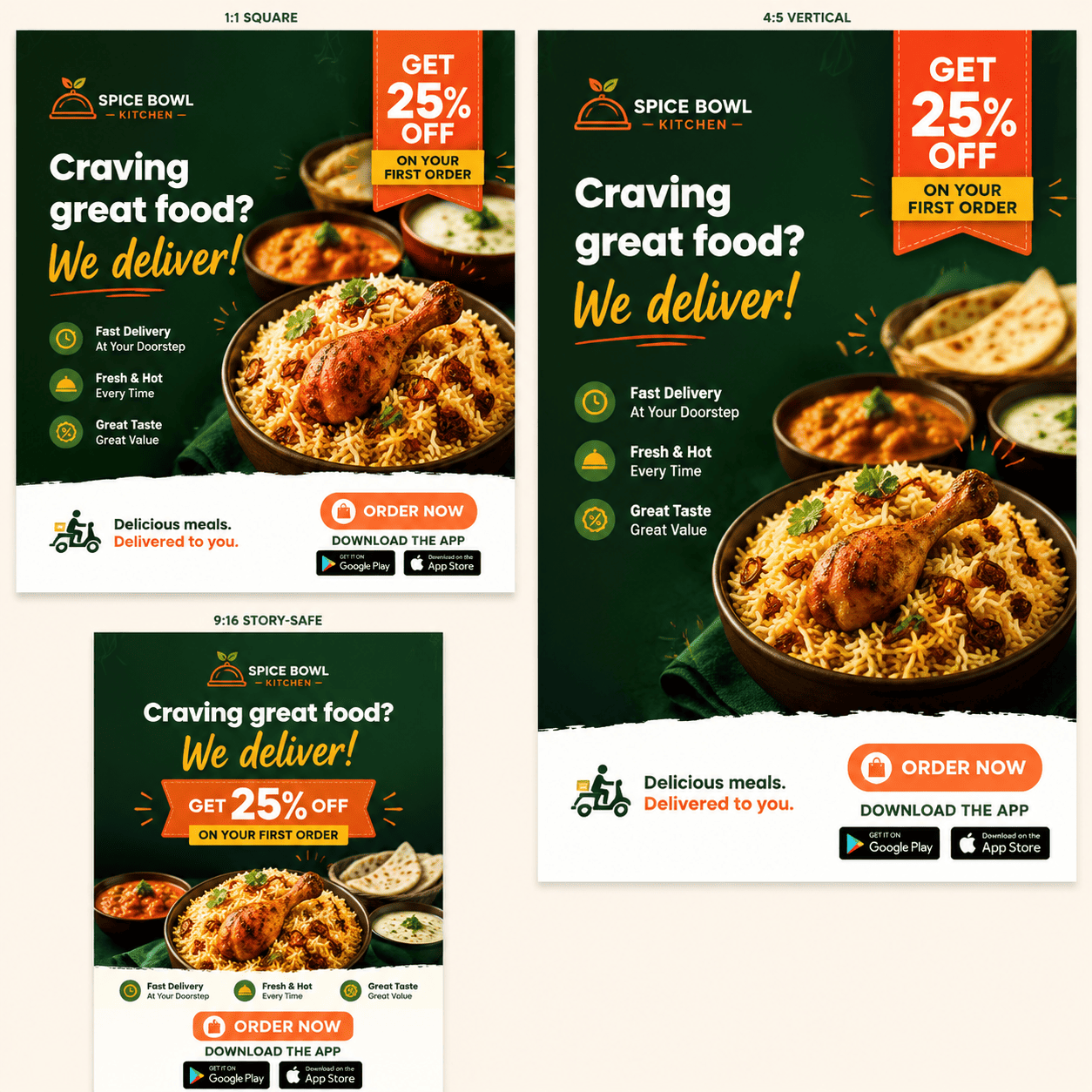
Restaurant Delivery Offer: Design 4:5 feed and 9:16 story ads using @licensed-food-photo.jpg, @restaurant-logo.png, and @offer-terms.txt. Exact headline: 'Dinner, Delivered Tonight'. Include only the approved service area, offer amount, redemption code, start/end dates, minimum order, and CTA. Keep the food realistic and the legal line inside the safe zone. Do not add app-store badges, ratings, delivery-time promises, or menu prices unless supplied.

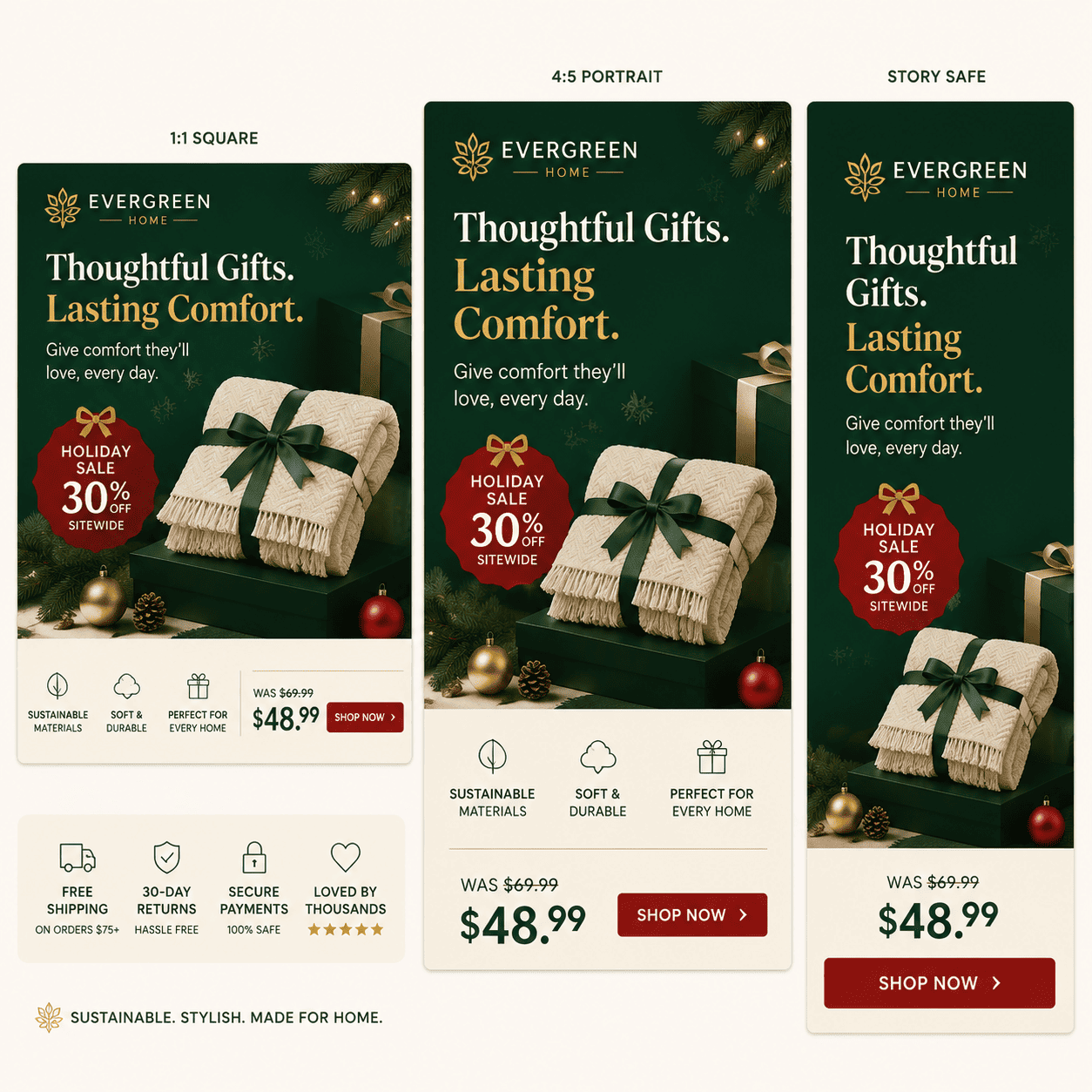
Seasonal Home-Goods Sale: Create square, portrait, and story static ads from @blanket-packshot.png and @holiday-sale-brief.pdf. Preserve fabric texture, product color, SKU, approved list price, sale price, dates, inventory wording, returns line, and brand logo. Test three visual hypotheses: gift-ready product, room lifestyle, and price-led layout. Change only the visual hypothesis; keep the offer facts fixed. Do not invent free shipping, stock urgency, sustainability claims, or customer ratings.

B2B Lead-Generation Ad: Use @approved-report.pdf and @brand-guide.pdf to create a LinkedIn single-image ad for operations leaders. Exact headline: 'The 2026 Workflow Benchmark'. Exact CTA: 'Read the Report'. Use one verified finding from page 12 with its qualifier and source note, plus a clean document mockup and restrained navy-cyan palette. Do not invent statistics, imply independent endorsement, or turn correlation into a causal claim.

Retargeting and Display Adaptation: Redesign @approved-source-ad.png for 1:1, 4:5, and 1.91:1 static placements using the accessible product page at [URL] only as supporting context. Preserve the approved product image, brand lockup, headline, offer terms, CTA, and disclosure. Improve crop, hierarchy, and safe zones for each format. If the page cannot be read or conflicts with the source ad, mark the discrepancy 'TO VERIFY'. Do not add tracking, publish the campaign, or predict performance.


FAQs About the AI Ad Generator

You can sign up and begin with free AI credits to create and revise a static ad draft. Selected reviewed designs can be exported without a watermark; available credits and paid usage depend on your account plan.
Yes. Upload an authorized product photo, packshot, app screen, food image, fashion item, or other campaign asset and state what must remain exact. Review labels, proportions, colors, interface details, text, hands, faces, and backgrounds before using the generated ad.
You can provide an accessible URL when crawling is allowed and tell Mew which page sections to use. Blocked, paywalled, dynamic, or complex pages may not be readable, so paste or attach approved facts when needed. Verify every extracted product detail, price, offer, and claim against the live destination.
Yes. You can request separate 1:1 square, 4:5 feed, and 9:16 story compositions with placement-safe text and logos. Do not simply stretch one design. Preview each asset and confirm the latest Meta format, crop, safe-zone, text, and policy requirements before launch.
Yes. Request square, landscape, portrait, or exact-size static concepts for the intended campaign. Google and LinkedIn requirements differ by ad type and can change; verify current ratios, pixel dimensions, file size, center-safe guidance, text-overlay rules, and account eligibility in the official platform documentation.
It can suggest draft wording when you provide verified product and audience context, but the safest workflow supplies approved copy and asks the AI to preserve it. Manually check spelling, prices, dates, conditions, evidence, disclosures, trademarks, and consistency with the landing page.
Yes. Ask for variants that change one defined variable, such as the hook, hero image, benefit order, offer treatment, or layout, while keeping other facts stable. Mew Design creates creative hypotheses; it does not score them, identify a winner, or guarantee CTR, ROAS, conversions, sales, or approval.
This page creates reviewable static ad designs that can be revised through Chat Edit and exported as PNG, JPG, or PDF. It does not generate UGC or video ads, export layered PSD, Illustrator, InDesign, SVG, or PowerPoint files, or handle audience targeting, budgets, bids, tracking, direct publishing, or media buying.
Commercial suitability depends on your account terms, local law, rights to the product photos, logos, fonts, people, copy, and references, and the rules for your industry and platform. No approval is guaranteed. Check current policies, substantiate claims, disclose material terms, keep the ad consistent with its destination, and obtain legal or compliance review for regulated or consequential campaigns.

Ready to Generate Designs With AI?

Get Started - 50 Free Credits
No credit card required
© 2025 - 2026 Mew Design, MAGOAI LTD.All rights reserved.
Mew Design - Your AI design partner, now with full control. | Product Hunt