Free OnlineSketch to Image AI
How to Turn a Sketch into an Image with AI
Upload a Clear Sketch
Describe the Finished Look
Generate and Compare
Correct, Refine, and Export

Why Use Mew Design as Your AI Sketch Converter
Your Drawing Sets the Structure
Upload an existing sketch and use it as the visual foundation. This image-to-image workflow gives the AI more composition guidance than a text-only request.
Control the Finish in Plain Language
Tell the AI sketch-to-image generator how to handle color, material, lighting, mood, and rendering style without learning complex controls.
Guide Style with References
Add a separate reference image when you want a related palette, texture, or atmosphere, while keeping the uploaded sketch as the structural source.
Fix Drift Through Chat
If a pose, opening, silhouette, or object shifts, use Chat Edit to describe the correction and ask Mew Design to preserve everything else.
Explore Several Render Directions
Use one drawing to compare photorealistic, watercolor, anime, 3D, or cinematic treatments before committing to a final direction.
Free to Try, Ready to Export
Try the free online sketch to image AI workflow with signup credits, refine your result, and export watermark-free images for presentations, portfolios, or creative projects.
How to Prepare a Sketch AI Can Follow
- Clarify the Lines: Use visible outlines, a clean photo, and enough contrast to show the subject, viewpoint, and major boundaries.
- Lock the Important Parts: Name the pose, perspective, silhouette, spacing, or object count that should remain close to the sketch.
- Direct the Rendering: Describe the intended medium, materials, palette, light, environment, and mood instead of saying only “make it realistic.”
- Allow the Right Flexibility: Say which areas the AI may interpret. Rougher drawings invite more invention; cleaner line art usually gives more predictable visual structure.
Sketch-to-Image Prompts for Popular Use Cases
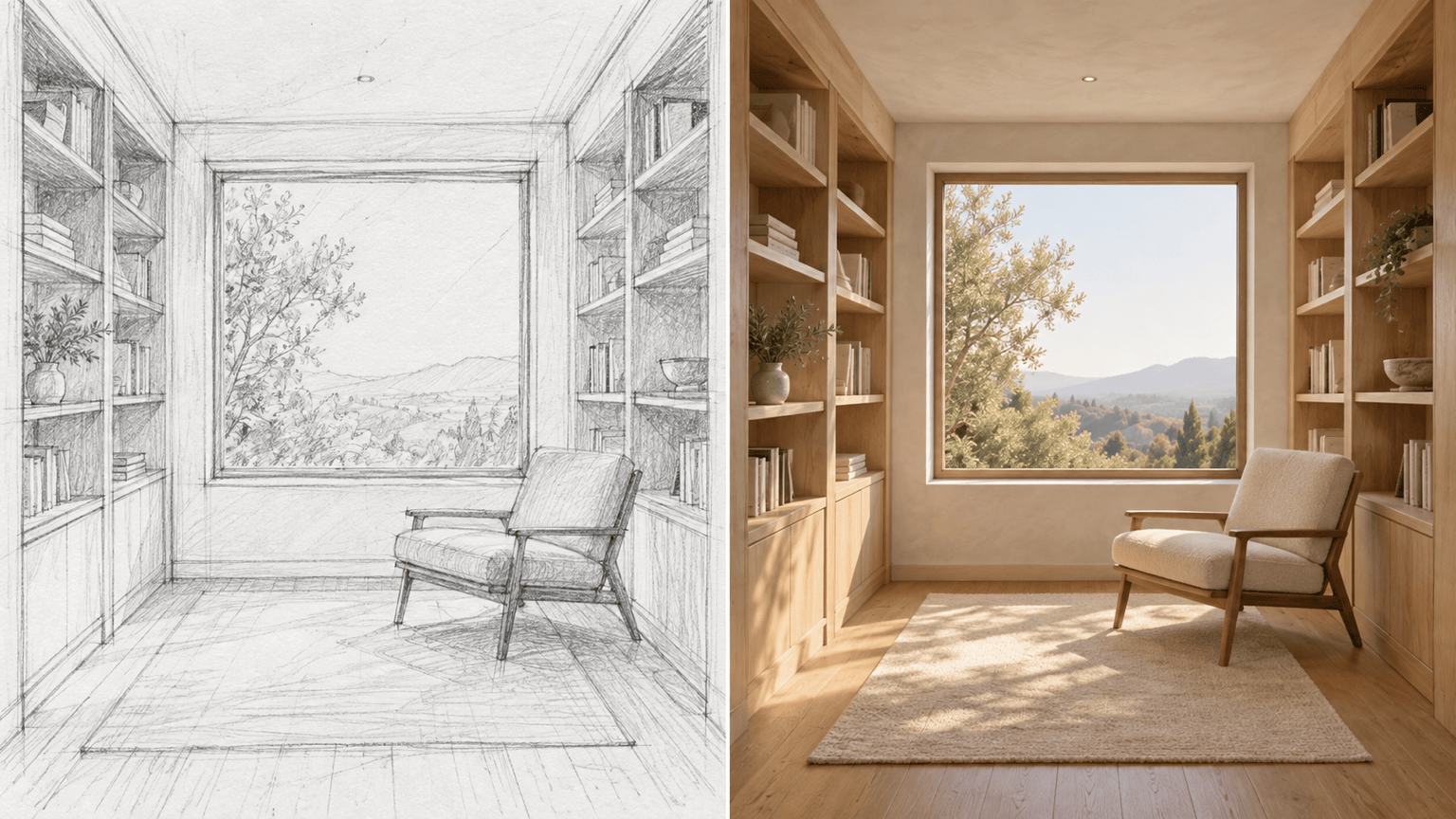
Interior render: Use my uploaded room sketch as the structural guide. Keep the one-point perspective, window, built-in shelves, and chair placement. Render a warm modern reading nook with oak, linen, plaster walls, and soft afternoon sunlight.
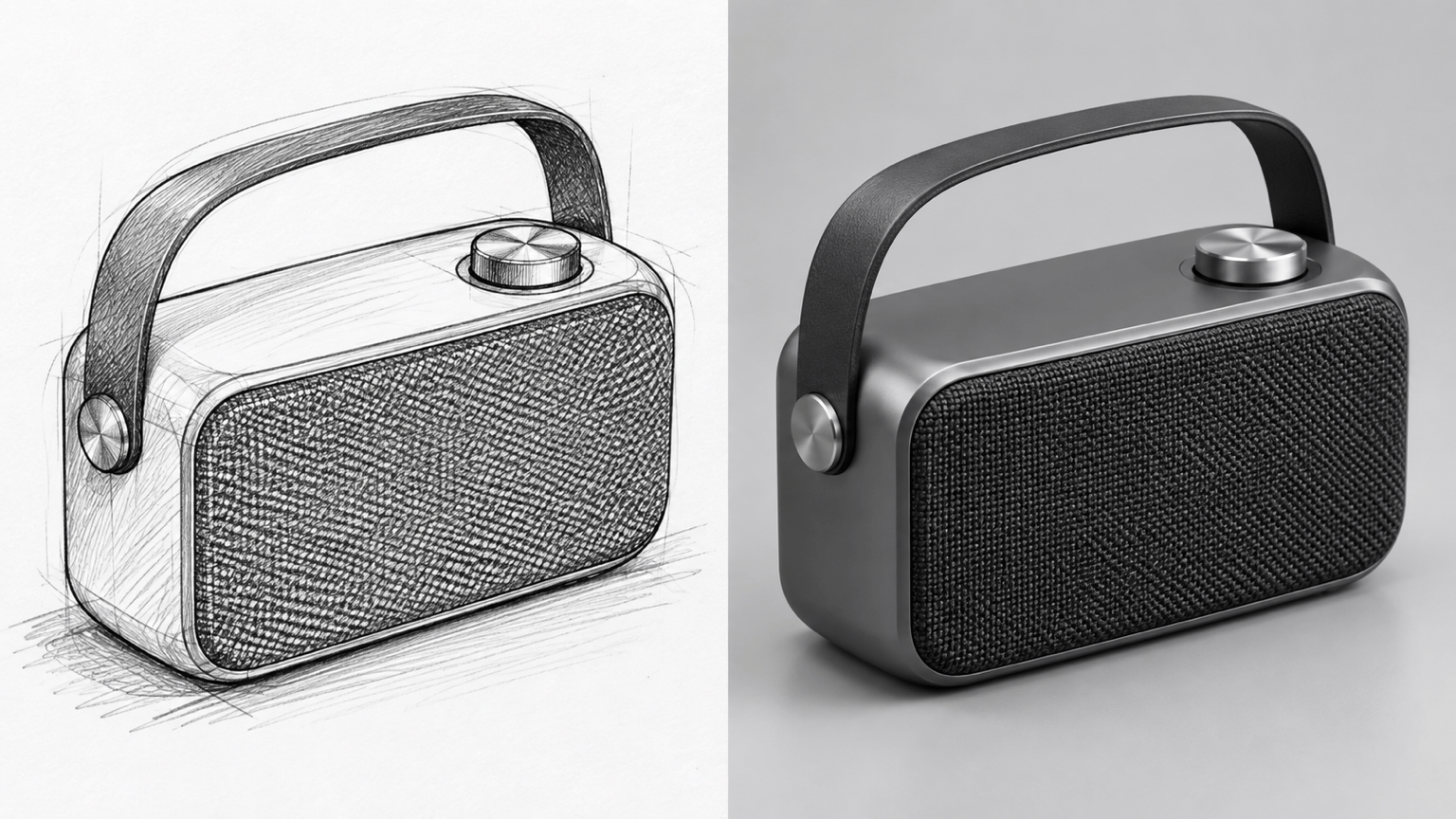
Product concept: Turn my speaker sketch into a premium studio product render. Preserve the rounded silhouette, control layout, handle, and three-quarter view. Use matte graphite aluminum, a woven grille, soft reflections, and a neutral background.
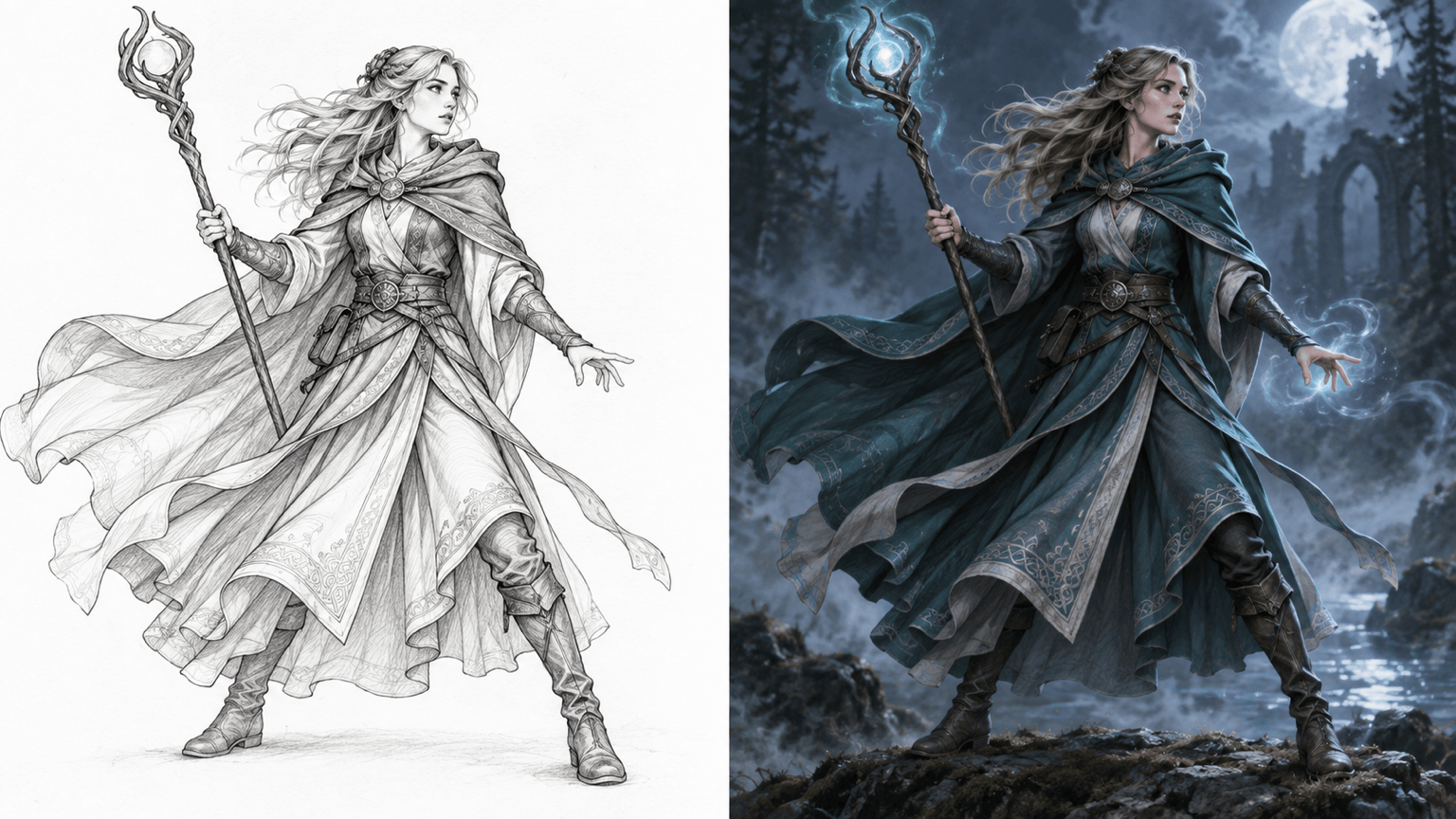
Character art: Finish my character line drawing as a cinematic fantasy illustration. Keep the pose, costume silhouette, staff position, and facial direction. Add layered teal robes, silver details, wind movement, and moonlit atmosphere.
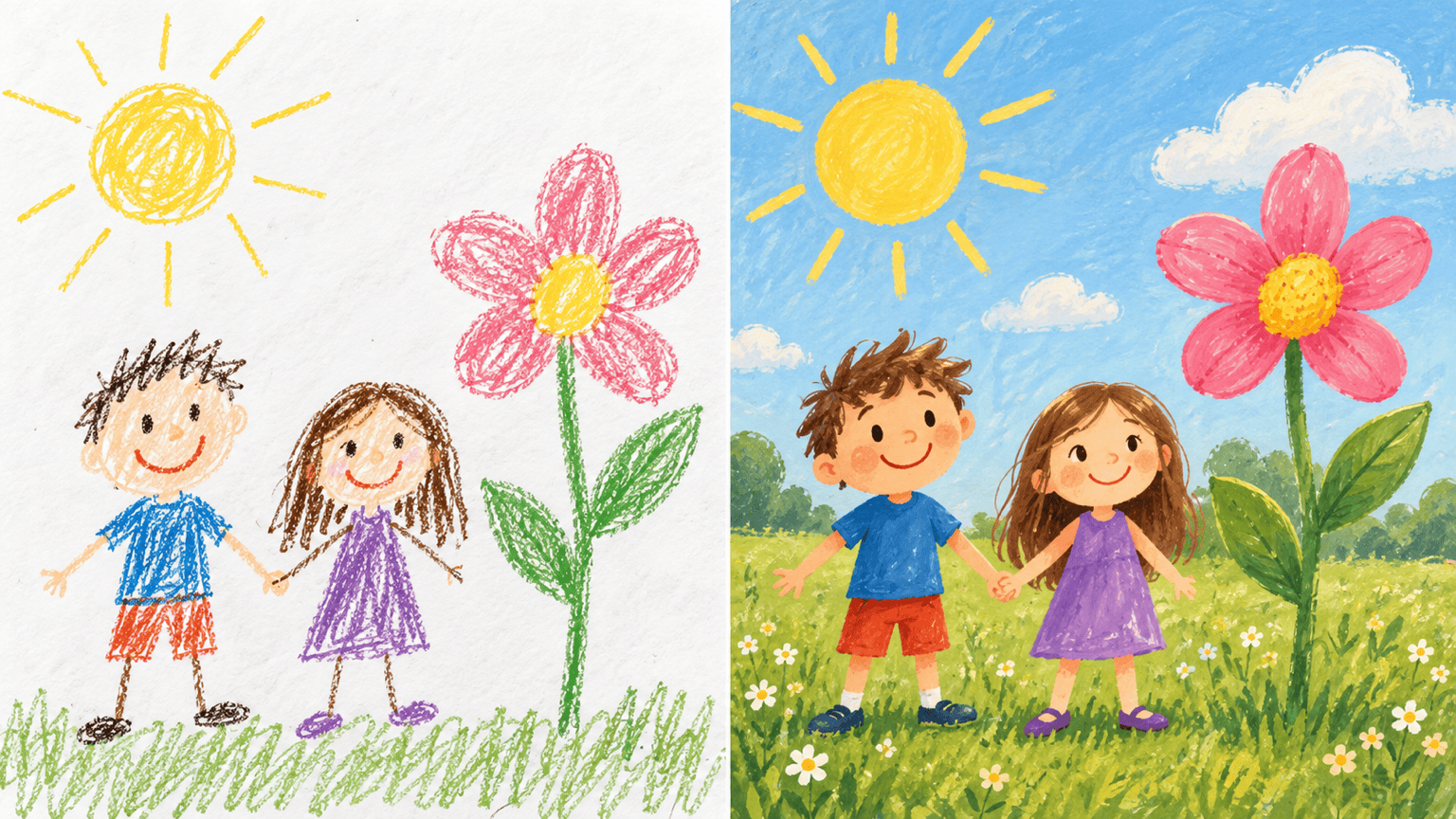
Doodle to storybook art: Transform my child's doodle into a cheerful picture-book illustration. Keep every character, their positions, and the oversized flower. Add bright gouache color, friendly expressions, and a sunny meadow background.
Architecture concept: Render my exterior elevation sketch as a contemporary timber-and-stone house at dusk. Keep the roofline, window rhythm, entrance, and camera angle. Add realistic landscaping and warm interior lights.
Watercolor line art: Color my botanical line drawing as a loose watercolor illustration. Preserve the leaf shapes and spacing. Use translucent sage, ochre, and dusty pink washes on textured paper with no extra flowers.





