Free OnlineAI Wolf Generator
Create a believable wild wolf, original wolf OC, elemental spirit, pack scene, werewolf concept, avatar, or emblem with Mew Design - AI Design Agent. Guide species traits, body structure, coat map, fur flow, gait, expression, pack spacing, environment, light, lens, and output through natural-language chat.

How to Create a Wolf Image with AI

Establish the animal beneath the coat, then use fur direction, weight, behavior, and habitat to make the image convincing.
1

Choose the Wolf and Its Purpose

Decide between wildlife portrait, running pack, fantasy guardian, anime wolf OC, anthropomorphic hero, werewolf, mascot, or emblem. Tell the AI wolf generator the intended crop and destination—square avatar, vertical character card, widescreen scene, transparent mascot, or clean badge.
2

Construct the Body Before the Fur

Specify long muzzle, broad neck ruff, deep chest, long legs, large paws, sloping back line, and a low natural tail when realism matters. State age, sex if relevant, body condition, viewpoint, supporting feet, stride phase, and head direction before describing coat texture.
3

Map Coat, Fur Flow, and Behavior

Place markings by body zone and limit the palette. Direct short fur over face and legs, backward flow over the back, downward chest fur, outward cheek ruff, and lengthwise tail tufts. Add one readable behavior such as stalking, alert listening, play bow, relaxed travel, guarding, or howling.
4

Check Anatomy, Contact, and Focus

Inspect leg count, paw placement, hocks, muzzle length, ear symmetry, eye direction, teeth, tail attachment, fur flow, cast shadow, pack overlap, and horizon. Use Chat Edit to fix one area without changing the coat map, pose rhythm, camera, or light, then export PNG or JPG.
How to create a believable wolf image with AI

Keep the Wolf Wild, Readable, and Consistent

Separate Wolf Structure From Dog Traits

A convincing wolf usually needs a longer blunt muzzle, broader neck, deep chest, long legs, substantial paws, restrained ear size, and a low or level tail. Name these landmarks so the realistic wolf generator does not default to a pet-dog silhouette.

Direct Fur Along the Anatomy

Treat fur as overlapping masses, not noise. Use compact facial and leg fur, outward cheek and neck ruff, backward body flow, downward chest strands, and a tail that radiates around its core. Reserve individual hairs for edges and focal zones.

Design a Coat Map That Can Repeat

Define base coat, saddle, muzzle, chest, underside, socks, tail tip, scars, and eye color as separate zones. A limited map makes an original wolf OC easier to recognize across a portrait, turnaround, action scene, and expression sheet.

Give Every Paw a Job

In a stand, identify the weight-bearing legs; in a walk or run, name the stride phase and visible contacts. Add compressed snow, bent grass, mud, dust, water splash, or a clear shadow directly beneath the paws to prevent floating anatomy.

Block Pack Relationships Clearly

For two or more wolves, assign position, distance, facing direction, action, size, and coat cue to each animal. Use triangular spacing and visible gaps between bodies so the AI wolf art generator avoids merged heads, duplicated legs, and ambiguous ownership.

Adapt Detail to the Final Use

Wildlife art can carry layered fur and habitat detail; a wolf avatar needs a clean face and eye line; a mascot or wolf logo needs a bold silhouette and few interior shapes. Refine selected regions in Chat Edit, start with free credits, and download watermark-free images.

How to Prompt a Believable Wolf

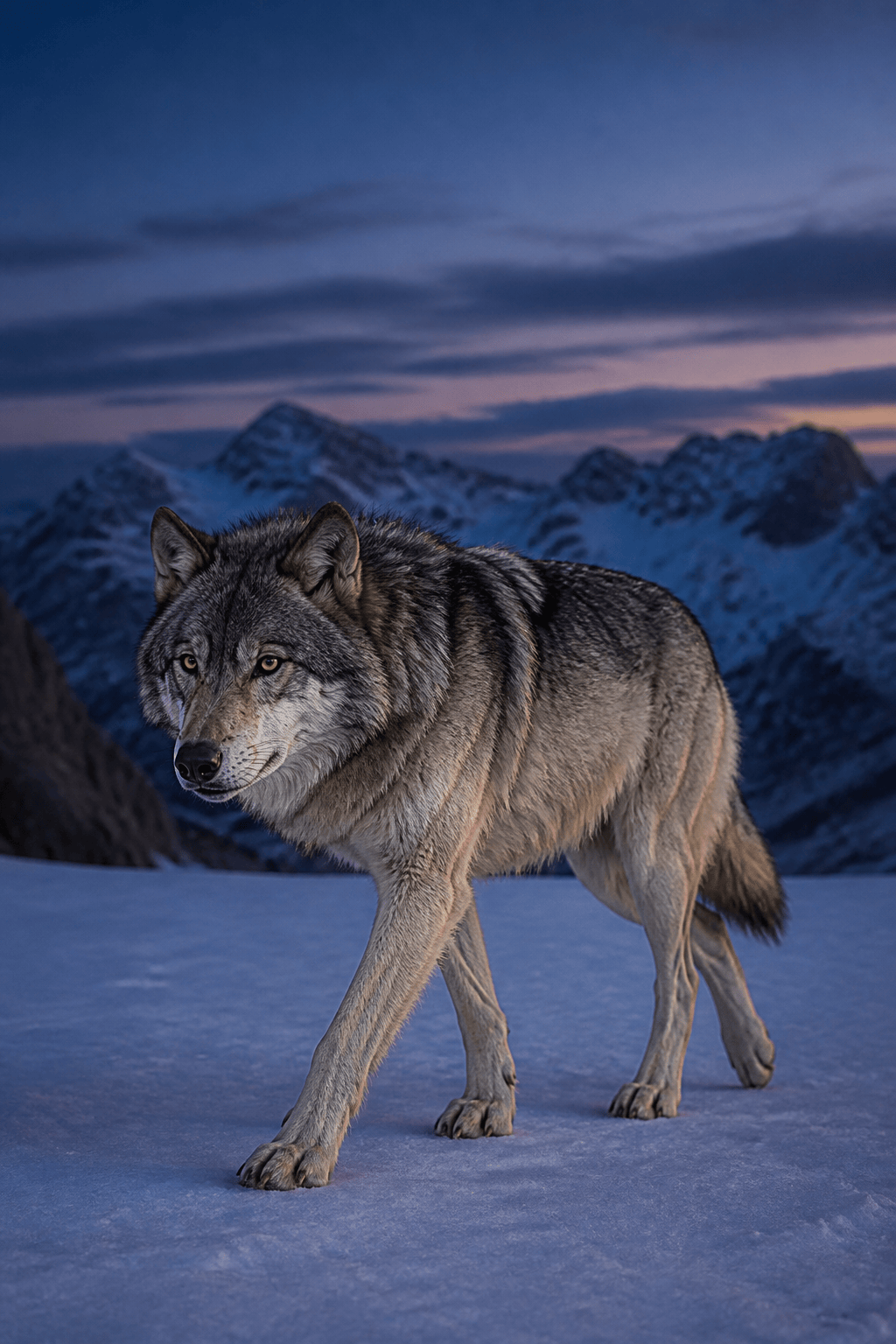
Create a realistic adult gray wolf traveling across a wind-scoured alpine ridge at blue hour. Lean athletic build, long blunt muzzle, small rounded triangular ears, broad neck ruff, deep chest, long legs, large snow-spreading paws, low bushy tail. Coat map: charcoal saddle, cool silver flanks, cream throat and underside, darker muzzle bridge and tail tip, amber eyes; no collar. Show a clear walking stride with front-left paw planted and compressing crusted snow, rear-right paw lifting, spine level, head turned slightly toward distant ravens. Fur follows anatomy: short on face and legs, outward at cheeks, downward on chest, backward along body, lengthwise tail tufts. Low three-quarter camera, 70mm wildlife lens feel, full body with breathing room, windblown snow, distant ridge haze, cool ambient light and a narrow warm dawn rim. No dog breed, husky markings, curled tail, oversized ears, extra legs, merged paws, crossed hocks, exposed human teeth, random fur direction, collar, text, logo, watermark, duplicate animal, or cropped feet.
For a precise AI wolf generator prompt, include subject type, age, build, wolf landmarks, coat zones, fur directions, action or stride, supporting paws, habitat response, camera, lens feel, lighting, crop, output, and exclusions.
  • Describe the Skull and Neck: Use a long blunt muzzle, visible brow plane, restrained ears, strong jaw connection, and broad neck ruff. These cues prevent a generic dog face.
  • Write the Coat as a Map: Place colors on saddle, flank, muzzle, throat, belly, legs, and tail tip. Keep three dominant values and one eye color so the character remains repeatable.
  • Name the Stride Phase: Standing, walking, trotting, sprinting, turning, pouncing, and howling use different balance. State which paws touch the ground and where the weight travels.
  • Exclude Common Failures: Call out extra legs, merged paws, bent forelegs, missing hocks, tiny feet, curled tail, mismatched eyes, human teeth, floating contact, random fur, duplicated wolves, tangent overlaps, text, and watermark.

AI Wolf Prompts for Wildlife, Fantasy, OCs, and Emblems

Alpine Wildlife Wolf: Create a realistic gray wolf crossing crusted snow at blue hour, with long muzzle, deep chest, large planted paws, low tail, silver-and-charcoal coat map, anatomically directed fur, windblown snow, 70mm wildlife framing, and no dog traits.

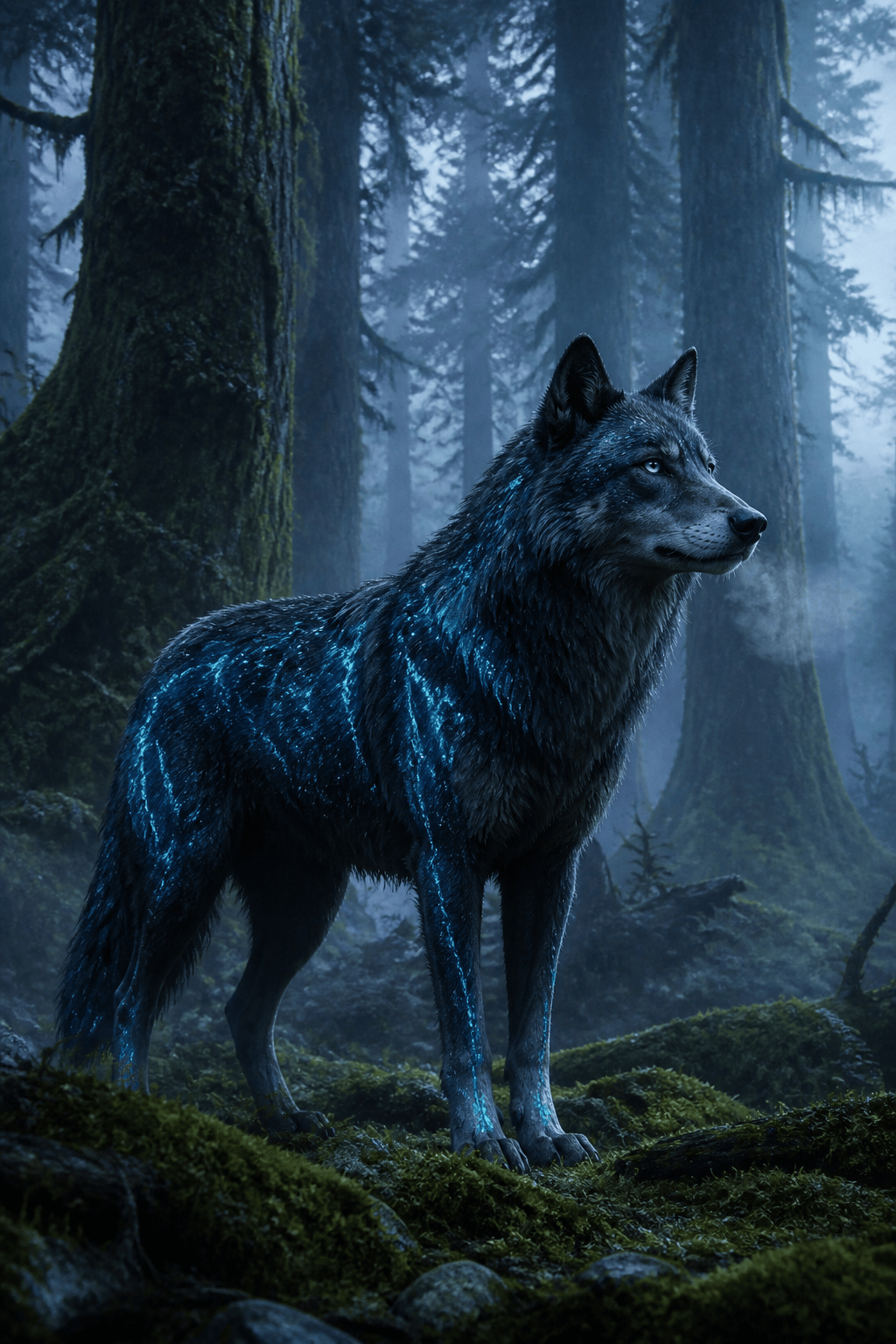
Bioluminescent Spirit Wolf: Design an original forest guardian with dark indigo coat, sparse cyan lichen-like markings that follow the ribs, translucent breath, mossy paw contact, alert ears, natural quadruped anatomy, fog layers, and no familiar franchise creature.

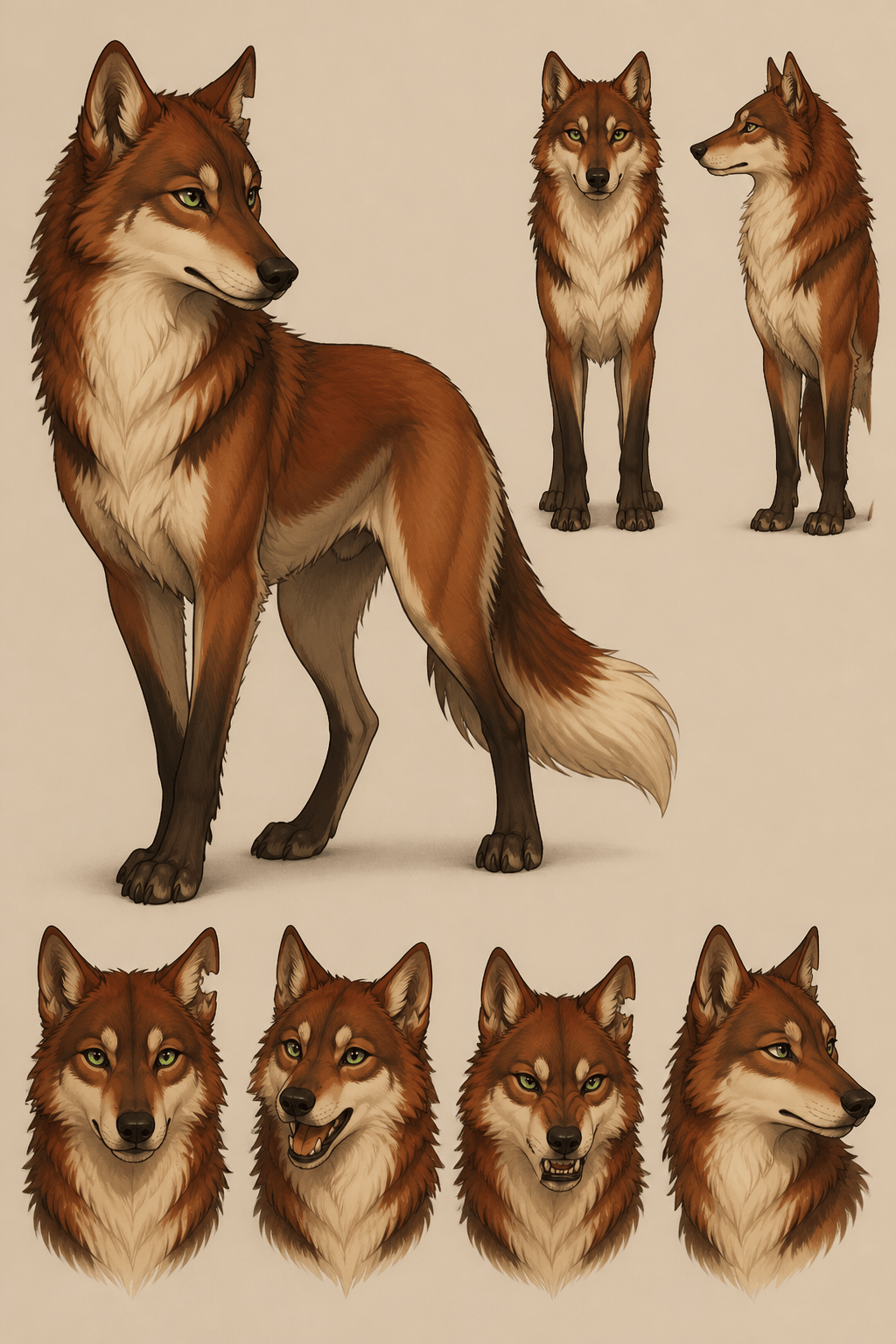
Wolf OC Reference Sheet: Show one original rust-and-cream wolf OC in clean side, front, and three-quarter views plus four expressions. Keep muzzle length, ear nicks, chest blaze, eye color, leg socks, tail tip, and body proportions identical on a neutral background.

Traveling Pack Scene: Compose three realistic wolves crossing a river shelf: older silver lead wolf left, small dark yearling center, tawny adult right. Assign each a separate path, stride, coat map, eye line, reflection, and water contact with clear gaps between bodies.

Moonlit Werewolf Concept: Create an original lean werewolf scout on a ruined watchtower, digitigrade legs, functional shoulders, long wolf muzzle, controlled claws, torn unbranded travel gear, moon rim light, readable silhouette, and no existing game or film character.

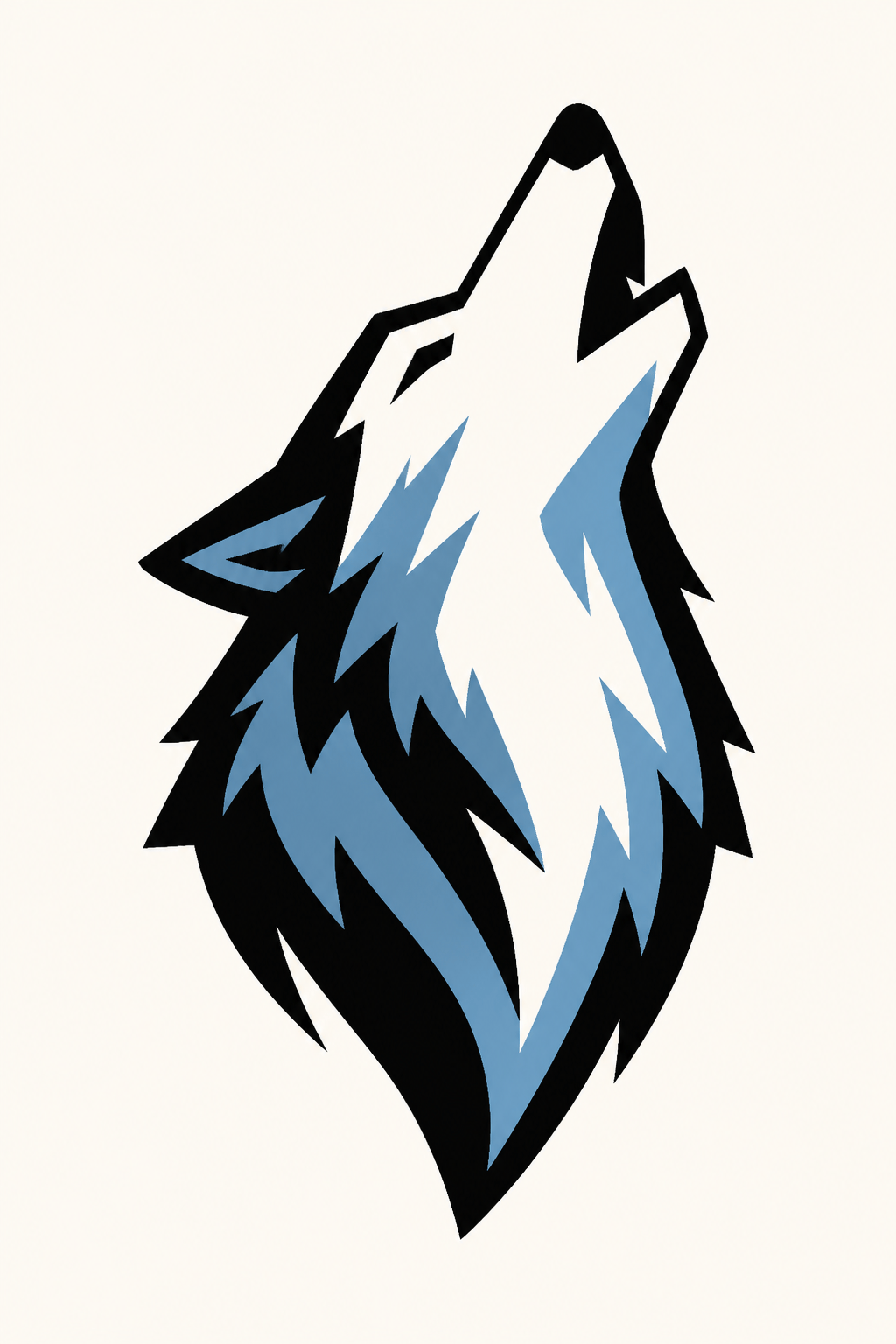
Geometric Wolf Emblem: Build a centered howling-wolf head emblem from bold black and glacier-blue shapes, long muzzle, swept neck fur, strong negative space, no gradients, no letters, no shield unless requested, and a silhouette readable at app-icon size.


AI Wolf Generator FAQs

You can start with free AI credits after signing up. Generate a realistic wolf, fantasy guardian, wolf OC, pack scene, werewolf concept, portrait, avatar, mascot, or emblem; refine selected details in Chat Edit and download a watermark-free PNG or JPG.
Create wildlife portraits, pups, seasonal coats, running packs, howling silhouettes, fantasy spirit wolves, anime-inspired wolf OCs, anthropomorphic characters, werewolves, reference sheets, book art, avatars, mascots, and emblems. State the final format before adding detail.
Specify a long blunt muzzle, broad neck ruff, deep chest, long legs, large paws, restrained ears, a level back, and a low bushy tail. Avoid collars, pet expressions, curled tails, extreme breed markings, and short muzzles unless intentionally designing a hybrid.
Freeze a short character spec with body build, muzzle, ear shape or nicks, eye color, coat zones, scars, accessories, proportions, and scale. Generate a neutral turnaround and expression sheet first, then reference it while changing only pose, scene, or camera.
Name each wolf by position and coat cue, then assign distance, facing direction, stride, eye line, and ground path. Keep visible gaps between silhouettes, stagger depths, limit the pack size in one frame, and repair one overlap at a time in Chat Edit.
Yes. Ask for a bold outer silhouette, simplified muzzle and ear geometry, controlled neck-fur shapes, high contrast, limited colors, and clean negative space. Exclude letters and shields unless wanted. Treat the generated image as a concept and verify distinctiveness before brand use.
Use rights depend on your inputs, the final image, Mew Design’s current terms, and applicable law. Use permitted references, create original characters and marks, avoid protected logos or recognizable characters, perform trademark checks for branding, and obtain qualified advice when needed.

Ready to Generate Designs With AI?

Get Started - 50 Free Credits
No credit card required
© 2025 - 2026 Mew Design, MAGOAI LTD.All rights reserved.
Mew Design - Your AI design partner, now with full control. | Product Hunt