Free OnlineAI Vintage Fashion Design
How to Create Vintage Fashion Designs with AI
Set the Decade and Garment Brief
Define Silhouette, Fabric, and Palette
Generate and Compare Looks
Refine and Export

Why Use Mew Design for AI Vintage Fashion Design
Decade-Aware Fashion Briefs
Start with a 1930s, 1940s, 1950s, 1960s, or 1970s reference and describe the silhouette, hemline, sleeves, and occasion in plain language. The AI turns that vocabulary into a concrete outfit concept.
Texture That Carries the Era
Call for satin, velvet, wool, rayon, denim, sequins, leather, or a specific print and let the AI emphasize drape, sheen, and tactile detail instead of applying a flat sepia filter.
Photo Restyling with References
Upload a clear portrait or outfit image and ask for an AI vintage outfit generator from photo edit. Use text plus reference images to keep pose, identity, or garment details consistent where they matter.
Chat Edits for Styling Control
After the first draft, ask to raise the waistline, widen the lapel, swap a circle skirt for a pencil skirt, or soften the film grain. Conversational edits make fast iterations practical.
Consistent Series for Lookbooks
Generate several looks with a shared palette, lighting direction, and editorial framing for a capsule concept, mood board, or vintage clothing collection pitch.
Free to Test, Easy to Share
Start with free credits after signup, explore the free AI vintage fashion generator, and create image outputs for social concepts, portfolios, or client discussions. Review usage rights and final details before commercial production.
What Makes a Good AI Vintage Fashion Prompt
- Anchor the Era: Say “1930s bias cut,” “1950s fit-and-flare,” “1960s mod shift,” or “1970s disco tailoring” instead of only saying “make it vintage.”
- Describe Construction: Add the neckline, waistline, hem, sleeve, fastening, trim, and fabric so the generator creates a believable garment rather than a generic retro costume.
- Direct the Image: Specify an editorial lookbook, flat-lay, runway, full-body portrait, or garment concept board. Include the camera angle, background, lighting, and aspect ratio when needed.
- Protect the Brief: Upload a reference photo or logo when relevant, then ask to keep identity, garment details, or brand colors consistent. Iterate one change at a time.
Vintage Fashion AI Prompt Examples for Every Decade
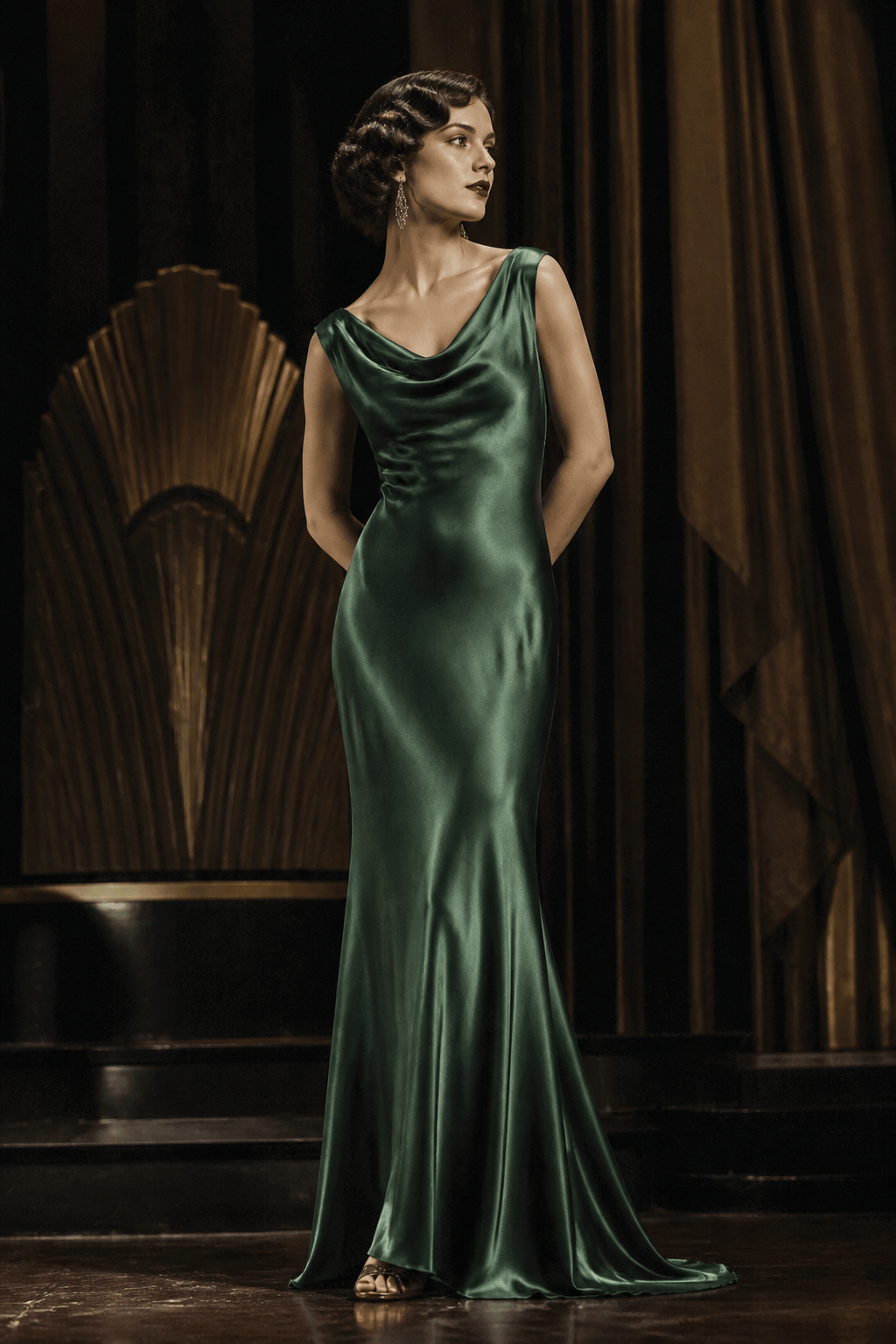
1930s Hollywood eveningwear: Create a full-body editorial portrait of a woman in a 1930s bias-cut silk gown, deep emerald satin, softly draped neckline, art deco earrings, brushed waves, warm theater lighting, subtle film grain, elegant fashion magazine composition.
1940s utility tailoring: Design a practical 1940s-inspired day suit with a nipped waist, squared shoulders, knee-length pencil skirt, small victory-roll hairstyle, brown wool, muted mustard blouse, leather handbag, studio catalog lighting, realistic garment texture.
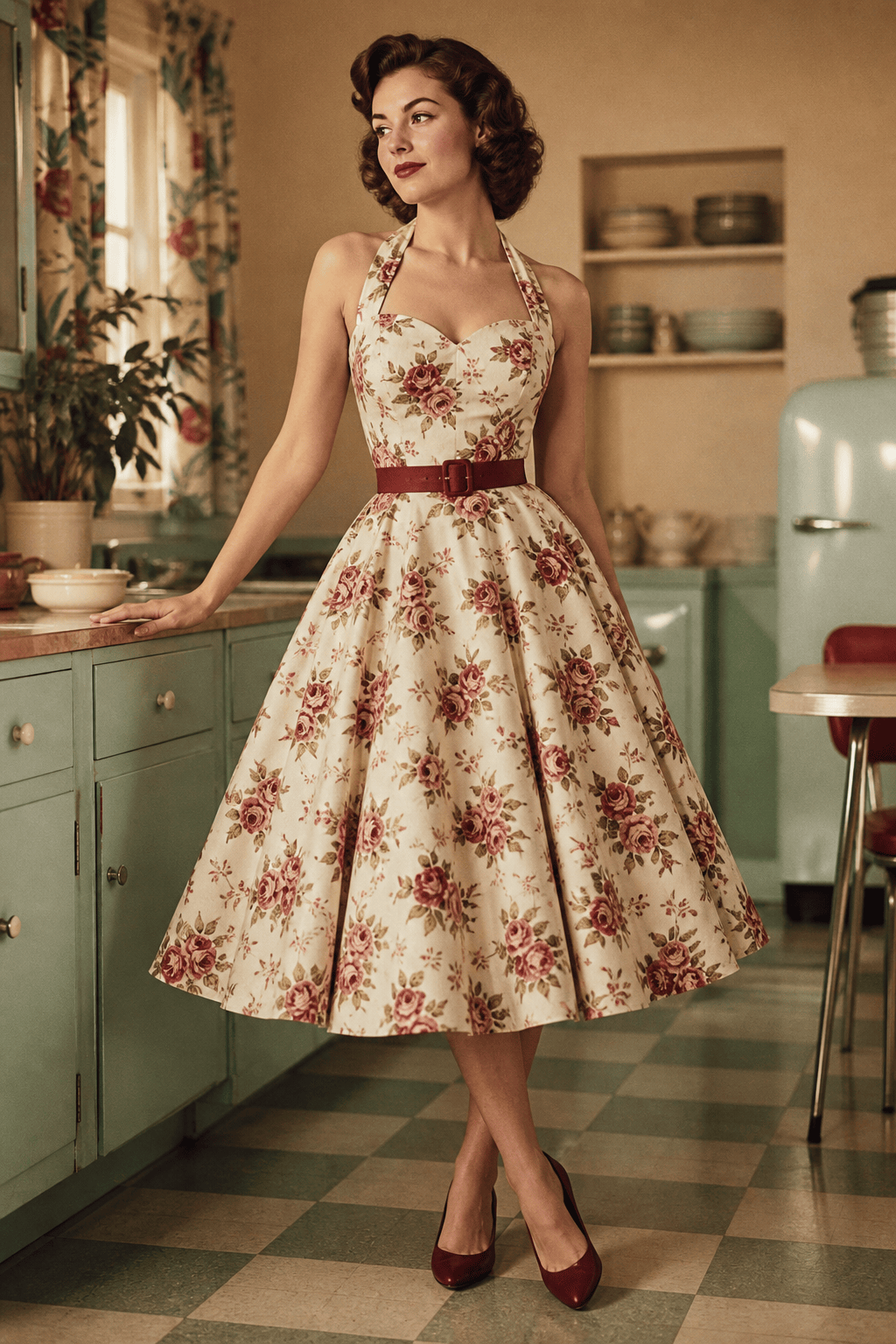
1950s vintage dress generator: Create a polished fit-and-flare tea dress with a fitted bodice, sweetheart neckline, full circle skirt, cream-and-berry floral print, matching belt, low pumps, mid-century kitchen setting, soft editorial light.
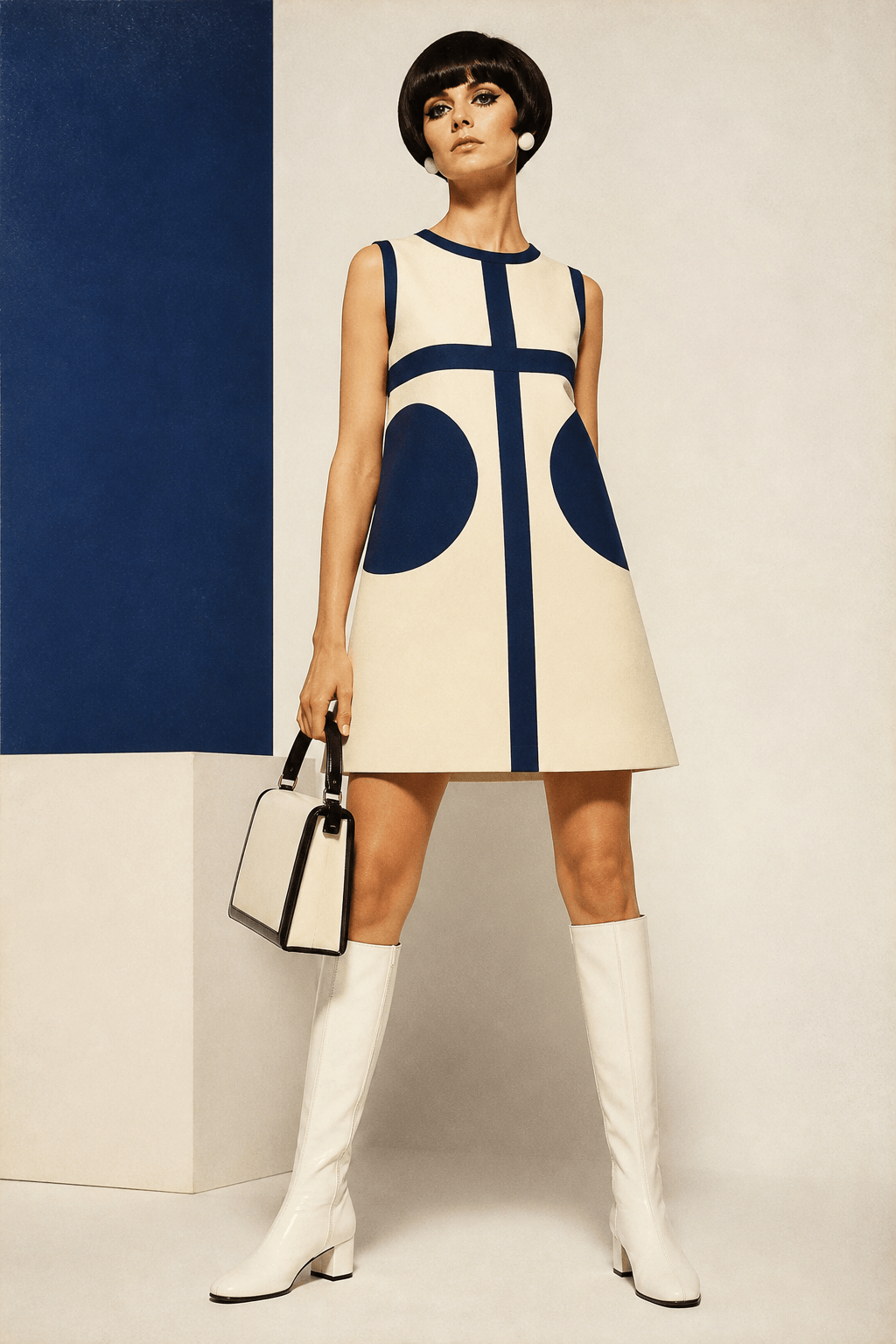
1960s mod outfit: Design a clean A-line shift dress in cream and navy with geometric color blocking, white knee-high boots, structured handbag, short graphic bob, minimal studio background, crisp fashion campaign photography, no modern logos.
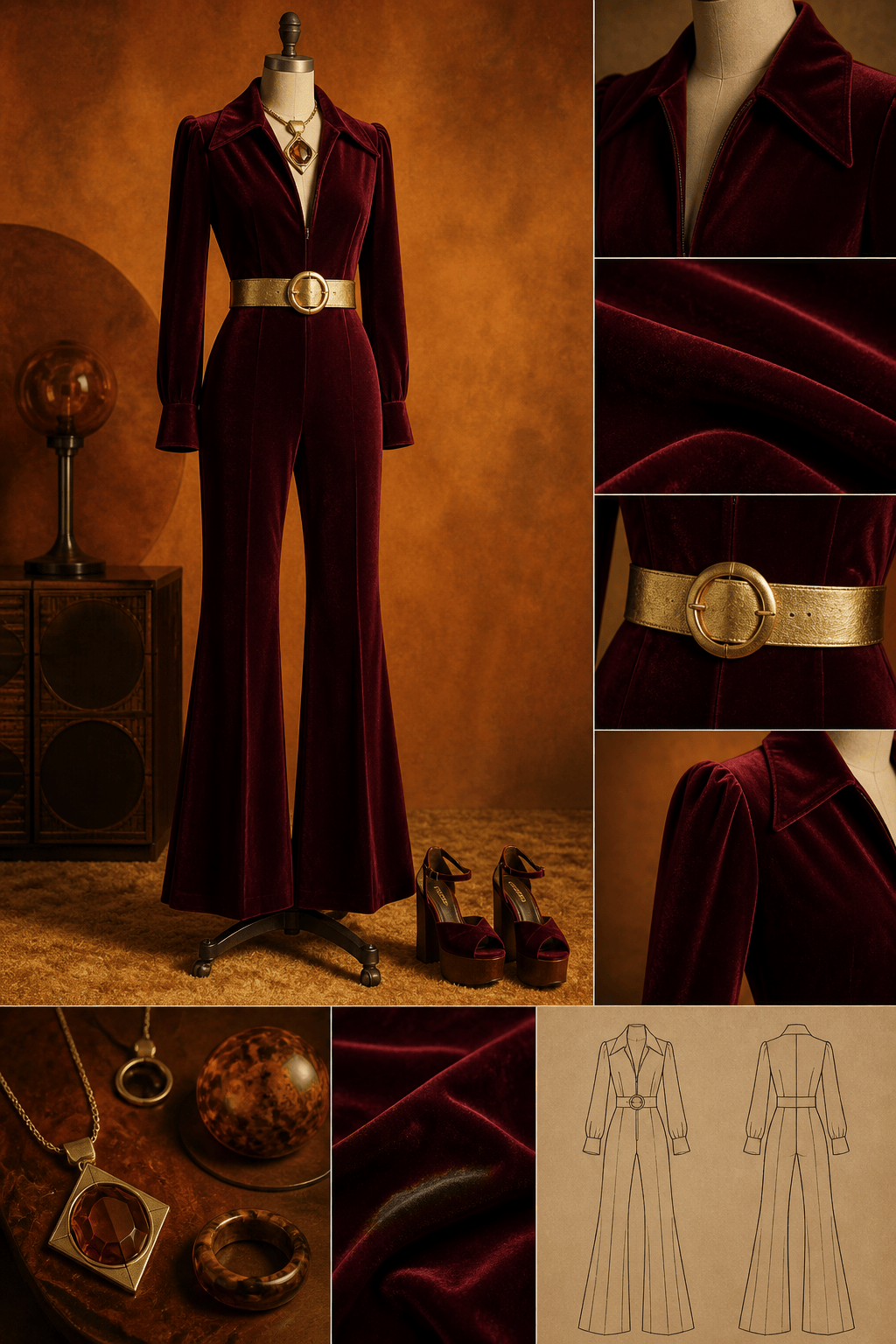
1970s retro fashion design: Create a velvet disco jumpsuit with a wide collar, flared legs, warm burgundy fabric, gold belt, platform shoes, statement earrings, amber club lighting, confident runway pose, tactile textile detail.
Vintage outfit generator from photo: Use @[portrait] as the subject and restyle the outfit into a 1960s mod look from @[outfit reference]. Keep the face, body proportions, and pose consistent; match the garment fit, preserve natural hands, and use a clean editorial background.





