Free OnlineAI Valentine’s Day Poster Generator

How to Create a Valentine’s Day Poster with AI
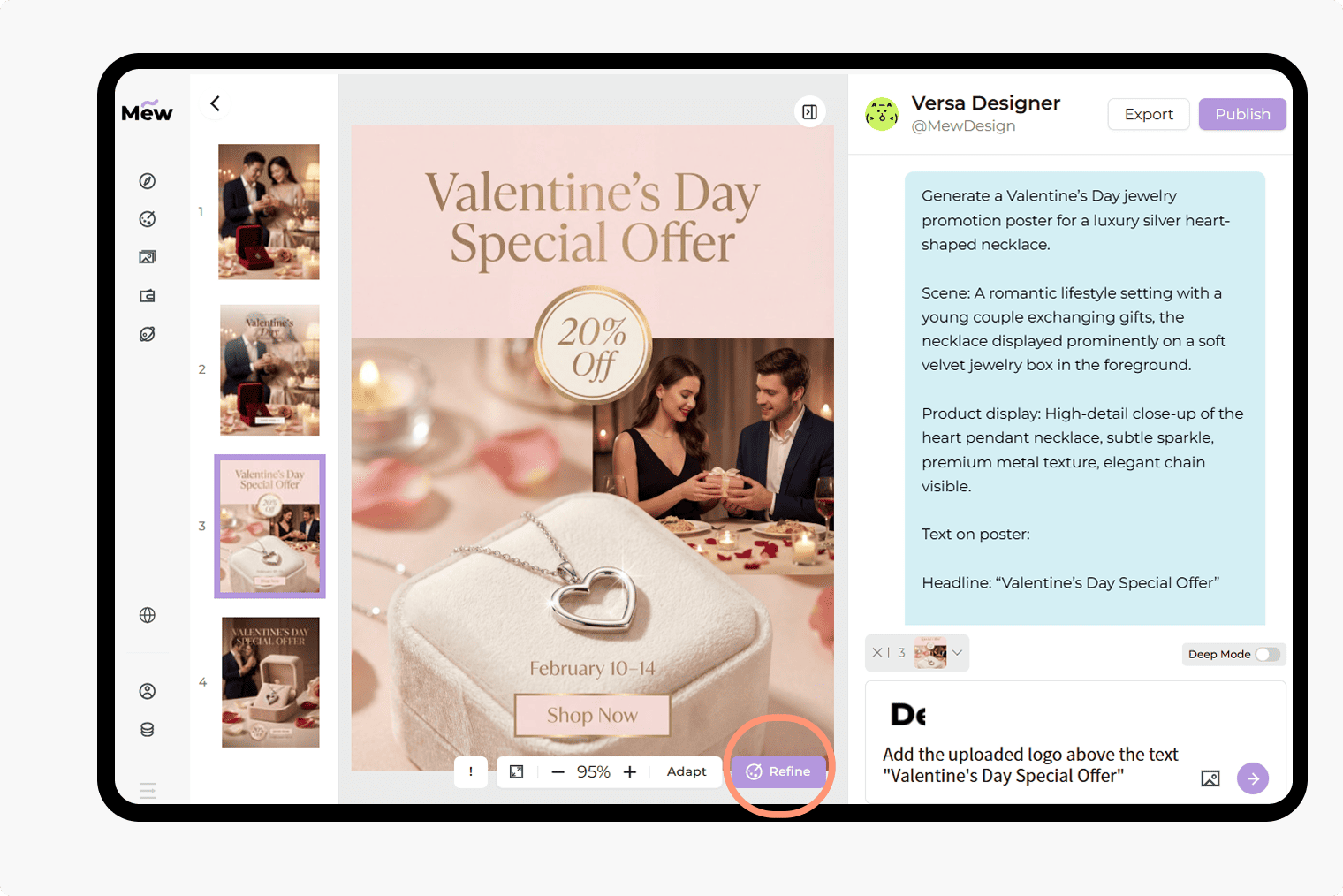
Describe your poster idea
AI generates the poster design
Refine or edit the poster
Export and share
Why Choose Mew Design as Your AI Valentine’s Day Poster Maker
Turn Ideas Into Posters, Not Fixed Templates
Instead of forcing your content into fixed layouts, Mew Design builds Valentine posters from your text description—giving you more freedom in structure, style, and visual focus.
Clear Hierarchy for Titles and Messages
Posters need clarity. Our AI Valentine's Day Poster Generator keeps headlines readable, sections well-organized, and spacing comfortable for both digital and printed formats.
Flexible Editing for Real Use Cases
If the first draft is not perfect, you can refine the design with follow-up prompts or make visual adjustments directly. You can adapt the poster for different sizes, platforms, or audiences.
Understands Visual Intent and Tone
Whether your Valentine's Day poster is romantic, playful, modern, or minimal, the AI responds to tone and context instead of applying generic decoration.
Support for Images and Visual References
Upload reference posters to guide the style, or add your own images like logo or product images to create a Valentine’s Day poster that matches your brand or personal taste.
Free to Try
Sign up to receive free AI credits and start creating Valentine’s Day posters without upfront cost.
How to Write Better Prompts for Valentine’s Day Posters
- Purpose: What the poster is for (movie promotion, sale, party, event, product display)
- Audience: Who should notice this poster (couples, customers, guests, general public)
- Content: Clearly list all essential text you want on the poster: Headline, Event name or offer title, Date and time, Location (if applicable), Price, discount, or key details, Call to action
- Style: Romantic, modern, cute, elegant, cinematic, minimal, etc.
Valentine’s Day Poster Prompts for Popular Use Cases
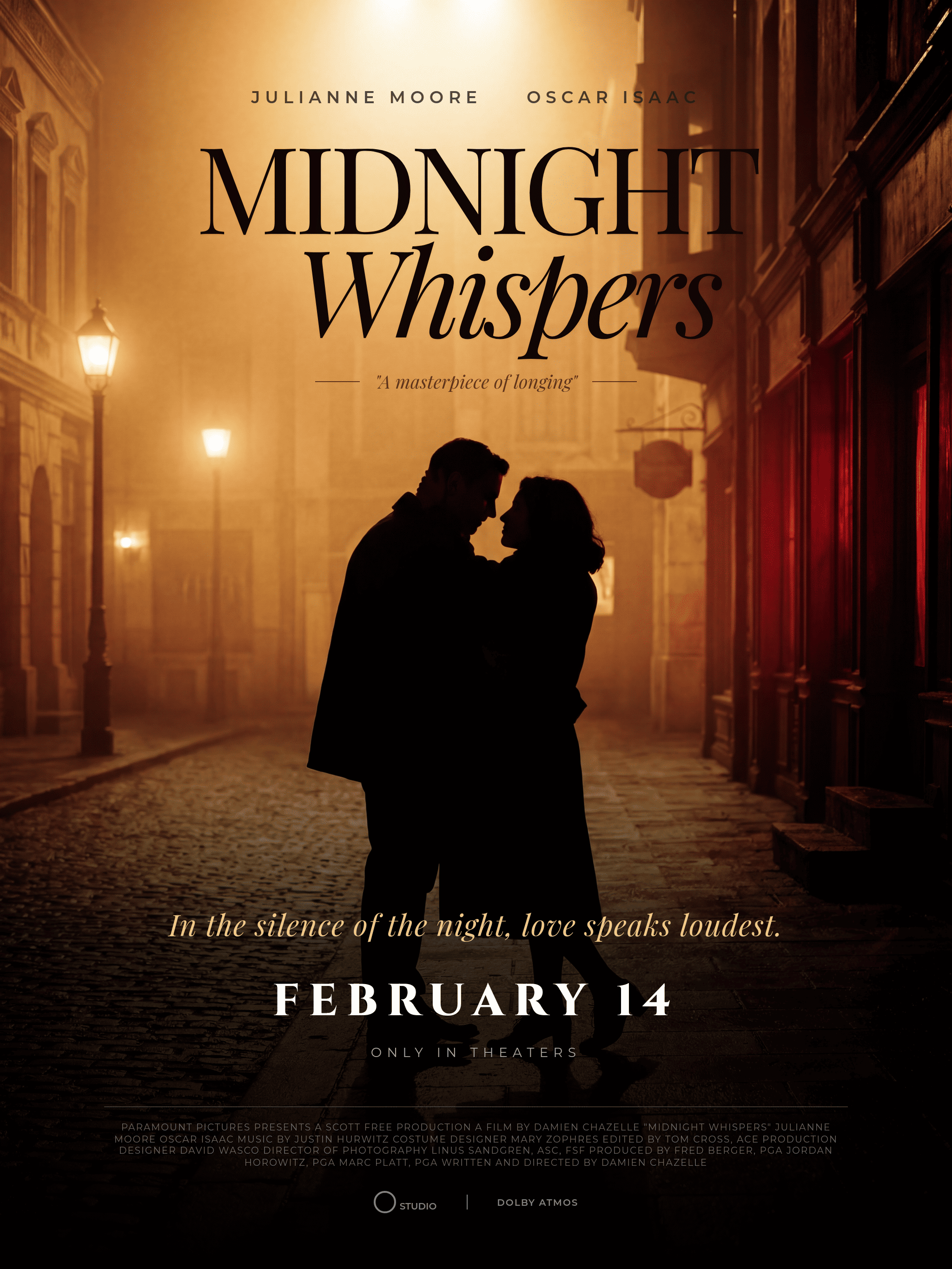
Valentine’s Day Movie Poster: Create a Valentine’s Day movie poster with a cinematic feel. Content: Movie title, short romantic tagline, release date. Style: Dramatic lighting, romantic atmosphere, elegant typography inspired by classic romance films. The poster should feel emotional and visually striking, suitable for online promotion or display.
Valentine Day Offer Poster: Use the aiImageTool to generate a Valentine Day offer poster for a necklace seasonal promotion. Content: Headline: ‘Valentine’s Day Special Offer’; Discount: ‘20% Off’; Valid Date: February 10–14; CTA: Shop Now. Style: Clean and modern with romantic accents, clear pricing visibility. Format: Suitable for online ads and in-store display.
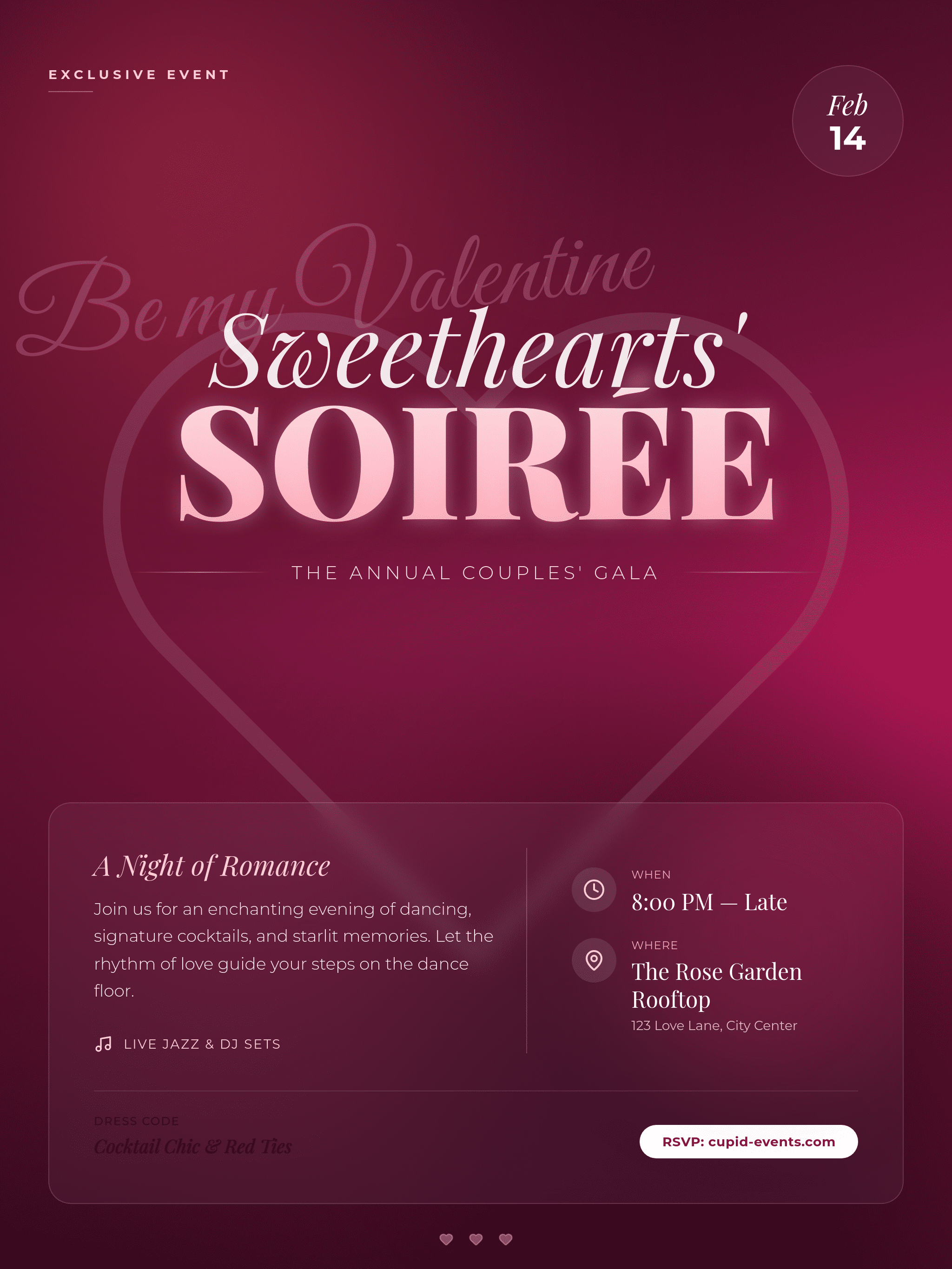
Valentine’s Day Party Poster: Valentine’s Day party poster for a couples’ celebration. Content: Event name, date, time, venue, and short invitation line. Style: Fun and festive with romantic colors, playful but organized layout. The poster should be easy to read from a distance and suitable for sharing on social media.
Valentine’s Day Event Poster: Create a Valentine’s Day event poster for a public or private event. Content: Event title, date, location, brief description, and CTA: ‘Join Us’. Style: Romantic yet professional, balanced layout, clear information hierarchy. Format: Designed for both print and digital distribution.
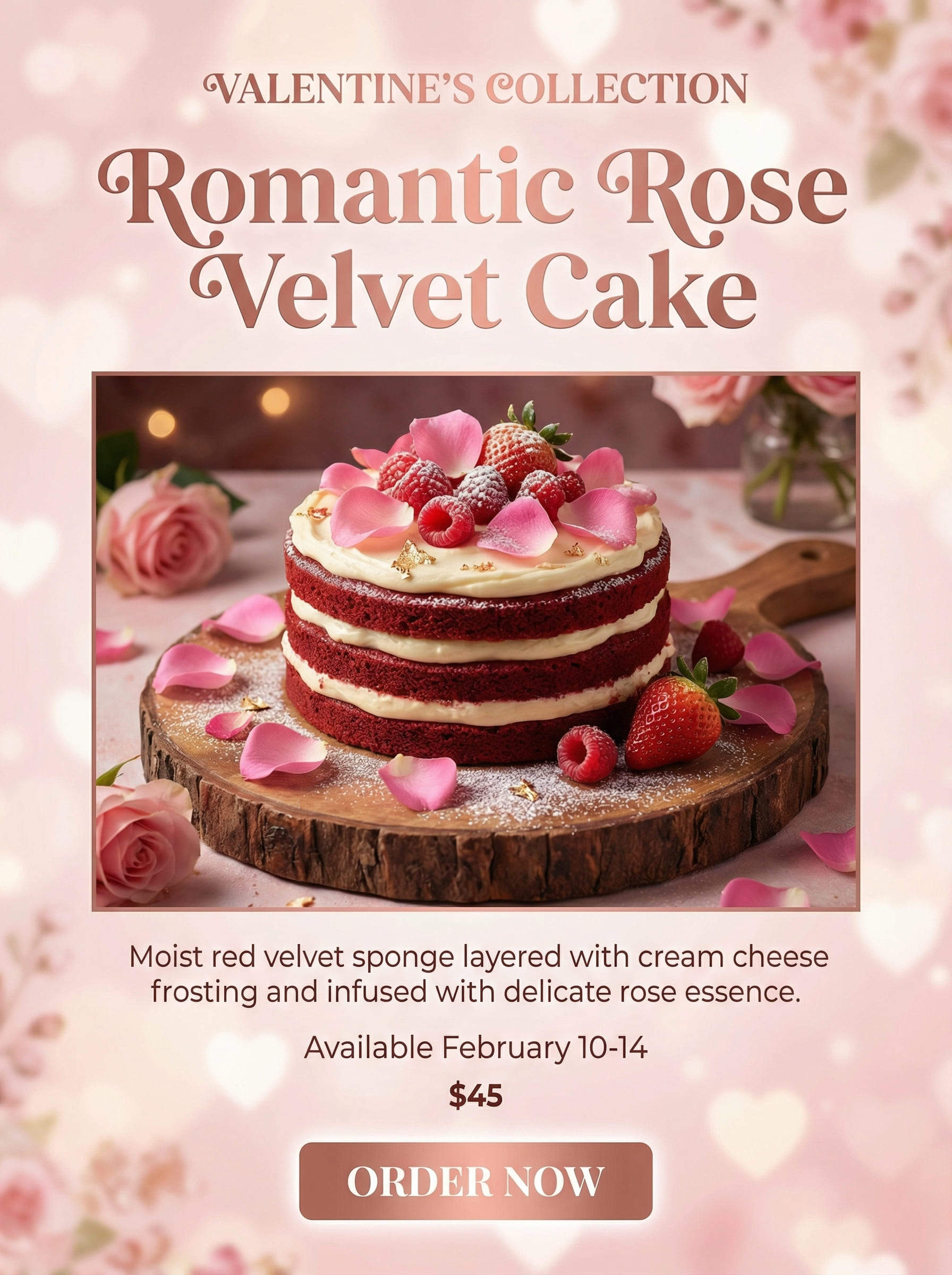
Valentine’s Day Cake Poster: Use the aiImageTool to create a Valentine’s Day cake poster for a bakery promotion. Content: Product name, short description, price or availability date, CTA: Order Now. Style: Sweet and romantic with soft colors, appetizing visual focus on the cake. The poster should highlight the product clearly and attract attention in-store or online.
Valentine’s Day Promotional Poster: Generate a Valentine’s Day promotional poster for a retail store. Content: Headline, promotional message, discount details, valid dates, CTA. Style: Romantic seasonal theme with clean structure and strong headline contrast. Suitable for storefront display and digital marketing.





