Free OnlineAI User Persona Generator
Turn interview notes, survey findings, or a product brief into an editable persona card with Mew Design - AI Design Agent. This online AI persona generator organizes goals, pain points, behaviors, motivations, and user context into a polished visual for product, UX, and marketing teams. Start from real research when you have it, or label the result as a hypothesis persona when you do not.

How to Create a User Persona with AI

Use our online user persona generator to turn a product brief or anonymized research into a structured, presentation-ready persona. You can upload supported files to the file library and reference up to three documents with @ in one message.
1

Prepare Your Research Inputs

Remove names, emails, employer details, and confidential material from interview notes, survey summaries, support themes, or analytics findings. Upload useful PDF, DOCX, XLSX, CSV, or other supported files to the file library.
2

Describe the Persona You Need

Tell Mew Design the product, audience segment, decision the persona should support, and required fields. Reference relevant files with @; a plain-language brief is enough, so complex prompting is not required.
3

Generate the Persona Card

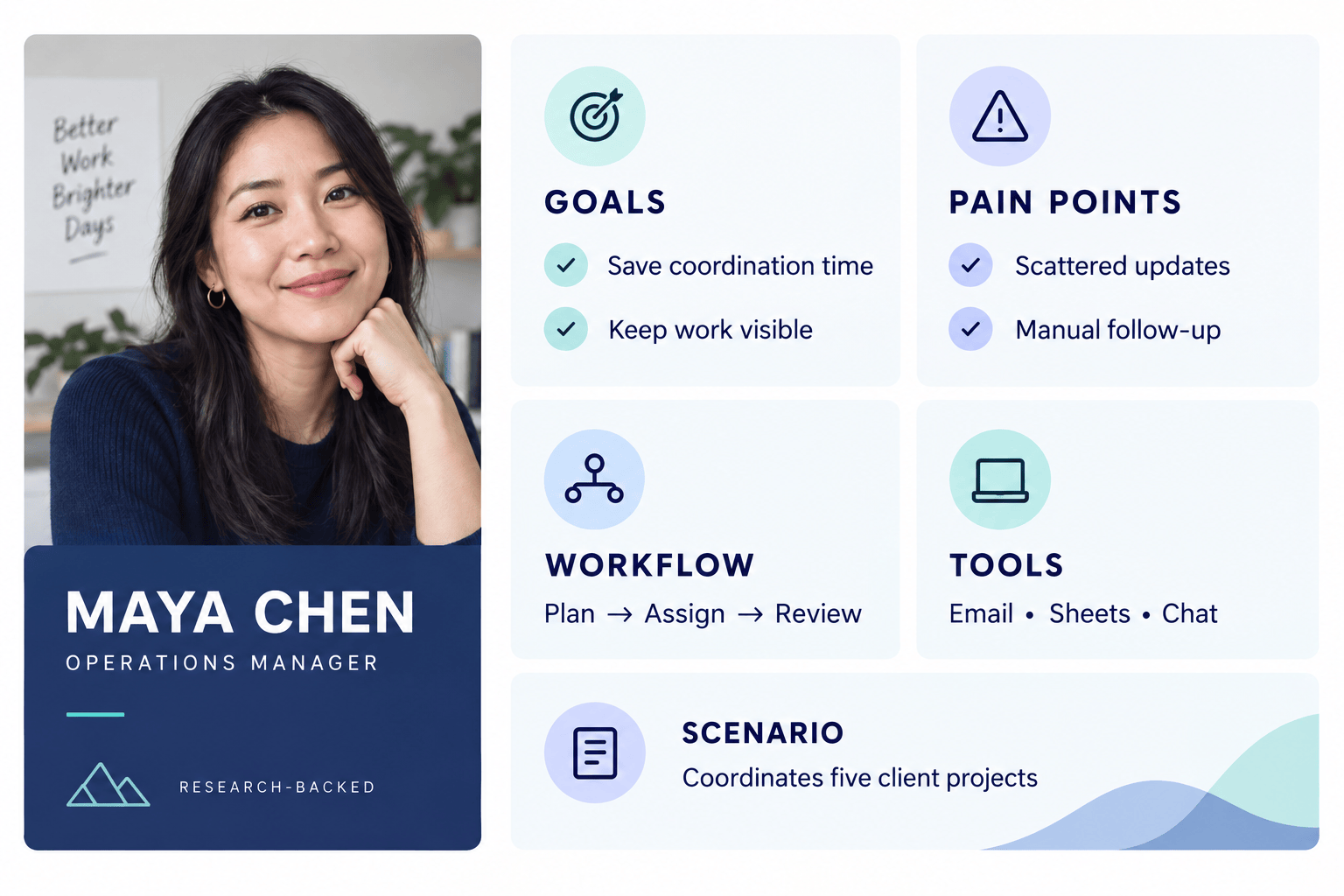
The AI design agent reads the supplied context, plans the information hierarchy, and creates a visual profile with sections such as goals, pain points, behaviors, motivations, tools, and a usage scenario.
4

Validate, Edit, and Share

Check every claim against your source material. Use Chat Edit to correct fields, separate evidence from assumptions, change the layout, or apply brand styling, then export the persona as PNG, JPG, or PDF.
how to create a user persona with ai

From Research Files to a Persona Your Team Can Use

Bring Research Into the Brief

Upload interview summaries, survey exports, research reports, or support themes to the dedicated file library, then reference the most relevant documents with @. Mew Design can read the material and use it to shape the persona card.

Make Evidence Gaps Visible

Ask the AI persona generator to mark each field as research-backed, inferred, or unknown. This keeps a quick draft useful without presenting plausible AI details as verified customer facts.

Design for Fast Team Scanning

The online user persona maker creates a clear visual hierarchy for goals, frustrations, behaviors, context, and scenarios, so the result works in workshops, product reviews, campaign briefs, and stakeholder presentations.

Refine the Persona Through Chat

Click Chat Edit and request focused changes: shorten the bio, add a decision criterion, replace an unsupported quote, rebalance the sections, or create another layout without rebuilding the card from scratch.

Keep a Persona Set Consistent

Add logos, brand colors, and visual references for an on-brand persona template. For repeat work, turn a successful persona-card method into a reusable Mew Skill so future profiles follow the same structure and design direction.

Create and Export Without a Watermark

Try the free AI user persona generator with signup credits, refine the result online, and export finished persona cards as PNG, JPG, or PDF without a watermark for planning sessions and internal documents.

What to Include in a Research-Backed Persona Brief

Use @interview-summary.pdf and @survey-findings.xlsx to create one landscape UX persona card for the primary user segment of our appointment-scheduling product. Include role and context, goals, pain points, current behaviors, tools, decision criteria, accessibility needs, and a short usage scenario. Label every section as research-backed, inferred, or unknown. Do not invent a direct quote; use a clearly marked paraphrase only when supported. Use our uploaded logo and navy accent color.
A useful persona should support a real product, UX, or marketing decision. Give the AI enough context to distinguish observed patterns from assumptions, and request unknowns instead of fabricated certainty.
  • Name the decision: Explain whether the persona will guide onboarding, feature priorities, messaging, a journey map, sales enablement, or another specific task.
  • Provide evidence: Reference anonymized interviews, surveys, support themes, analytics segments, or a research summary. State the sample and market context when it affects interpretation.
  • Choose useful fields: Prioritize goals, behaviors, constraints, pain points, decision factors, tools, and scenarios over decorative demographics that do not change the decision.
  • Set evidence rules: Ask for unsupported details to be labeled as hypotheses or unknowns, and require quotes to be paraphrased unless the source contains publishable verbatim wording.

AI Persona Generator Examples for Real Projects

UX Research Synthesis: Use @interview-notes.pdf and @survey-results.csv to identify the strongest recurring pattern and create one landscape UX persona card. Include goals, pain points, current workflow, behaviors, tools, accessibility needs, and a product-use scenario. Mark each point as observed, inferred, or unknown, and list three follow-up research questions.

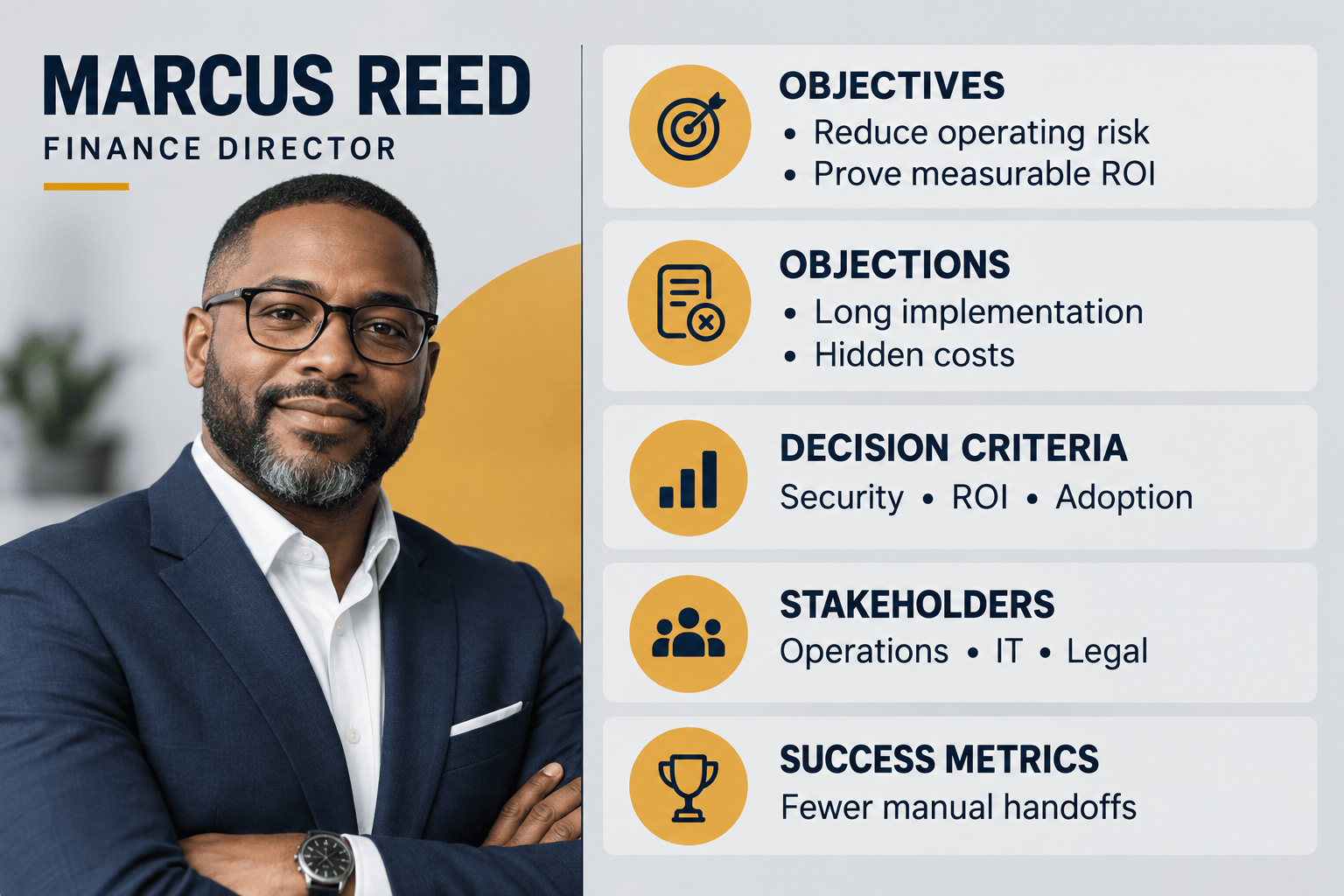
B2B SaaS Buying Committee: Create two coordinated persona cards for our workflow-automation platform: an operations manager who uses the product and a finance leader who approves the purchase. Contrast their goals, objections, success measures, information needs, and decision roles. Clearly label all assumptions that are not supported by the attached brief.

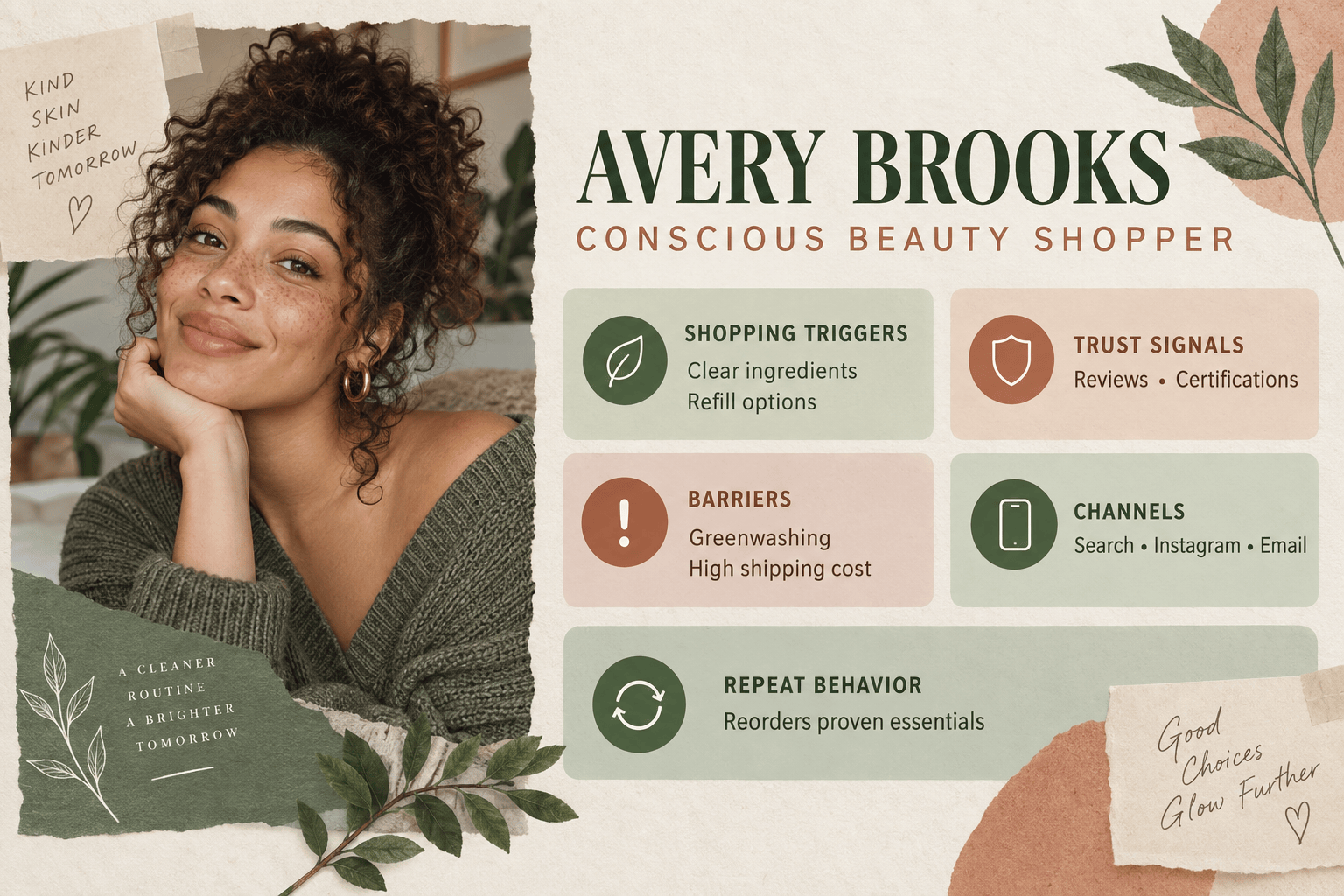
Ecommerce Customer Persona: Turn this product brief and anonymized customer feedback into a visual buyer persona for an eco-friendly skincare store. Focus on shopping triggers, trust signals, objections, preferred discovery channels, repeat-purchase behavior, and the questions the store must answer before checkout.

Startup Hypothesis Persona: Create a hypothesis persona for an early-stage budgeting app with no primary research yet. Include jobs to be done, likely barriers, current alternatives, risky assumptions, and a validation plan. Place a visible 'Hypothesis - Validate With Research' label at the top of the card.

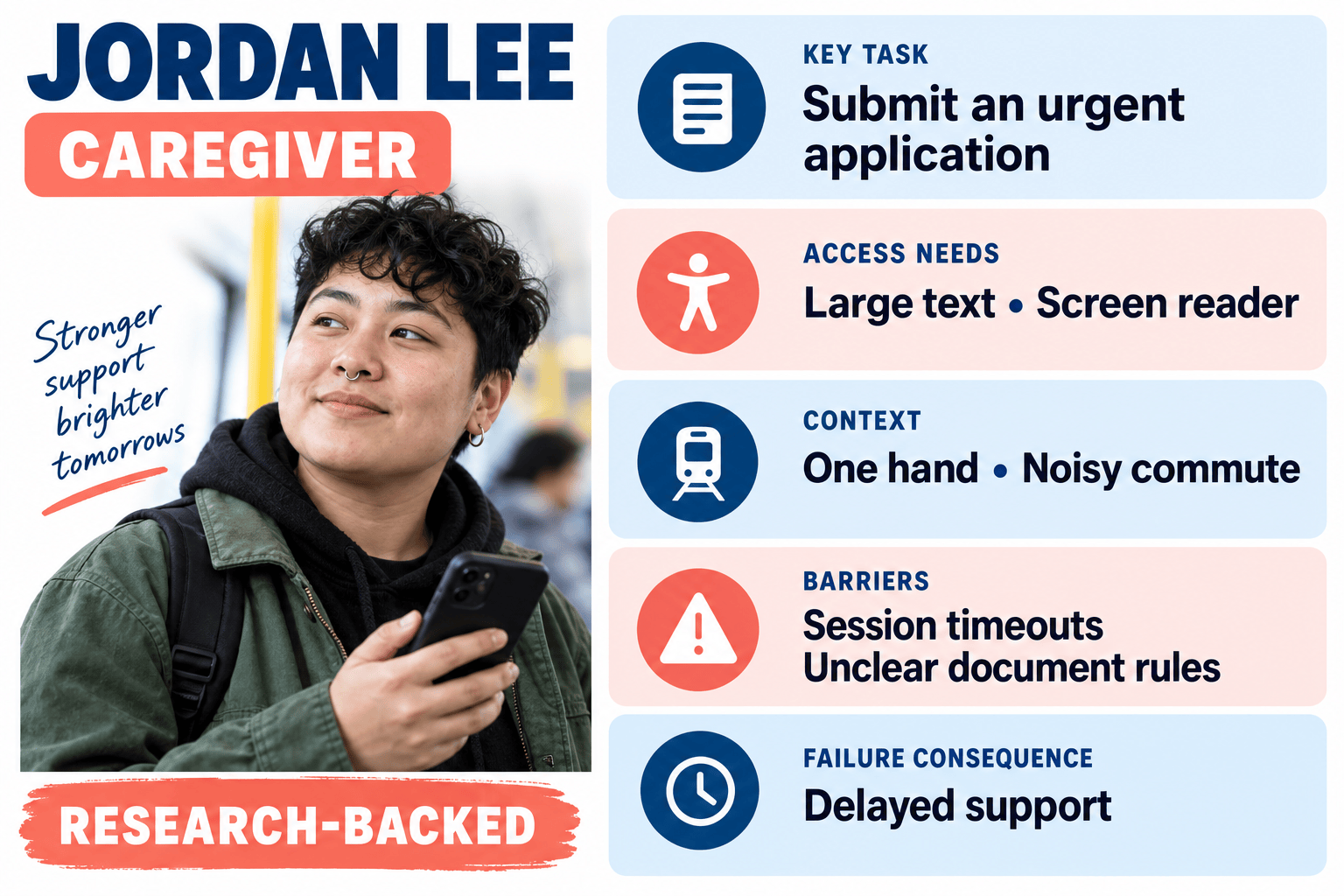
Inclusive Product Persona: Create an accessibility-focused user persona for a public-service website using the supplied research summary. Emphasize tasks, environmental constraints, assistive technology, literacy or digital-confidence needs, and failure consequences. Avoid stereotypes and omit demographics that do not affect the service experience.

Persona Refresh: Compare @persona-v1.pdf with @new-research.docx. Create an updated persona card that preserves supported insights, highlights changed behaviors and pain points, removes contradicted claims, and adds a short 'What Changed' panel for the product team.


FAQs About the AI User Persona Generator

An AI user persona generator turns information about a target user segment into a structured profile. A useful persona usually covers goals, pain points, behaviors, context, motivations, and a scenario, then presents those insights in a format a team can review and use.
You can start with free AI credits after signup. Use them to generate and refine a persona card, then export the finished design without a watermark.
Yes. Upload supported documents such as PDF, DOCX, XLSX, CSV, text, or Markdown to the file library, reference up to three files with @ in one message, and ask Mew Design to create a persona from the relevant findings.
A user persona focuses on the person using a product and the tasks, context, and friction around that experience. A buyer persona focuses on purchasing goals, objections, decision criteria, channels, and stakeholders. In B2B products, the user and buyer may be different people, so separate cards are often clearer.
Yes. Ask for separate profiles when your evidence shows meaningful segments, such as an end user and an approver or a new customer and a power user. Avoid creating extra personas from minor demographic differences that do not change needs or behavior.
Accuracy depends on the evidence you provide. Research-backed inputs can help produce a useful draft, but AI can still infer plausible details that are not supported. Review every field against your sources and treat a persona made without real user data as a hypothesis to validate, not a research finding.
Yes. Use Chat Edit to revise wording, fields, colors, typography, images, or layout. You can also upload a logo and brand assets to keep a set of UX, customer, or buyer persona cards visually consistent.
Remove names, email addresses, employer details, and other personal identifiers. Do not upload confidential or NDA-protected material unless your organization permits it. Summarize recurring patterns and keep source context so you can verify the generated persona.
Export the finished persona design as PNG or JPG for slides and digital work, or as PDF when you need a portable document for workshops, reports, or sharing.

Ready to Generate Designs With AI?

Get Started - 50 Free Credits
No credit card required
Š 2025 - 2026 Mew Design, MAGOAI LTD.All rights reserved.