Free OnlineAI UNO Cards Design
How to Create Custom UNO-Style Cards with AI
Describe the Card Rule
Build the Visual System
Refine Text and Deck Consistency
Export for Print or Sharing

Why Use Mew Design for Custom UNO-Style Cards
Keep Color and Symbols Easy to Scan
Use strong red, blue, green, yellow, or custom palette blocks with a large central number or icon. Clear corners and high contrast help players identify a card quickly across a busy table.
Invent Wild Cards and House Rules
Describe a custom wild card, draw effect, team challenge, or party rule in plain language. The AI can turn the mechanic into a concise label and a visual cue while you decide how the rule works.
Generate a Coherent Deck, Not One Random Card
Explore a hero card, matching number cards, action variants, and a coordinated back. An online AI UNO card maker is most useful when borders, icon weight, spacing, and type stay consistent from card to card.
Add Photos, Logos, and References
Upload a friend-group photo, school mascot, event logo, or visual reference, then ask for an original composition that keeps the important subject recognizable without copying protected artwork.
Prepare Cards for Home Printing
Request a clean printable custom UNO layout with safe margins, cut lines, consistent card sizes, and a separate card-back option. Export PNG, JPG, or PDF and test one sheet before producing the full deck.
Design for Parties, Classrooms, and Gifts
Make a UNO meme card template for a group joke, vocabulary cards for a classroom, a themed family deck, or a personalized gift. Compare playful, minimal, retro, and illustrated directions before choosing one.
What Makes a Good AI UNO Card Prompt
- Define the mechanic: Explain what the card does in one short sentence and say whether the action is a wild, skip-style, draw, swap, challenge, or house-rule effect.
- Set the visual grammar: Choose colors, border shape, corner markers, number or icon scale, illustration style, and a readable text treatment that can repeat across the deck.
- Plan the output: Mention portrait card size, square meme share, printable sheet, card back, cut lines, safe margins, or digital mockup so the composition fits its destination.
- Keep it original: Use your own characters, photos, jokes, and symbols. Ask for an original UNO-style direction instead of copying official UNO logos, brand marks, or recognizable card art.
AI UNO Card Prompts for Custom Decks
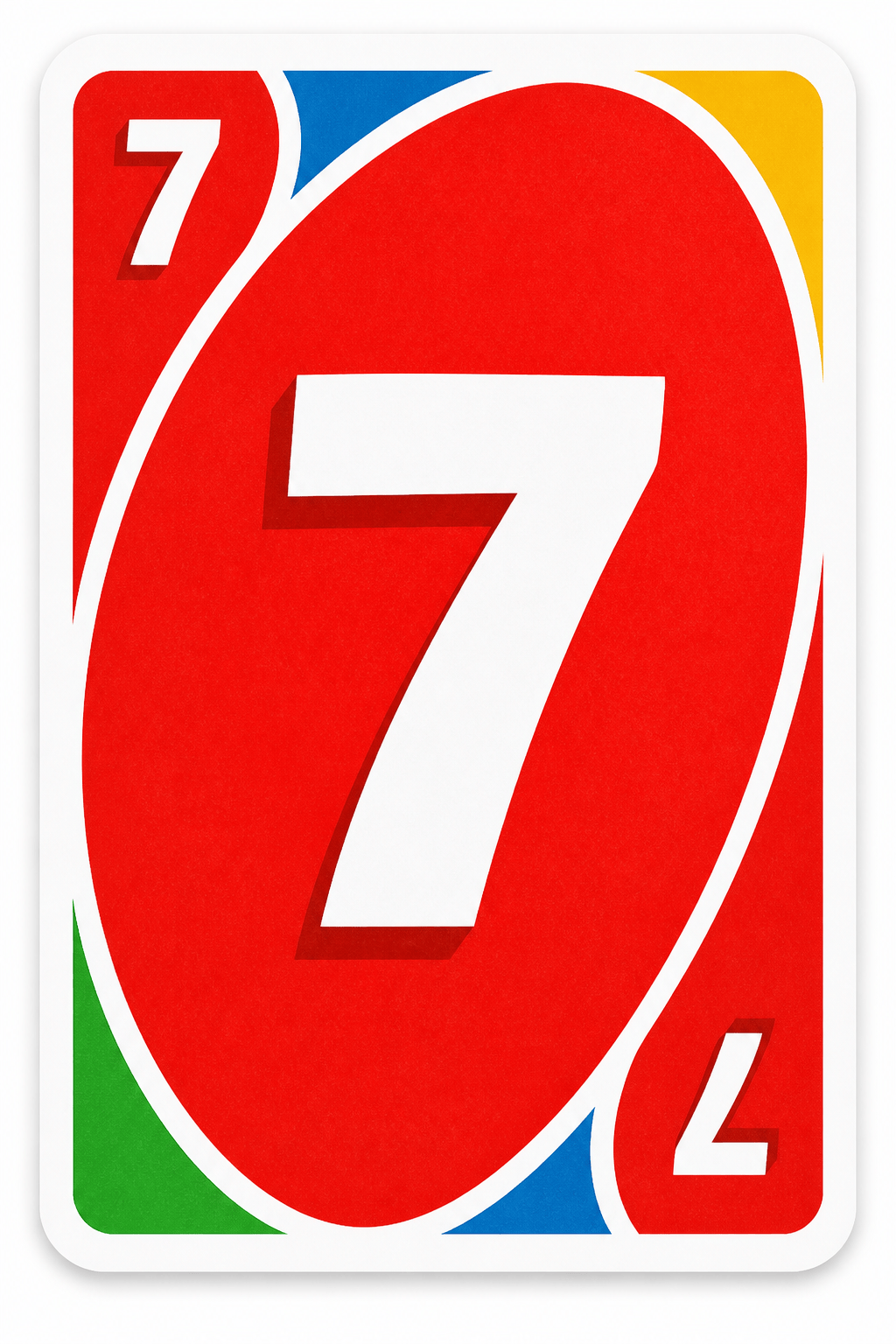
Classic color deck: Create an original UNO-style number card for a family game night. Use a bright red rounded card, a large white 7 in the center, two small corner 7s, a clean white border, simple flat vector shapes, and high contrast. Make it feel familiar but do not copy the official UNO logo or artwork.
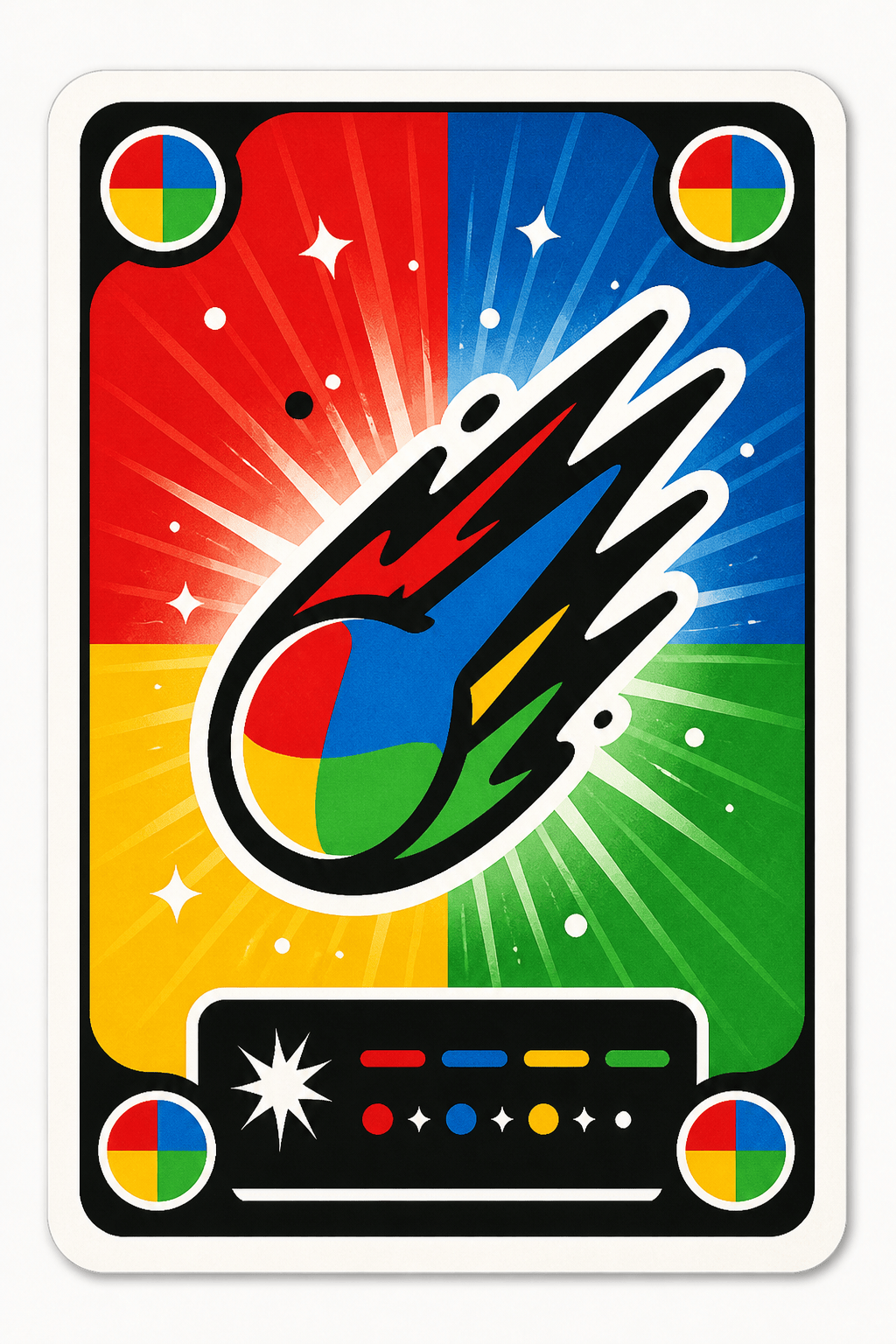
Custom wild card: Design a portrait action card called "COLOR COMET" with a four-color radial background, a bold comet icon, four corner markers, and a short rule area that says "Choose the next color and give one card to every player". Friendly party-game style, readable at table distance, original branding only.
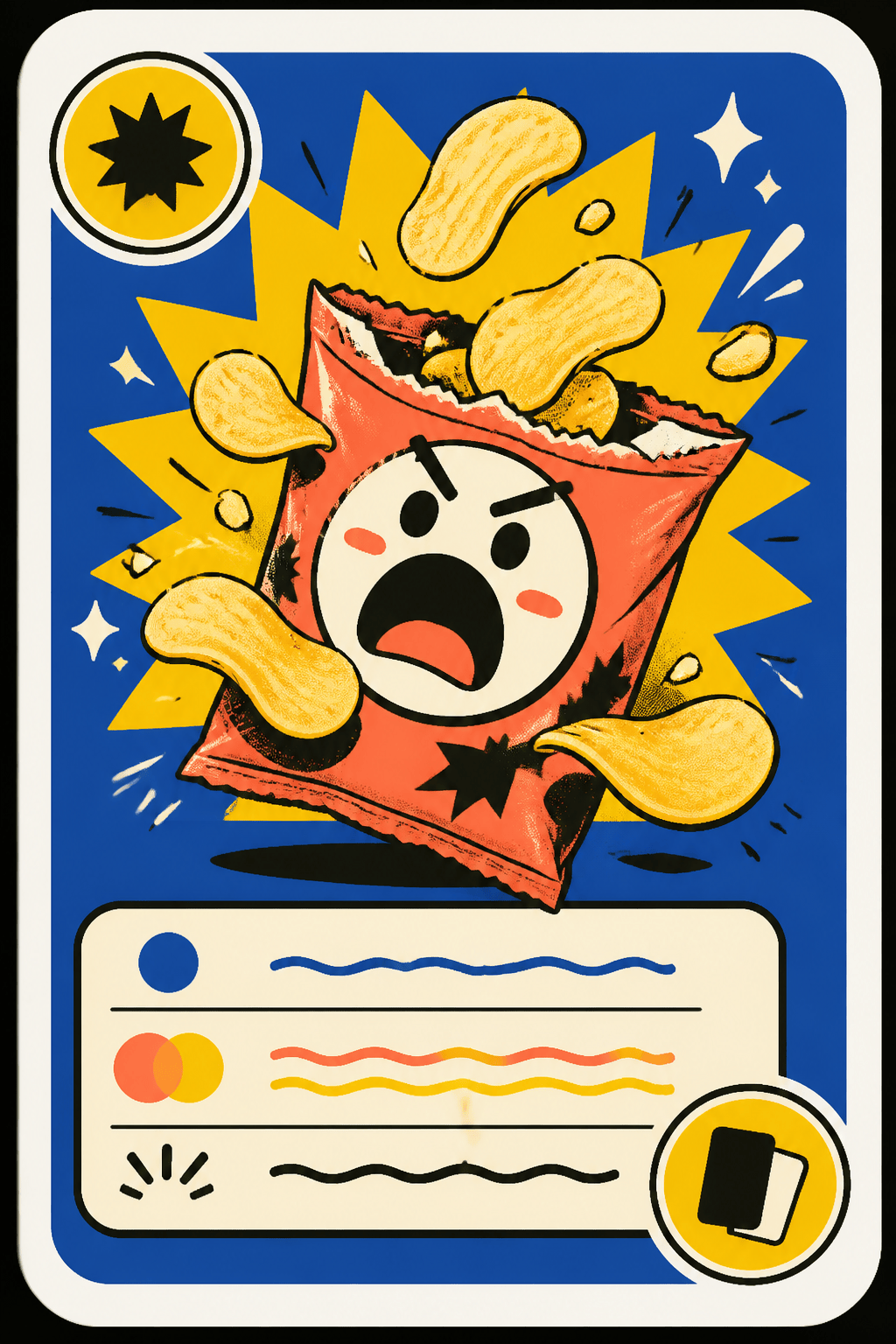
UNO meme card template: Make a shareable square meme card for a friend group called "DRAW 25 SNACKS". Use a dramatic snack illustration, playful bold typography, a clean rounded border, one clear challenge sentence, and a bright yellow accent. Keep the joke readable and avoid official logos.
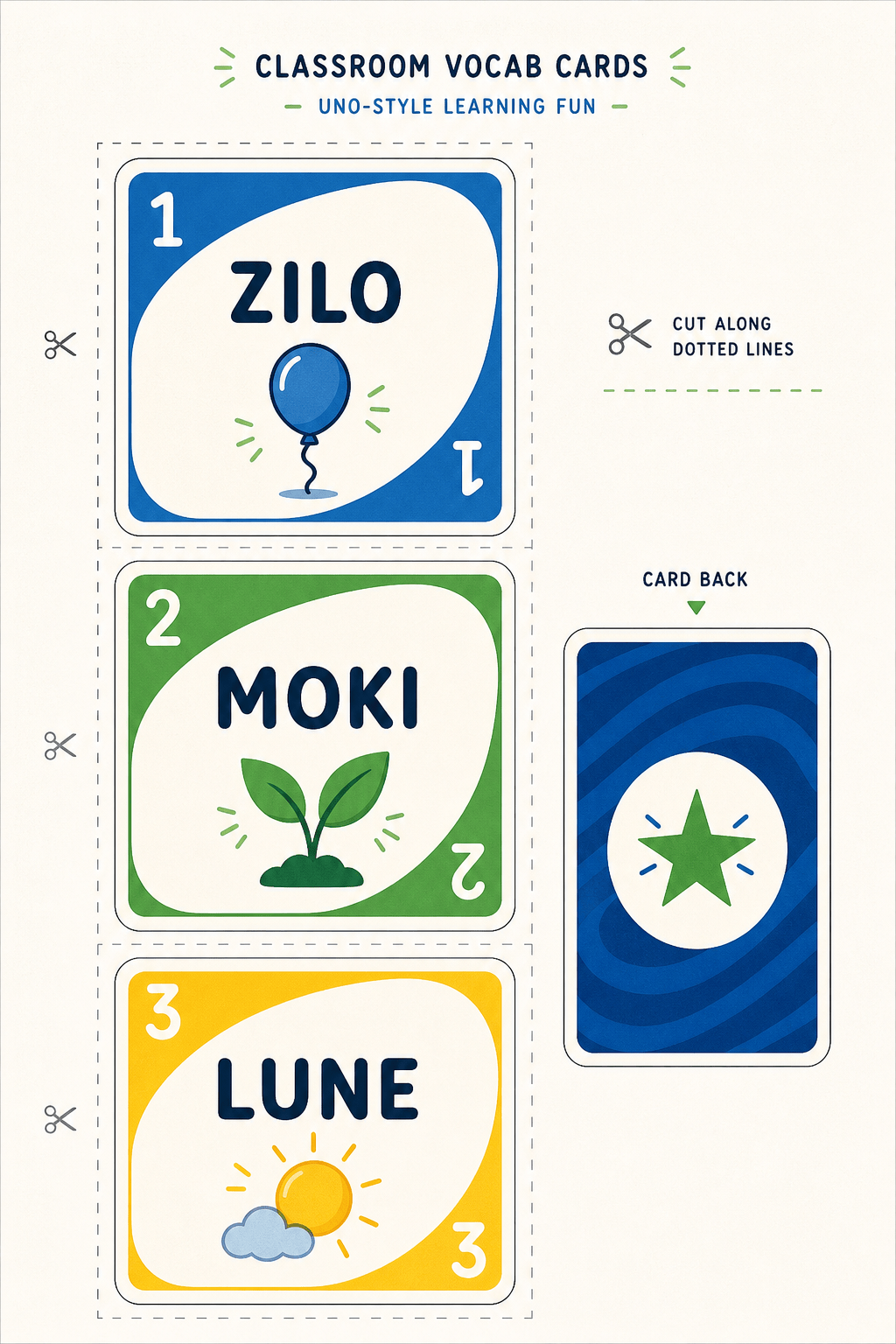
Classroom UNO-style deck: Create a printable vocabulary action card for ages 8–11. Use a blue and green palette, a large simple icon, the word "COMPARE", a short teacher-friendly instruction, generous margins, and a consistent corner marker system that can repeat across a classroom deck.
Personalized photo deck: Use the uploaded family picnic photo as a reference for an original custom card called "PASS THE SUN". Keep faces recognizable but simplify the scene into a warm illustrated background, add a concise swap rule, and match a coral, teal, cream, and navy deck system. No copied card art.
Printable deck sheet: Arrange nine original UNO-style cards on an A4 portrait page with even gutters, safe margins, cut lines, and a matching card back. Include three number cards, three action cards, and three wild cards for a space-camp party theme. Keep every label and icon crisp and leave no official branding.





