Free OnlineAI Uniform Generator
How to Design a Uniform with AI
Define the Role and Garment Set
Add Colors, Logos, and References
Generate Uniform Concepts
Refine and Share the Mockup

Why Teams Use Mew Design for Uniform Concepts
Start with the Job, Not a Blank Template
Describe a football kit, school blazer set, medical scrubs, or branded workwear in plain language. The AI uniform generator translates the role and setting into a focused design direction without requiring apparel software.
Build Around Your Visual Identity
Upload a logo, crest, existing garment, or moodboard. Mew Design can use those assets as references for color, motif, and placement, helping your custom uniform concept feel connected to the team or organization.
Compare Coordinated Views and Colorways
Create front, back, and presentation views or explore several related options. This online uniform design maker helps stakeholders compare cuts, panel patterns, and color combinations before sampling.
Edit Specific Garment Details in Chat
If the first draft is close, use Chat Edit instead of starting over. Ask for a ribbed V-neck, longer sleeves, reflective piping, simpler embroidery, a larger number zone, or cleaner pocket placement.
Show Fabric, Trim, and Construction Cues
Prompt for mesh, twill, canvas, stretch knit, piping, contrast stitching, panel breaks, or reinforced pockets. The result gives reviewers a more concrete visual reference than a color swatch alone.
Prepare Clean Mockups for Review
Remove the background when you need a clean presentation asset, then export the AI-generated uniform mockup as PNG or JPG. Use it for approvals and direction-setting while a specialist prepares final production specifications.
How to Write a Strong Uniform Design Prompt
- List the Pieces and Views: Specify the top, bottom, outer layer, footwear or accessories, plus front, back, flat-lay, mannequin, or on-model views.
- Describe Fit and Materials: Mention relaxed or tailored fit, season, climate, and fabrics such as breathable mesh, twill, canvas, wool blend, or stretch knit.
- Place Brand Details: Give brand colors or hex codes and state where the crest, logo, name, number, piping, embroidery, or reflective trim should appear.
- Set Practical Limits: Note modesty, movement, pocket, visibility, or dress-code needs, and ask the AI to avoid protected insignia, extra text, and unrelated logos.
Uniform Design Prompts for Teams and Workplaces
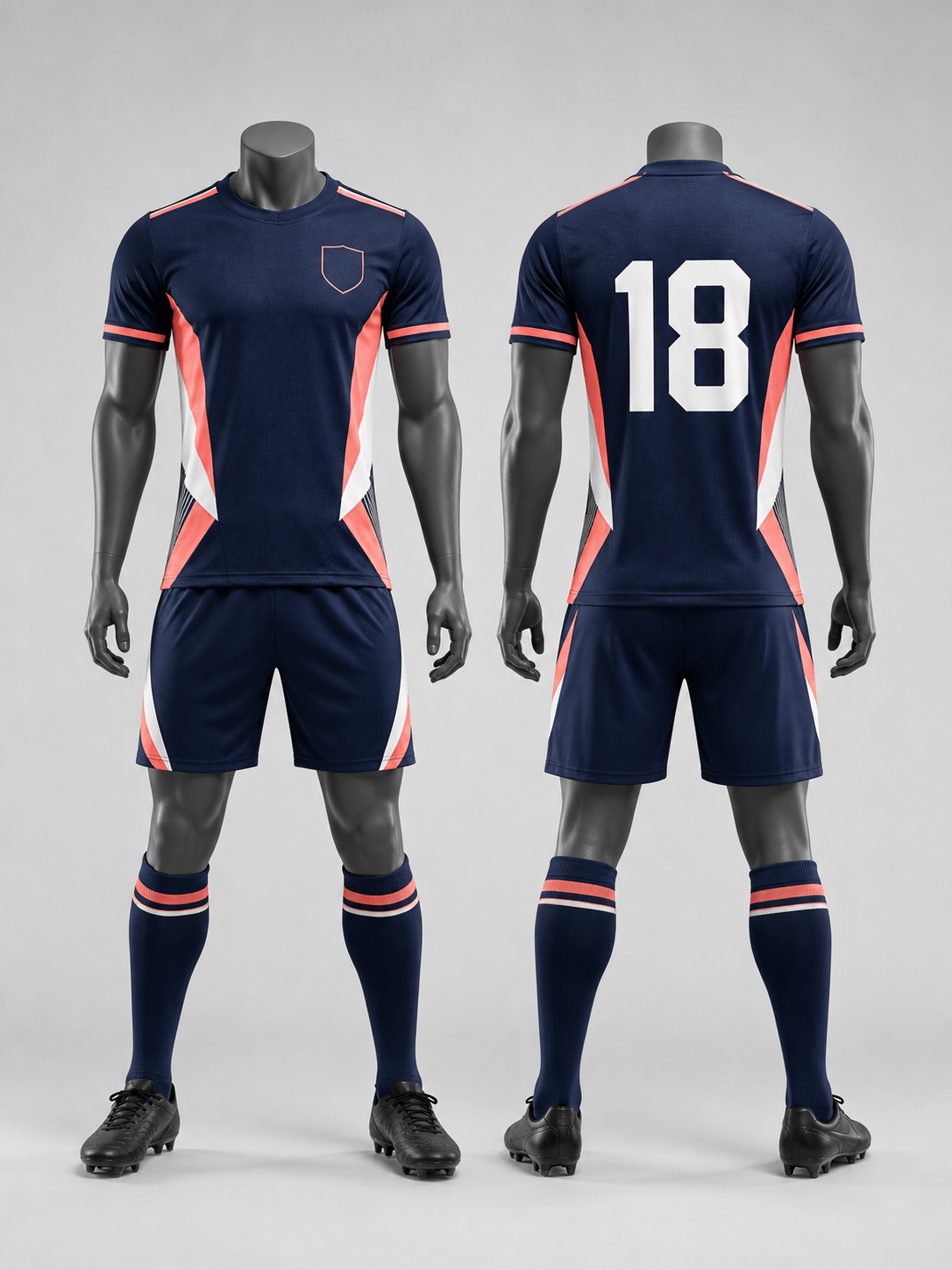
AI Sports Uniform Generator: Create a front-and-back soccer kit for an adult community team. Use navy, coral, and white geometric side panels, breathable mesh jersey fabric, matching shorts and socks, a blank left-chest crest zone, and number 18 on the back. Clean catalog mockup, no sponsor logos.
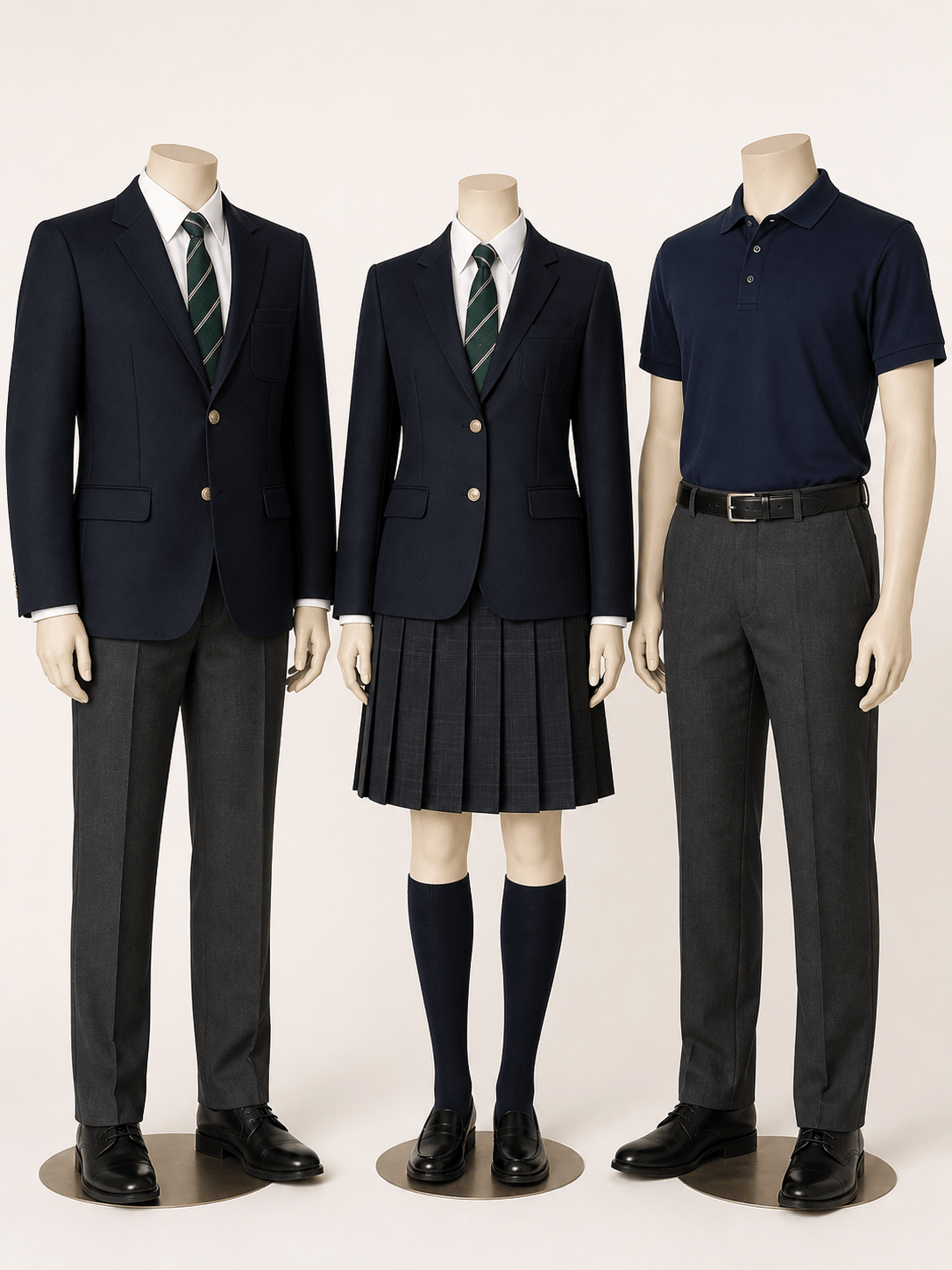
School Uniform Generator: Design a coordinated secondary school uniform range on adult headless mannequins. Include a navy blazer with a blank crest area, white shirt, forest green striped tie, tailored trousers, knee-length pleated skirt, and a lightweight polo option. Formal, inclusive, durable, and suitable for a school board presentation.
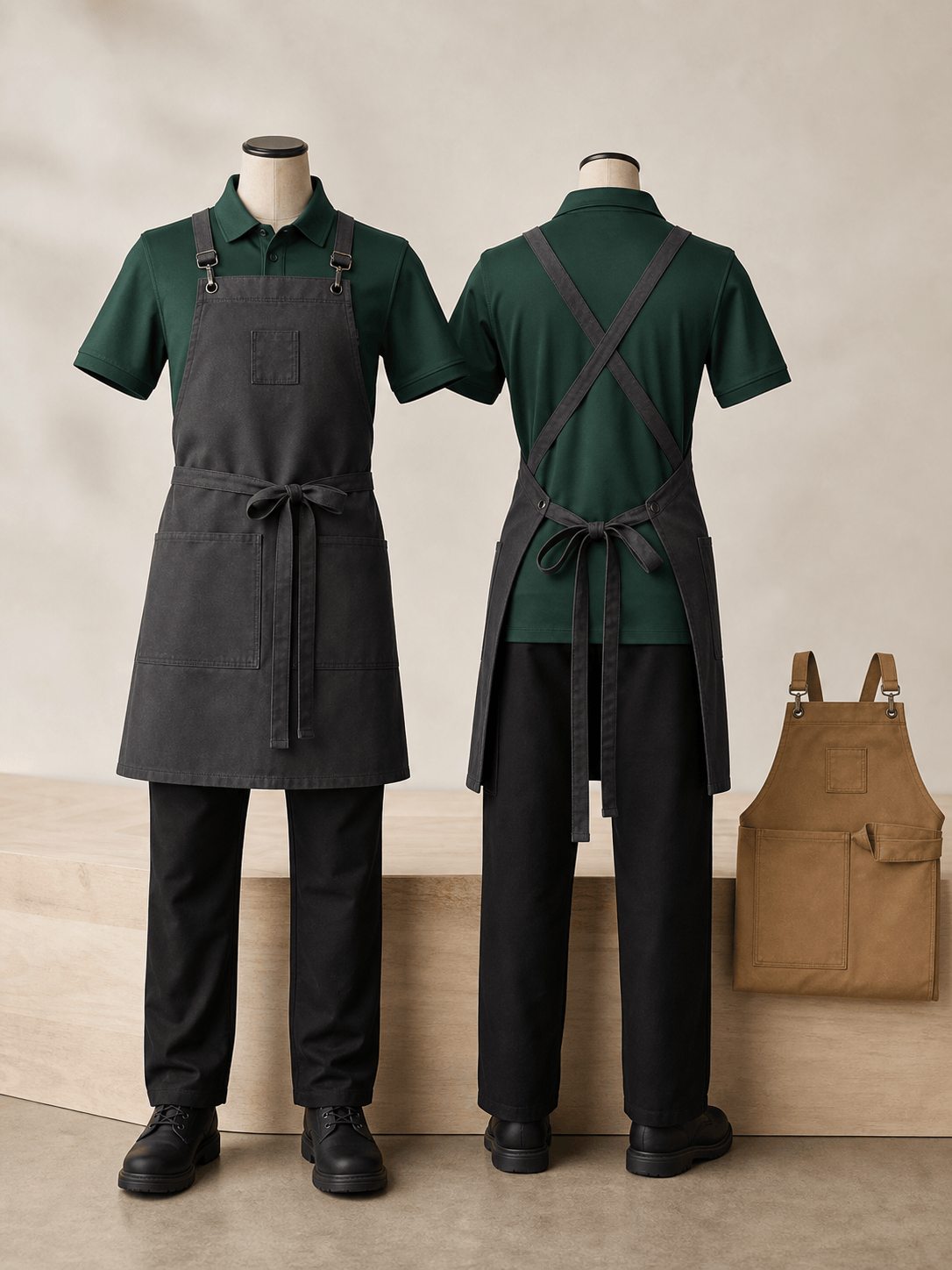
Hospitality Workwear: Create uniforms for a modern neighborhood cafe. Show an adult barista wearing a forest green polo, charcoal cross-back canvas apron, black straight-leg trousers, and non-slip shoes. Add a small blank embroidery area on the apron and show one alternate tan colorway.
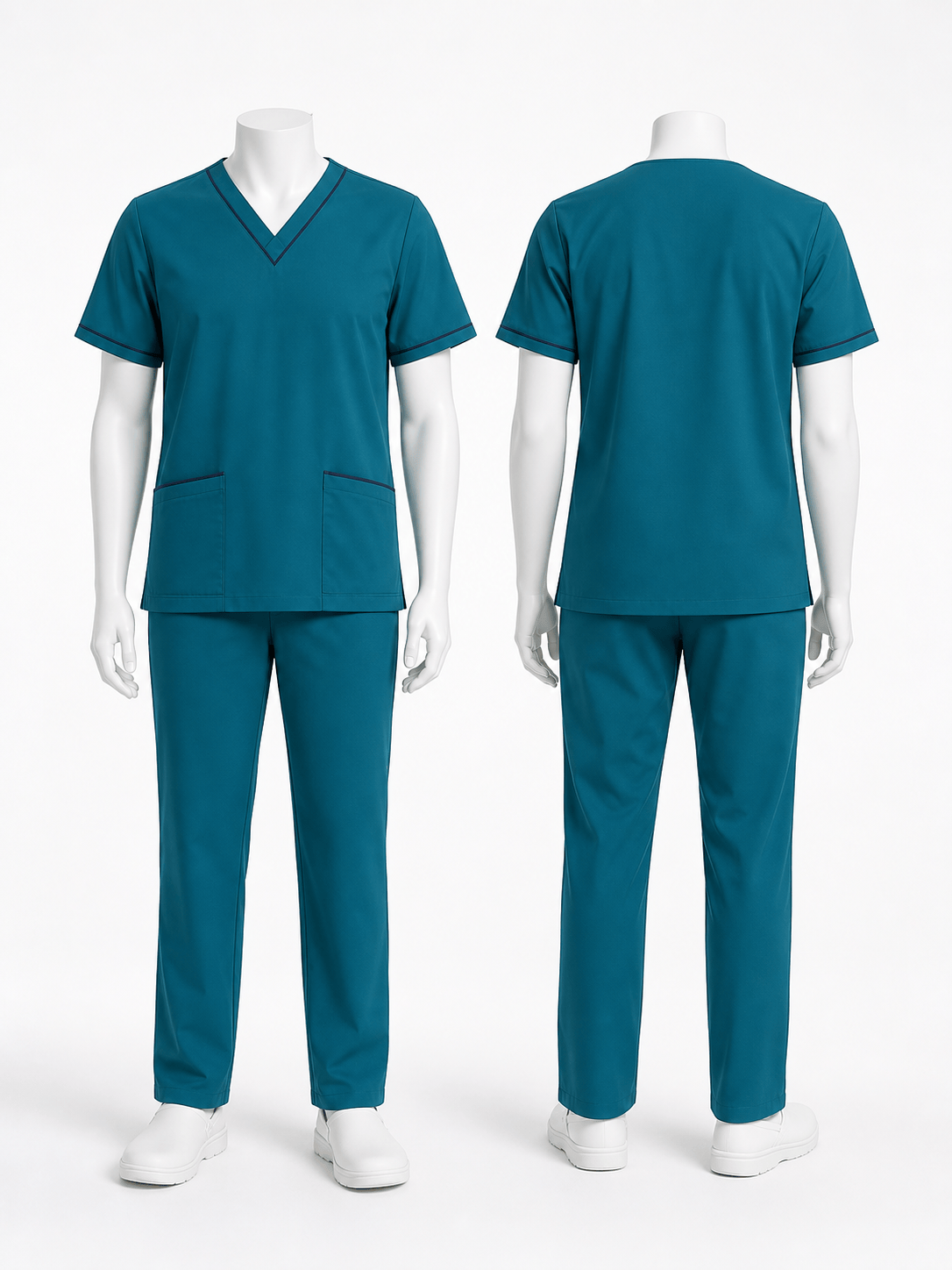
Medical Uniform Mockup: Design a unisex scrub set for an outpatient clinic. Use teal stretch fabric, a V-neck top, two lower utility pockets, straight-leg trousers, and subtle navy piping. Show front and back views on adult mannequins with a clean white studio background and no medical logos.
Industrial Work Uniform Design: Visualize a coordinated technician uniform with a slate gray work shirt, reinforced elbow panels, cargo trousers, orange reflective piping, and a lightweight utility jacket. Show realistic ripstop texture and blank name and company patch zones. Concept mockup only; do not add official safety certification marks.
Esports Team Uniform: Generate a black and electric blue esports jersey for an adult team. Use angular gradient panels, breathable performance fabric, a crew neck, player-name space across the upper back, and a blank sponsor grid. Present front, back, and close-up fabric views with no real brand logos.





