Free OnlineAI Toy Story Generator
Use Mew Design - AI Design Agent as an AI toy character generator for original 3D avatars, miniature story scenes, plush pets, collectible figures, and packaging concepts. Start from text or a permitted photo, then control toy type, identity anchors, molded materials, articulation, scale, accessories, lighting, and camera through chat.

How to Create a Toy-Like 3D Character with AI

Treat the character as a designed object: choose how it is made, how it bends, and what proves its size before styling the scene.
1

Choose the Toy Construction

Begin with molded action figure, soft plush, painted wood, wind-up tin, matte vinyl, or another clear toy category. Tell the AI Toy Story generator the intended height, audience, finish, part count, and whether you need an avatar, full-body render, shelf scene, group set, or package concept.
2

Lock Identity and Story Clues

For a photo-to-toy character, upload only an image you may use and name four to six anchors such as face shape, hairstyle, glasses, freckles, jacket color, pet markings, or a signature object. Add an original role and one accessory that explains the character without copying an existing film design.
3

Stage Joints, Scale, and Materials

Describe ball joints or hinge points, plush bend zones, carved seams, paint edges, surface gloss, contact shadows, and a familiar scale cue such as a hand, shelf, floorboard, dollhouse chair, or accessory tray. Give the pose a stable center of gravity.
4

Inspect the Toy and Refine It

Check fingers, joint count, facial likeness, material consistency, accessory separation, foot contact, package clearance, reflections, repeated props, and cropped parts. Use Chat Edit to repair one area while preserving the character, proportions, palette, light, and camera, then export PNG or JPG.
How to create an original toy character with AI

Design a Toy That Looks Made, Not Merely Cartooned

Match Shape to Toy Category

A vinyl collectible can use one large head mass and simplified limbs; an action figure needs visible articulation and load-bearing feet; a plush character needs compressible forms and stitch logic. This gives the toy character maker a coherent construction system.

Make Materials React Differently

Use tight highlights and mold seams for plastic, soft pile and compression for plush, grain and chipped paint for wood, stamped edges for tin, or a low-sheen finish for vinyl. Avoid giving every surface the same glossy 3D treatment.

Preserve Recognizable Photo Anchors

When turning a photo into a toy character, identify the few traits that must survive stylization. Ask the agent to keep those anchors while simplifying the rest into an original face, body ratio, wardrobe, and accessory system.

Prove Miniature Scale in the Frame

A palm, desk edge, shelf bracket, floorboard gap, toy chest, or oversized everyday object immediately clarifies scale. Pair that reference with close depth of field and believable contact shadows so the figure does not read as a full-size mascot.

Compose Accessories and Packaging

For an AI action figure or toy box concept, reserve a clear cavity for the figure, separate accessory slots, keep the face unobstructed, and leave a clean card or box panel for later branding. Generate invented graphics only; add final legal and safety copy outside the image workflow.

Keep a Whole Toy Cast Consistent

Create a couple, family, pet set, or character line by assigning each member a toy category, height, color cue, accessory, and fixed position. Generate a lineup or reference sheet first, then use Chat Edit for targeted repairs. Start with free credits and download watermark-free images.

What to Include in a Toy Character Prompt

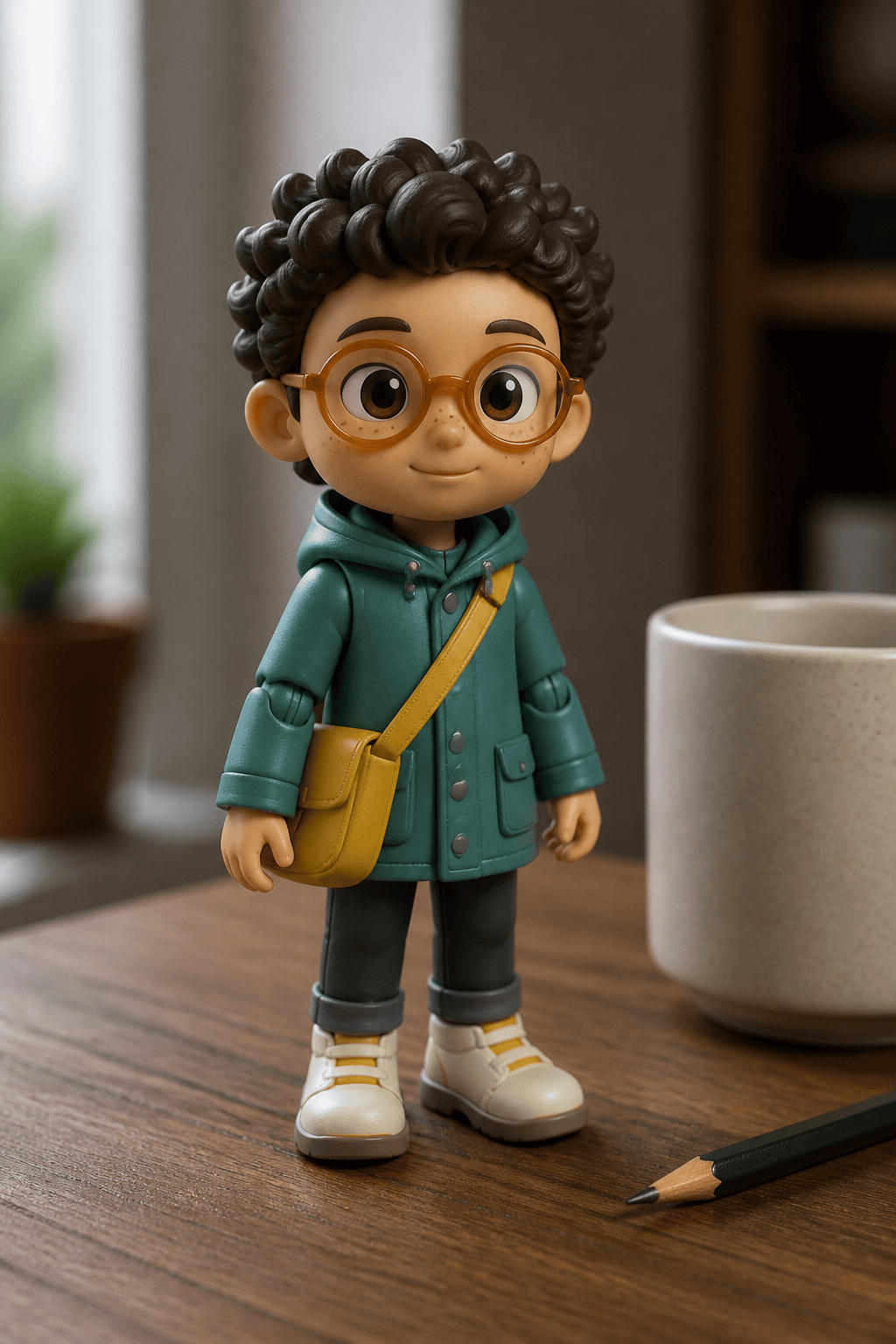
Create a completely original 18-centimeter matte-vinyl commuter toy from a permitted portrait reference. Preserve the oval face, short dark curls, round amber glasses, left cheek dimple, teal raincoat, and yellow messenger bag, but redesign the person as a unique toy character with no existing film character, costume, logo, or location. Oversized head with compact torso, five clean articulation points, stable flat shoes, simplified hands, subtle mold seams, satin plastic highlights, tiny painted freckles, and one removable paper-map accessory. Pose the figure on a walnut desk beside a full-size coffee mug and pencil for scale, with soft window light, shallow depth of field, three-quarter camera, square social-avatar crop with the whole figure visible. No text, watermark, branded packaging, extra fingers, fused glasses, floating feet, duplicated accessories, melted joints, hyperreal skin, or cropped head.
For a useful AI Toy Story generator prompt, specify the original character role, toy category, size, identity anchors, body proportion, articulation, material finish, accessory, scale cue, environment, camera, light, crop, and exclusions.
  • Choose a Manufacturing Logic: Say molded plastic, flocked vinyl, sewn plush, painted wood, stamped tin, resin miniature, or another construction. Name the seams, joints, pile, grain, or finish that proves it.
  • Limit the Identity Anchors: Preserve four to six memorable traits instead of demanding pixel-perfect realism. This leaves enough room for an original, readable toy face.
  • Show the Scale: Give one familiar object with a credible size, then describe contact shadow and depth of field. Hands, cups, pencils, shelves, floorboards, and dollhouse furniture work well.
  • Audit Joints and Packaging: Exclude extra fingers, doubled limbs, fused accessories, melted hinges, mismatched materials, floating feet, blister glare over the face, clipped cavities, illegible text, logos, and existing characters.

AI Toy Character Prompts for Avatars, Sets, and Scenes

Vinyl Photo Avatar: Turn a permitted head-and-shoulders photo into an original matte-vinyl desk figure. Preserve four facial anchors, simplify the outfit, add one personal accessory, five clean joints, a coffee mug for scale, soft window light, and a square avatar crop.

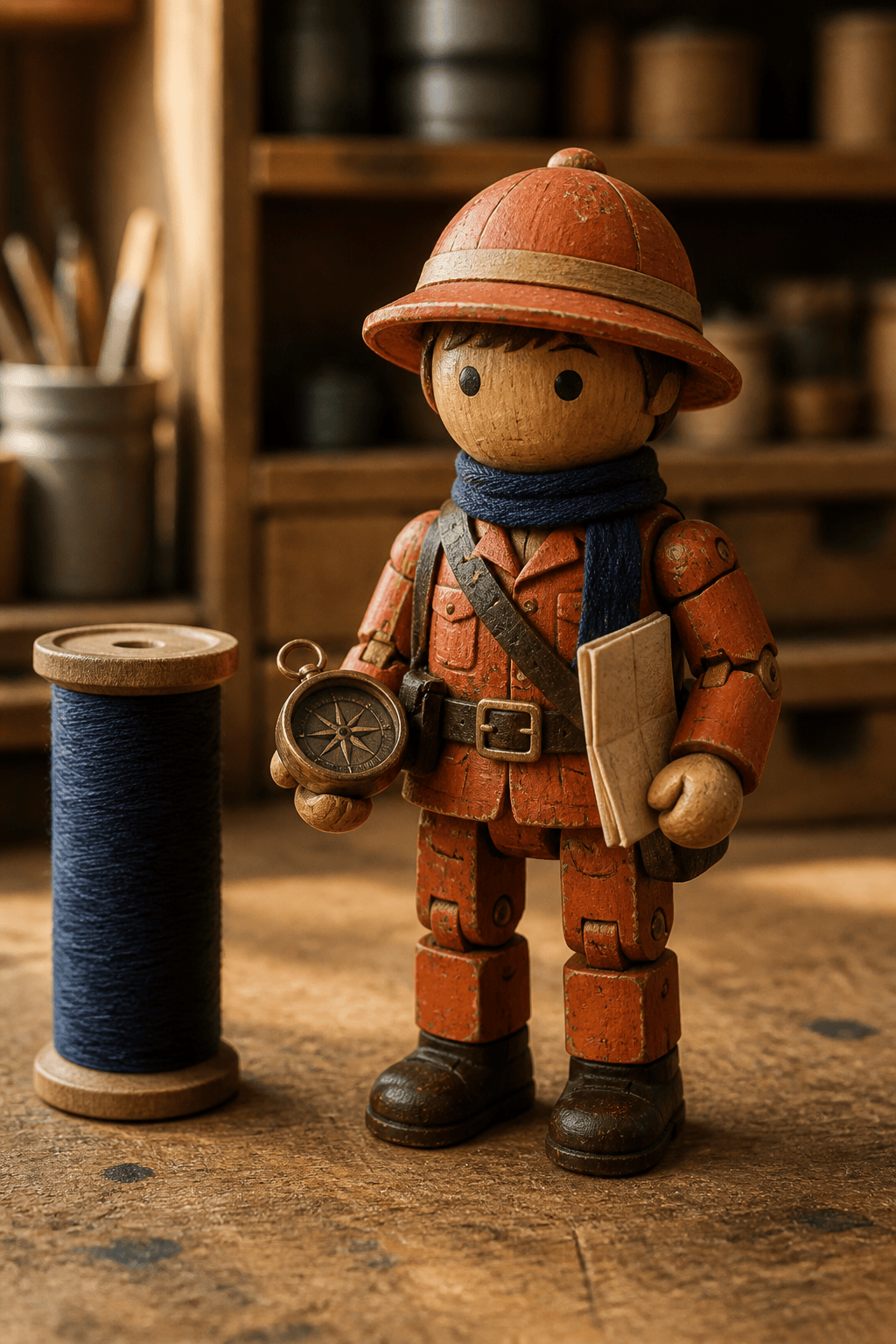
Wooden Explorer Toy: Design an original painted-wood trail guide with peg arms, carved boot shapes, visible grain, lightly chipped orange paint, a removable compass, a tabletop map, warm workshop light, and no existing character or logo.

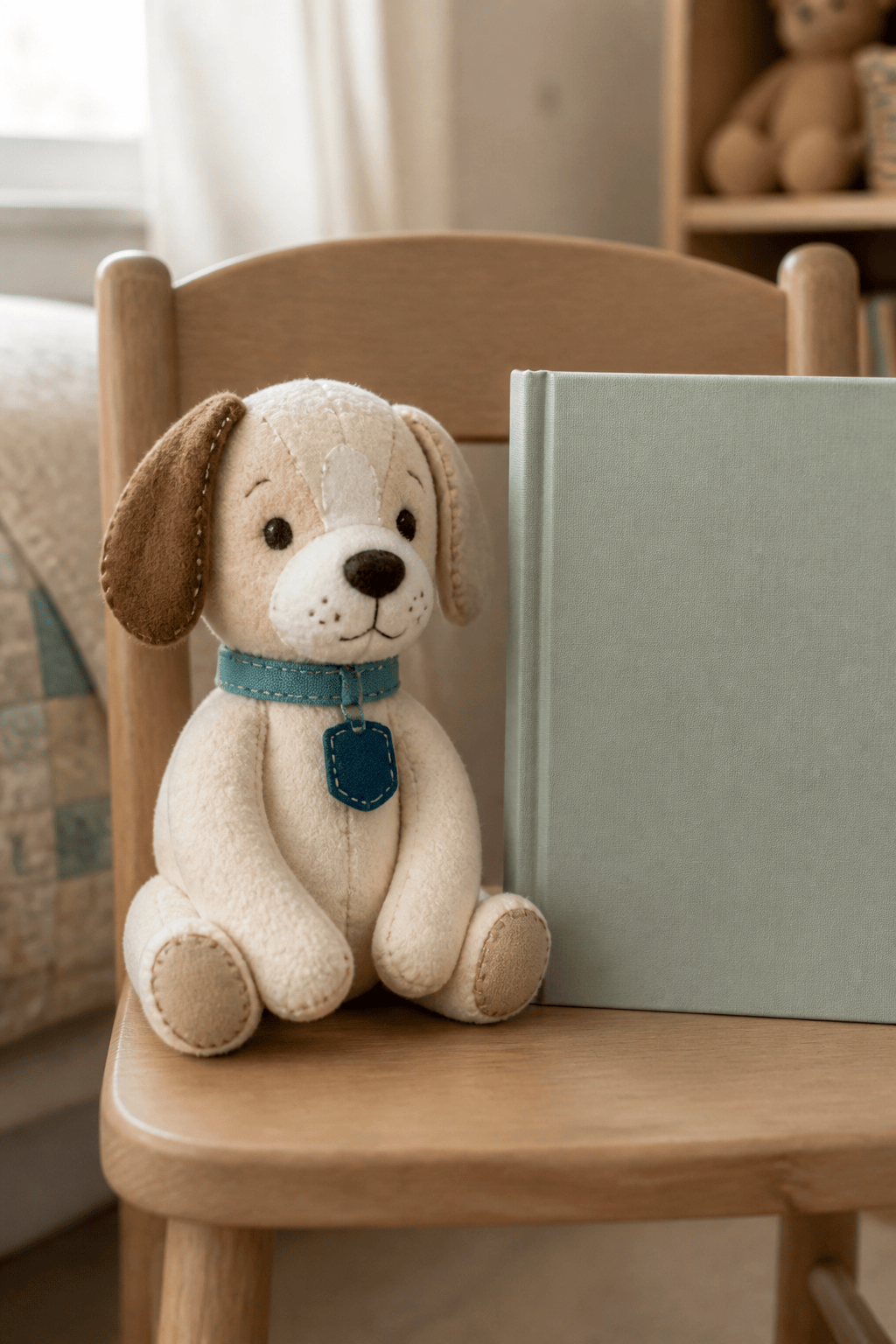
Plush Pet Companion: Reimagine a permitted dog photo as an original hand-sewn plush. Keep ear shape, white muzzle blaze, and collar color; use short fleece, embroidered eyes, compressed paws, one loose thread detail, a child-size chair for scale, and gentle daylight.

Couple Display Set: Create two original collectible toy figures from permitted photos. Assign different heights, silhouettes, palette accents, and hobbies, preserve five identity anchors per person, use consistent vinyl material and lighting, and stage both on one shelf base without merged limbs.

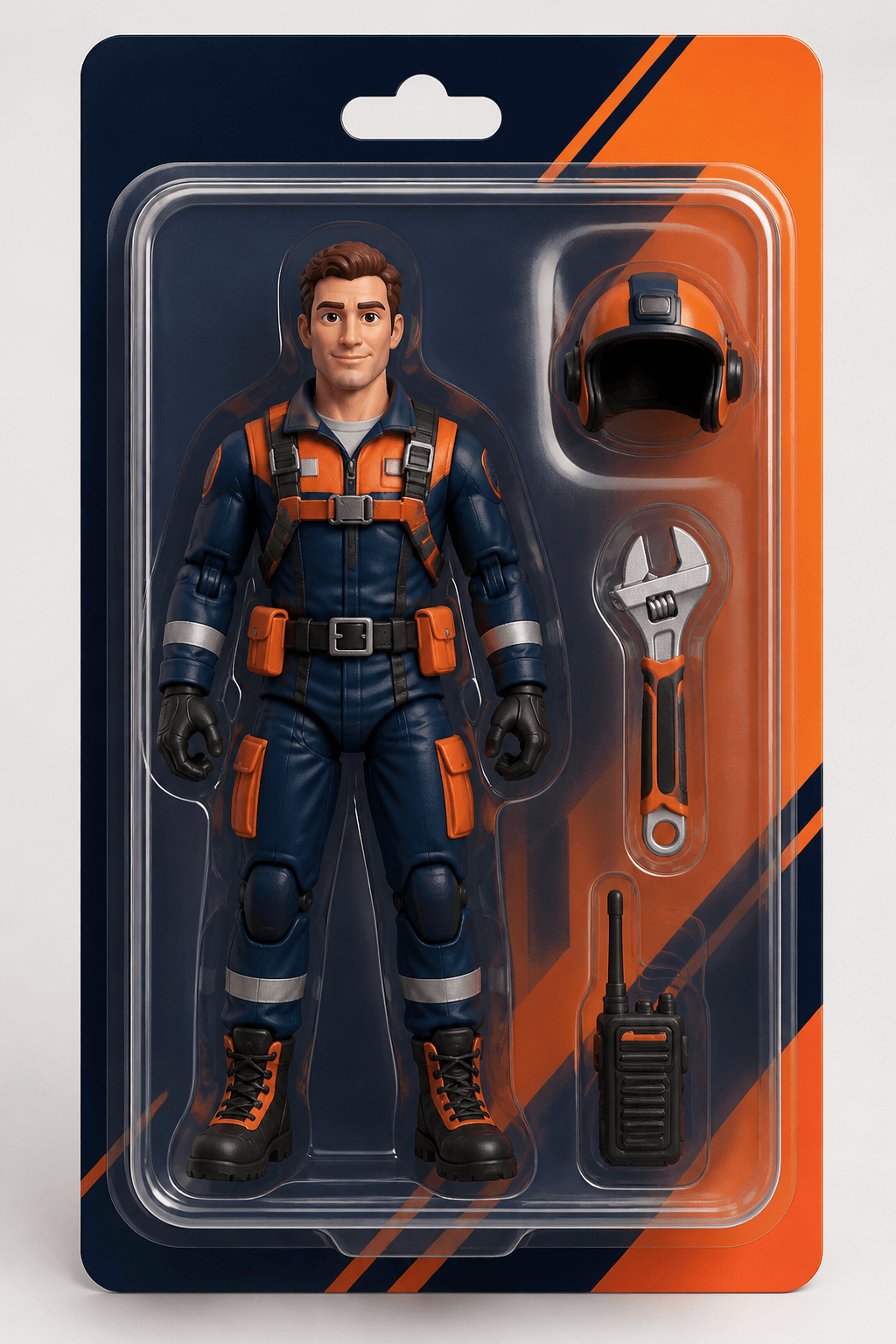
Action Figure Package: Present an original rescue mechanic figure in a clear blister on an invented color-blocked card. Keep the face visible, leave separate slots for wrench, helmet, and radio, show realistic cavity clearance and reflections, but include no readable text, trademark, or official uniform.

Miniature Toy-Room Story: Stage three original mismatched toys planning a nighttime rescue beneath a bedroom desk: wooden bird, stitched rabbit, and tin rover. Use lamp spill, floorboard scale, distinct material response, clear eyelines, stable contact, cinematic 16:9 composition, and no familiar franchise designs.


AI Toy Story Generator FAQs

You can start with free AI credits after signing up. Create an original toy-like avatar, plush character, collectible figure, miniature scene, or package concept, refine specific details in Chat Edit, and download a watermark-free PNG or JPG.
Yes. Upload a clear, permitted photo and list four to six identity anchors to preserve. Choose a toy construction, proportions, outfit changes, accessory, pose, scale cue, light, and background so the result becomes an original stylized character rather than a copy of an existing one.
Use a sharp, well-lit image with an unobstructed face and visible hairstyle. A simple background and natural angle help. For a full-body toy, include the outfit and shoes; for a couple, family, or pet set, provide separate clear references when possible.
Yes. Describe molded plastic, vinyl, plush, painted wood, tin, resin, or mixed construction. Include expected seams, joints, texture, finish, accessory, scale, and pose. The generator creates visual concepts and images, not manufacturing-ready 3D files or safety certification.
Select one problem area in Chat Edit. Ask to restore the intended finger count, separate an accessory from the hand, align a hinge, plant both feet, clear the face behind plastic, or remove a duplicate prop while keeping identity, pose, proportions, palette, camera, and light unchanged.
You can create a packaging concept or listing-style mockup. State blister card, window box, tray, or gift carton; reserve space for the figure and each accessory; and keep the face visible. Add final brand, barcode, age grade, warnings, dielines, and regulatory copy in a suitable design or packaging workflow after verification.
No. Mew Design is an independent creative tool and is not affiliated with, endorsed by, or sponsored by Toy Story, Pixar, Disney, or their rights holders. Create original toy characters and scenes; do not assume the tool grants rights to protected characters, logos, costumes, or settings.

Ready to Generate Designs With AI?

Get Started - 50 Free Credits
No credit card required
Š 2025 - 2026 Mew Design, MAGOAI LTD.All rights reserved.
Mew Design - Your AI design partner, now with full control. | Product Hunt