Free OnlineAI Tie-Dye Generator
How to Create a Tie-Dye Pattern with AI
Choose the Pattern and Destination
Set the Palette and White Space
Generate or Apply the Effect
Refine, Test, and Export

Why Use Mew Design as Your AI Tie-Dye Pattern Generator
Describe Real Tie-Dye Structures
Go beyond asking for a colorful texture. Name the pinch point, radial wedges, concentric rings, scrunched clouds, accordion-fold stripes, or geometric resist marks that define the pattern you want.
Apply Tie-Dye to a Photo
Upload a plain shirt, hoodie, scarf, bag, portrait, or background. The AI tie-dye maker can target the chosen surface while preserving faces, poses, product shape, lighting, and other details that should not change.
Control Color Placement and Blending
Specify a palette and the order of adjacent colors. Ask for breathing room between combinations that may turn muddy, preserve intentional white areas, or keep a monochrome shibori-inspired design restrained.
Preview Apparel Before You Dye
Use this tie dye shirt generator to compare centered spirals, all-over crumple coverage, sleeve-only color, or a subtle hem gradient on a realistic garment before making a physical sample.
Create Fast Pattern Variations
Explore the same layout in team colors, festival neons, soft nursery pastels, earth tones, or black and cream. Compare focal points, scale, density, and negative space without repeating the setup.
Free to Try and Easy to Export
Test the free AI tie dye generator with credits after signup and download watermark-free images. Use your concepts for apparel mockups, digital backgrounds, social graphics, craft planning, or print tests.
How to Write an AI Tie-Dye Generator Prompt
- Name the Pattern Logic: Choose spiral, crumple, bullseye, sunburst, stripes, heart, mandala, ice-dye geode, or shibori-inspired folds, and state where the center or direction begins.
- Plan the Palette: List exact colors, their order, saturation, and where white resist should remain. Separate complementary colors if you want to avoid brown or gray mixing.
- Set Scale and Coverage: Explain whether the design is a large centered motif, dense all-over pattern, small repeat, sleeve accent, background, or seamless-looking tile.
- Name the Material and Use: Mention cotton, fleece, silk, paper, digital background, apparel mockup, fabric print, or social graphic so texture and composition fit the destination.
AI Tie-Dye Generator Prompts for Shirts, Fabric, and More
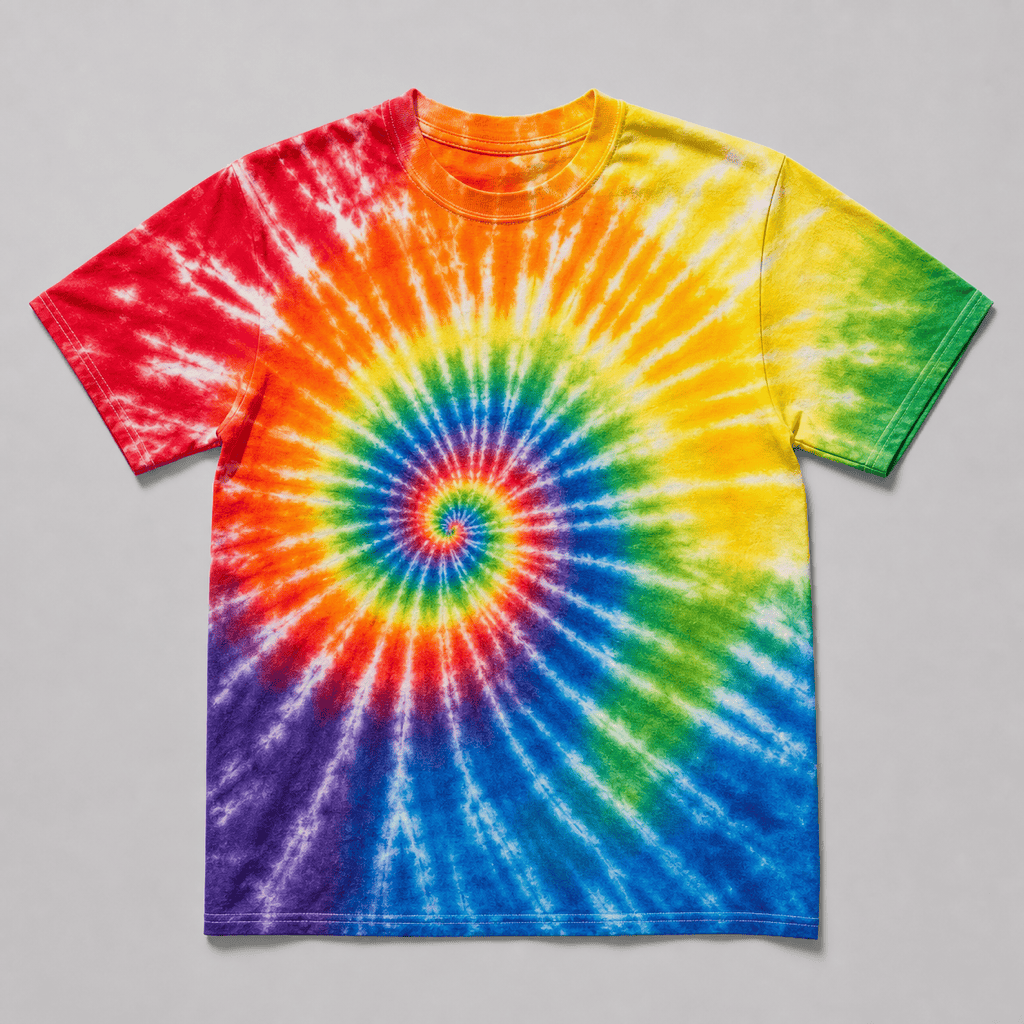
Rainbow Spiral T-Shirt: Create a centered rainbow spiral tie-dye design on a white cotton crew-neck T-shirt. Pinch point at the upper chest, six clear radial arms, saturated red, orange, yellow, green, cobalt, and violet, narrow white resist lines, realistic dye feathering and cotton texture. Square flat lay, no model, text, or logo.
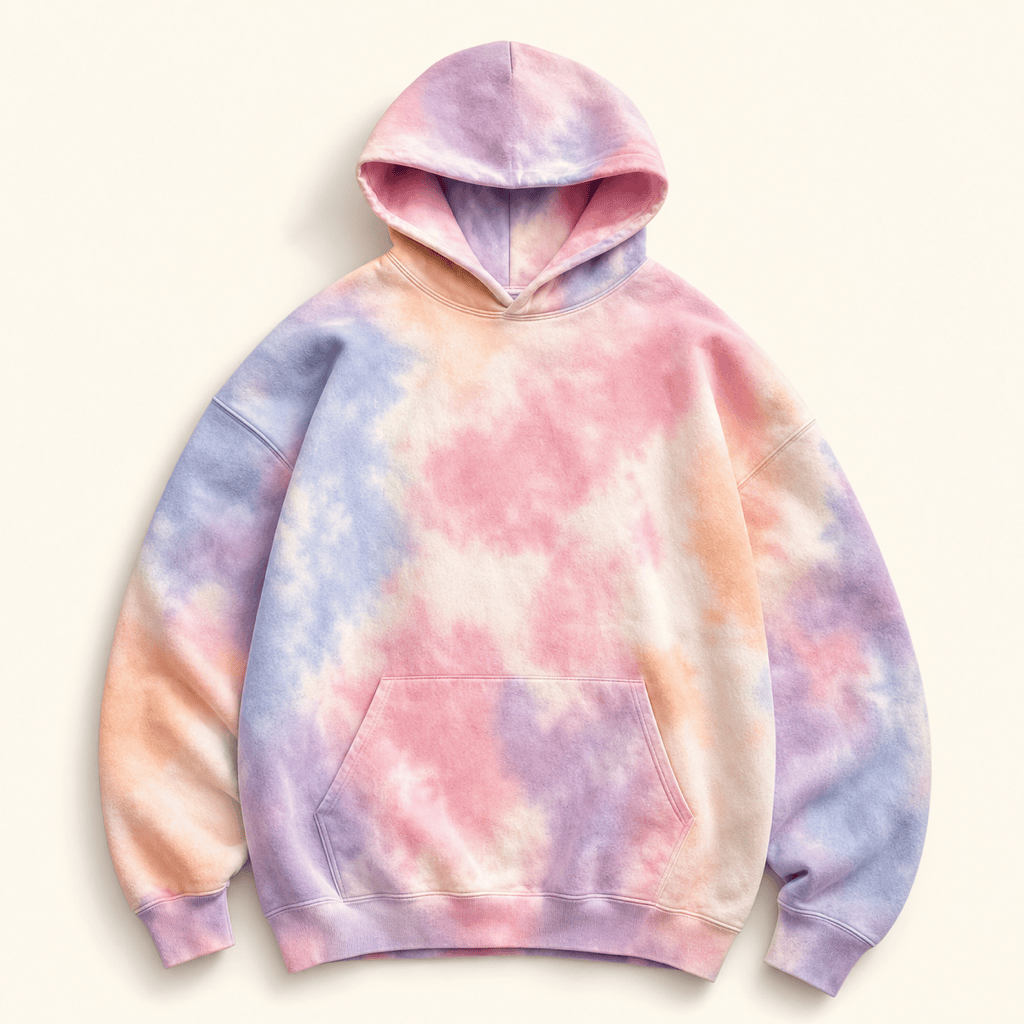
Pastel Crumple Hoodie: Design an all-over crumple tie-dye pattern for an oversized fleece hoodie using blush pink, lilac, powder blue, mint, and cream. Organic cloud-like patches, soft transitions, generous light areas, slightly faded washed finish, pattern continuing naturally across the body and sleeves. Square product mockup on a neutral background.
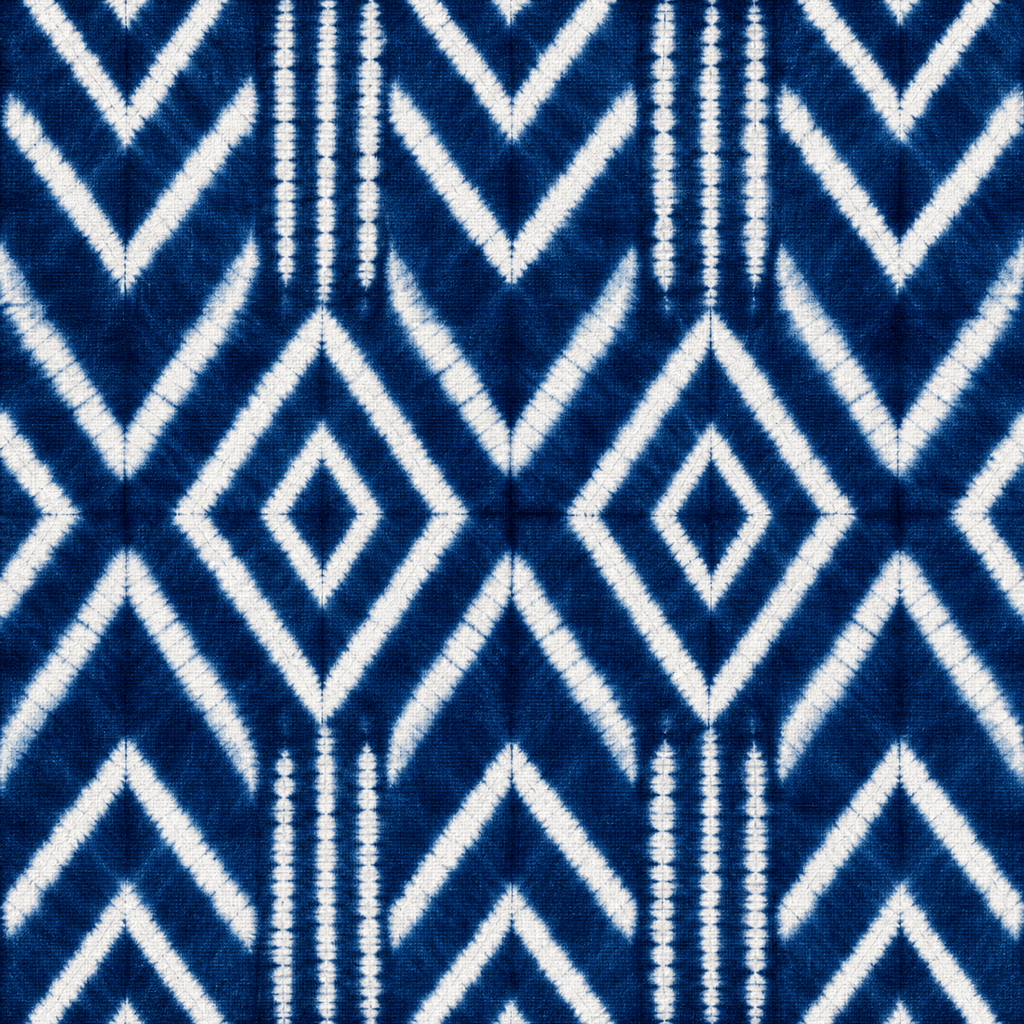
Indigo Shibori Repeat: Generate a square shibori-inspired textile pattern in deep indigo and natural white. Accordion-fold diamonds and broken chevrons with irregular hand-dyed edges, balanced negative space, medium-scale repeat for cushions and fabric. Make the edges visually tileable and include no objects, shadows, text, or border.
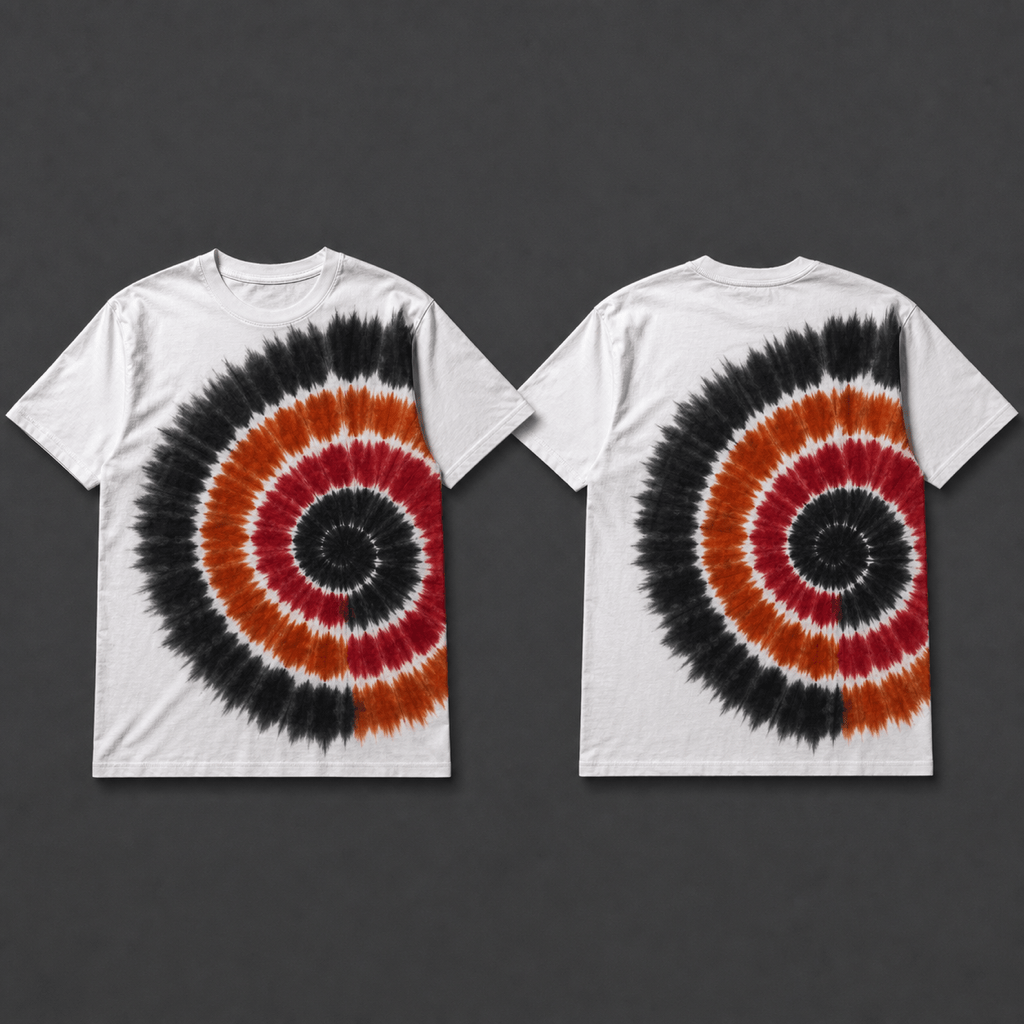
Black and Red Bullseye Shirt: Create a bold bullseye tie-dye T-shirt with an off-center focal point near the left shoulder. Concentric rings in black, crimson, rust red, and warm cream, high contrast with deliberate undyed bands, vintage festival feel, realistic cotton fibers, square front-and-back apparel presentation.
Ice-Dye Geode Background: Make an abstract ice-dye geode pattern for a website background using teal, sapphire, violet, and charcoal. Mineral-like color blooms, crystalline channels, granular dye deposits, dark-to-light depth, no obvious central spiral, enough quiet space for overlaid content, wide square composition.
Photo Tie-Dye Edit: Apply a blue, purple, and pink spiral tie-dye effect only to the plain white dress in my uploaded portrait. Preserve the person’s face, hair, skin tone, pose, dress silhouette, seams, folds, lighting, shadows, and the entire background. Keep the pattern scale realistic for fabric and add no text or accessories.





