Free OnlineAI Sunglasses Generator
How to Design Sunglasses with AI
Set the Design Brief
Define the Frame and Lenses
Generate Views and Variations
Refine and Review the Concept

Why Use Mew Design for Sunglasses Concept Development
Turn Eyewear Language Into Visuals
Describe an aviator, slim oval, oversized cat-eye, rimless shield, or wraparound sport frame in normal language. The AI eyewear generator gives you a visual starting point without requiring 3D modeling skills.
Direct the Parts That Define the Frame
Our custom sunglasses design generator lets you control lens geometry, rim thickness, brow line, bridge style, nose pads, hinge details, and temple profile. This component-level vocabulary produces a more useful concept than a broad style label alone.
Build From Sketches and References
Upload a rough drawing, mood reference, or existing product photo and explain what to preserve. An AI sunglasses generator from photo input is especially useful when you want to retain the silhouette but test another material, tint, or finish.
Compare Colorways as a Collection
Explore coordinated acetate colors, metal finishes, temple accents, and lens appearances across several versions. Keep the design direction consistent while comparing a commercial core color with bolder seasonal options.
Tune One Frame Component at a Time
If the first concept feels too heavy or generic, use Chat Edit to thin the rims, widen the bridge, shorten the lens height, revise reflections, or request another view instead of rebuilding the brief.
Try Ideas Before Sampling
Sign up for free AI credits, generate visual concepts online, and export watermark-free images for moodboards or internal reviews. The result supports early design decisions; it does not replace technical development or product testing.
What Makes a Strong AI Sunglasses Design Prompt
- Name the Frame Architecture: Choose a starting family such as aviator, cat-eye, oval, rectangular, browline, rimless, shield, or wraparound, then describe lens height, rim weight, bridge, and temple proportions.
- Define Materials and Hardware: Mention acetate, metal, recycled nylon, translucent or matte finishes, visible rivets, integrated nose support, adjustable nose pads, hinges, and temple accents where relevant.
- Describe Lens Appearance: Use visual terms such as smoke tint, brown gradient, blue mirror, rose tint, or clear fashion lens. Treat the generated appearance as concept art, not a UV, polarization, or prescription specification.
- Request the Right Views: Ask for front, three-quarter, side, folded, macro-detail, white-background product, or on-face presentation. When using a sketch or photo, state which silhouette and construction details must remain unchanged.
Sunglasses Prompts for Frames, Colorways, and Mockups
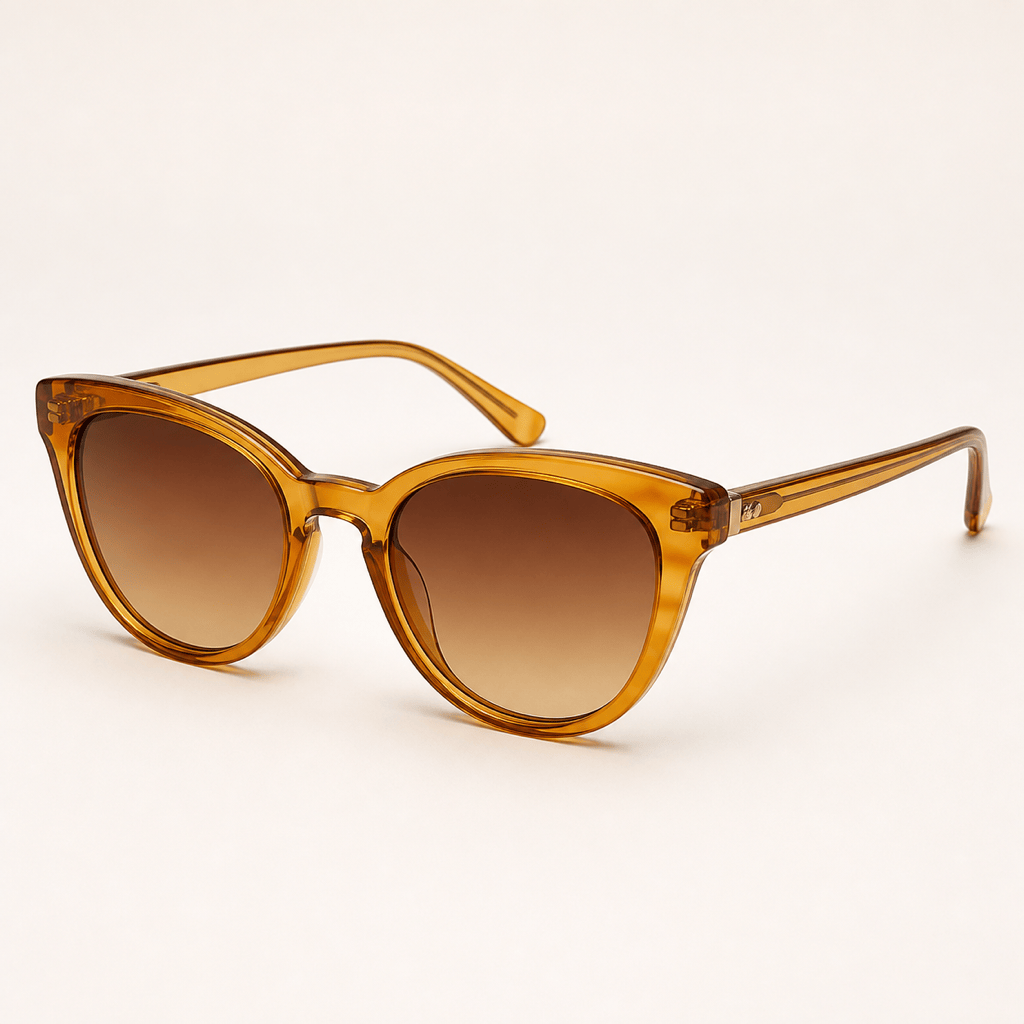
Minimal Acetate Cat-Eye: Design a compact cat-eye frame in translucent smoky lilac acetate. Use softly lifted corners, medium-thick rims, a saddle bridge, tapered temples, and gray gradient lenses. Show front and three-quarter product views on a warm light-gray background, realistic studio reflections, no text or logo.
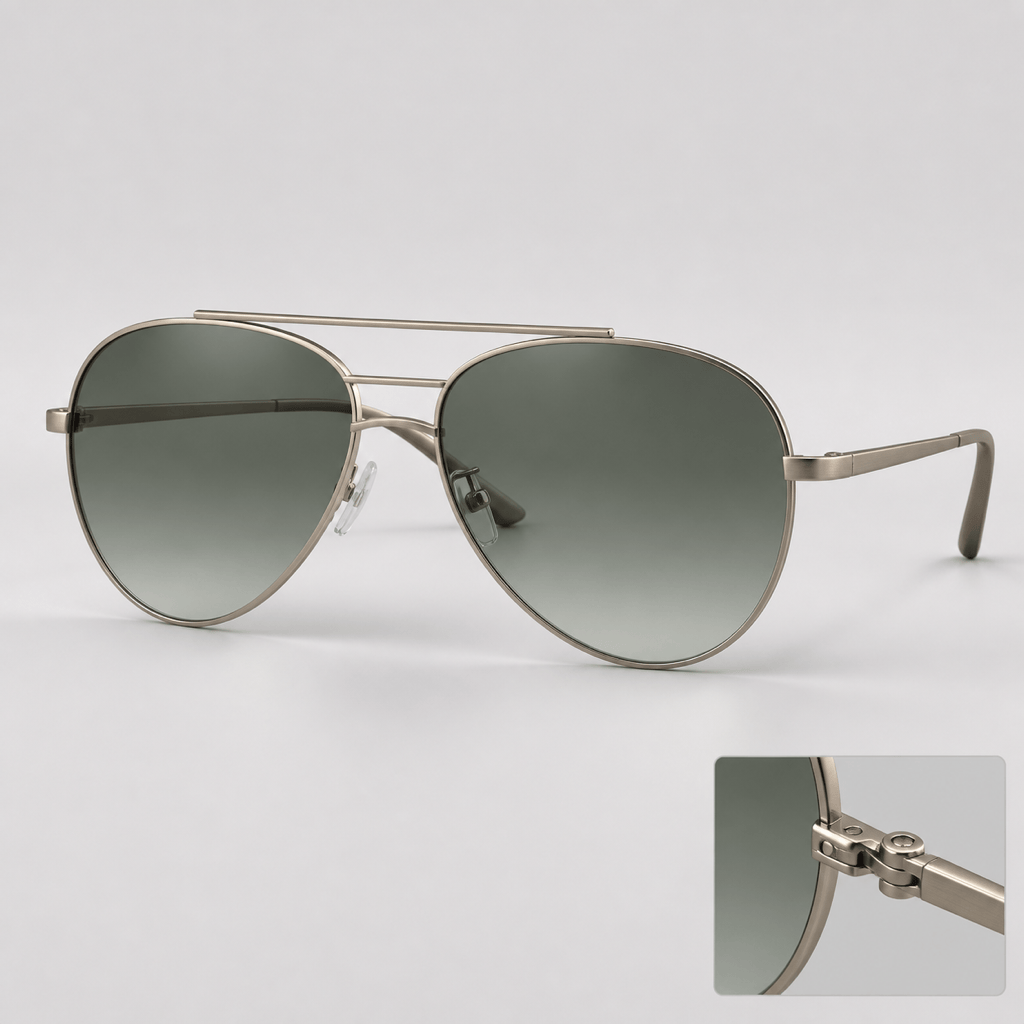
Modern Metal Aviator: Create a refined double-bridge aviator sunglasses concept with a brushed champagne-metal frame, slim temples, adjustable clear nose pads, and green-gray gradient lenses. Keep the geometry lightweight and balanced. Present a centered front view plus a small hinge close-up on white.
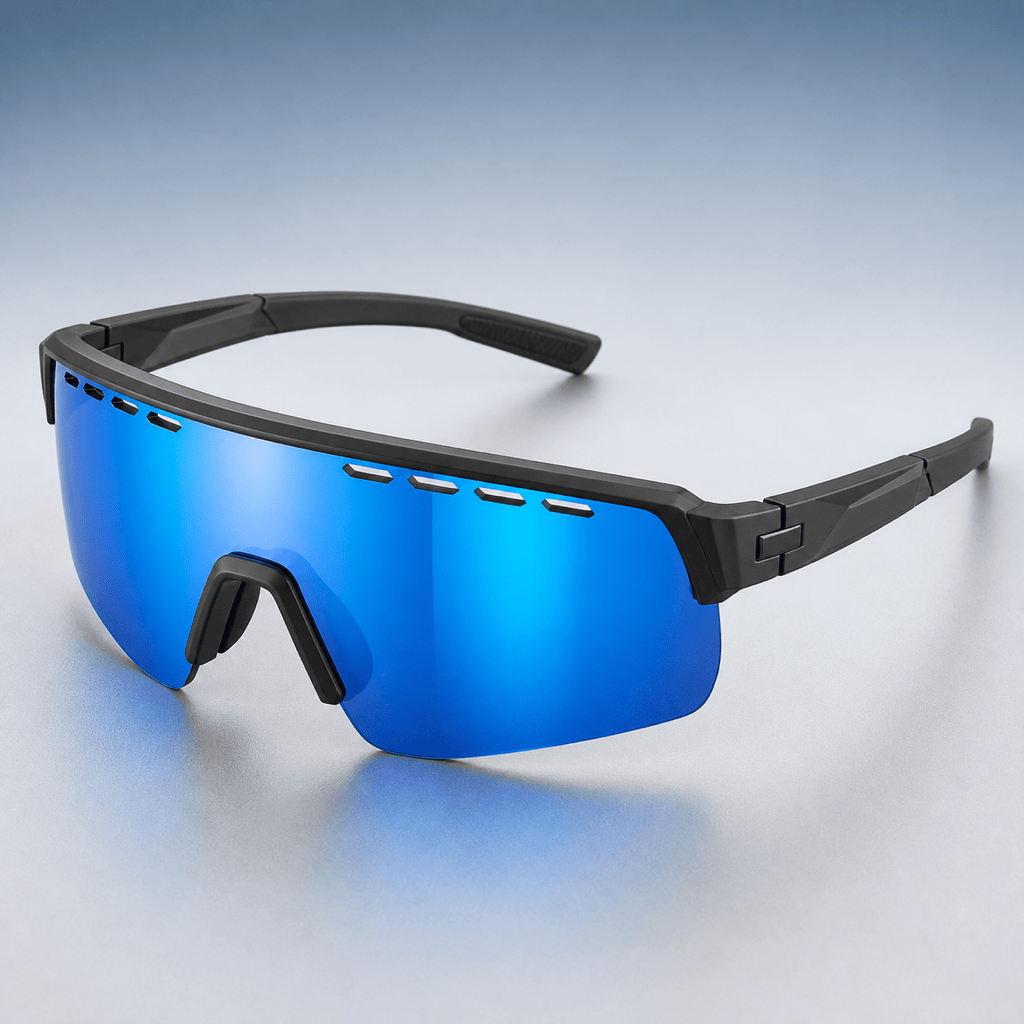
Performance Sport Shield: Generate wraparound cycling sunglasses with one continuous shield lens, aerodynamic brow ventilation, matte charcoal temples, and an electric blue mirrored lens appearance. Show front, side, and three-quarter views with complete, believable hinges and no floating lens sections.
Retro Oval Fashion Frame: Create slim oval sunglasses inspired by late-1990s proportions without copying any brand. Use glossy espresso acetate, narrow temples, subtle rivets, and amber lenses. Make a premium editorial product mockup with soft shadows and a neutral sand backdrop.
Sustainable Colorway Set: Develop one unisex rectangular sunglasses frame in recycled-nylon styling and show three consistent colorways: matte seaweed green with smoke lenses, warm clay with brown gradient lenses, and black with deep green lenses. Keep shape, bridge, hinges, and temples identical across the set.
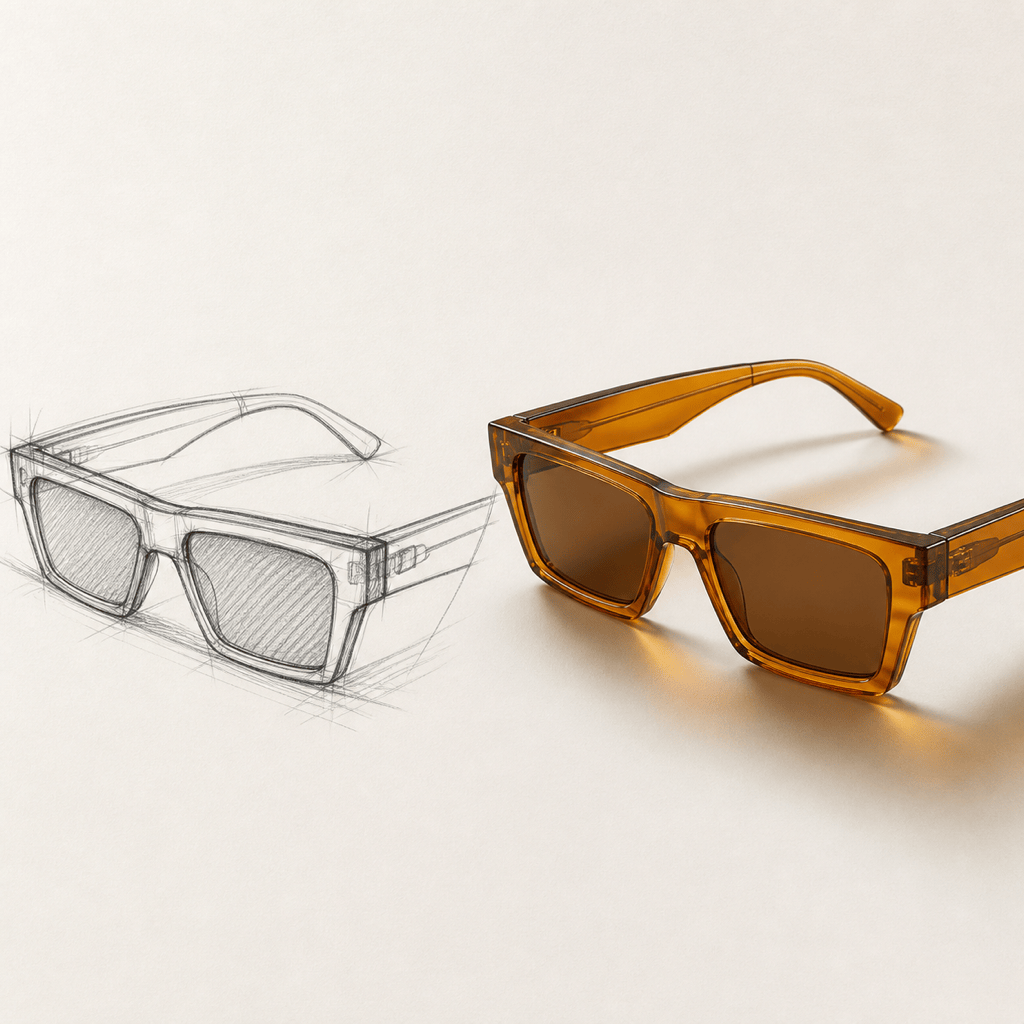
Sketch to Product Concept: Use my uploaded [sunglasses sketch] as the silhouette reference. Preserve the angular top line, low bridge, lens proportions, and wide temples. Turn it into a polished translucent amber acetate concept with discreet hinges, then show the original sketch beside front and three-quarter renders on a clean design-board background.





