Free OnlineAI Skybox Generator
How to Create a Skybox with AI
Map the World Around the Camera
Generate the Panoramic Environment
Inspect the Horizon and Seams
Export and Test in Your Pipeline

A More Direct Way to Explore 360° World Ideas
Worldbuilding in Plain Language
Describe a frozen moon base, watercolor valley, or stormy ocean in normal words. The AI design agent turns the brief into a complete environmental direction without a complex node setup.
Reference-Led Art Direction
Upload concept art or a mood board to guide palette, texture, cloud treatment, and rendering style. This helps an AI 360 panorama generator stay closer to the visual language of your project.
Horizon-Aware Prompt Control
Ask for a centered horizon, distant silhouettes, consistent sun direction, open zenith, or clean nadir. These details make a wide skybox concept easier to evaluate in a spherical viewer.
Chat-Based Environment Revisions
Keep the core world while changing one variable at a time. Use Chat Edit to move the scene from noon to dusk, reduce visual clutter, soften fog, or unify color across the panorama.
Fast Style and Weather Variants
Generate multiple interpretations for level design reviews: realistic, painterly, low-poly, cel-shaded, clear weather, or storm light. Compare directions before committing 3D production time.
Honest, Flexible Image Export
Export watermark-free PNG or JPG after using free trial credits. Mew Design creates skybox imagery, not navigable geometry; use your engine or panorama utility for cubemap, HDRI, or final seam-validation needs.
How to Prompt AI for a Wraparound Skybox
- Lock the projection: Request a 2:1 equirectangular-style 360° panorama, a level horizon, and continuous scenery at the left and right edges.
- Control depth: Keep landmarks distant and avoid large nearby characters, vehicles, or trees that may stretch when the image wraps onto a sphere.
- Set one light source: Name the sun or moon direction, time of day, weather, fog, and palette so every part of the world shares one atmosphere.
- State the pipeline limits: Say whether the image is a game backdrop, VR concept, or 3D lighting reference, then test seams and convert formats in the tool used by your production pipeline.
Skybox Prompts for Six Different Worlds
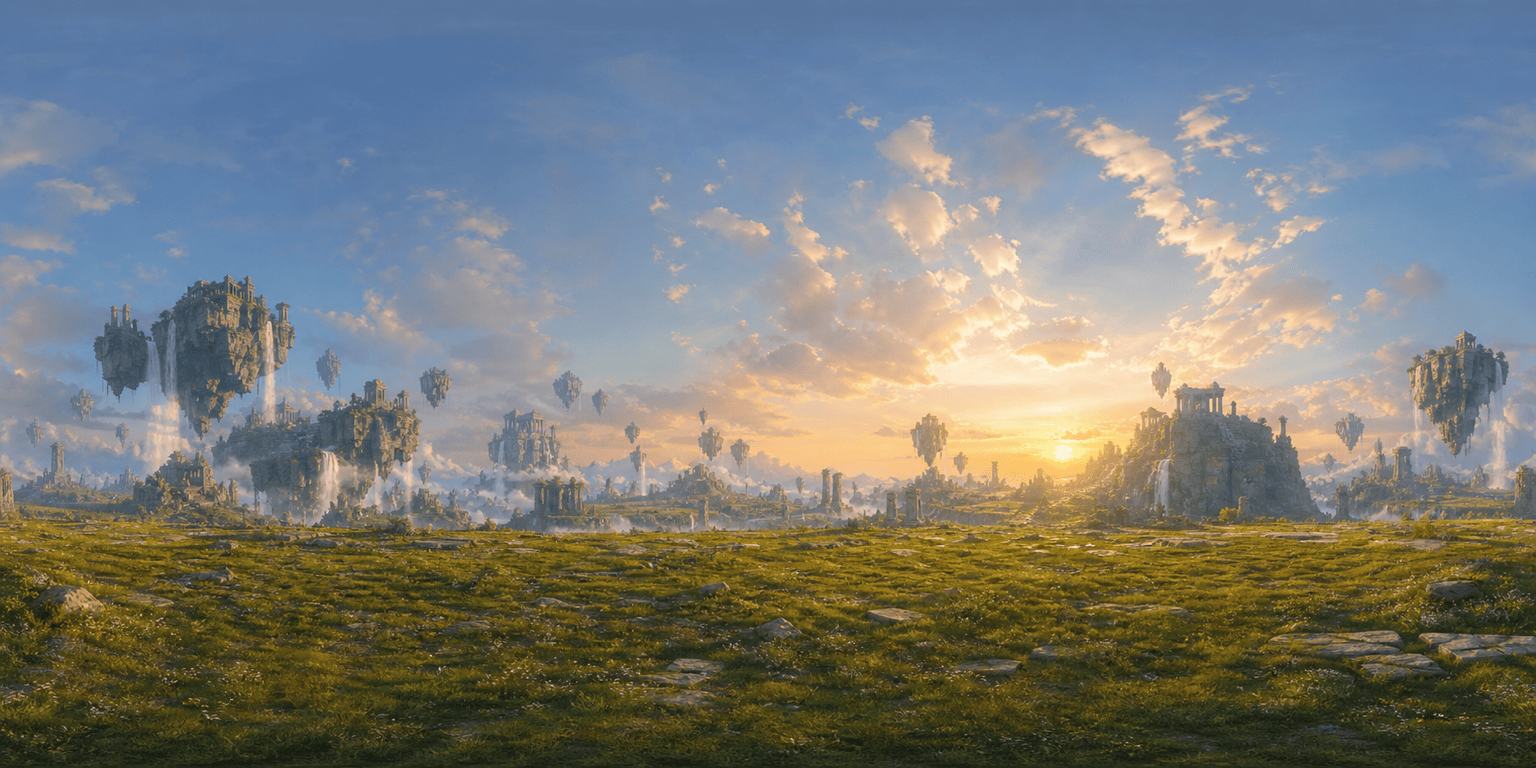
Fantasy Ruins: Generate a 2:1 equirectangular-style panorama for an adventure game. A grassy highland encircled by distant floating stone temples and waterfalls, sunrise, soft clouds, painterly realism, centered horizon, no people, no close objects, coherent lighting around the full view.
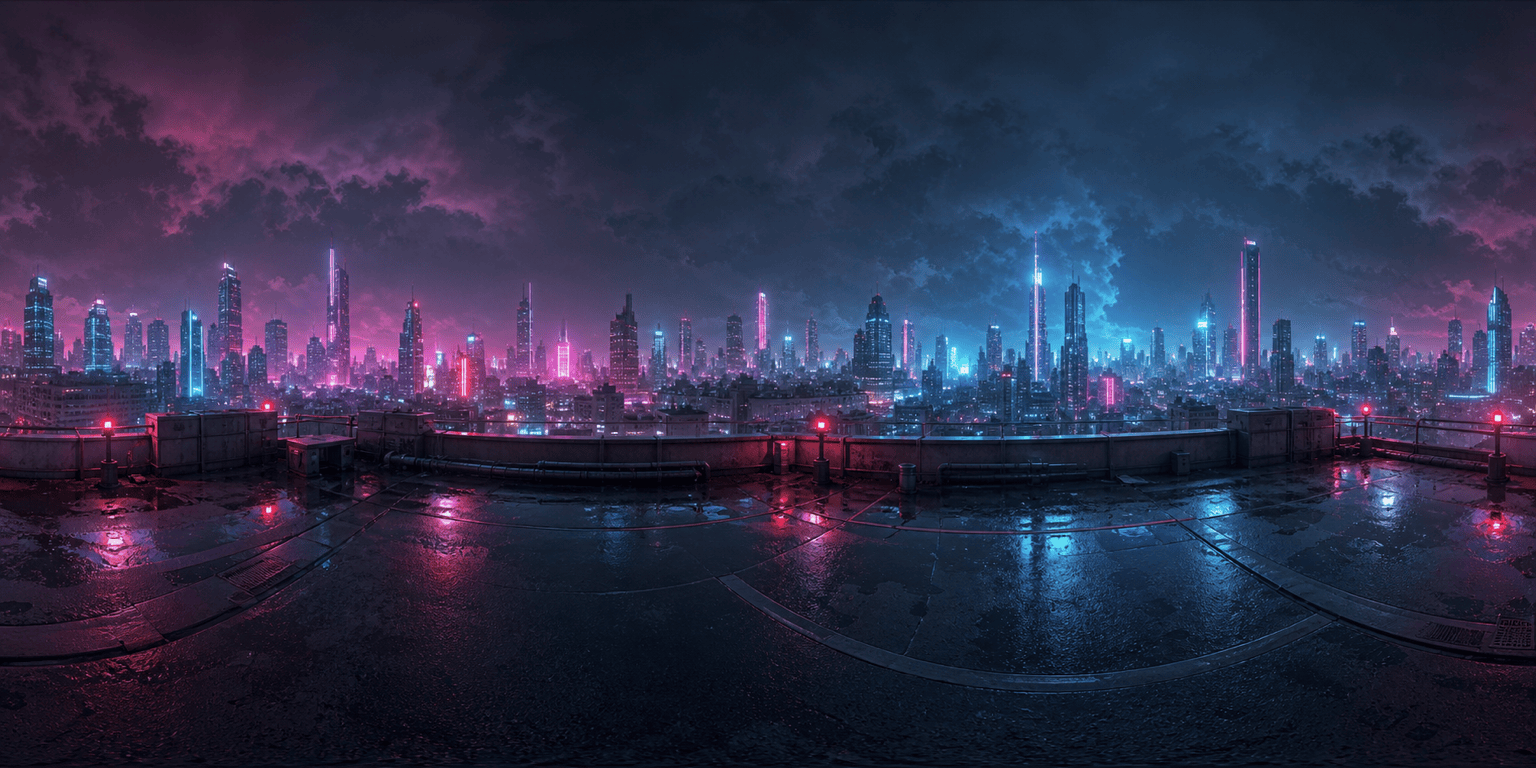
Cyberpunk Rooftop: Create a nighttime 360 environment concept from a rain-slick megacity rooftop. Neon towers form a distant ring, low clouds catch magenta and cyan glow, level horizon, cinematic realism, sparse foreground, no signs or readable text.
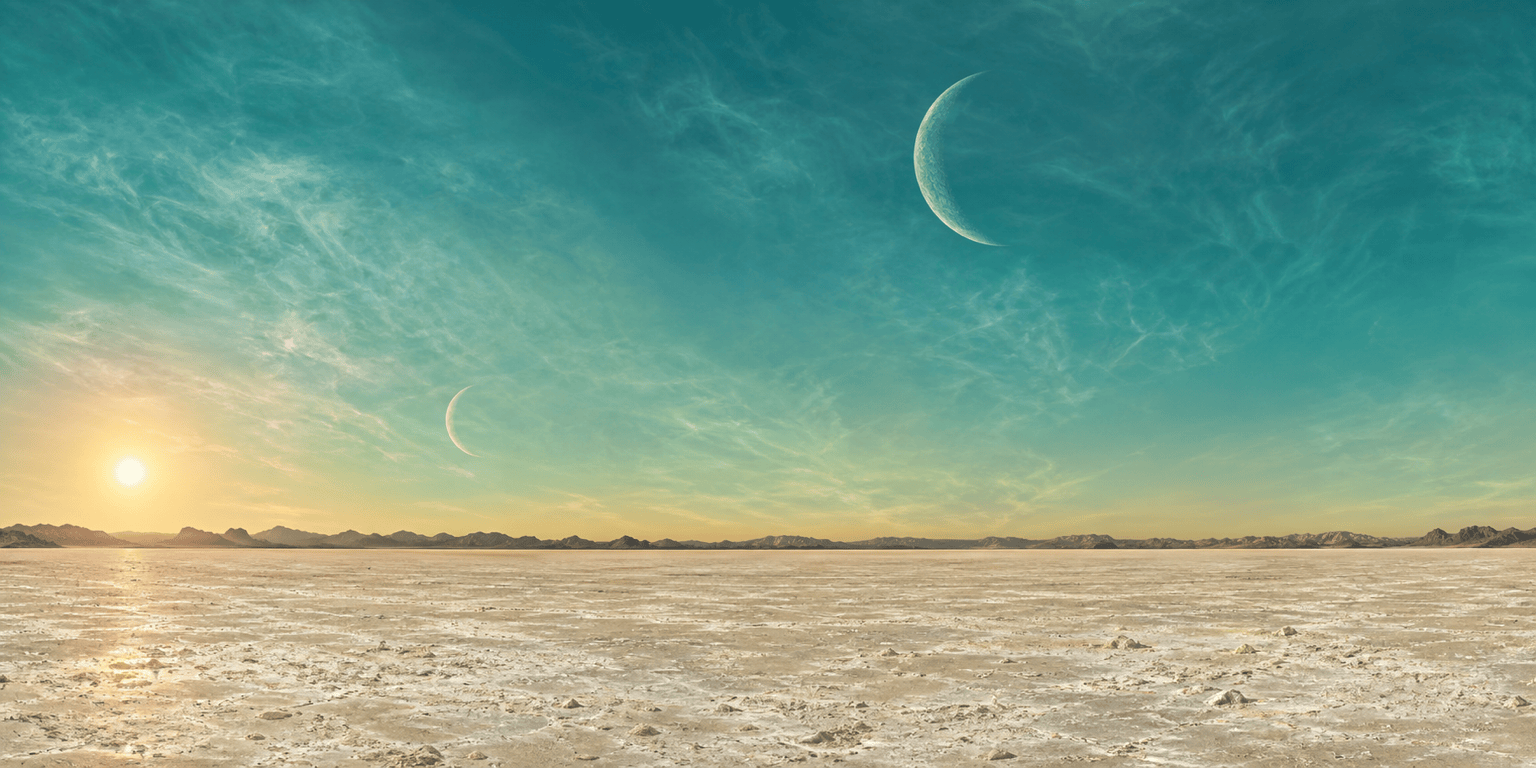
Alien Salt Flats: Design a seamless-looking game skybox with pale mineral flats, two moons, black volcanic ridges, turquoise atmospheric haze, and a low amber sun. Photorealistic sci-fi, wide open zenith, simple nadir, consistent shadows.
Desert Western: Make a panoramic environment for a stylized exploration game. Red sandstone mesas and dry scrub surround the viewer, late-afternoon sun, dusty air, hand-painted animation style, uncluttered ground, horizon kept perfectly level.
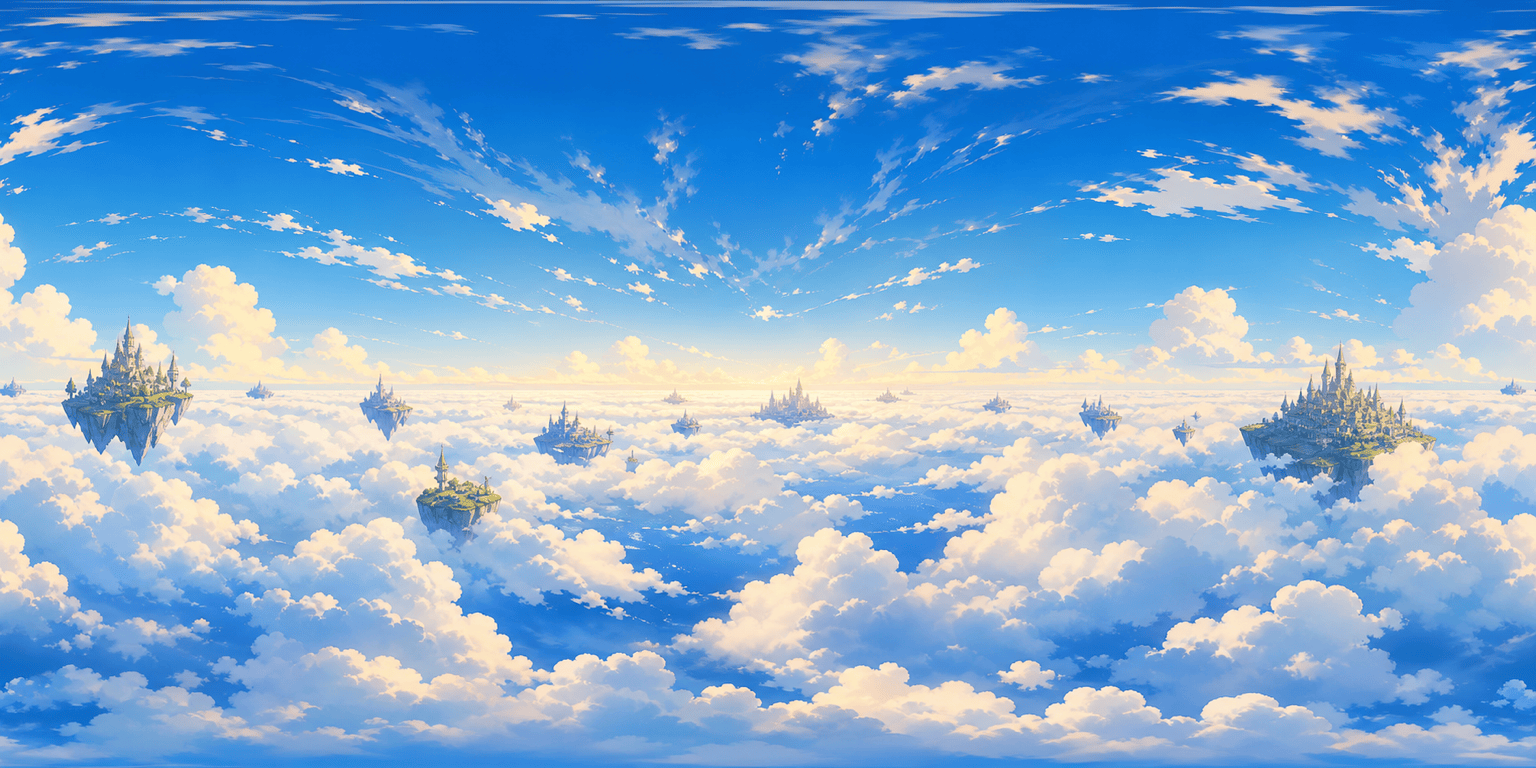
Cloud Kingdom: Generate a bright cel-shaded skybox above a sea of clouds. Distant floating islands and tiny castle silhouettes encircle the horizon, soft morning light, cobalt and cream palette, no characters, clean poles, playful game-art finish.
Nordic Night: Create a calm 2:1 panoramic sky scene for a VR meditation concept. Snowy fjord, dark pine silhouettes, green aurora overhead, moon reflected on still water, realistic low-light photography, balanced exposure, no buildings or people.





