Free OnlineAI Skin Enhancer
How to Enhance Skin in a Photo with AI
Upload a Clear Portrait
Name What to Fix and Keep
Generate a Natural First Pass
Compare, Refine, and Export

Natural Portrait Retouching Without the Plastic Look
Target Skin Issues in Plain Language
Skip masks and complex retouching panels. Tell Mew Design which areas need attention and whether you want less redness, softer temporary blemishes, balanced tone, reduced shine, or more realistic texture.
Protect the Face’s Character
A useful AI skin enhancer should not erase the person. Add keep instructions for facial structure, expression, age cues, freckles, moles, scars, beard texture, and original skin tone, then review the result before export.
Control Texture, Tone, and Finish
This natural skin texture enhancer can follow creative direction such as subtle cleanup, matte shine control, soft editorial glow, or visible pores. You decide whether the portrait should feel casual, professional, or beauty-campaign ready.
Retouch Photos or Humanize AI Faces
Use the same image-to-image workflow for real portraits and synthetic faces. Clean up a selfie without heavy blur, or enhance an AI-generated face by asking for varied pores, fine lines, and lighting-aware microtexture.
Refine One Detail at a Time
If the first edit goes too far, Chat Edit lets you request a smaller change instead of restarting. Ask to bring back freckles, keep under-eye character, soften only one blemish, or match the original color more closely.
Try the Online Retouch Workflow Free
Sign up for free AI credits, test the online AI portrait retoucher, and export finished images without a watermark. Create versions for profile pictures, headshots, social posts, and creative portfolios.
How to Prompt AI for Natural Skin Retouching
- Define the correction: Name the exact issues, such as one breakout, cheek redness, uneven tone, under-eye shadow, or flash shine. Avoid vague requests for “perfect skin.”
- List protected details: Keep facial geometry, expression, skin tone, pores, freckles, moles, scars, facial hair, makeup, and age cues when they matter to the subject.
- Set the finish: Choose subtle everyday cleanup, a polished headshot, matte studio skin, or a luminous beauty look. Ask to preserve realistic texture in every style.
- Match the original photo: Tell the AI to retain the current lighting, camera grain, depth of field, hair edges, clothing, and background unless you want those elements changed too.
Natural AI Skin Retouch Prompts for Real Use Cases
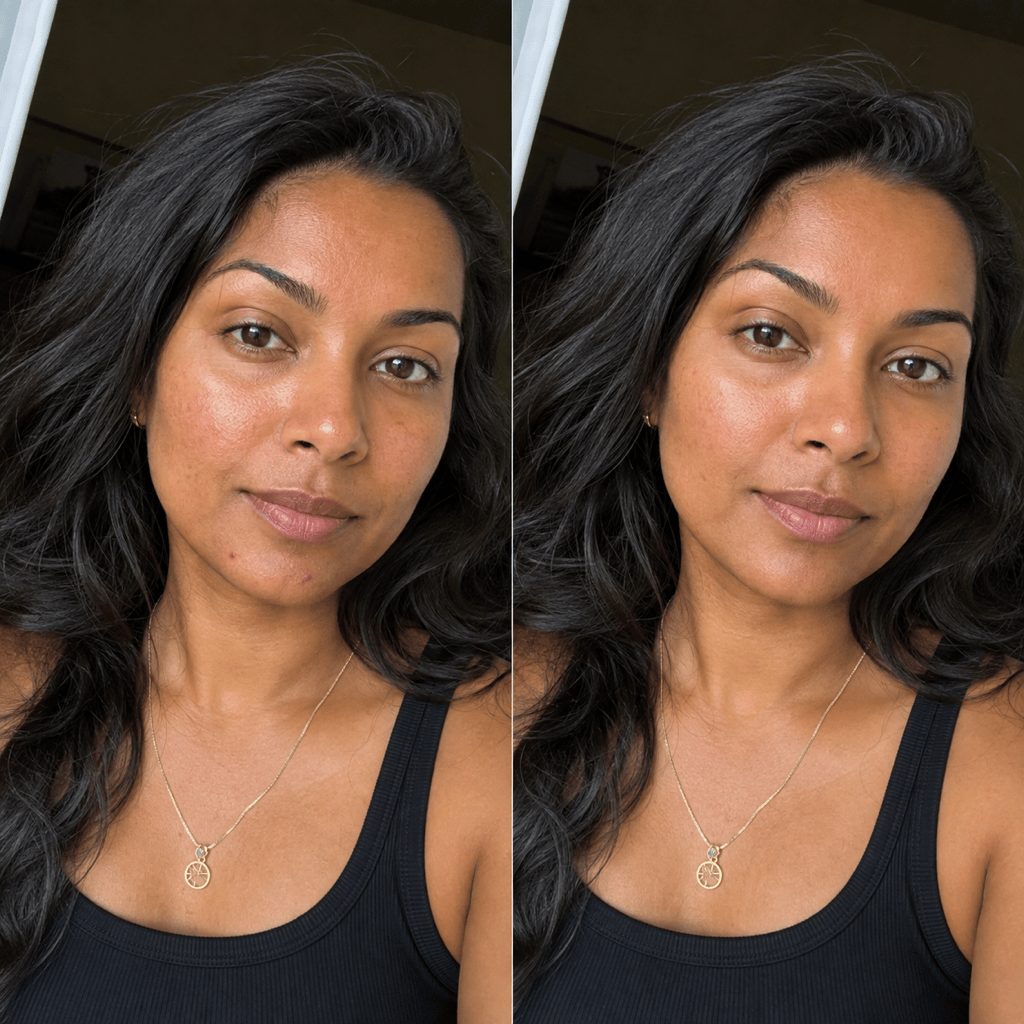
Selfie blemish cleanup: Retouch my uploaded selfie for a natural social profile photo. Reduce two temporary chin blemishes and mild cheek redness. Keep my pores, freckles, facial shape, smile, eye color, and warm skin tone unchanged. Preserve the window light and phone-camera texture. No whitening, face reshaping, or heavy smoothing.
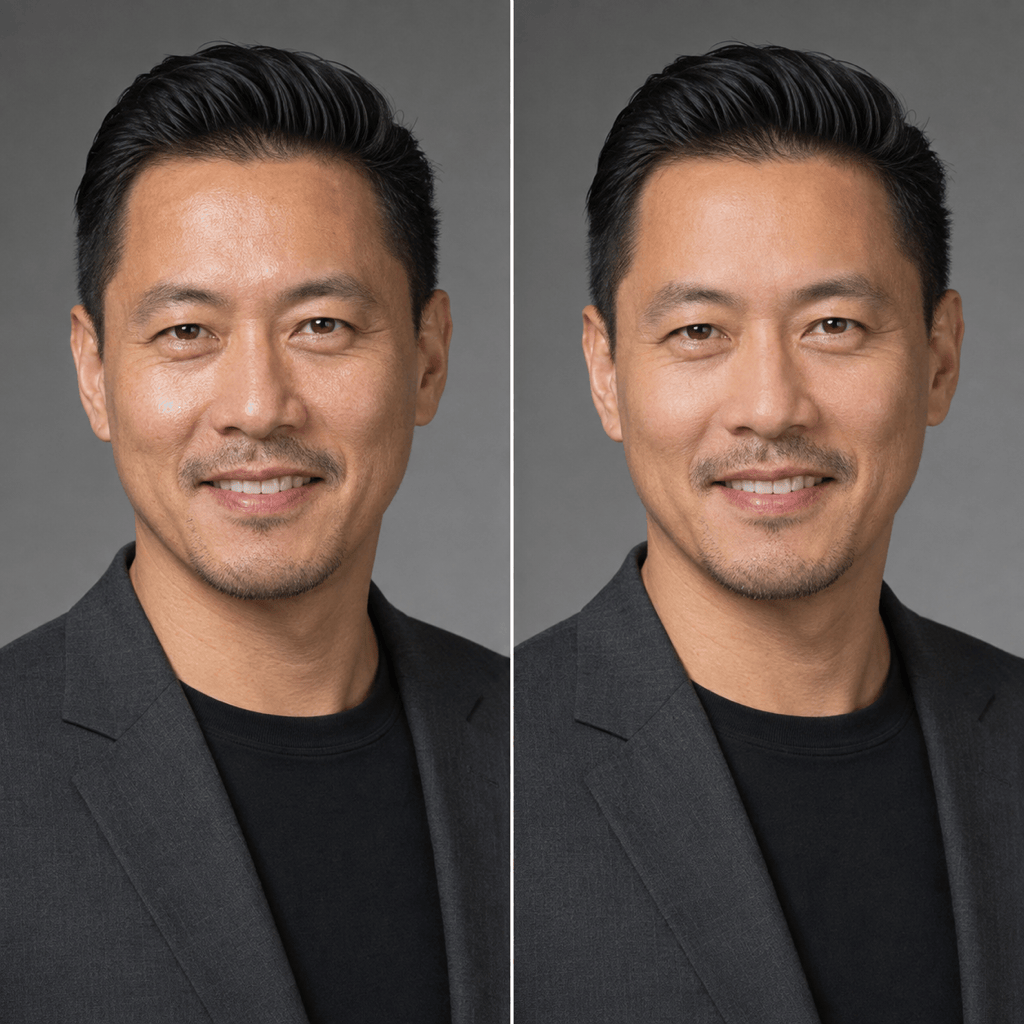
Professional headshot shine control: Polish this LinkedIn headshot with subtle AI skin retouching. Reduce forehead and nose shine, even the skin tone slightly, and soften small under-eye shadows. Keep natural pores, smile lines, beard stubble, facial structure, suit, gray background, and studio lighting exactly consistent.
Wedding portrait refinement: Give the bride and groom a light, respectful skin cleanup. Soften temporary blemishes and patchy redness only. Keep freckles, laugh lines, age features, makeup, skin tones, expressions, jewelry, hair, and golden-hour light. Do not make either person look younger or change facial proportions.
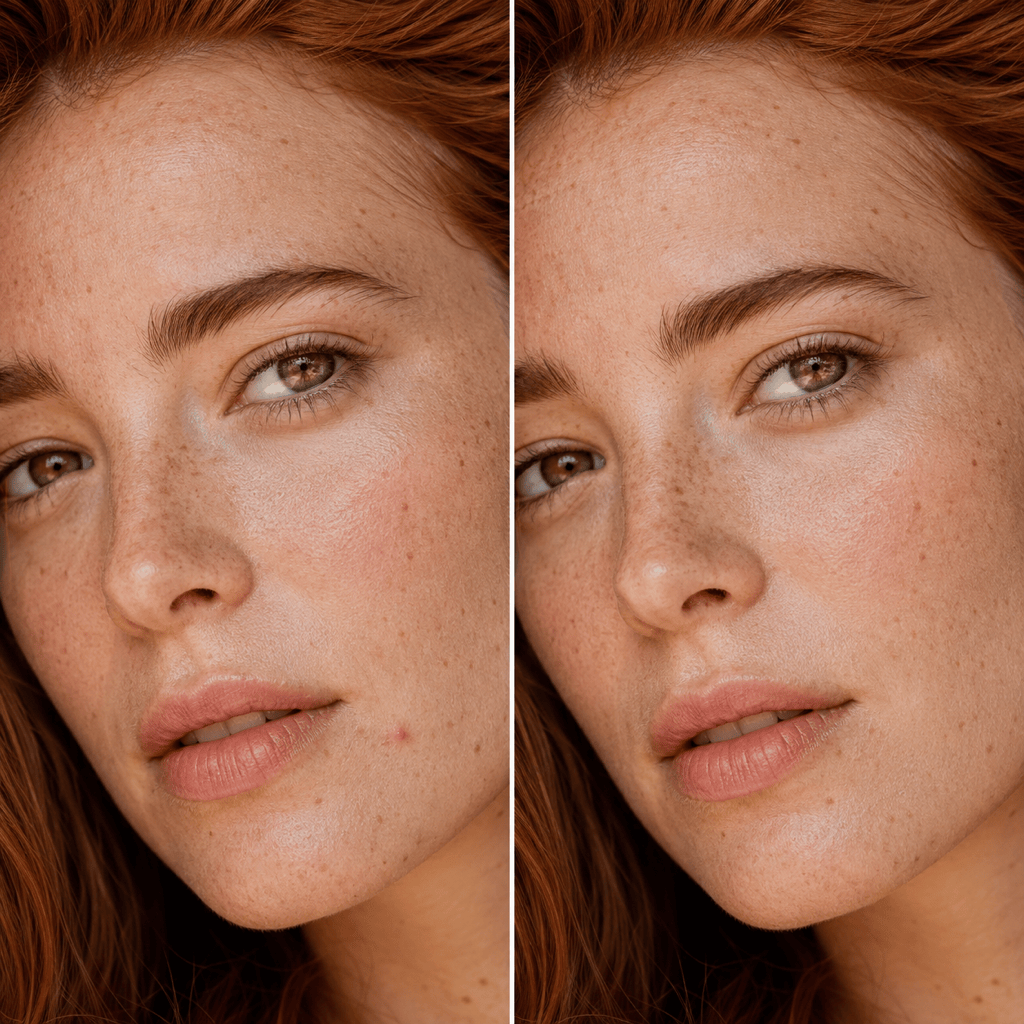
Freckle-preserving beauty close-up: Create an editorial beauty finish with balanced tone and a gentle cheek glow. Keep every freckle and beauty mark visible, retain fine pores and peach fuzz, and preserve the model’s exact complexion and face. Reduce only stray redness and one temporary spot. No porcelain or plastic skin.
Men’s portrait texture cleanup: Retouch this close male portrait for a magazine profile. Calm mild razor irritation and excess shine while preserving pores, fine lines, beard texture, scars, jaw shape, and natural color. Match the directional studio light and film grain. Keep the result believable at full-size zoom.
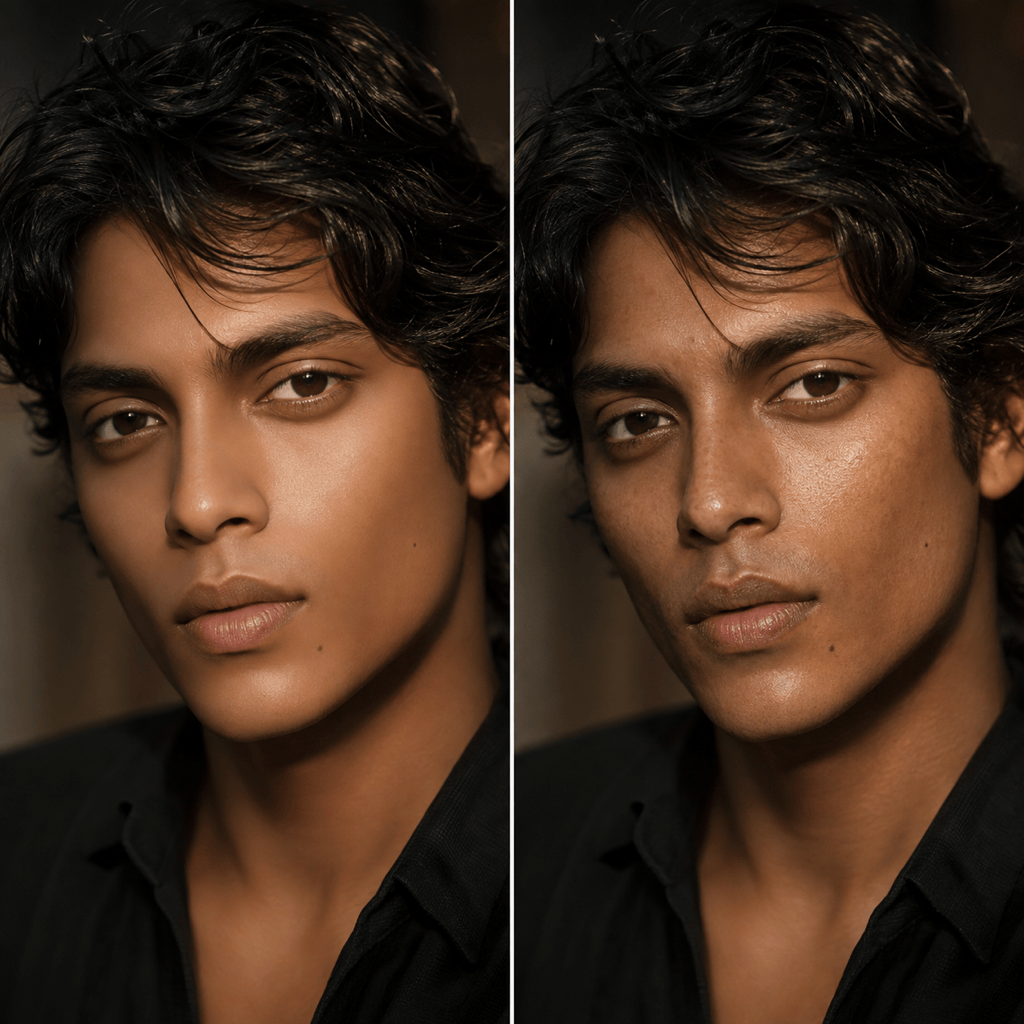
Humanize an AI-generated face: Enhance this AI-generated portrait by replacing waxy, uniform skin with varied pores, fine lines, subtle tonal variation, and realistic microtexture that follows the existing side light and depth of field. Keep identity, facial geometry, expression, hair, clothing, composition, and skin tone unchanged.





