Free OnlineAI Nail Generator
How to Create Nail Designs with AI
Upload or Describe Your Nails
Set the Manicure Details
Generate and Inspect the Preview
Refine and Share the Look

A Flexible AI Nail Maker for Real Manicure Planning
Start with Text or Your Hand Photo
Generate custom nail design ideas from a description, or upload your hand for a more personal preview. The same AI nail art generator supports both inspiration and photo-based editing.
Control Shape, Length, and Finish
Ask for short squoval, medium almond, coffin, or another shape, then define French, chrome, jelly, matte, glitter, or hand-painted details in natural language.
Use Looks You Already Love
Upload a nail reference, outfit, or color palette and explain what to borrow from it. Mew Design can use visual references without forcing you into a fixed preset library.
Change Only What Needs Changing
With Chat Edit, you can request a targeted correction while asking the online AI nail generator to preserve the hand pose, skin tone, rings, lighting, and background.
Compare Manicure Directions
Generate variations to compare color families, finishes, accent placement, or practical short-nail alternatives before you commit to a salon appointment.
Free to Try and Easy to Share
New users receive free AI credits after signup. Export watermark-free PNG or JPG previews for your mood board, social post, or conversation with a nail professional.
What to Include for a More Useful Nail Preview
- Choose Shape and Length: State short, medium, or long, plus a shape such as round, squoval, oval, almond, coffin, or stiletto.
- Define Color and Finish: Name the base shade and finish, such as sheer nude, milky pink, velvet cat-eye, pearl chrome, glossy jelly, or matte.
- Place the Details: Say which fingers receive French tips, florals, gems, line art, glitter, or another accent so the set feels intentional.
- Protect the Original Photo: Ask the editor to change only the nails and preserve the hand shape, skin texture, pose, jewelry, background, framing, and light.
AI Nail Design Ideas to Try on Your Photo
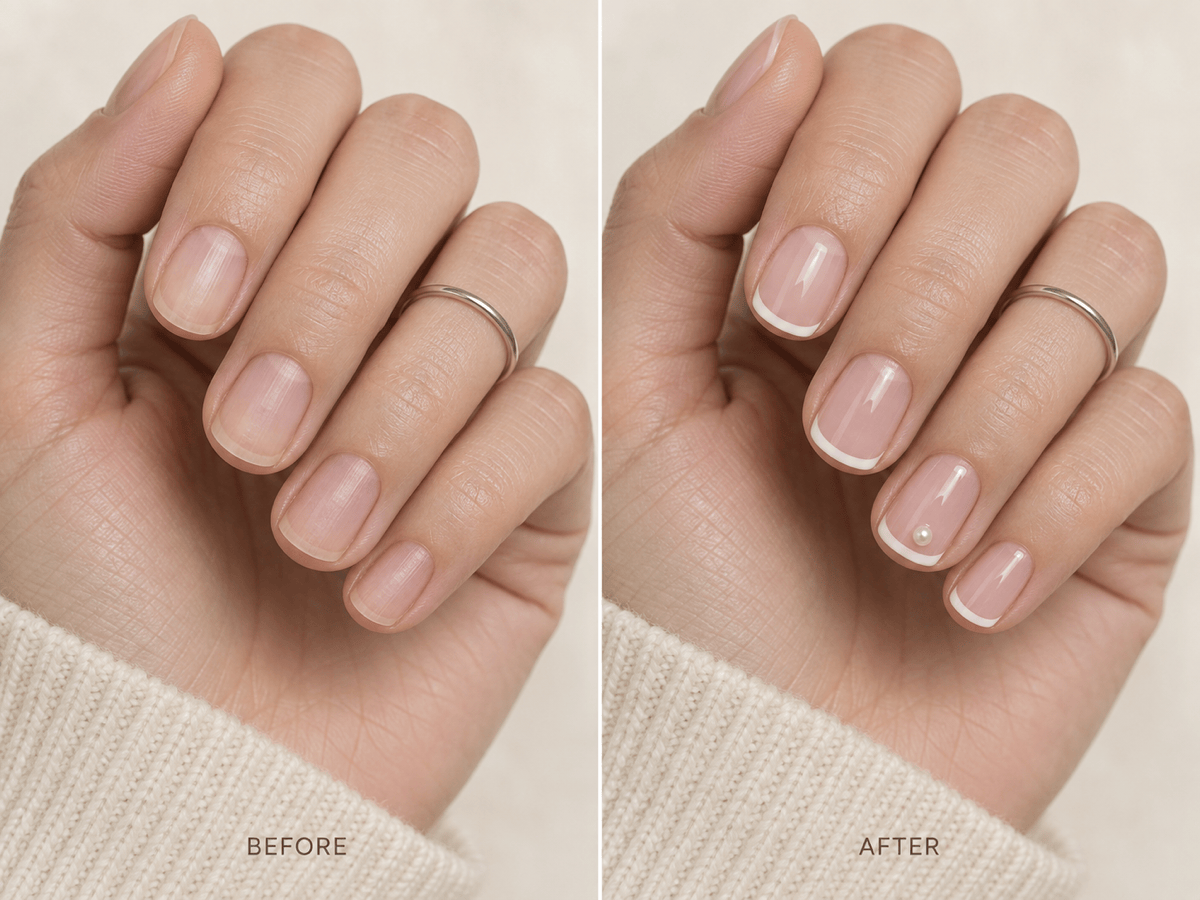
Edit only the nails in @[hand photo]. Create short squoval wedding nails with a sheer blush base, ultra-thin white micro-French tips, and one small pearl accent on each ring finger. Keep the hand, rings, pose, background, and lighting unchanged.
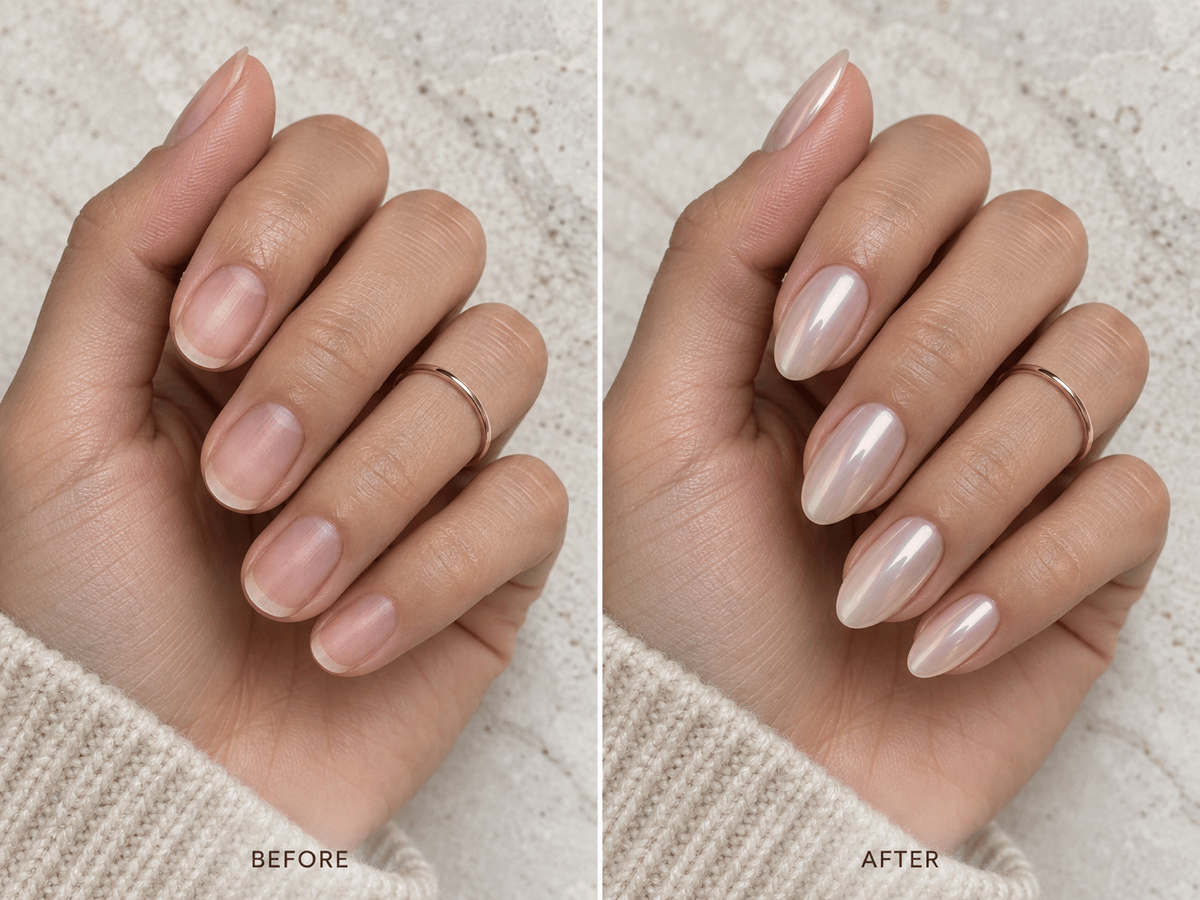
Apply medium almond nails to @[hand photo] with a translucent milky base and soft pearl-chrome finish. Keep the fingers and skin natural, preserve the original pose and jewelry, and avoid extra-long tips.
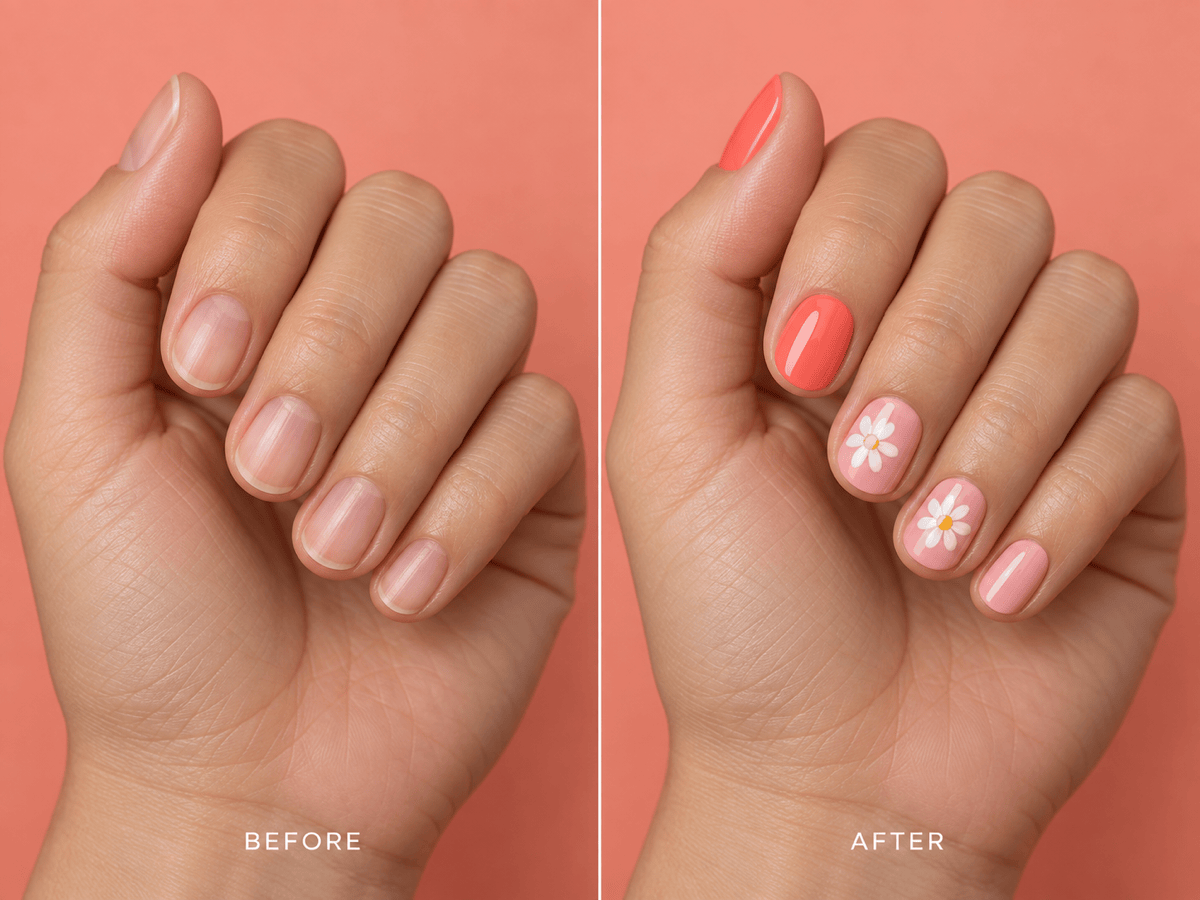
Create a summer manicure on @[hand photo]: short oval nails, coral and pale pink palette, tiny hand-painted daisies on two accent nails, glossy finish. Change only the nails and keep the rest of the photo unchanged.
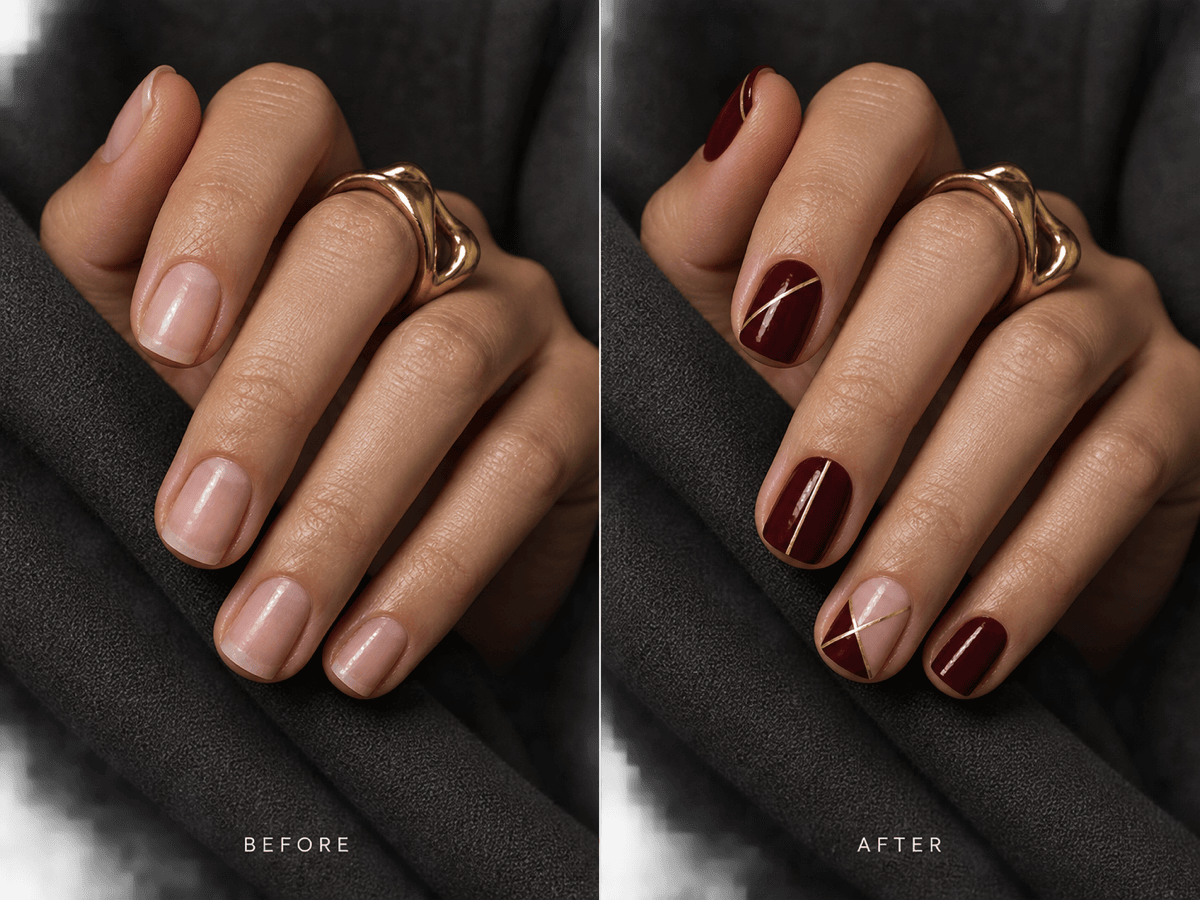
Turn the nails in @[hand photo] into a deep burgundy geometric set with fine gold lines, short square length, and one negative-space accent nail. Preserve the hand, skin tone, rings, crop, and background.
Use the colors from @[outfit reference] to redesign only the nails in @[hand photo]. Create three coordinated manicure options: solid glossy color, modern French tips, and one subtle glitter-accent version. Keep the hand photo unchanged.
Create a comparison from @[hand photo] showing the same sheer nude color on short round, short squoval, and medium almond nails. Preserve the hand, pose, skin texture, jewelry, lighting, and background across every version.





