Free to Try OnlineAI Mustache Filter
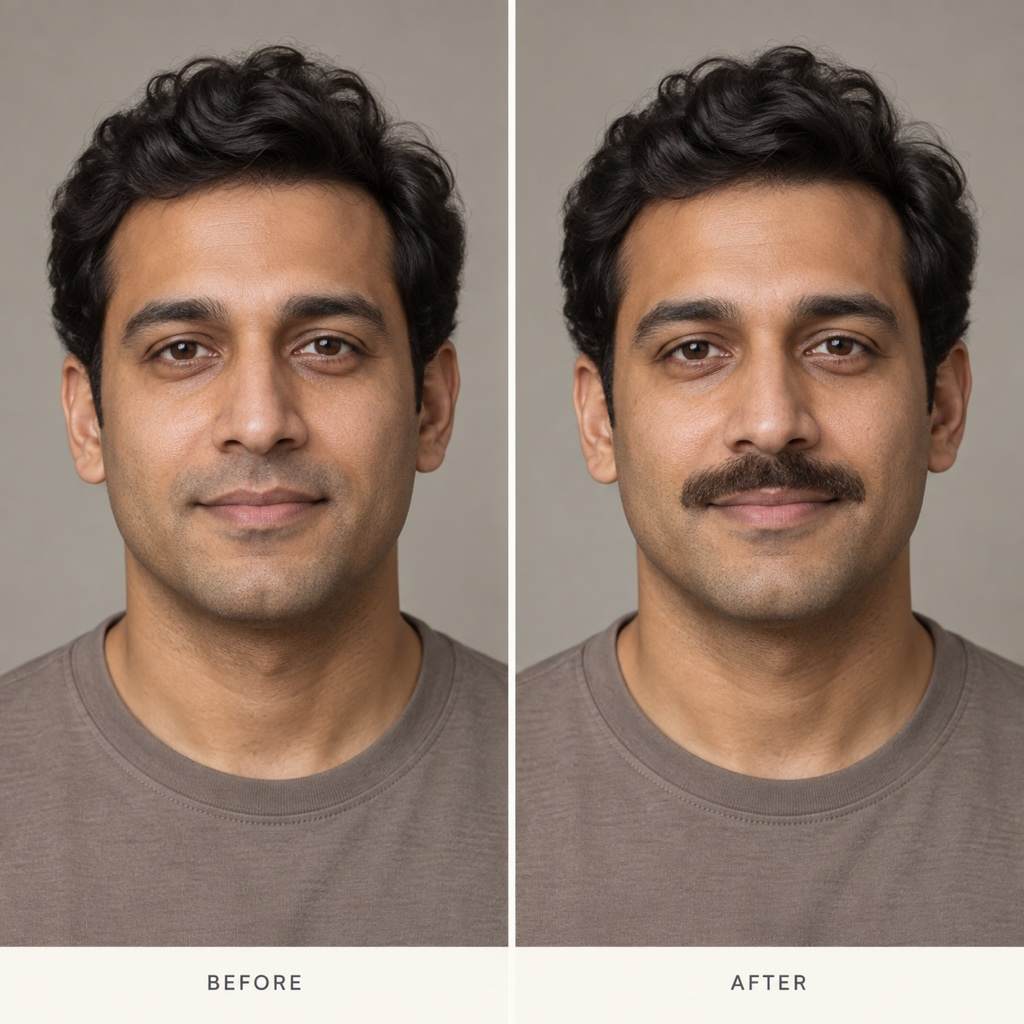
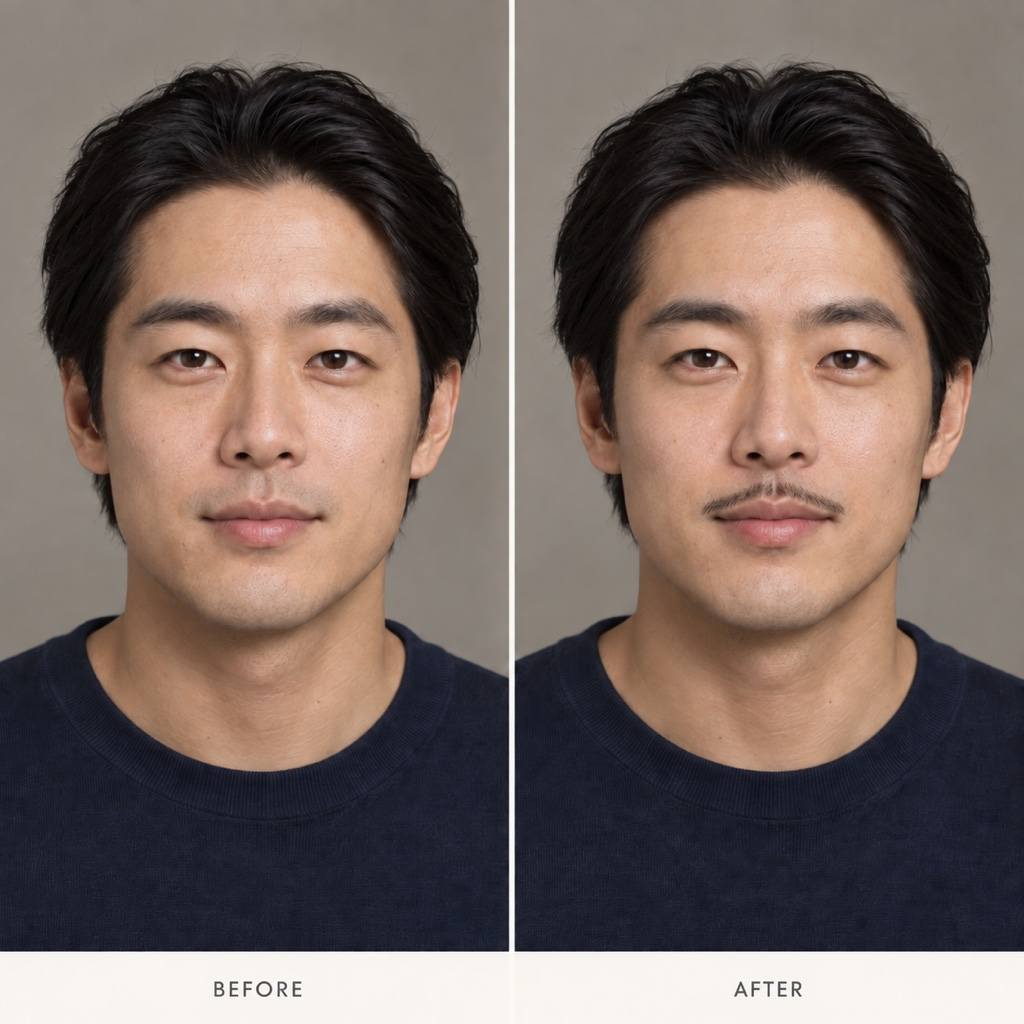
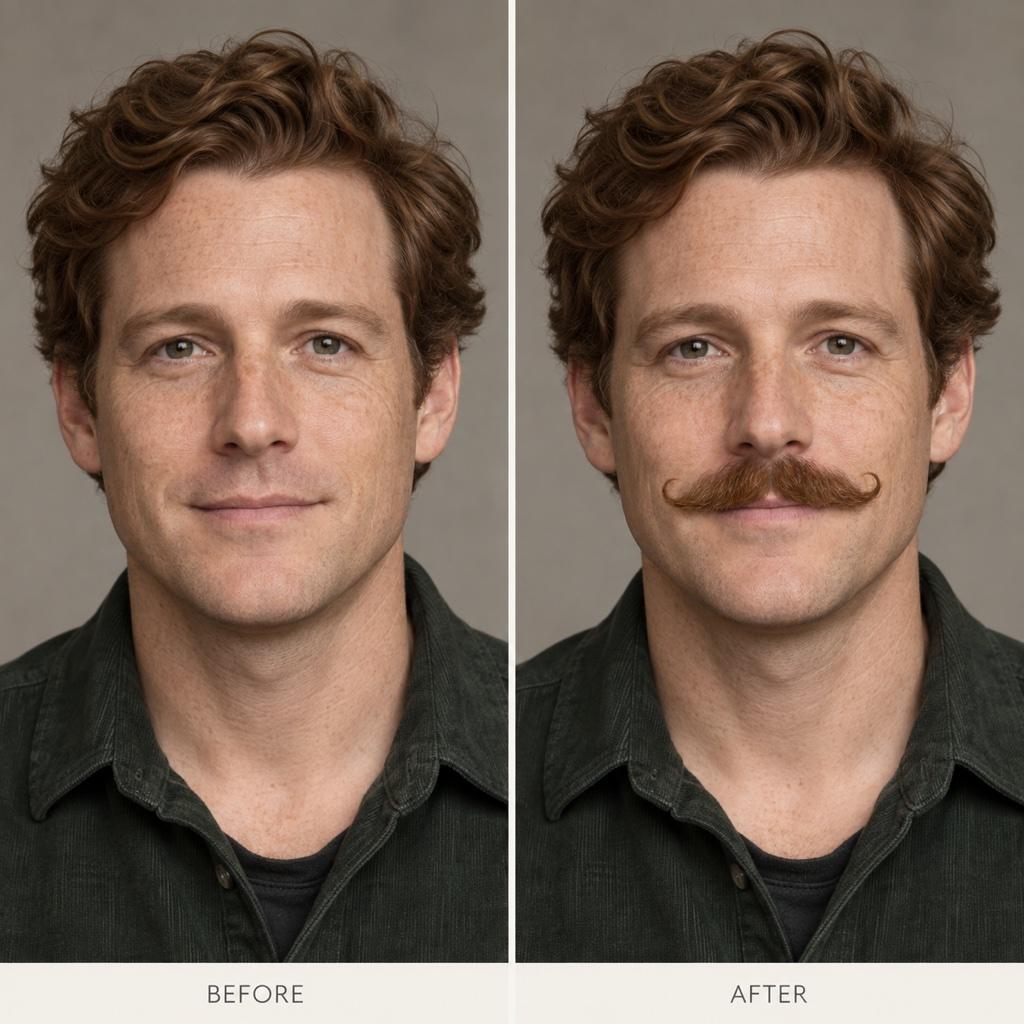
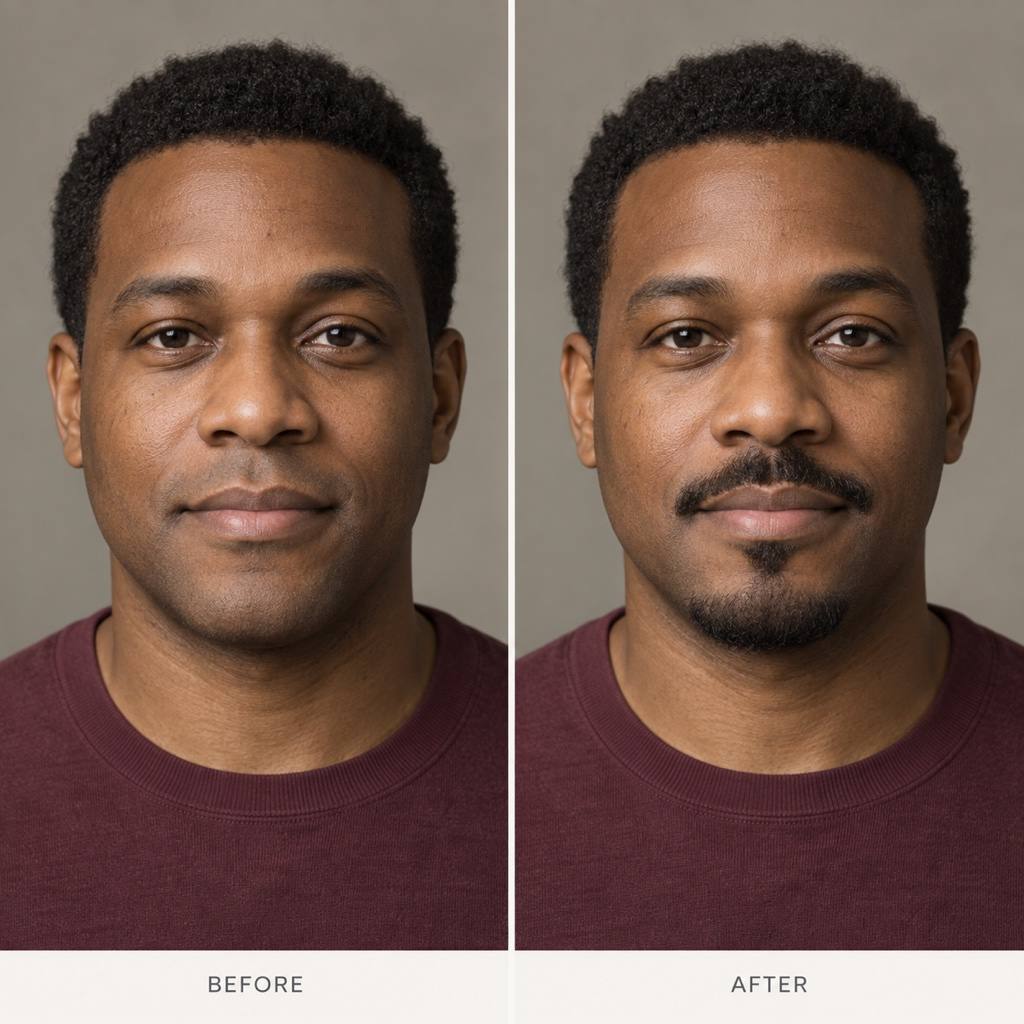
How to Add a Mustache to a Photo with AI
Start with a Clear Portrait
Generate Your Mustache Preview
Check the Face and Refine
Save the Look You Prefer

Explore Facial Hair on Your Own Terms
Your Photo as the Starting Point
Use the AI facial hair filter on an uploaded portrait. Ask to keep your hairstyle, expression, and background so the preview focuses on the grooming change.
Describe More Than a Preset
Ask for a narrow pencil line, a fuller chevron, or curled handlebar ends. Set the width and density in words instead of settling for a fixed mustache sticker.
Bring a Style Reference
Upload a reference for the mustache shape you like. Tell Mew Design to borrow only the facial hair style and use your own portrait as the face reference.
Compare Mustache and Beard Combinations
Add facial hair to a photo with AI to explore a mustache alone, a goatee, or light stubble. Request separate versions from the same original for a clearer comparison.
Fine-Tune Color and Lip Edges
Use Chat Edit to soften an overly dark mustache, expose the upper lip, or reduce bulky curls. Ask for changes to the facial hair only, then check the result.
Try with Free Signup Credits
Test a few ideas with the free AI credits available after signup. Export your chosen photo without a watermark; further generation depends on your available credits.
Make Your Mustache Try-On Look Believable
- Show the Upper Lip: Use a front-facing or slightly turned portrait without a hand, cup, or deep shadow covering the mouth.
- Choose the Coverage: A mustache sits above the upper lip. A goatee adds chin hair; stubble adds short hair across a wider area. Say which areas should stay bare.
- Match the Hair and Light: Start near your natural hair color and request visible individual hairs. A solid dark band can look pasted on.
- Keep Expectations Realistic: A mustache simulator is a style preview. It cannot predict your natural growth, density, or how a real trim will turn out.
Fix Common Facial Hair Filter Problems
Make the mustache lighter and less dense. Add fine individual hairs and soften its edges to match the lighting in my uploaded photo. Keep the rest of the portrait unchanged.
Trim the mustache just above the upper lip so the lip outline stays visible. Restore the original smile and mouth shape from my uploaded photo.
Keep only the mustache above the upper lip. Remove the newly added beard and chin stubble; preserve the original skin texture and jaw shape.
Return to my original portrait and add only a narrow pencil mustache. Keep the original face proportions, eyes, nose, hairstyle, expression, and background.
Refine the handlebar mustache so both ends curl gently outward and follow the angle of my face. Keep realistic hair texture and avoid oversized costume curls.
Create two separate edits of my original portrait: one with a short mustache and one with the same mustache plus a small goatee. Keep the pose, lighting, and facial features consistent.





