Free OnlineAI Muscle Enhancer
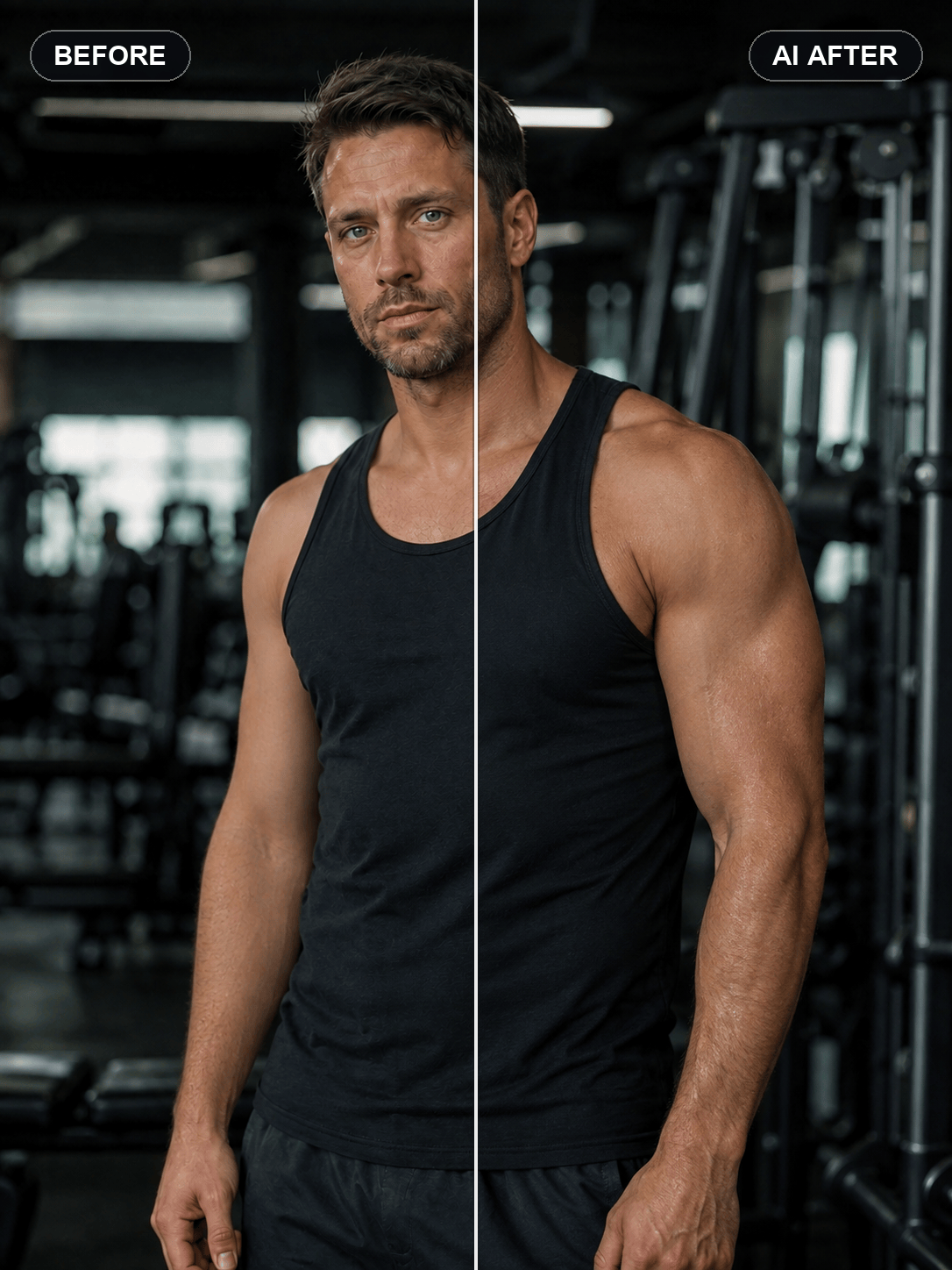
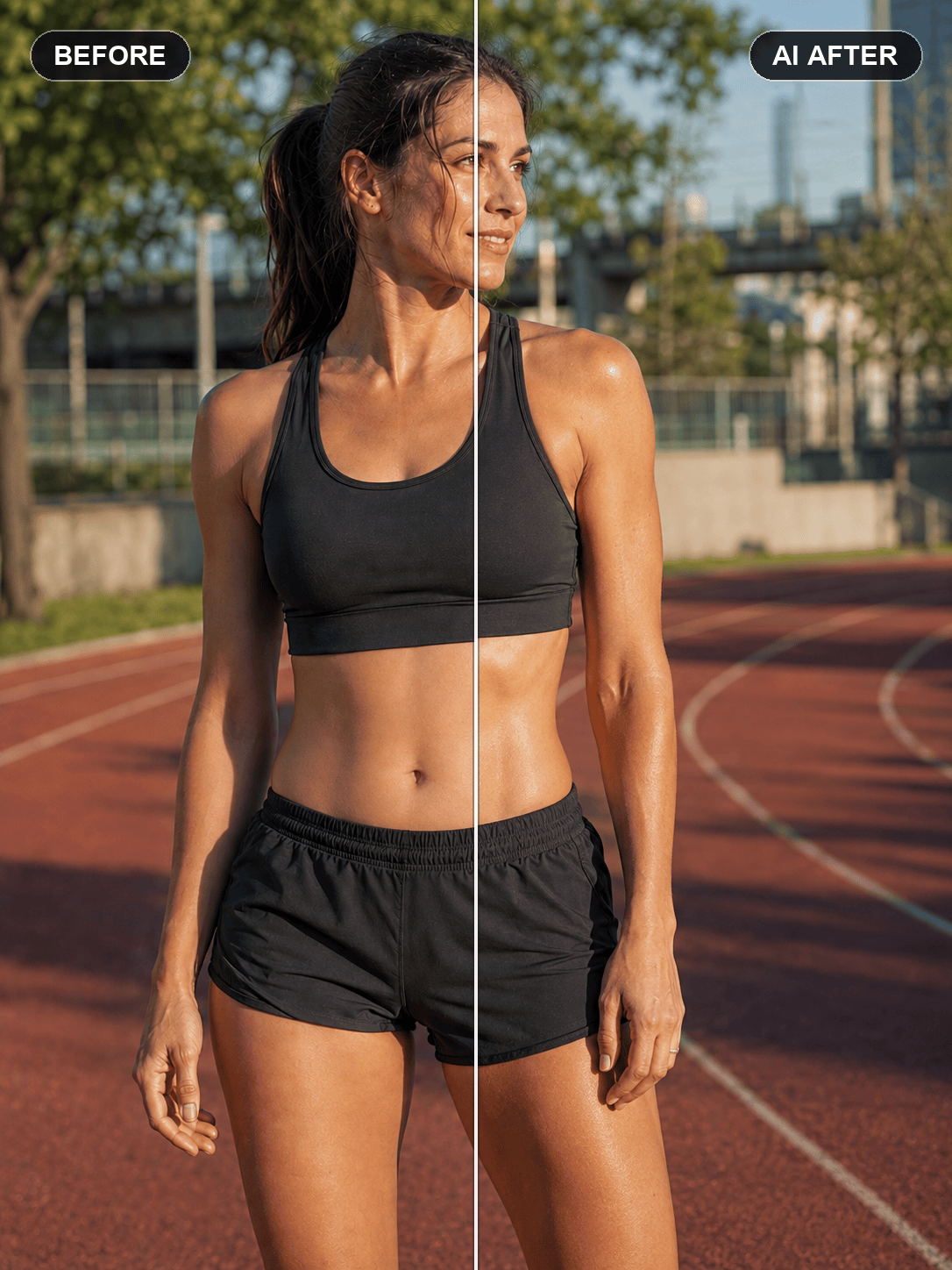
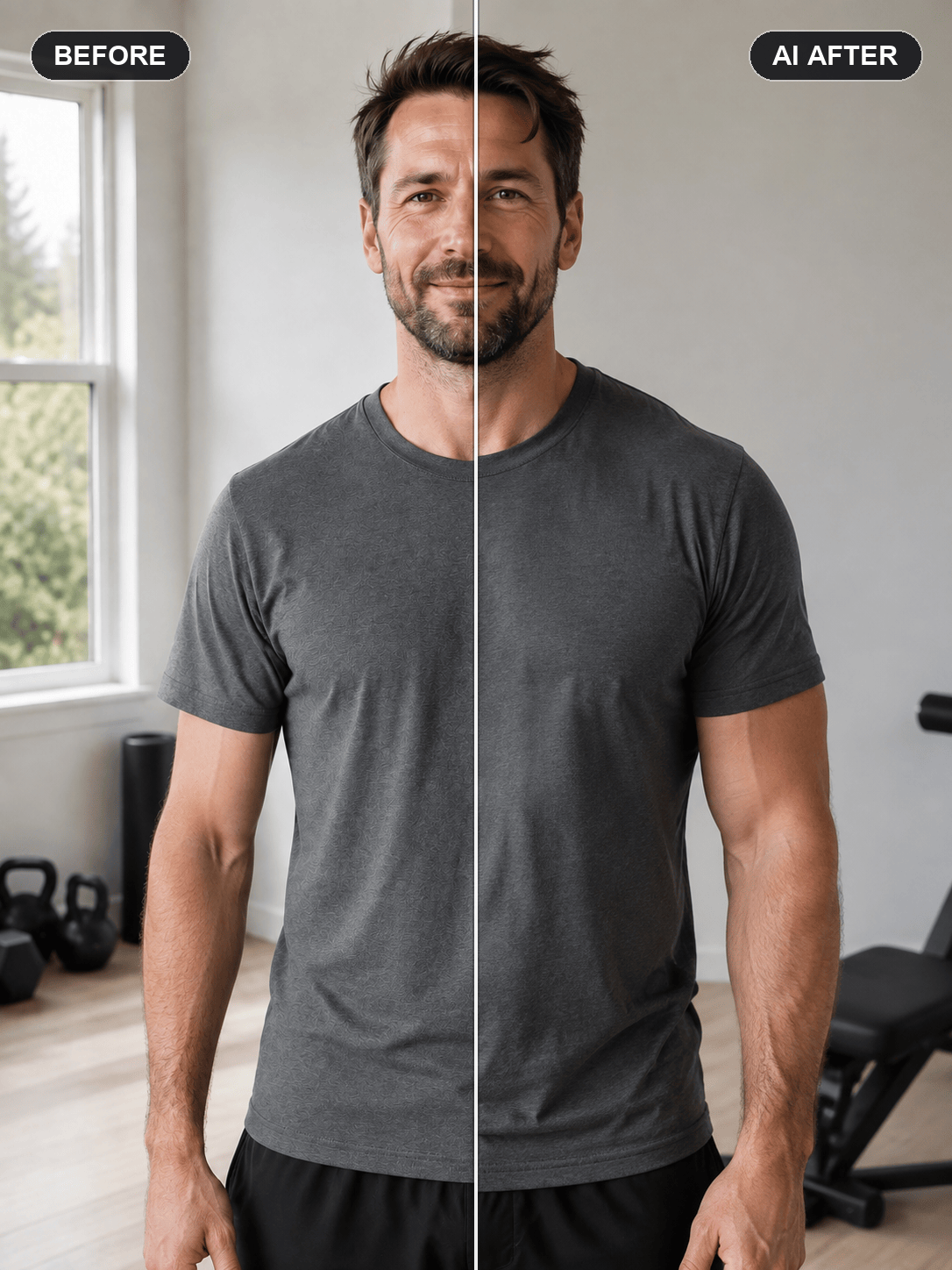
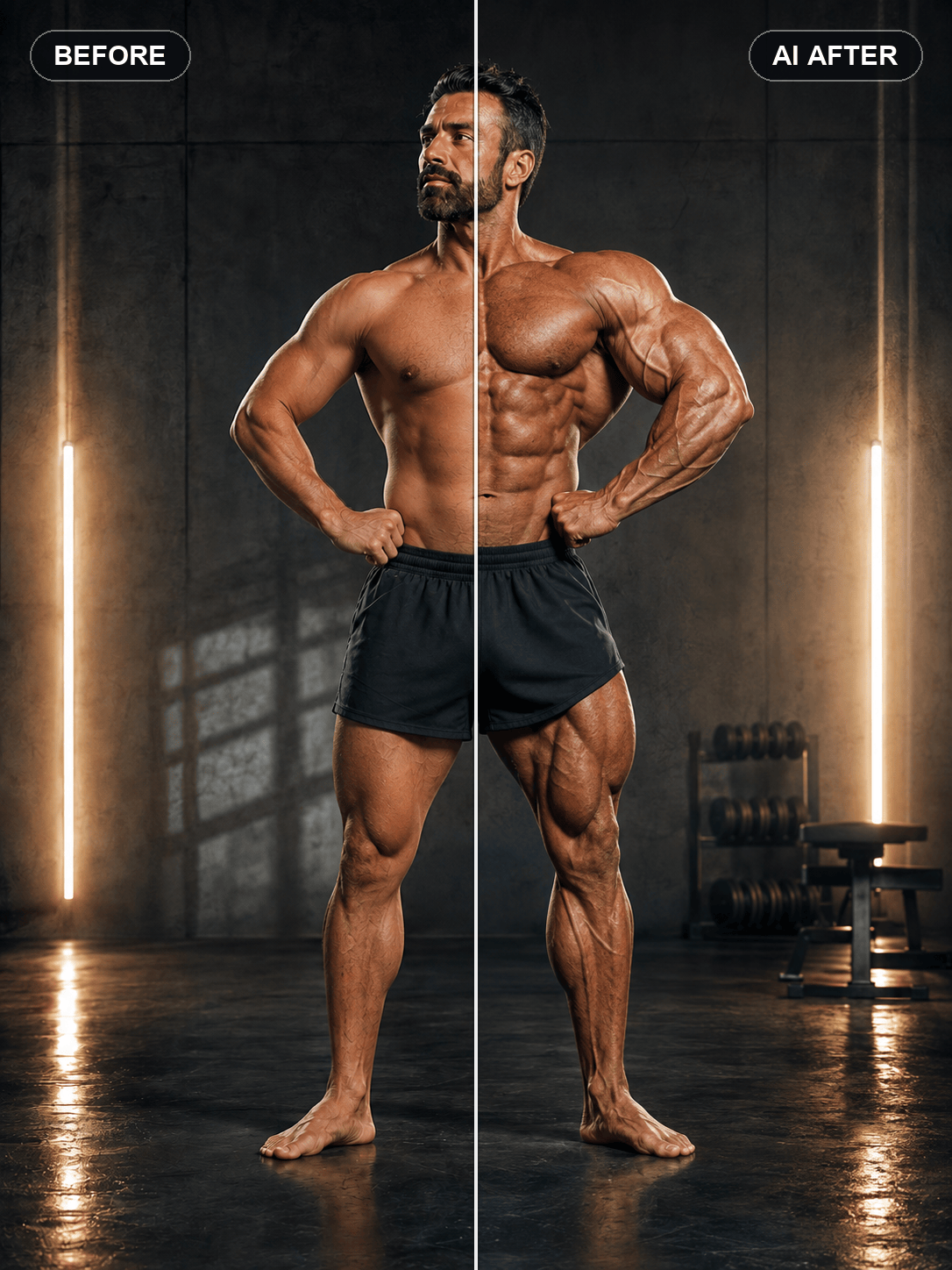
How to Enhance Muscles in a Photo with AI
Upload a Clear Photo
Describe the Muscle Edit
Generate and Check the Result
Refine with Chat Edit

Why Use Mew Design for Natural Muscle Edits
Target the Muscles You Name
Edit abs, biceps, triceps, chest, shoulders, back, glutes, or legs through natural-language instructions. Our AI muscle enhancer can focus on one area or coordinate a balanced full-body change.
State Exactly What Must Stay
Tell Mew Design to preserve your face, hair, body proportions, pose, hands, clothes, or background. Clear invariants help the edit remain recognizably yours instead of becoming a new portrait.
Respect Light, Skin, and Fabric
A realistic AI muscle photo editor should do more than enlarge a silhouette. Ask it to match the original light direction, maintain natural skin texture, and show believable tension and folds through fitted clothing.
Guide the Look with References
Upload a physique or fitness-photo reference when words alone are not enough. Use it as visual direction while specifying that your identity, camera angle, and original scene must remain unchanged.
Explore Subtle and Stylized Builds
Try a lean athletic tone, stronger gym definition, or an intentionally exaggerated bodybuilder filter. Generate variations to compare creative directions without manually warping pixels.
Start Online with Free Credits
Try the free AI muscle enhancer online with signup credits, refine the result in chat, and export finished images without a watermark.
How to Prompt AI for Realistic Muscle Definition
- Name the Area and Intensity: Ask for subtle definition, a lean athletic build, stronger gym muscle, or exaggerated bodybuilding size, then name abs, arms, chest, shoulders, back, or legs.
- Protect Identity and Proportions: State that the face, hair, expression, hands, pose, waist, and camera angle should stay unchanged when those details matter.
- Describe Clothing and Light: For covered areas, ask for realistic fabric tension rather than visible anatomy through opaque clothing. Request shadows and highlights that match the source photo.
- Set the Use Case: Mention whether the image is a believable gym portrait, a fitness-goal visualization, a social post, or a deliberately funny bodybuilder transformation.
AI Muscle Enhancement Prompts for Different Looks
Subtle Arm Definition: Make the visible biceps, triceps, and forearms slightly more defined while keeping the same arm size, skin texture, veins, pose, face, gym lighting, and background. The result should look like a natural post-workout pump, not a bodybuilder edit.
Add Abs to a Photo: Create a realistic six-pack with moderate oblique definition on the visible torso. Match the existing skin tone, body fat level, light direction, and abdominal proportions. Keep the chest, waist width, face, shorts, pose, and background unchanged.
Broader Chest and Shoulders Through Clothing: Give the person a stronger upper chest and slightly broader shoulders under the fitted T-shirt. Adjust only the fabric drape and silhouette needed to suggest muscle underneath; do not draw visible anatomy through the shirt. Preserve the logo-free clothing, face, waist, arms, pose, and room.
Athletic Full-Body Definition: Add balanced, natural-looking muscle tone to this adult woman's shoulders, arms, core, glutes, quads, and calves. Keep the build athletic rather than bulky, preserve her identity and proportions, and match the outdoor sunlight and shadows.
Back and V-Taper Edit: Enhance the lats, rear deltoids, traps, and upper-back definition to create a moderate V-taper. Keep the spine, shoulder height, waist size, skin details, pose, shorts, camera angle, and gym equipment unchanged.
Stylized Bodybuilder Filter: Turn this portrait into an intentionally exaggerated competition-bodybuilder concept with larger arms, chest, shoulders, back, and legs. Keep the adult subject's face recognizable, maintain coherent anatomy and lighting, preserve the pose and background, and make the result clearly playful rather than a real progress claim.





