Free OnlineAI Mural Generator
How to Create a Mural Design with AI
Survey the Wall and Audience
Generate a Wall-Aware Concept
Preview and Refine in Context
Prepare the Painter or Printer Handoff

From Blank Wall to Buildable Visual Direction
Design Around Real Architecture
An AI mural design maker can use your wall photo and brief to place subjects around doors, windows, furniture, corners, columns, and sightlines rather than hiding those constraints.
Preview Before Paint Touches Wall
See the idea inside a restaurant, office, bedroom, school corridor, or exterior façade. A contextual mural mockup helps teams compare scale and visual weight before committing labor and materials.
Keep Detail Legible at Distance
Generate broad silhouettes, clear hierarchy, controlled contrast, and intentional negative space. Refine away tiny texture or text that may disappear when viewers stand across a room or street.
Use Photos, Brand Assets, and References
Upload a wall photo, palette, local landmark, interior material, approved logo, or mood image. Mew Design can combine those cues into an original direction without reducing the mural to a generic style preset.
Make Versions for Stakeholders
Compare a bold and quiet palette, alternate focal positions, daytime and nighttime exterior reads, or age-appropriate school concepts. Chat Edit helps preserve the composition while changing one decision at a time.
Handoff to Painter or Wallcovering Printer
Export watermark-free concept art for approval and production planning. Then confirm the substrate, surface preparation, weather exposure, paint system, print panels, color profile, bleed, and installer requirements with the chosen specialist.
How to Write a Wall-Aware Mural Prompt
- Map the Architecture: Name doors, windows, vents, corners, ceiling slopes, furniture, and sightlines. State what must remain visible and where the main focal point can safely sit.
- Design for Scale and Distance: Ask for large readable forms, limited tiny details, strong value contrast, and a hierarchy that works both close up and from the normal approach path.
- Name the Material and Installation Path: A painted brick façade, smooth interior drywall, tiled corridor, and printed removable wallcovering need different detail, edge, texture, and production decisions.
- Plan for Permission and Production: Identify property approval, community review, brand rules, accessible messaging, reference-image rights, weather exposure, and the painter’s or printer’s required file specifications.
AI Mural Prompts for Real Spaces
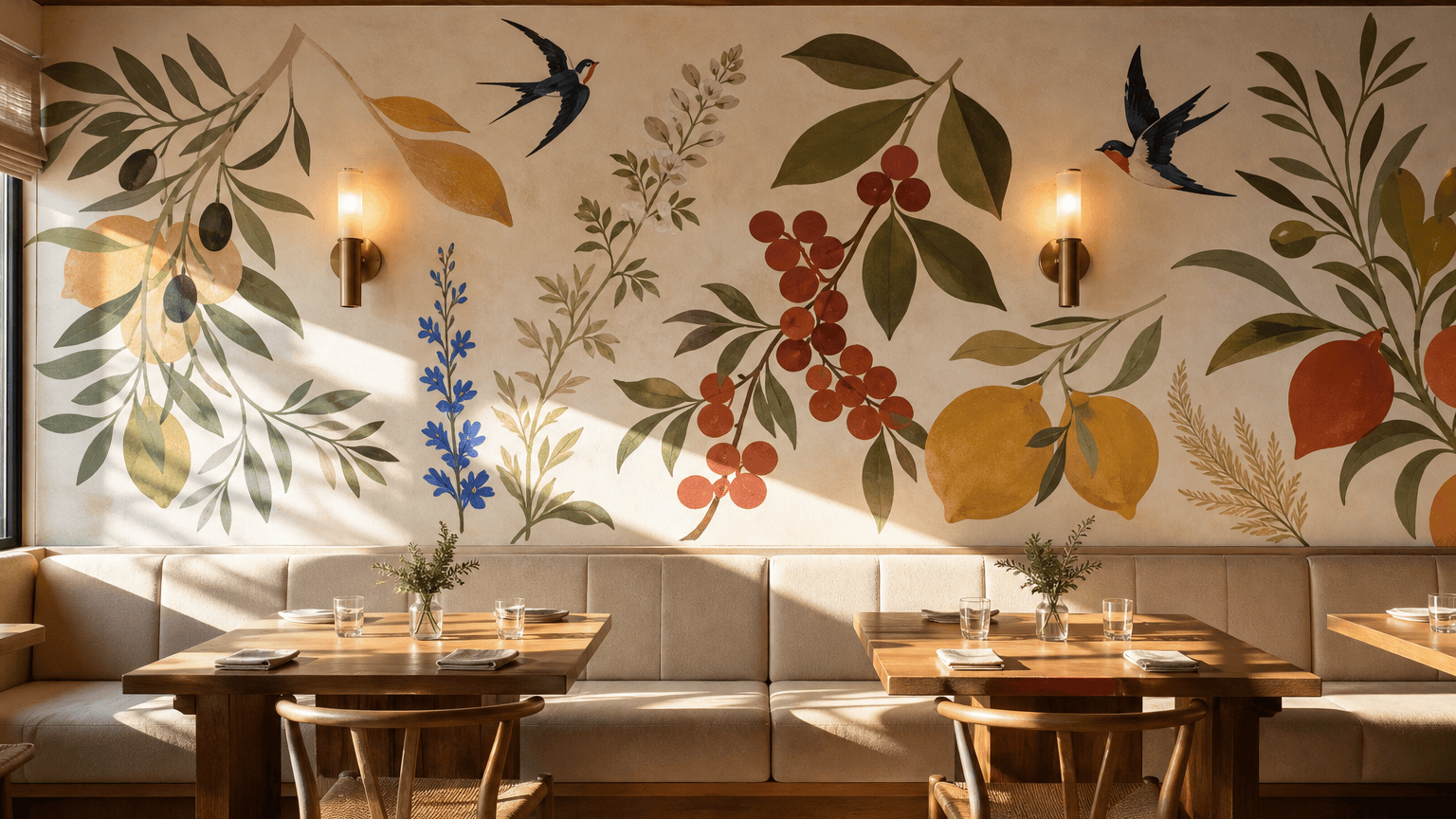
Design a wide botanical mural for a neighborhood restaurant banquette wall, 20 feet by 8 feet. Oversized herbs, citrus branches, and local birds flow around two wall sconces; modern gouache shapes, olive, saffron, coral, and cream; welcoming from the entrance; no tiny lettering; show it as a realistic straight-on interior mockup.
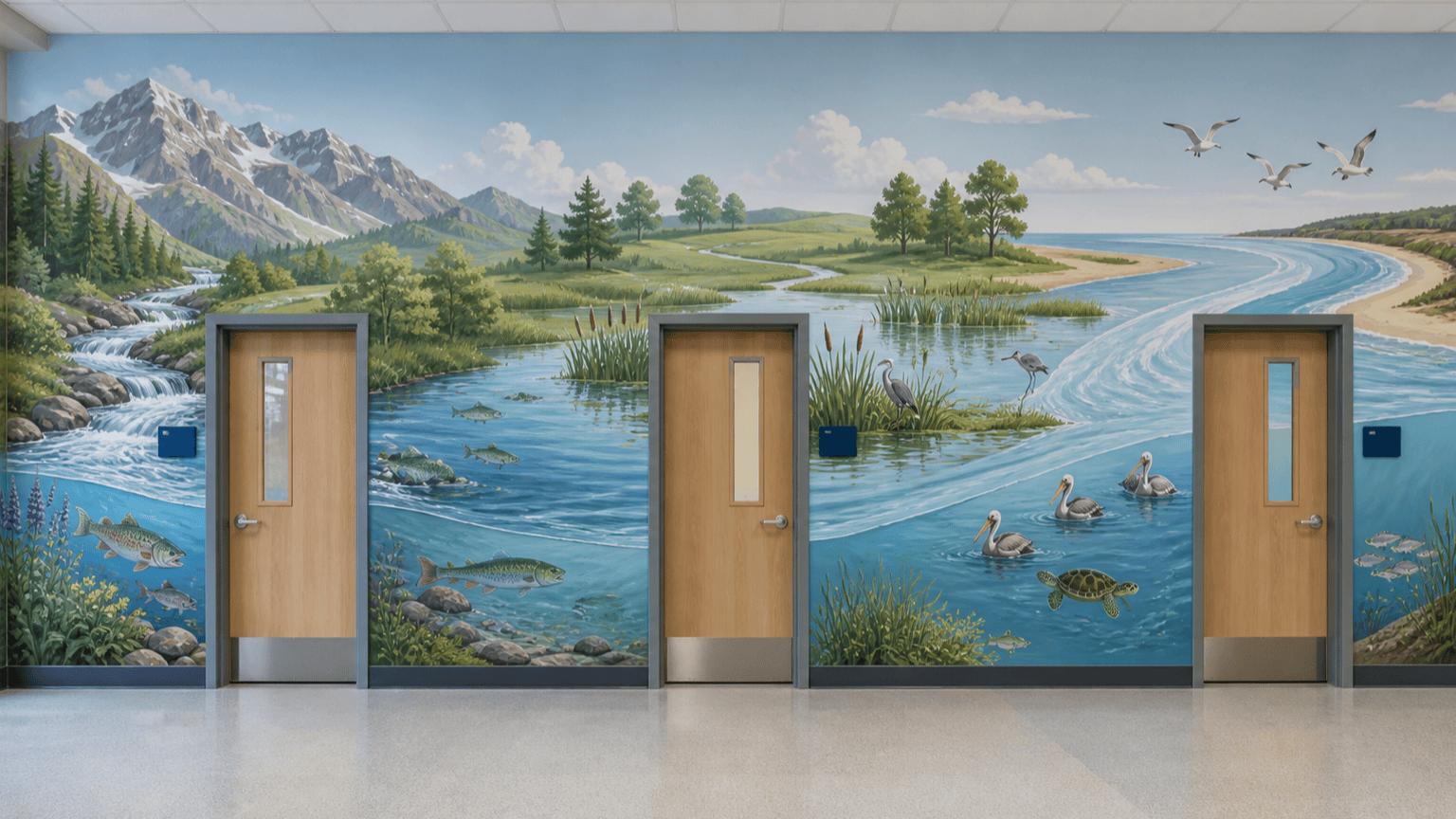
Create an educational school corridor mural about the journey from river headwaters to ocean. Arrange mountains, wetland species, watershed arrows, and a large blue current around three classroom doors; bright but calm flat illustration, inclusive and age-appropriate, readable from 25 feet, minimal labels for later typesetting.
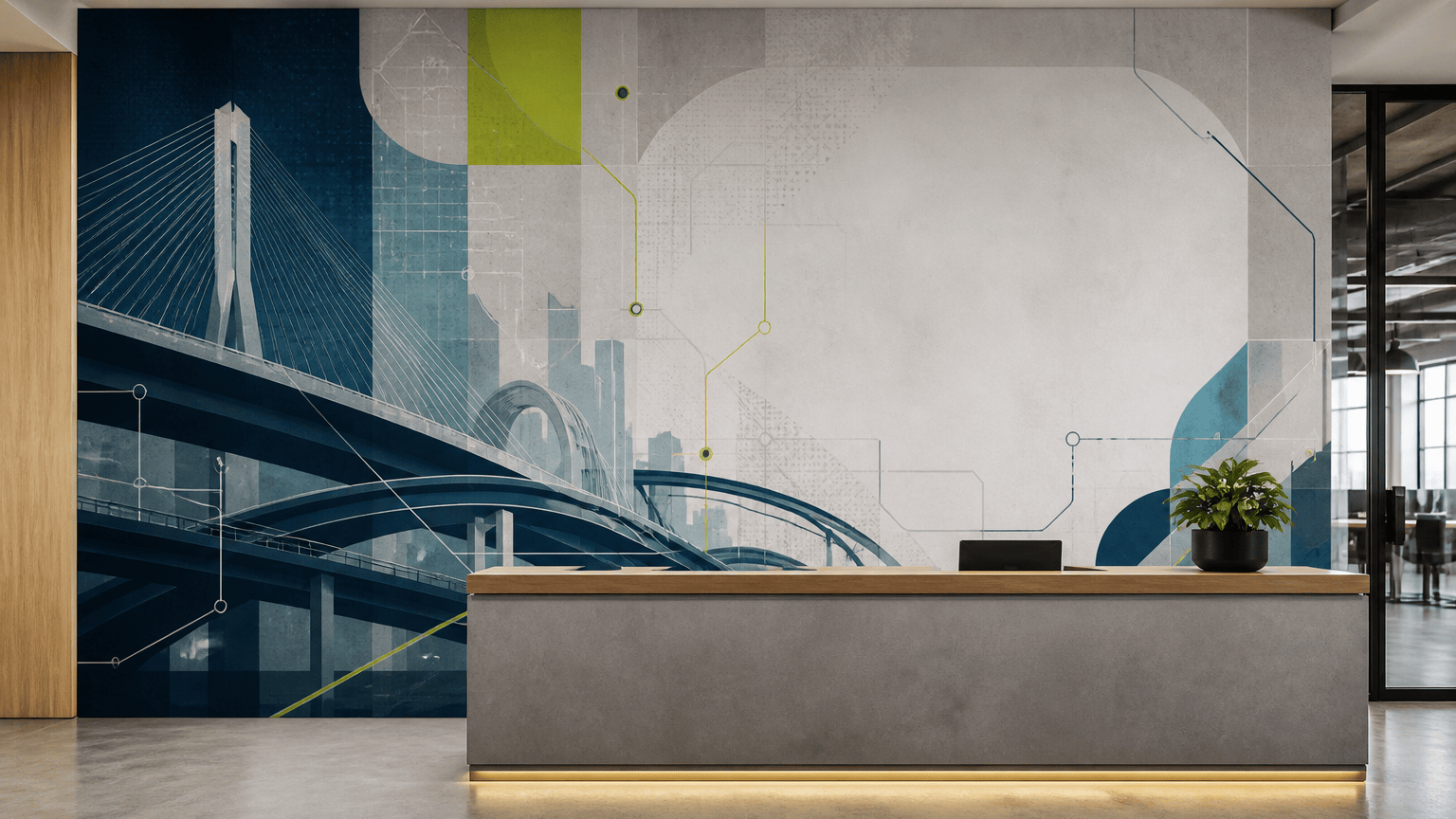
Generate an office mural for a 30-foot reception wall inspired by the city’s bridges, transit lines, and data networks. Layer abstract geometric paths behind the reception desk, leave a quiet clear area for an approved logo, deep navy, teal, warm gray, and electric lime accents, polished contemporary vector style.
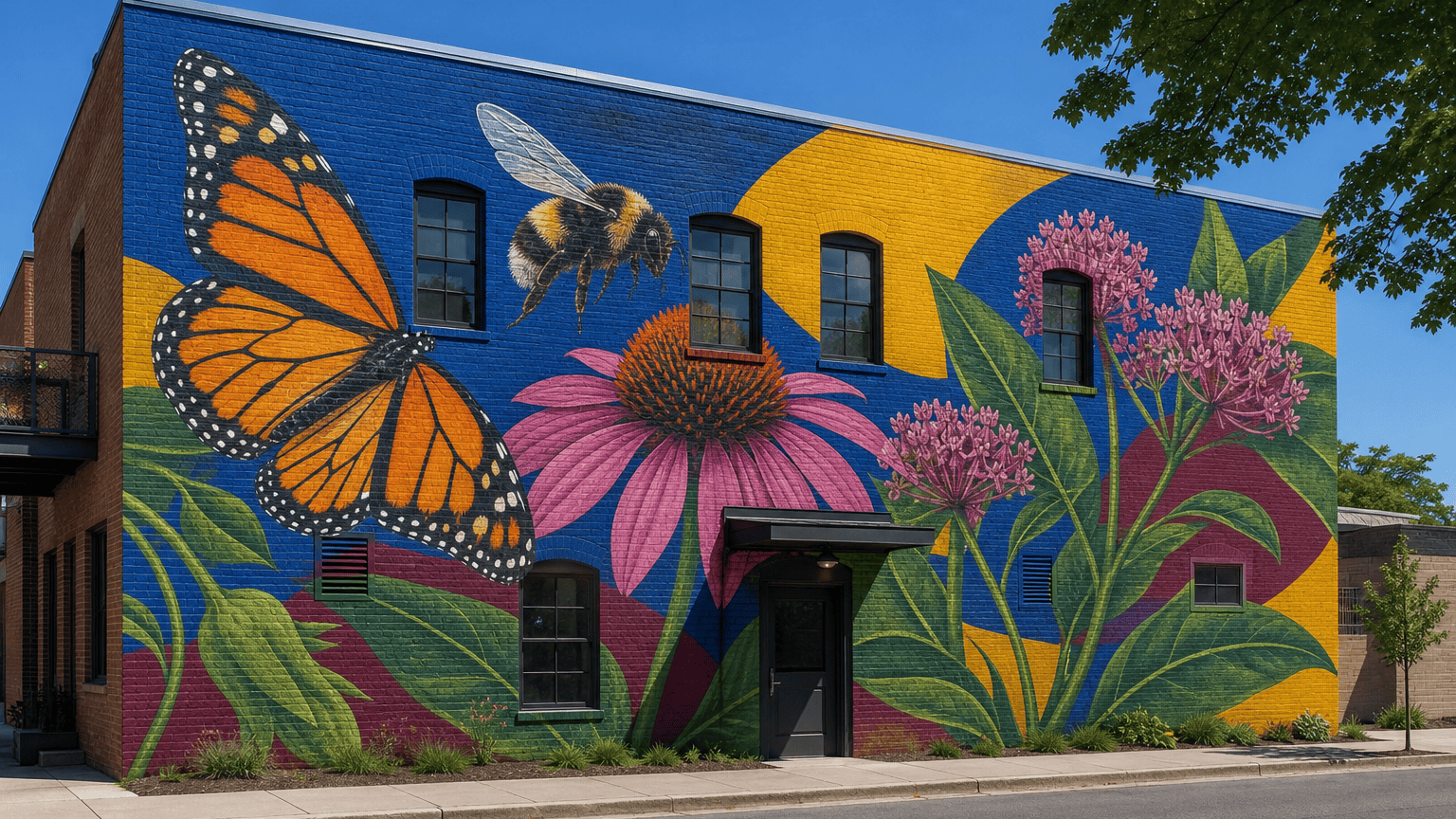
Visualize an outdoor community mural on a two-story brick façade celebrating native pollinators. Monarch butterfly, bumblebee, coneflower, and milkweed become bold interlocking shapes; keep windows clear; strong silhouette at street distance; sun-resistant palette of cobalt, marigold, berry, and leaf green; no text.
Make a calming nursery wall mural with rolling hills, moon phases, tiny woodland animals, and a slow river. Soft clay, sage, dusty blue, and oat; watercolor-paper texture but simplified edges for print; composition stays below the ceiling vent and away from the crib area; preview in gentle morning light.
Create a high-energy gym mural on a long concrete wall using diagonal motion lines, runners, climbers, and one editable phrase, 'KEEP MOVING'. Black, white, safety orange, and sky blue; bold stencil and screen-print influence; legible across the training floor; avoid faces and copyrighted sports branding.





