Free OnlineAI Mount Rushmore Generator
How to Create Your Own Mount Rushmore with AI
Upload Clear Portraits
Set the Monument Lineup
Generate the Granite Portrait
Correct, Export, and Share

Built for Recognizable Mount Rushmore-Style Portraits
Use Your Own Faces
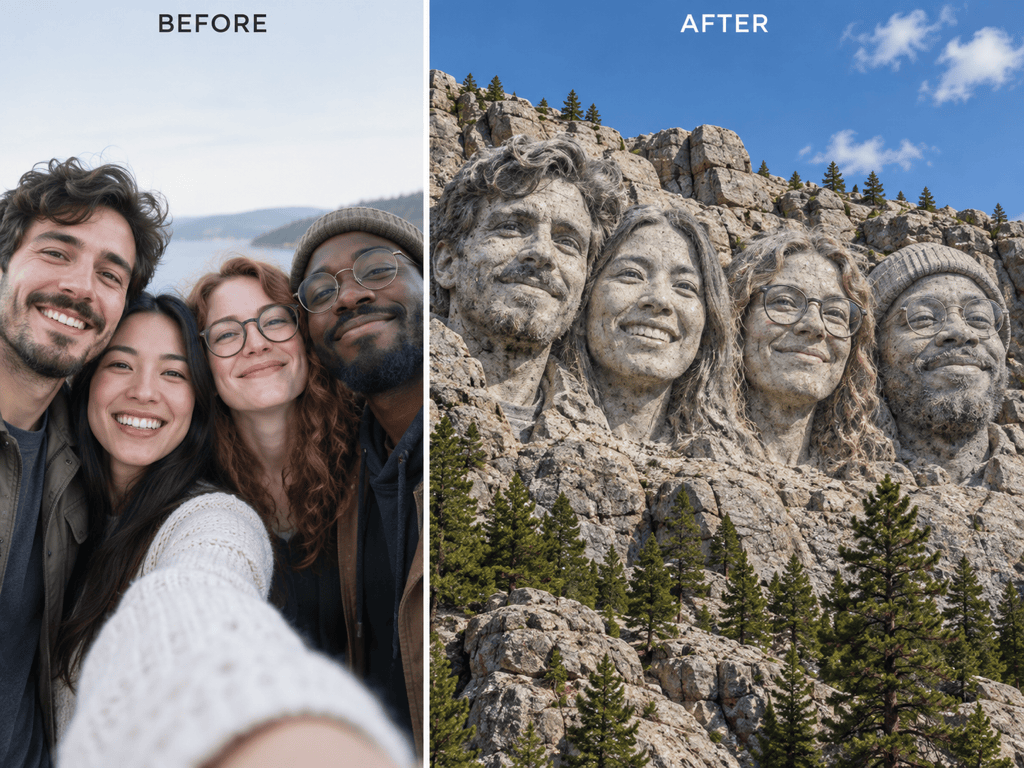
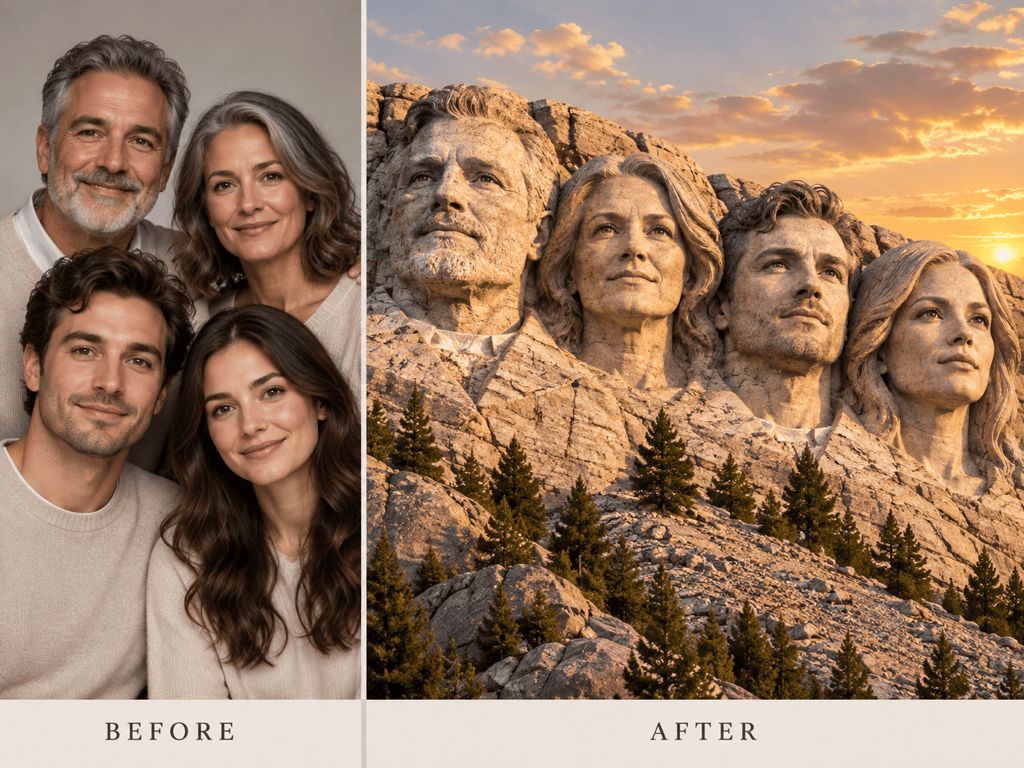
Upload a selfie, a group shot, or separate portrait references. The online Mount Rushmore face generator uses those images to guide each stone-carved identity instead of inventing a generic lineup.
Create a Carved-In Look
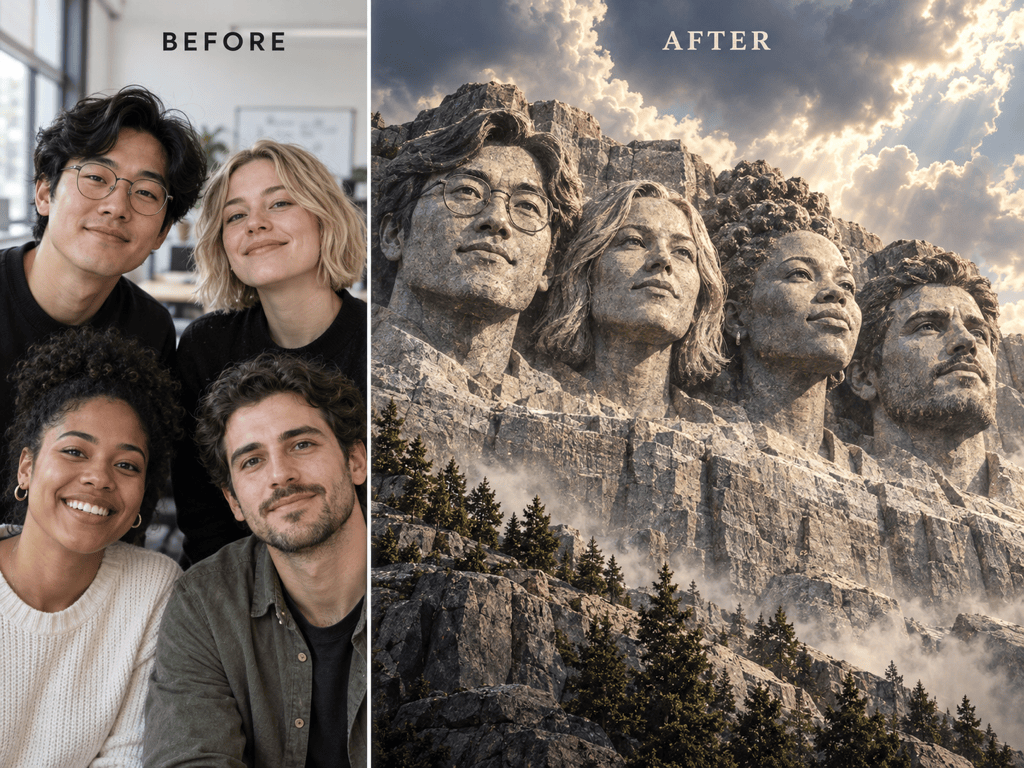
Ask for weathered granite, chisel marks, shadowed eye sockets, rock-carved hair, and pine-covered slopes so the result feels sculpted into a cliff—not pasted on in gray.
Keep Every Person Distinct
Name each subject and define the left-to-right order. Clear identity notes help the AI Mount Rushmore generator separate similar faces, hairstyles, glasses, and expressions in a four-person lineup.
Fix One Detail Through Chat
Use Chat Edit to adjust one face, move a head, deepen the stone texture, or change the sky while asking Mew Design to keep the successful people and composition unchanged.
Explore Meme and Gift Variations
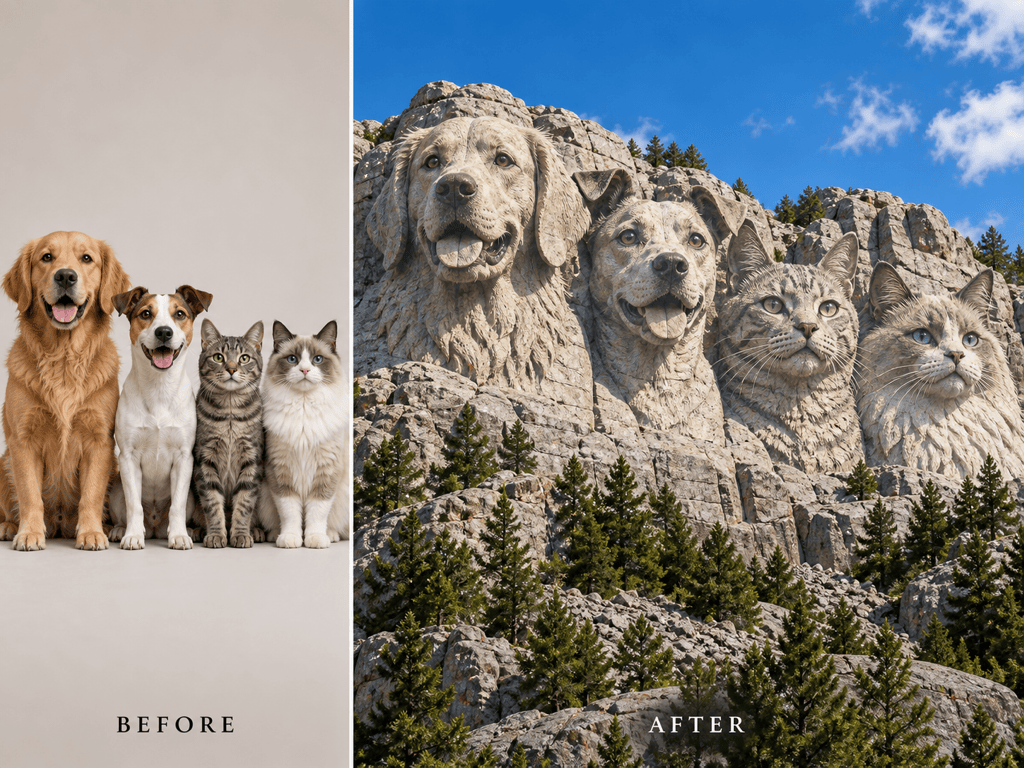
Turn the same portraits into a classic daylight monument, a dramatic cinematic tribute, a playful pet carving, or a clean family keepsake without rebuilding the concept from scratch.
Try It Free, Export Without a Watermark
Sign up to test the free AI Mount Rushmore generator with free AI credits. When your personalized monument is ready, download a watermark-free image for sharing or personal projects.
How to Get Recognizable Stone Faces
- Choose Clear Faces: Use sharp, well-lit portraits at a front or slight three-quarter angle. Avoid heavy shadows, tiny group faces, and obstructions across the eyes, nose, or jaw.
- Name the Order: List the people from left to right and mention the exact number of heads. This reduces missing, repeated, or rearranged subjects in a custom four-face monument.
- Lock Identity Cues: Specify the hairstyle, glasses, facial hair, expression, or pet markings that make each subject recognizable, while allowing skin and hair to become carved granite.
- Describe Real Sculpture: Request stone pores, chisel grooves, cracks, carved collars, shadowed recesses, and one consistent light direction. Add a no-text instruction if you plan to caption the meme later.
Mount Rushmore Ideas for Memes, Gifts, and Groups
Create a funny 4:3 Mount Rushmore meme from my uploaded group selfie. Carve the four friends into one weathered granite cliff in the same left-to-right order as the photo. Keep their distinct hairstyles and expressions recognizable, add bright daylight and pine trees, and leave the image free of text so I can add a caption later.
Turn my separate family portraits into a warm Mount Rushmore-style keepsake. Arrange the four relatives from oldest to youngest, preserve glasses and smiles, use detailed pale granite with soft golden-hour light, and compose the final image for a personal photo print. Do not add names or extra people.
Make a cinematic founder-team monument from the four uploaded portraits. Keep every person distinct and arrange them in the order I named. Use dramatic cloud light, deep carved shadows, realistic chisel marks, and a wide social-ready composition with no company logo or text.
Create a Mount Rushmore of our club legends using four portraits I have permission to use. Carve each person as a separate granite head with consistent lighting and scale. Preserve facial hair, glasses, and expressions, and leave open sky above the monument for a headline I will add later.
Turn my four pet photos into a playful granite monument. Arrange the two dogs and two cats left to right as listed, preserve ear shapes, muzzle lengths, and coat markings as carved stone details, and place the monument above a pine-covered slope under a clear blue sky.
Put my face on a single-head Mount Rushmore-style cliff. Preserve my face shape, short curly hair, and relaxed smile, translate those details into weathered stone, use realistic daylight and monumental scale, and do not add the original presidents, other faces, flags, or text.





