Free OnlineAI Hat Generator
Turn a plain-language brief, permitted sketch, hat photo, or brand asset into original headwear concepts with Mew Design - AI Design Agent. Design baseball caps, bucket hats, beanies, visors, and western hats; visualize artwork placement; and refine the crown, brim, material, color, and camera view through chat. Results are concept images and mockups—not sewing patterns, calibrated fit previews, or embroidery machine files.

How to Design a Hat with AI

Move from a headwear idea or authorized reference to a review-ready concept, then validate construction and decoration with your supplier before production.
1

Choose the Hat and Design Job

Name the hat family and intended use: collection concept, merch cap, product mockup, costume, or on-person image. Upload only sketches, logos, or photos you own or may use.
2

Describe Form, Material, and Decoration

Specify crown profile, panel count, brim shape, closure, fabric, colors, stitching, and where an authorized logo, patch, or pattern should sit.
3

Generate and Inspect the Concept

Create more than one direction or view. Check panels, seams, crown symmetry, brim attachment, closure, logo scale, and whether product or worn views remain visually consistent.
4

Refine, Export, and Production-Check

Use Chat Edit to change one detail at a time, then export PNG or JPG visuals. Ask a hat supplier or embroidery specialist to confirm fit, dimensions, decoration limits, digitizing, and samples.
How to design hat concepts with AI

From Headwear Idea to a Hat Concept You Can Review

Design Across Hat Silhouettes

Explore six-panel baseball caps, five-panel camp caps, trucker caps, dad hats, bucket hats, beanies, visors, fedoras, sun hats, and western hat directions from one brief.

Control Crown, Brim, and Construction Cues

Direct high- or low-profile crowns, structured or unstructured panels, flat or curved visors, mesh backs, eyelets, top buttons, and snapback, strapback, buckle, or fitted closures.

Explore Materials and Colorways

Compare cotton twill, washed canvas, wool felt, straw, nylon ripstop, corduroy, mesh, or rib knit, then revise the palette, underbrim, trim, hardware, and stitch color.

Visualize Authorized Artwork on a Hat

Upload a logo, patch, label, illustration, or pattern you may use. Tell the AI what must stay recognizable and specify the front, side, back, brim, or all-over placement.

Build Product and Lifestyle Concepts

Create neutral studio views, flat lays, ecommerce drafts, campaign scenes, or an AI hat generator from photo concept. Worn results show a visual direction, not exact size or physical fit.

Refine Details with Chat Edit

Ask for a lower crown, shorter brim, simpler embroidery, smaller patch, different closure, cleaner background, or alternate angle without rebuilding the whole creative brief.

Write the Prompt Like a Headwear Design Brief

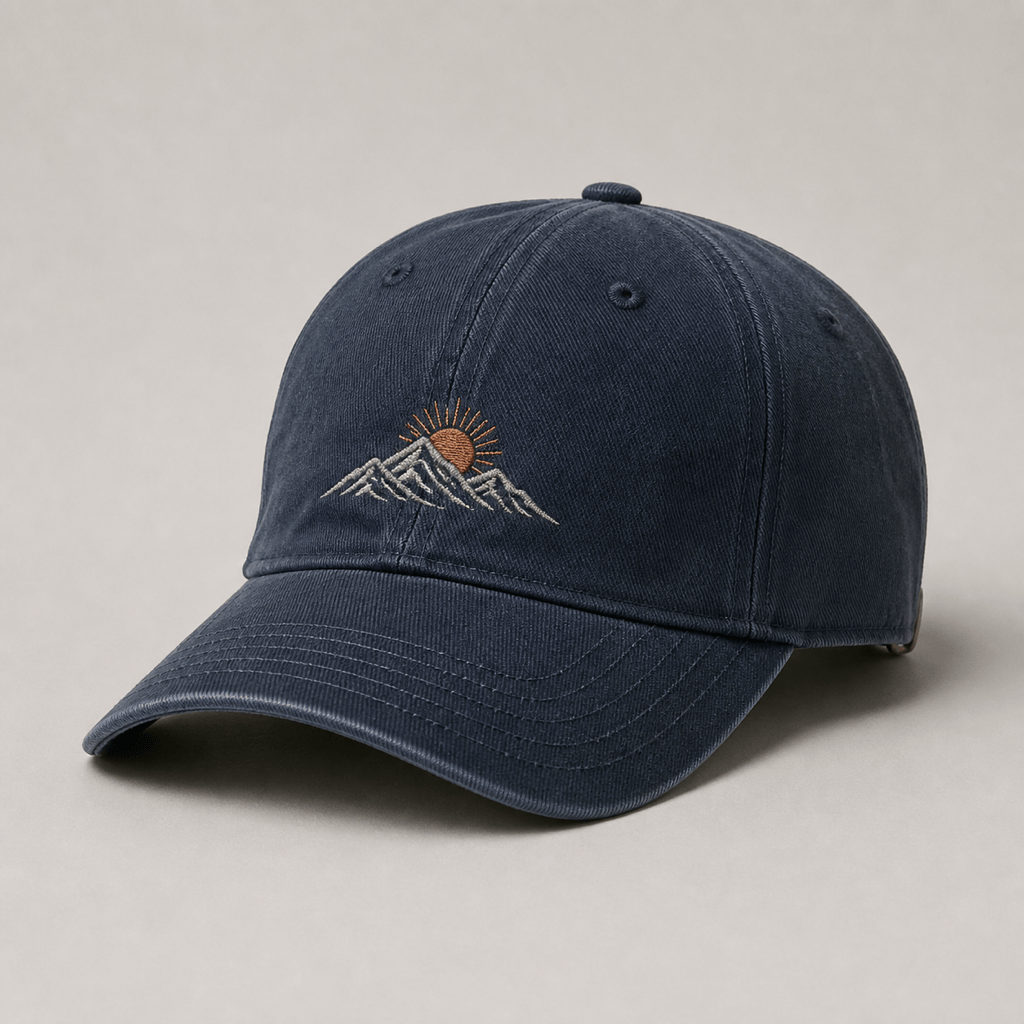
Create a square photorealistic product concept of an original washed-navy six-panel baseball cap. Use a low structured crown, curved brim with tonal rows of stitching, brass strapback closure, and a small authorized abstract mountain-and-sun embroidery motif centered on the front. Three-quarter studio view on warm gray, soft directional light, realistic cotton twill and contact shadow. One hat only; no text, brand logo, warped seams, floating patch, or watermark. Concept mockup, not a production file.
The strongest prompts define one hat silhouette first, then construction cues, material, decoration, view, and final use. Request multiple angles before approving a design direction.
  • Name the hat and job: Choose a baseball cap, trucker cap, bucket hat, beanie, visor, fedora, sun hat, or cowboy hat, then say whether it is a concept, merch mockup, product image, or worn visual.
  • Describe the construction: Include crown profile, structure, panel count, brim shape, closure, eyelets, top button, mesh, seam color, and other cues that define the silhouette.
  • Direct material and decoration: Name the fabric, colors, finish, and authorized artwork. State the panel, relative size, and whether it should appear as flat embroidery, a patch, label, print, or pattern.
  • Set the camera and exclusions: Ask for front, side, back, three-quarter, flat-lay, or on-person framing; specify lighting and background; exclude extra hats, duplicate logos, broken seams, unreadable text, and watermarks.

AI Hat Design Prompts You Can Customize

Streetwear Baseball Cap: Create an original black structured six-panel snapback with a high crown, flat brim, contrast green underbrim, tonal eyelets, and a small permitted geometric patch on the center front. Three-quarter product view on light gray, crisp studio shadow, no brand names, sports logos, or text.

Branded Trucker Cap Mockup: Place my uploaded authorized logo on the foam front of a cream-and-burgundy five-panel trucker cap with a curved visor and matching mesh back. Keep the logo proportions recognizable, show front and side concept views, and add no extra lettering. Mockup only; embroidery requires vendor digitizing.

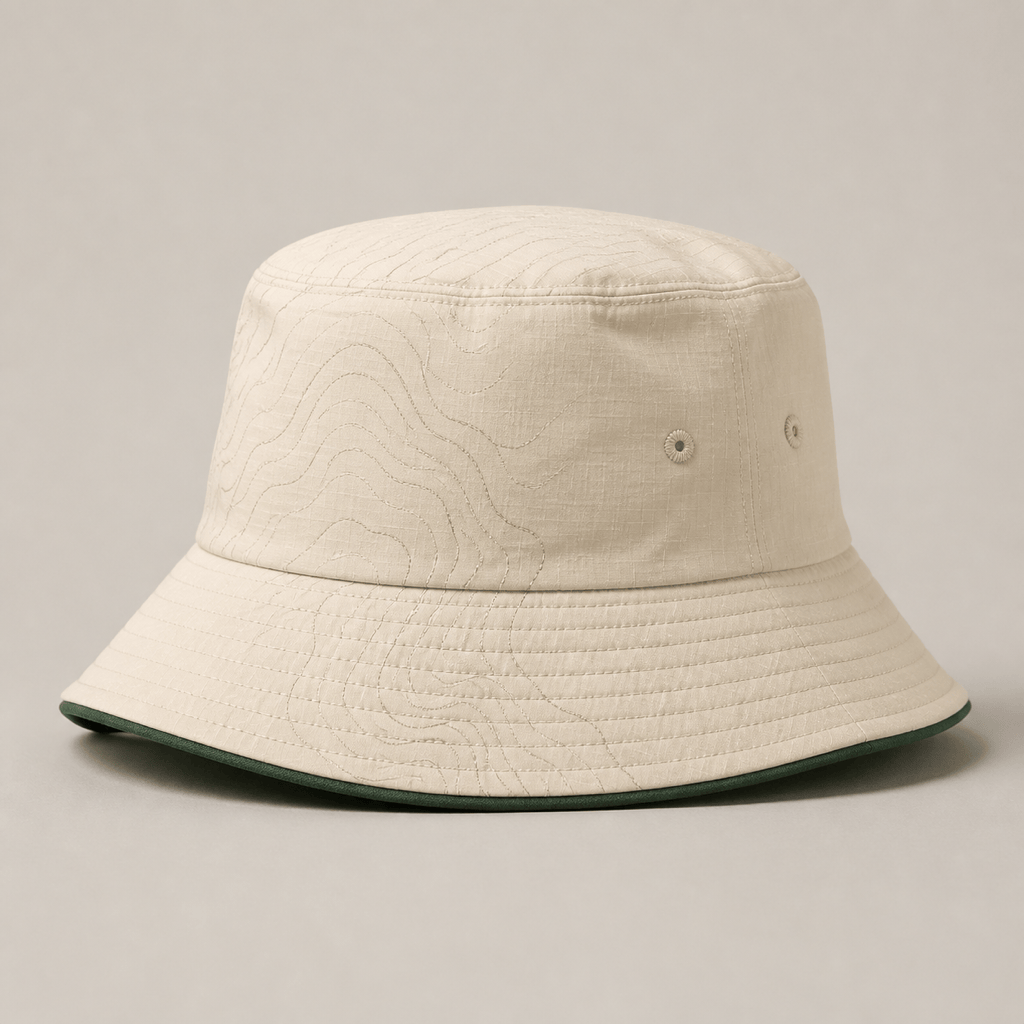
Reversible Bucket Hat: Design a reversible bucket hat in cream and forest-green nylon ripstop, medium downward brim, topstitch rings, ventilation eyelets, and a subtle original topographic line pattern. Clean three-quarter studio view, realistic folds, no duplicate hats, logo, text, or watermark.

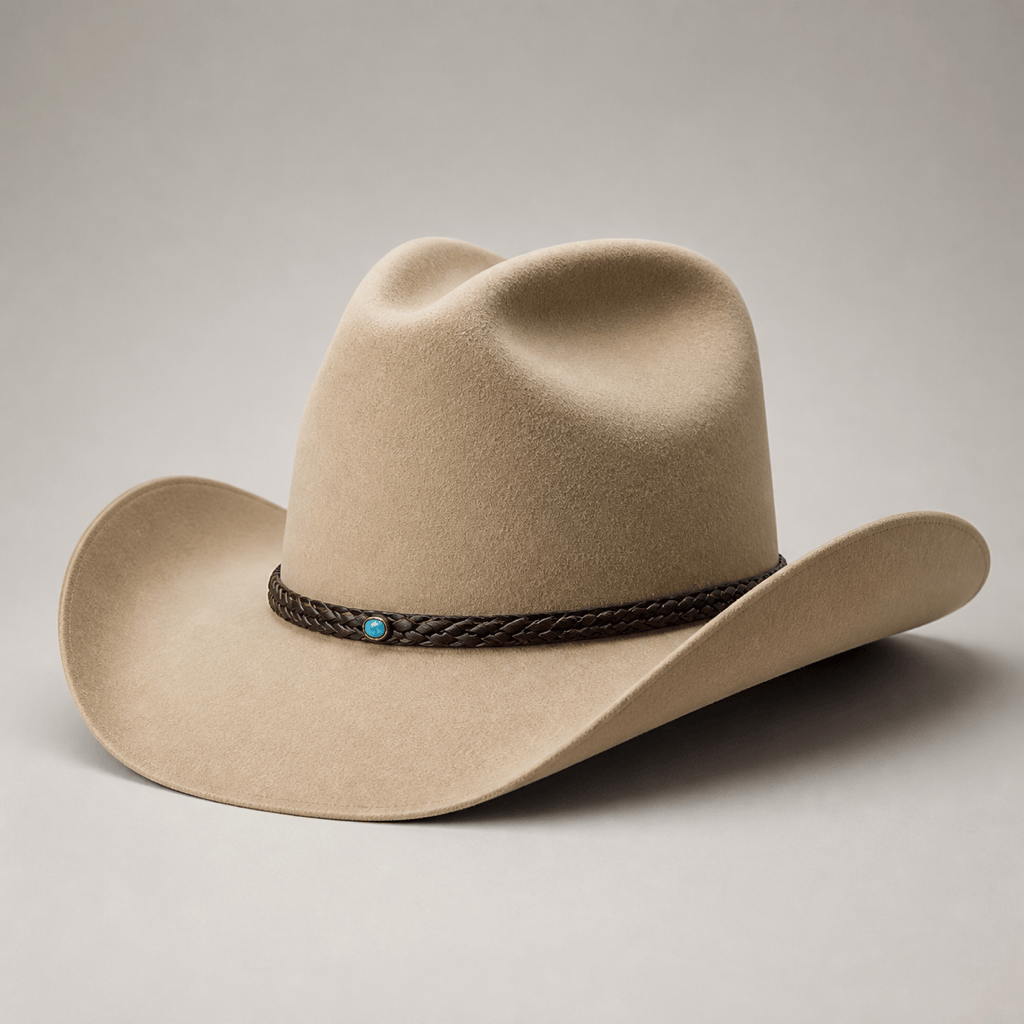
Western Hat Concept: Create a sand-colored wool-felt cowboy hat with a sculpted cattleman crown, gently curved wide brim, braided dark-leather band, and one small turquoise accent. Premium catalog lighting on a warm neutral background, one hat only, no branded motif or costume props.

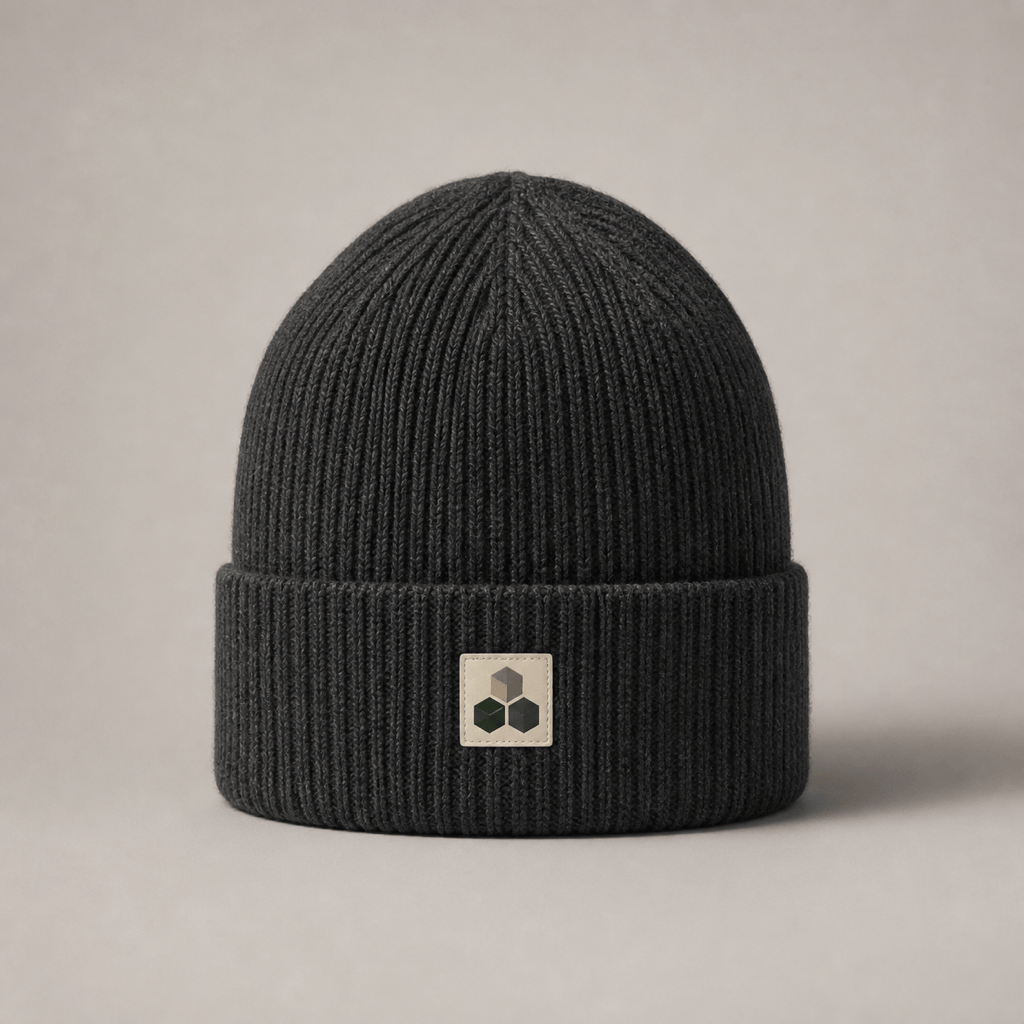
Minimal Beanie Collection: Generate a charcoal rib-knit cuffed beanie with an original geometric woven patch, plus two separate colorway concepts in oat and deep forest. Keep shape, patch scale, camera, and lighting consistent across images; no words, logos, heads, or watermark.

Add a Hat to a Photo: Add an original olive cotton five-panel camp cap to my uploaded authorized portrait. Match head angle, hair overlap, light direction, and natural shadow; keep the person's identity and background unchanged. This is an on-person style concept, not an exact size or fit prediction.


AI Hat Generator FAQ

An AI hat generator turns a written brief, sketch, photo, or authorized brand asset into visual headwear concepts. Mew Design can explore hat type, crown, brim, material, colors, decoration placement, camera view, and background, then refine the image through chat.
You can start with free credits after signup and test hat concepts in your browser. Credit use depends on the model and number of generations or edits, so review the current plan details before creating a large collection or many product views.
You can prompt for baseball caps, snapbacks, dad hats, trucker caps, five-panel camp caps, bucket hats, beanies, visors, fedoras, wide-brim sun hats, cowboy or western hats, and more. Name one silhouette and its construction details for clearer results.
Yes. Upload a logo, illustration, patch, label, or pattern you own or have permission to use, then specify the hat, panel, placement, scale, colors, and decoration style. Treat the result as a visual mockup and verify the artwork against the supplier's real decoration area.
Yes, you can upload an authorized portrait or hat reference and request an on-person concept. Use a clear image, name what should remain unchanged, and describe head angle, hair overlap, lighting, and shadow. The generated image is not calibrated AR, measurement, or a guarantee of physical fit.
Yes. The broad hat AI generator covers those headwear families. For a cap, describe panels, crown profile, visor, and closure; for a bucket hat, describe brim depth and topstitching; for felt or western hats, describe crown crease, brim curve, band, and material.
No. Mew Design creates concept images and presentation mockups, not production patterns, graded sizes, 1:1 cap geometry, stitch files, or factory specifications. An embroidery specialist or hat manufacturer must digitize artwork and validate placement, thread, seams, construction, and a physical sample.
Possible uses include moodboards, client presentations, portfolios, campaign concepts, and ecommerce drafts, subject to Mew Design's current terms and applicable law. Use authorized references, avoid protected team, character, and brand marks, and compare mockups with the manufactured hat before publication.

Ready to Generate Designs With AI?

Get Started - 50 Free Credits
No credit card required
© 2025 - 2026 Mew Design, MAGOAI LTD.All rights reserved.
Mew Design - Your AI design partner, now with full control. | Product Hunt