Free OnlineAI Harry Potter Filter
How to Turn Your Photo into a Wizard with AI
Upload a Clear Photo
Describe Your Magical Identity
Generate Your Wizard Portrait
Refine and Download

A Harry Potter Photo Filter You Can Direct
Keep the Person Recognizable
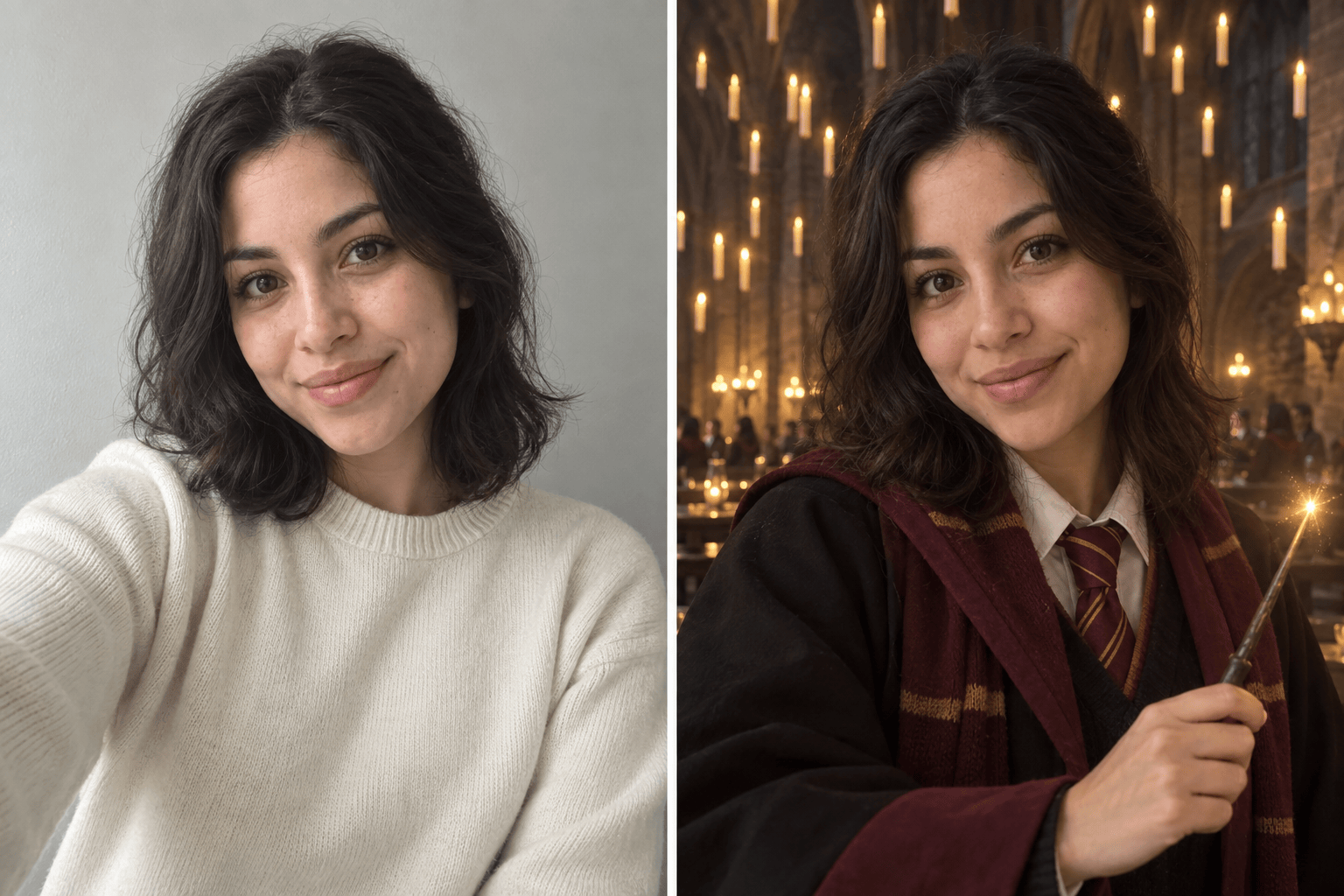
Upload your own portrait and state what must stay unchanged. Our online AI wizard filter can preserve facial structure, skin tone, hairstyle, and expression while transforming clothing and surroundings.
Build More Than a Generic Costume
Choose a student, professor, librarian, spell-caster, or original fantasy role. Add house-inspired colors, old stone interiors, glowing books, potion rooms, misty courtyards, or other details that fit your story.
Guide the Look with References
Use your photo for identity and add visual references for wardrobe, pose, lighting, or color direction. Mew Design separates what should be preserved from what should change.
Correct Details Through Chat
If the first draft changes the face too much or overdoes the effects, use Chat Edit. Ask for a subtler wand glow, cleaner hands, a closer likeness, or a new background without rebuilding the idea from scratch.
Create Matching Magical Variations
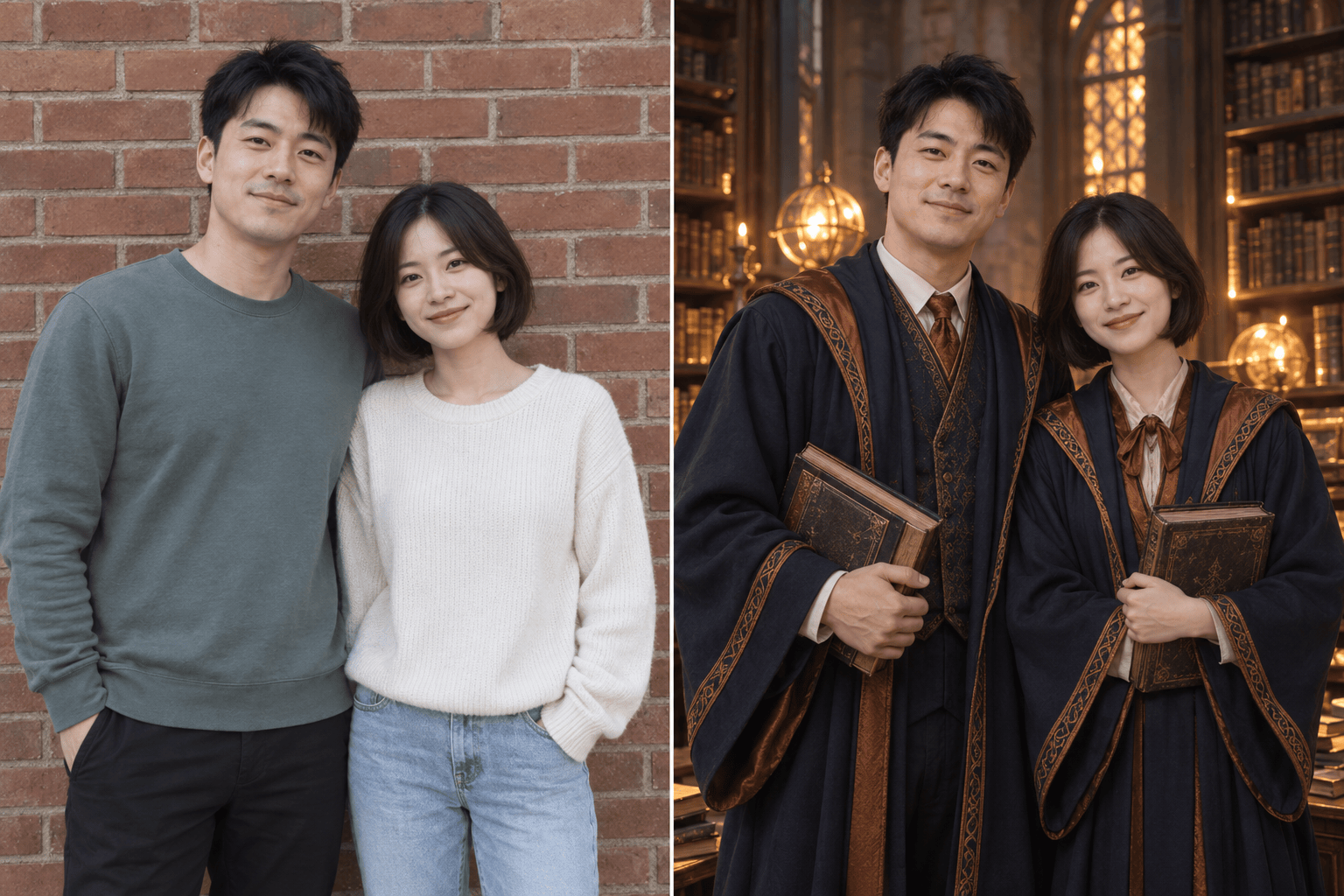
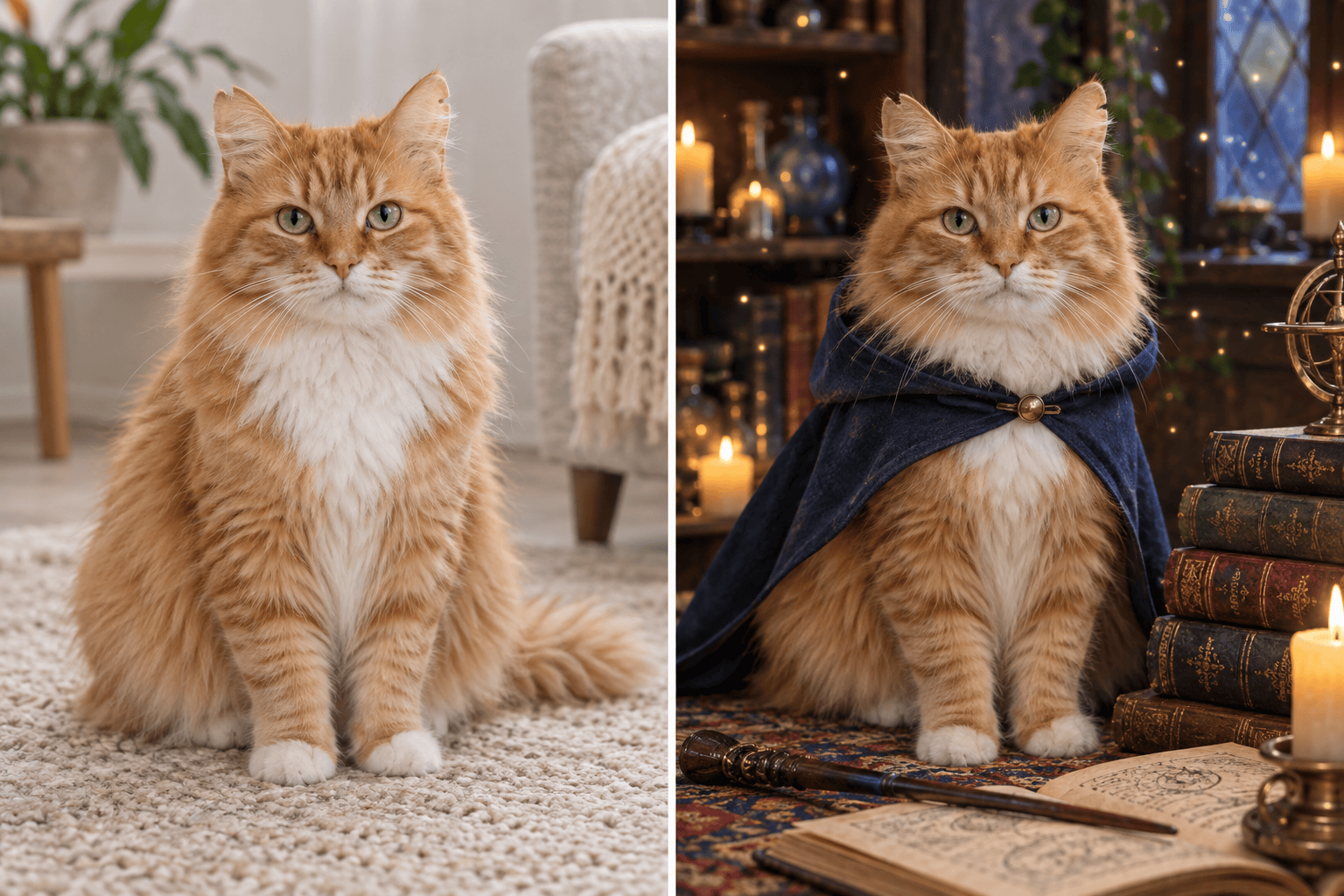
Explore profile, poster, square avatar, and vertical social crops, or generate related looks for a couple, group, or pet. Keep the same overall wizard-school direction while changing scenes and poses.
Try the Filter Online for Free
Sign up for free AI credits and test a Harry Potter filter from your photo in the browser. Refine the result before exporting it without a watermark; no desktop design software is required.
How to Get a Recognizable Wizard Portrait
- Lock the Identity: Name the facial features, hair, skin tone, expression, or pose that should remain recognizable.
- Choose the Role and Setting: Describe a student, professor, potion maker, librarian, athlete, or original wizard, plus a hall, library, courtyard, train platform, or forest.
- Control the Magic: Specify subtle or dramatic wand light, floating objects, mist, sparks, or glowing creatures so the effects do not overwhelm the face.
- State the Final Crop: Ask for square profile art, a vertical social portrait, or a wider couple image to keep the composition useful.
Harry Potter Filter Prompts for Popular Photo Types
Transform my uploaded selfie into an original wizard-school student portrait. Keep my face, skin tone, eye color, hair, and expression recognizable. Add burgundy-and-gold academic robes without logos, a candlelit stone hall, subtle floating candles, and warm cinematic lighting. Square profile crop; do not copy a named character, actor, crest, or exact film scene.
Turn our uploaded couple photo into a coordinated magical-academy portrait. Preserve both faces, relative heights, skin tones, and expressions. Dress us in complementary navy-and-copper robes with no emblems, place us in an old library with glowing books, and use a horizontal composition with soft golden light.
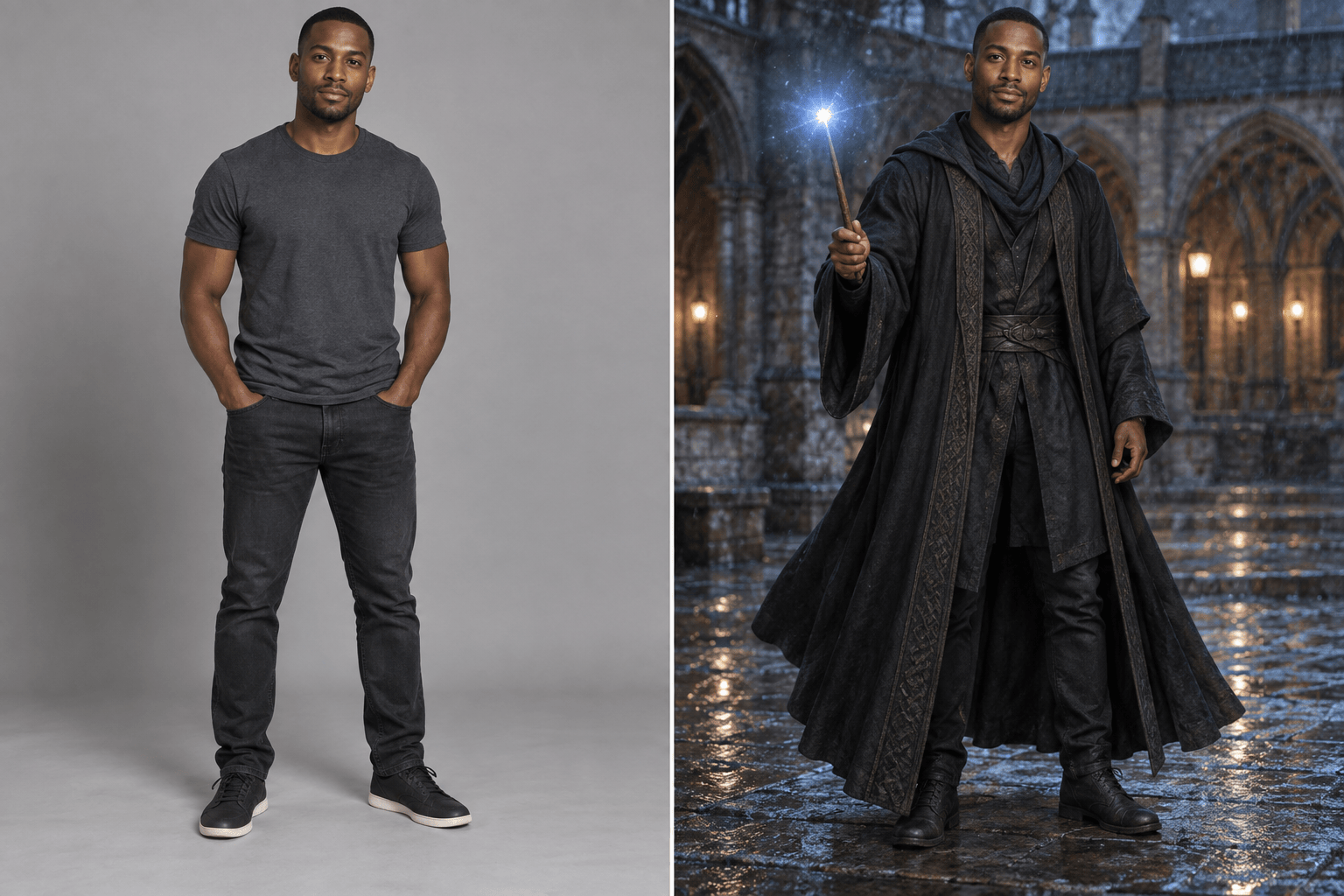
Restyle my full-body photo as an original adult spell-caster in a rain-damp stone courtyard. Keep my identity and body proportions unchanged. Add layered charcoal robes, a plain wooden wand, controlled blue spell light, wind movement, and a dramatic vertical social-media crop without franchise logos.
Transform my pet photo into a whimsical wizard companion portrait. Preserve the animal's exact fur pattern, eye color, face shape, and expression. Add a small plain academic cape, stacked spellbooks, a cozy candlelit study, and gentle floating sparkles; no logos or named characters.
Create a house-inspired profile portrait from my photo using emerald-and-silver colors, but no official crest or uniform. Keep my face and hair recognizable. Place me in a moody potion classroom with glass bottles, green rim light, light fog, and a confident expression.
Convert our group photo into an original magic-academy graduation portrait. Keep every adult recognizable and preserve the order of people. Use distinct robe colors with no logos, an ancient castle courtyard, soft sunset light, and a wide composition. Keep spell effects minimal so all faces remain clear.





