Free OnlineAI Fashion Model Generator
Turn a flat lay, hanger photo, mannequin shot, or packshot into adult on-model fashion imagery with Mew Design - AI Design Agent. Use our AI fashion model generator to direct the model, pose, crop, and backdrop, then create product-page, lookbook, and campaign options through chat. Review every result against the real garment before publishing: an AI clothing model image is visual content, not proof of size or fit.

How to Create On-Model Fashion Photos with AI

Start with clear garment references, plan the shot for a real channel, and keep the physical product as the source of truth.
1

Prepare Honest Garment References

Upload a clear, authorized flat lay, hanger photo, mannequin shot, or packshot. Include front and back views when available, and make the product's color, pattern, neckline, sleeves, hem, hardware, and branding easy to inspect.
2

Define the Adult Model and Shot

Describe the adult model direction, body framing, pose, camera angle, background, lighting, and ratio. Say whether you need a white-background listing image, lookbook page, social crop, or campaign visual.
3

Generate Controlled On-Model Options

Ask the AI clothing model generator to treat the garment reference as fixed and vary only the model or scene. Create several options, then inspect silhouette, print, seams, closures, pockets, fabric texture, and contact shadows.
4

Refine, Export, and Verify

Use Chat Edit to correct one issue at a time, such as the sleeve length, pose, crop, or backdrop. Export PNG or JPG files, compare them with the exact SKU, and check current marketplace and AI-disclosure rules before publishing.
How to create fashion model photos with AI

A Product-First Workflow for AI Fashion Model Images

Start from the Garment You Sell

Upload an authorized product image and explain which details must remain recognizable. The online AI fashion model generator uses that visual reference to build an on-model direction instead of inventing a garment from a vague trend prompt.

Direct the Adult Model and Casting Brief

Describe an adult model's presentation, approximate age range, body type, hair, expression, and styling in terms that fit your audience. Avoid celebrity likenesses and use inclusive, respectful language.

Keep Product Details as the Review Standard

Use the real item to check color, material, pattern scale, logo, buttons, zippers, stitching, pockets, length, and silhouette. Fine prints, reflective trims, and hardware deserve an extra human review.

Create Poses and Scenes for Each Channel

Turn one clothing reference into clean front views, three-quarter poses, walking shots, restrained lifestyle scenes, or editorial crops. This AI model generator for clothing can support listings, lookbooks, ads, and social content.

Plan a Consistent Catalog Direction

Repeat the model identity, camera height, framing, light, and background across a collection. Request a coherent image series so new colors or restocks do not look disconnected from the rest of the storefront.

Correct the Shot Through Chat

If the first AI clothing model image misses the brief, use Chat Edit to simplify the background, change the crop, soften the pose, restore a garment detail, or create a second sales-channel version without starting over.

Write the Prompt Like a Fashion Ecommerce Shot List

Use my uploaded authorized front and back product photos of an ivory cropped utility jacket as the fixed garment reference. Create a photorealistic 4:5 ecommerce image with one adult model, age 25–35, standing in a relaxed three-quarter pose on a warm-white seamless studio background. Preserve the boxy cropped silhouette, pointed collar, four matte horn buttons, two patch pockets, cuff tabs, ivory color, and visible cotton-twill texture. Soft catalog lighting, natural hands, full jacket unobstructed, no handbag, jewelry, brand name, text, extra pockets, changed hem, warped buttons, or watermark. Visual merchandising image only; do not imply exact fit.
For the best results with an AI fashion model generator, describe the source garment as carefully as a product photographer would, then lock the model, pose, camera, and channel requirements.
  • Supply useful product views: Use a clean front image and add a back or detail view when it matters. Mention the exact variant, color, fabric, print, trim, and construction details visible in those references.
  • State what must not change: List the neckline, sleeves, length, pockets, closures, logo placement, pattern scale, and other facts the generated image must preserve for review.
  • Direct model, pose, and camera: Describe one adult model direction, body framing, expression, pose, lens feel, crop, light, and whether hands, shoes, or the full garment should remain visible.
  • Name the channel and exclusions: Ask for a 4:5 product page, square marketplace crop, or vertical social creative. Exclude props that hide the garment, celebrity resemblance, extra logos, altered prints, distorted hands, text, and watermarks.

AI Fashion Model Prompts for Listings and Campaigns

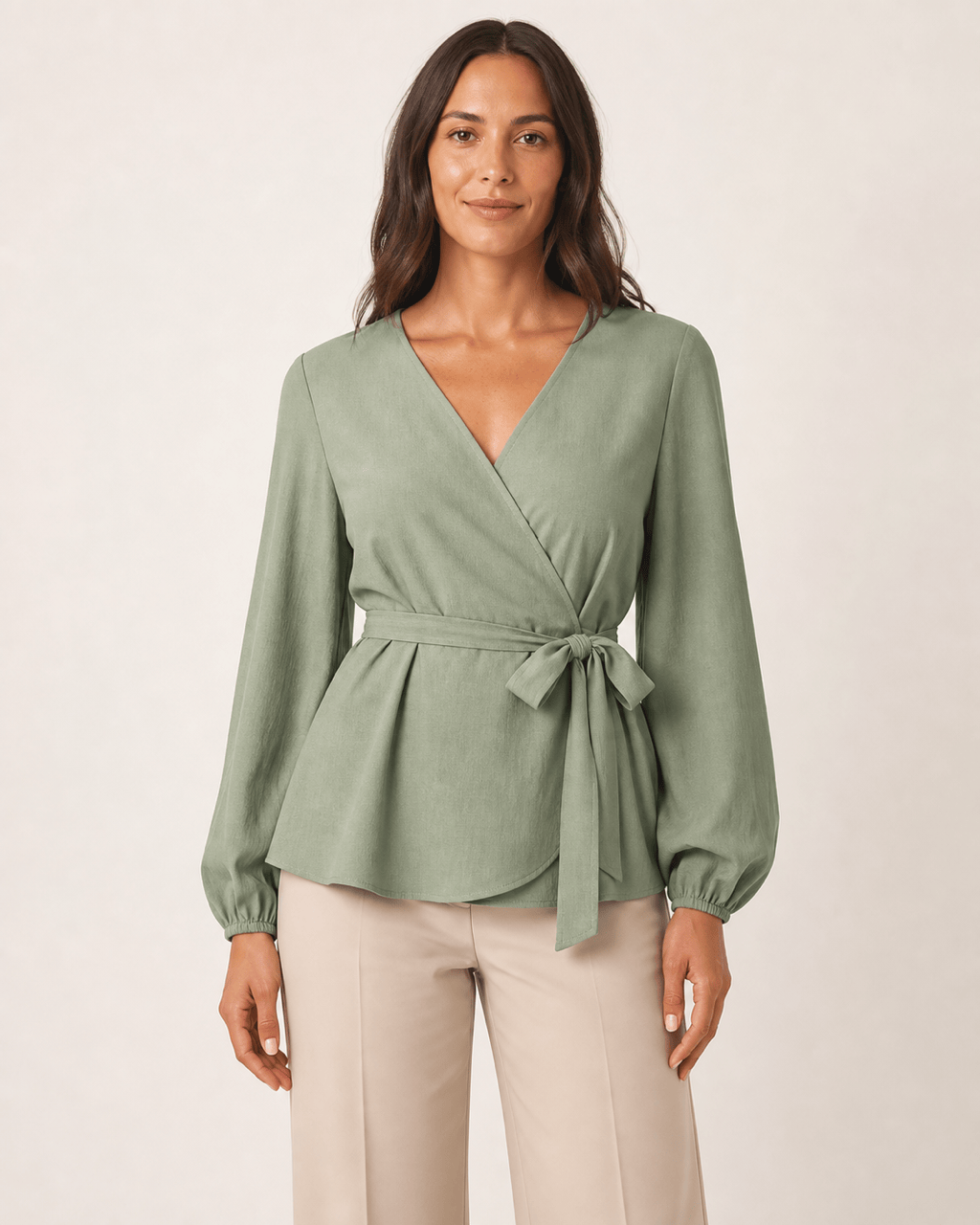
White-Background Womenswear Listing: Use my uploaded flat-lay photo of a sage wrap blouse as the fixed garment. Create one adult female model in a natural front-facing catalog pose on pure warm white, vertical 4:5. Preserve the V-neck wrap, waist tie, full bishop sleeves, sage color, and subtle crepe texture. Keep the blouse unobstructed; no jewelry, handbag, text, logo, or watermark.

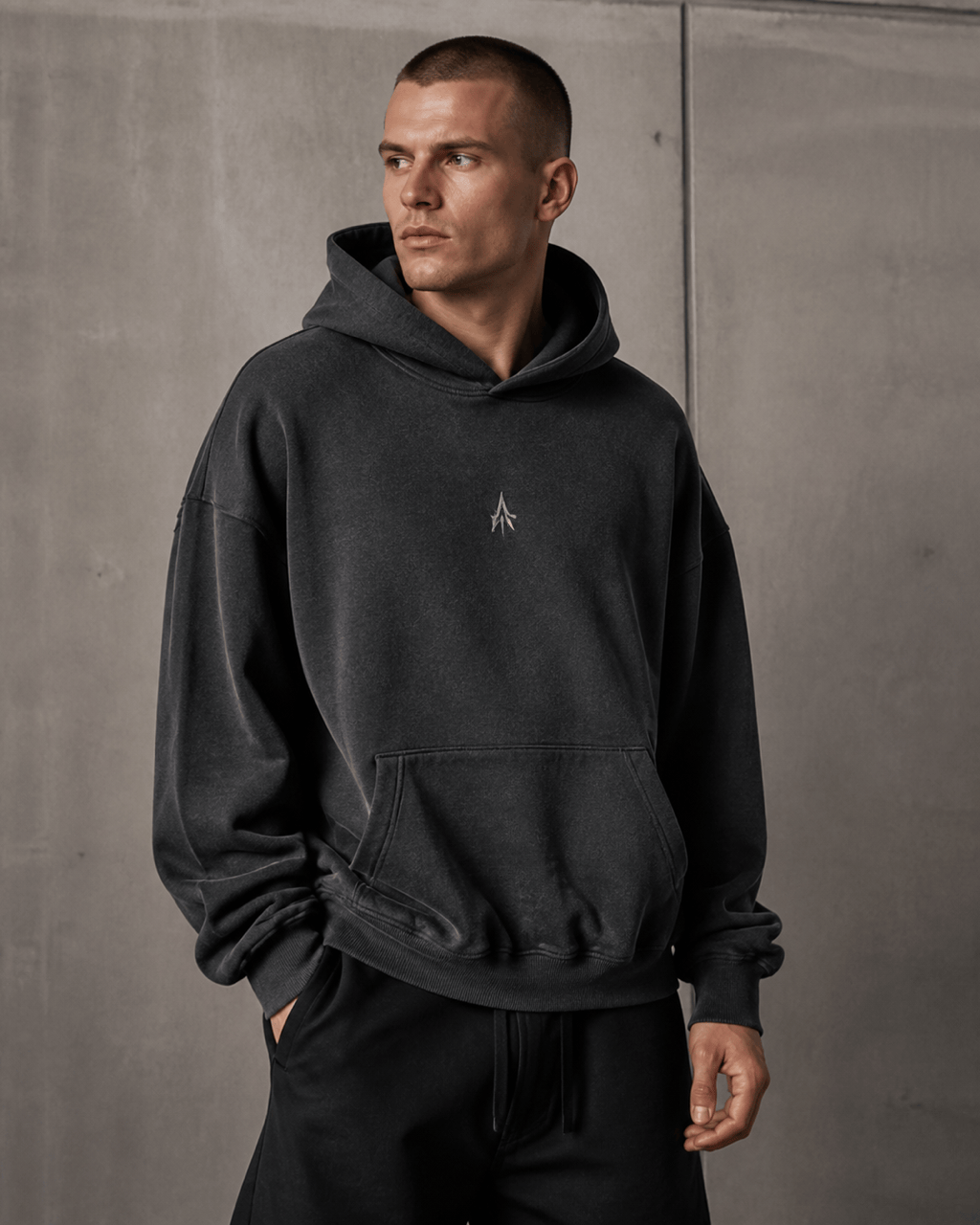
Streetwear Drop Campaign: Place my authorized charcoal oversized hoodie reference on one adult male model in a relaxed three-quarter stance against a minimal concrete studio set. Preserve the dropped shoulder, kangaroo pocket, ribbed cuffs, faded wash, and small permitted chest graphic exactly enough for review. Moody softbox light, vertical social crop, no extra graphics or props covering the hoodie.

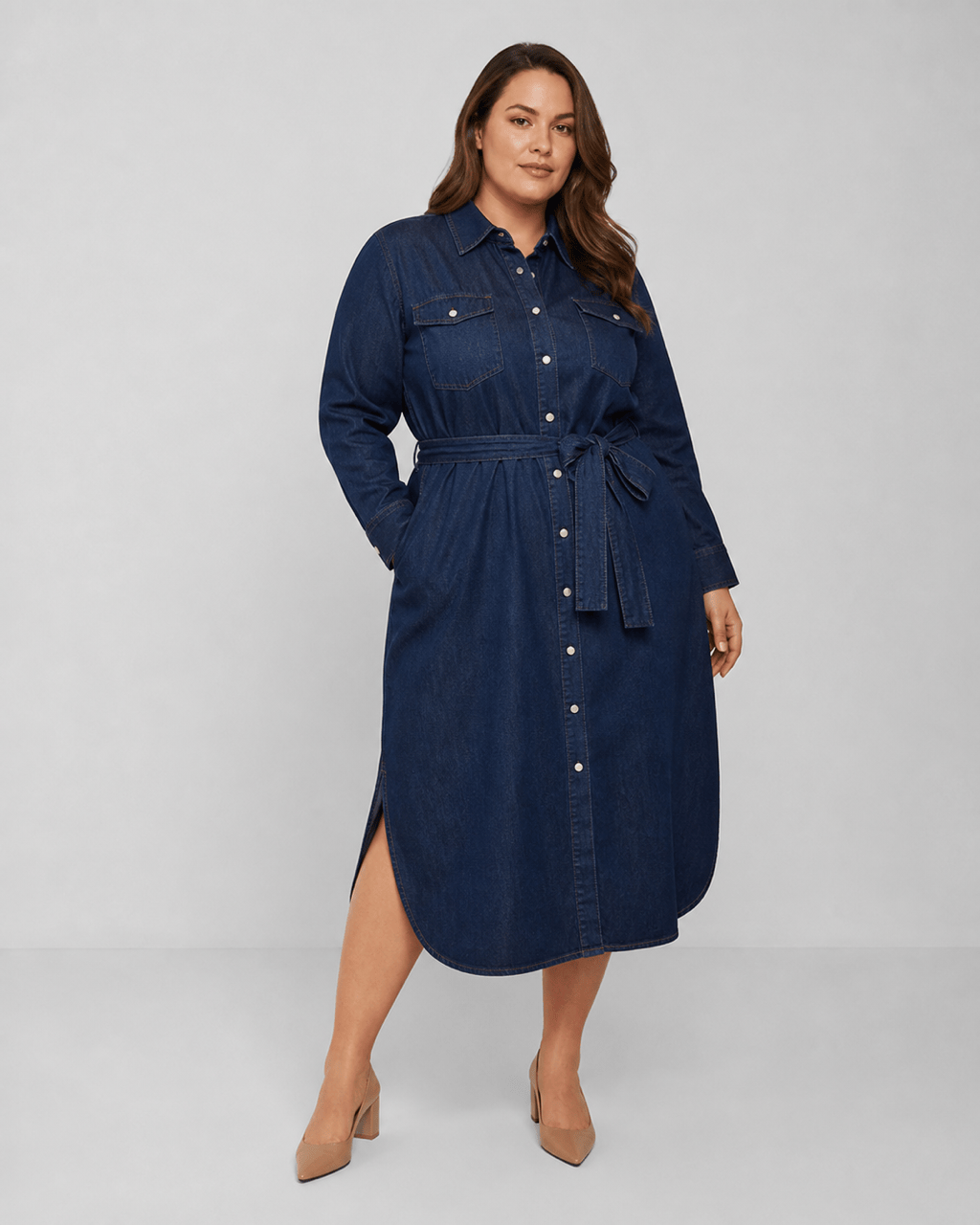
Inclusive Denim Catalog: Create an adult plus-size fashion model wearing my uploaded dark-indigo midi shirt dress. Keep the pointed collar, pearl snaps, waist belt, curved hem, topstitching, and indigo wash visible. Confident neutral pose, light-gray ecommerce studio, full dress in frame, realistic denim folds, no smoothing that changes body or garment shape.

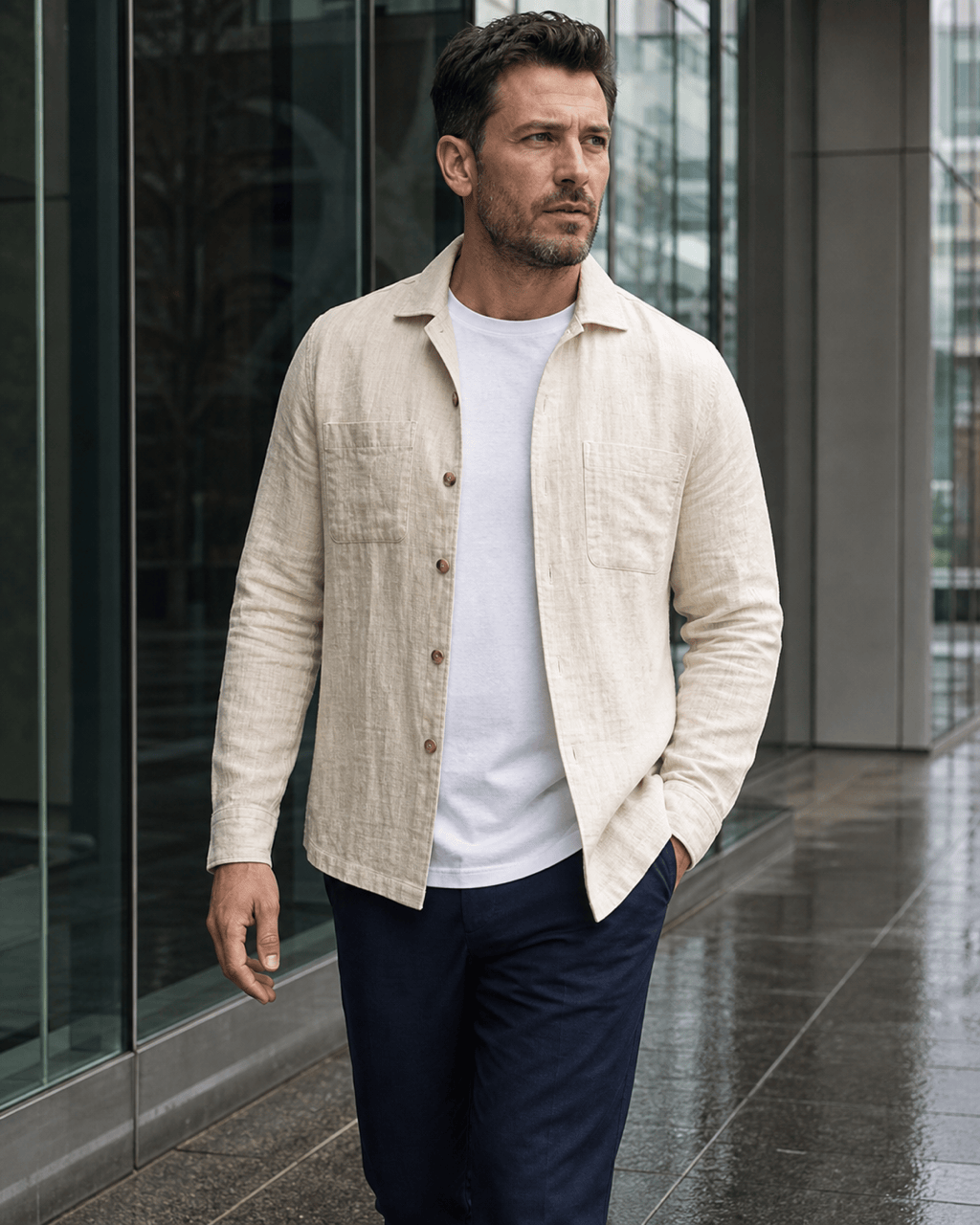
Menswear Marketplace Image: Turn my cream linen overshirt packshot into a clean on-model image with one adult male model, straight posture, front view, square crop, and pale-gray background. Preserve the open collar, two chest pockets, coconut buttons, side vents, and slub texture. No undershirt graphics, accessories, added branding, text, or watermark.

Consistent Three-Pose Set: Use the same adult model identity, navy seamless backdrop, camera height, and soft side light across three separate images of my uploaded rust knit dress: front standing, three-quarter walking, and side profile. Keep the rib knit, square neckline, long sleeves, midi length, and rust color consistent in every image.

Lifestyle Lookbook Image: Put my authorized olive technical jacket on one adult model walking beside a modern glass building after light rain. Preserve the high collar, taped seams, waterproof zipper, elastic cuffs, and matte olive fabric. Editorial but believable lighting, garment fully readable, 4:5 crop, no umbrella, extra bag, copied brand mark, text, or watermark.


AI Fashion Model Generator FAQ

An AI fashion model generator turns a garment image into a visual of an adult virtual model wearing that product. The workflow usually starts with a flat lay, hanger photo, mannequin shot, packshot, or authorized design reference, then lets you direct the model, pose, crop, lighting, and background.
You can start in your browser with free credits after signup. Credit use depends on the selected model and the number of generations or edits, so check the current plan before producing a large SKU catalog or multi-pose image set.
Use a sharp, evenly lit front view with the full garment visible and little background clutter. Flat lays, hanger photos, mannequin shots, and packshots can work. Add back, label, print, closure, or texture views when those details must remain recognizable.
Yes. Describe an adult model direction that fits your audience, then set pose, framing, lighting, and backdrop. For a consistent catalog, repeat the same model identity and shot rules across images, use only authorized references, and avoid copying a real person's likeness without permission.
No generative result should be assumed exact. Compare each image with the real SKU, especially color, print, logo, seams, pockets, buttons, zippers, trim, texture, front and back construction, and reflective materials. Correct errors or use original photography when precise product proof is required.
This page is product-first: it starts with a garment and creates on-model marketing imagery. An AI clothes changer is person-first and replaces clothing in an existing portrait. A consumer virtual try-on aims to preview clothing on a particular shopper. Generated images are not calibrated measurements or guarantees of physical fit.
They can support product pages, lookbooks, ads, and social content, subject to current channel rules. Match the exact SKU and variant, avoid misleading edits, and decide whether a generated image belongs as a main, additional, or lifestyle image. Google Merchant Center also requires generative-AI image metadata, so verify metadata and disclosure requirements before upload.
Possible commercial uses depend on Mew Design's current terms, applicable law, and your rights to the garment, logo, artwork, and reference images. Review model or likeness considerations, marketplace policies, AI disclosure rules, and the physical product before publishing a catalog or campaign.

Ready to Generate Designs With AI?

Get Started - 50 Free Credits
No credit card required
© 2025 - 2026 Mew Design, MAGOAI LTD.All rights reserved.
Mew Design - Your AI design partner, now with full control. | Product Hunt