Free OnlineAI Face Shape Detector
How to Find Your Face Shape With AI
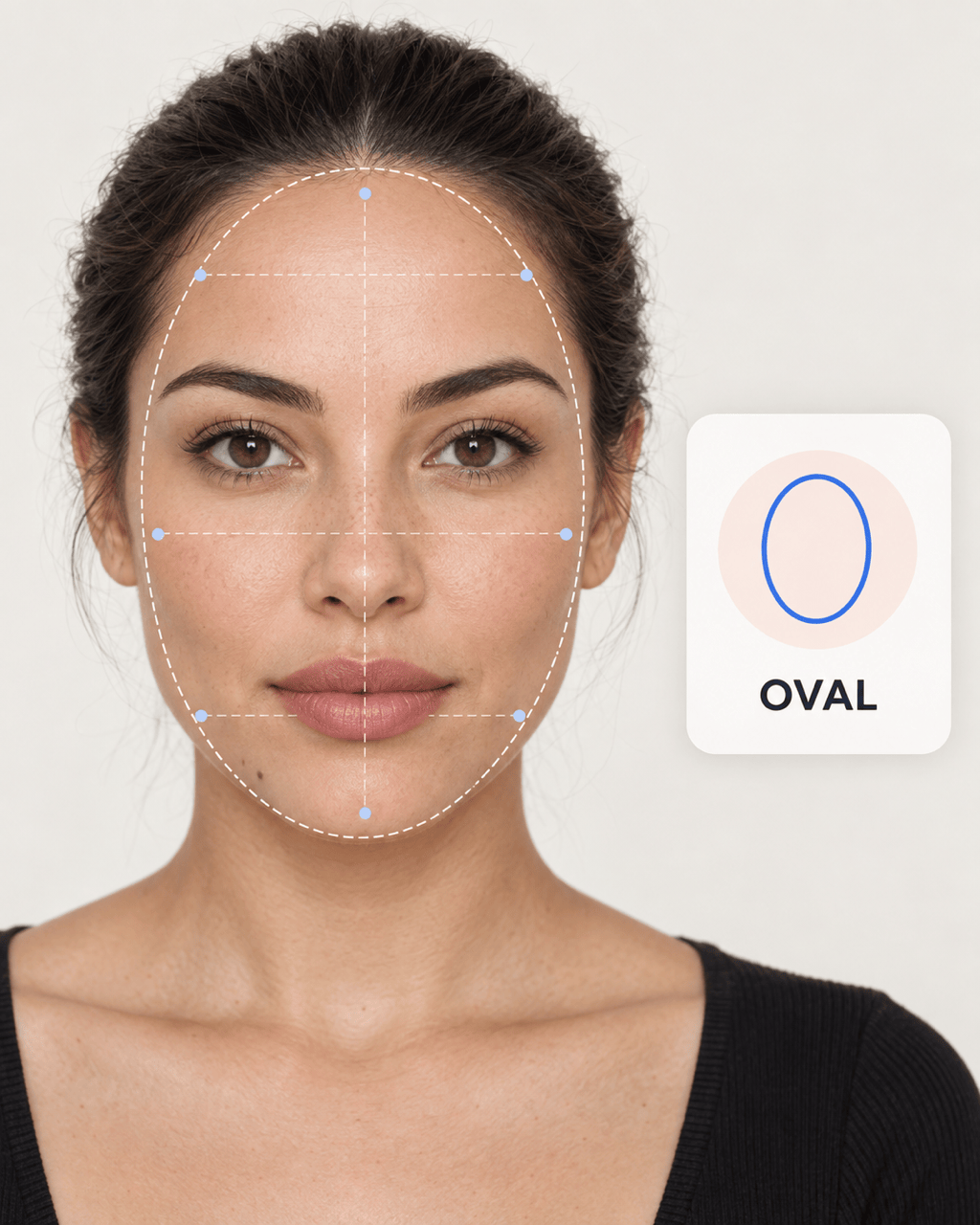
Prepare a Straight-On Selfie
Upload and Ask for an Analysis
Review the Closest Match
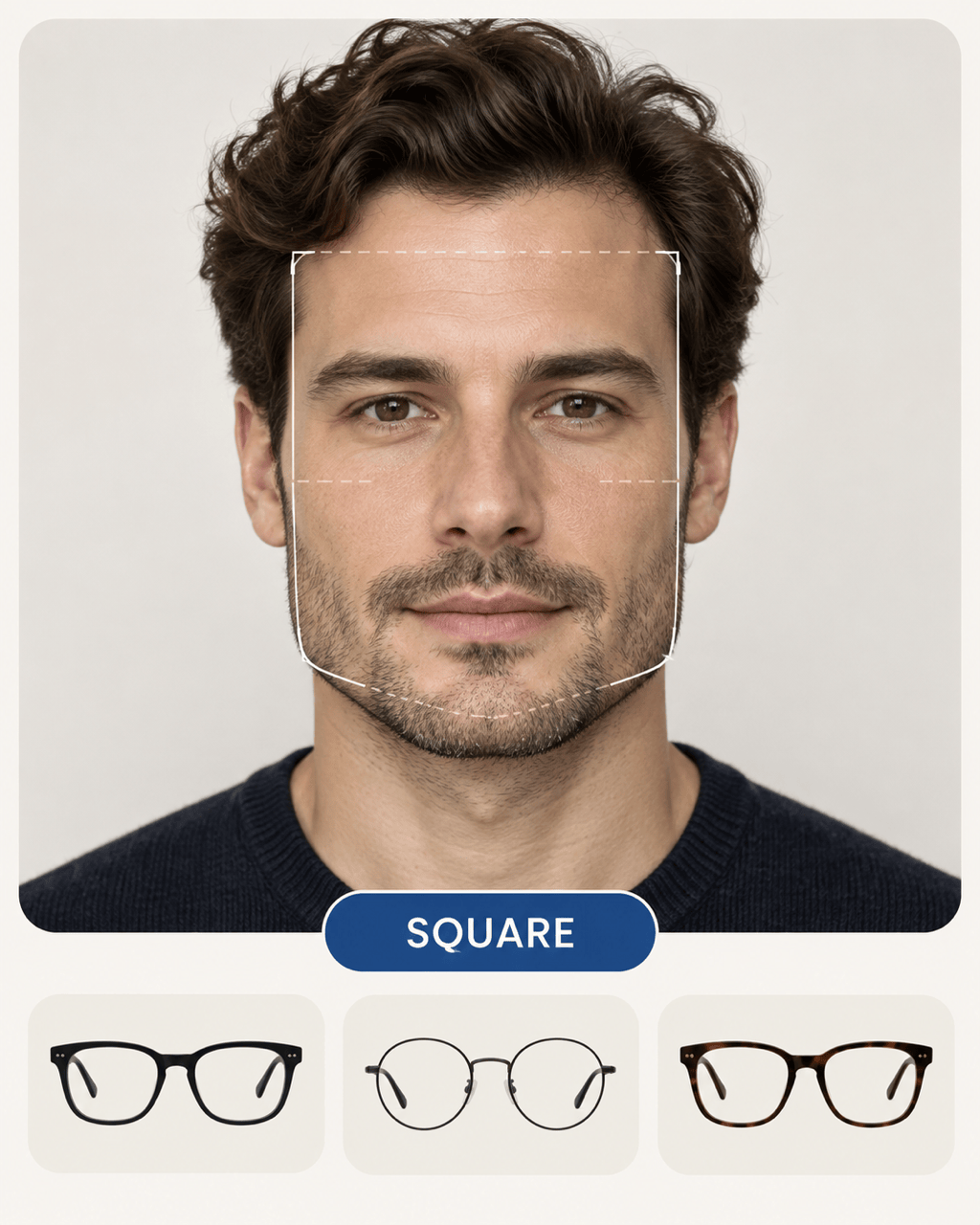
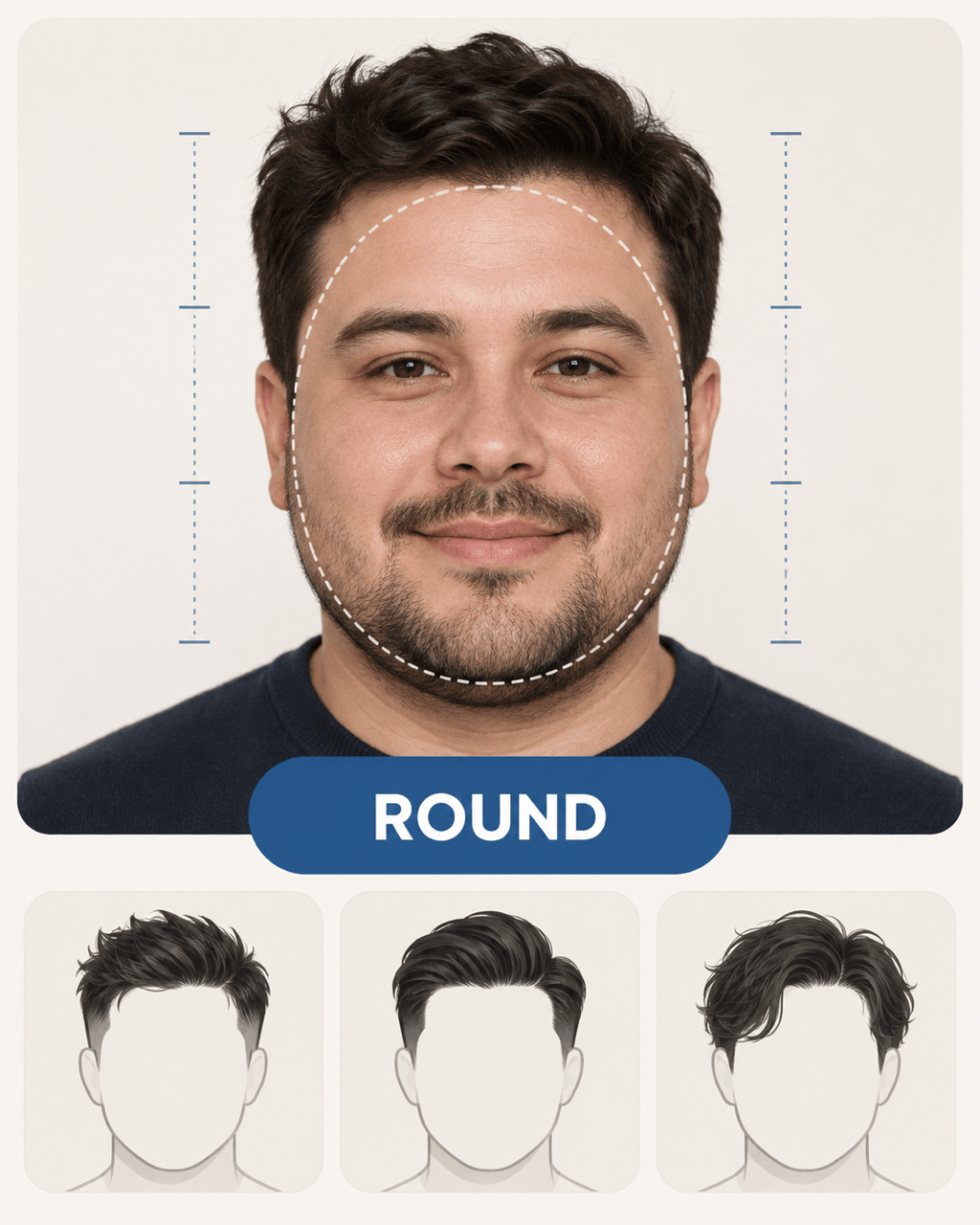
Turn the Result Into Style Ideas

Why Use Mew Design for Face Shape Analysis
Ask in Natural Language
Skip the mirror quiz and measuring tape. Upload a front-facing photo, ask “What face shape do I have?”, and continue the analysis through a normal conversation.
Request the Reasoning, Not Just a Label
Ask the face shape analyzer to explain what it sees in your face length, widest area, jaw angle, and chin. A visible rationale is more useful than an unexplained one-word result.
Handle Mixed Face Shapes Honestly
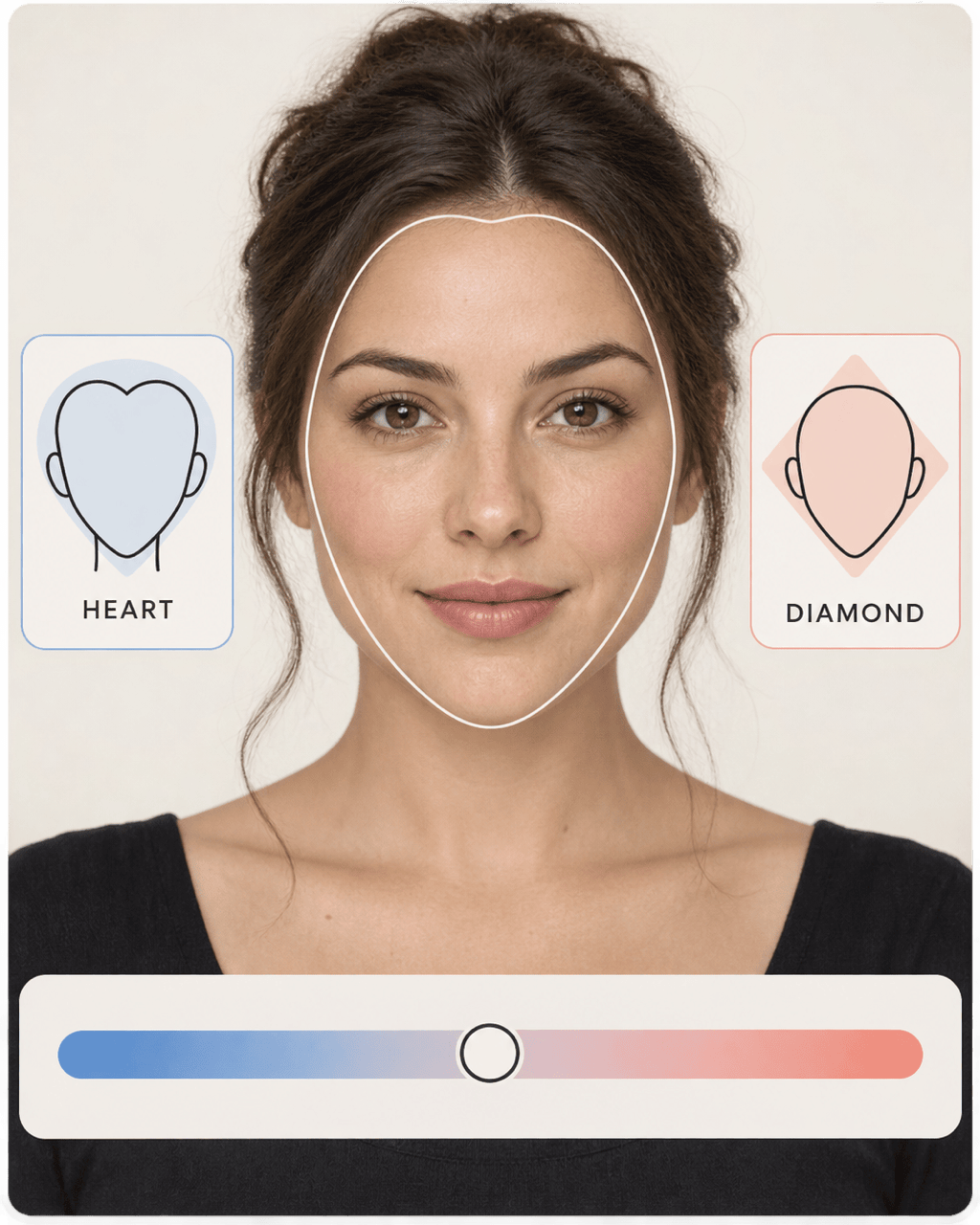
Real faces do not always fit one category. This AI face shape finder can discuss a closest and secondary match so oval-oblong, round-square, or heart-diamond features are not forced into a rigid answer.
Check a Second Photo
If an angle, smile, shadow, or hairstyle changes the visible outline, add another authorized selfie taken under similar conditions and ask Mew Design to compare what stays consistent.
Move From Analysis to a Visual Try-On
Use the result to narrow hairstyles, glasses, makeup, or beard directions. Upload a reference, generate a portrait preview, and use Chat Edit to refine one detail while keeping your identity recognizable.
Start Online With Free Credits
Try the free AI face shape detector after signup, then use your credits for analysis or visual comparisons. If you create a result card or style preview, export the reviewed image as watermark-free PNG or JPG.
Photo Checklist for a More Reliable Face Shape Test
- Keep the Camera Level: Use a straight-on, eye-level view with enough distance to reduce close-up lens distortion. Avoid strong head tilt or a three-quarter angle.
- Show the Full Outline: Pull hair away from the forehead, cheeks, jawline, and chin. Remove hats, masks, and sunglasses that hide the areas used for comparison.
- Use Neutral Light and Expression: Choose even front light, keep a relaxed mouth, and turn off face-changing filters. Deep shadows and a wide smile can alter the visible proportions.
- Repeat Borderline Results: If two face shapes seem close, compare a second photo taken at the same distance and angle. Look for the repeated pattern instead of treating one label as final.
Face Shape Analysis Prompts for Real Style Decisions
Quick Face Shape Check: Analyze @[selfie] and tell me the closest common face shape. Explain the answer using visible face length, forehead, cheekbones, jawline, and chin. Treat it as styling guidance, not a fixed verdict.
Borderline Result: Review @[selfie] for a primary and secondary face shape match. Explain which traits support each category and which photo conditions make the result uncertain. Do not invent a confidence percentage.
Hairstyle Direction: Analyze @[selfie], then suggest haircut lengths, parts, fringe, layers, and volume placement that may balance the visible proportions. Give options for short, medium, and long hair without changing the person’s features.
Glasses Direction: Estimate the face shape in @[selfie], then recommend several eyeglass and sunglasses frame shapes to compare. Explain how frame width, angles, and brow line interact with the visible facial outline.
Makeup or Beard Balance: Analyze @[selfie] and suggest either contour and blush placement or beard silhouettes that can visually balance the forehead, cheeks, jawline, and chin. Keep the guidance practical and nonjudgmental.
Two-Photo Consistency Check: Compare @[selfie-front-1] and @[selfie-front-2]. Note which face-shape clues stay consistent and which differences may come from angle, lighting, expression, hair, or camera distance.





