Free OnlineAI Face Ratio Analyzer
How to Analyze Face Proportions with AI
Prepare a Straight-On Portrait
Upload and Request the Analysis
Review and Refine the Overlay
Export Your Visual Guide

Why Use Mew Design for Face Ratio Analysis
Turn a Portrait into a Visual Study
Upload a photo and describe the guides you want. Our AI face ratio analyzer can turn the image into a clear annotated composition without requiring you to plot every line by hand.
Choose the Proportions That Matter
Ask for facial thirds, horizontal fifths, eye spacing, visible midface balance, or face length-to-width comparisons. The result can focus on one framework instead of burying you in an unexplained score.
Refine Every Overlay in Chat
If a guide is crowded or unclear, use Chat Edit to adjust line weight, colors, labels, spacing, and emphasis while keeping the uploaded portrait as the visual reference.
Compare Photo Conditions
Create matching studies from two portraits to see how camera distance, head angle, expression, and lighting affect visible ratios. This makes the online face proportion analyzer more useful than reading one number in isolation.
Adapt the Guide to Your Craft
Generate a clean study for portrait art, character design, makeup mapping, hairstyle planning, or photography. Ask the AI design agent to emphasize the visual relationships relevant to your project.
Try It Free and Export Cleanly
Sign up to receive free AI credits, test the free AI face ratio analyzer online, refine the design, and export a watermark-free PNG or JPG when the visual guide is ready.
Photo Checklist for More Reliable Face Ratio Analysis
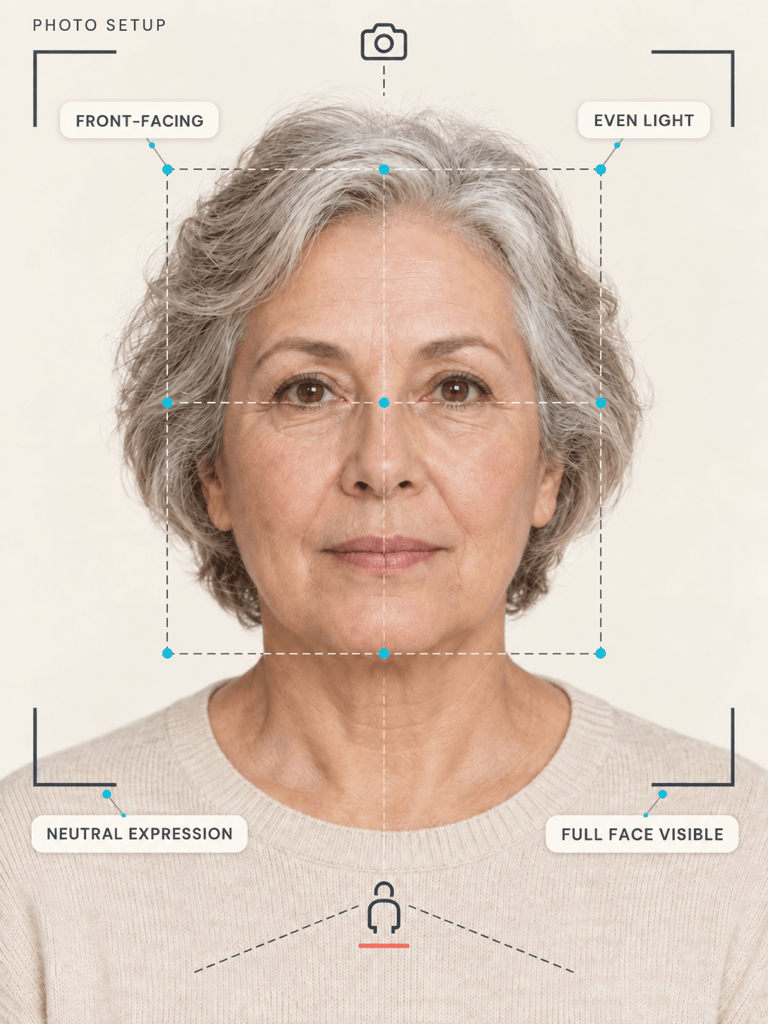
- Face the Camera: Keep both ears at a similar height, look straight ahead, and avoid a three-quarter or side angle unless you are intentionally studying profile proportions.
- Use Neutral Light and Expression: Even light and a relaxed, closed-mouth expression reduce shadows and feature shifts that can affect visible symmetry and spacing.
- Avoid Lens Distortion: Step back from the camera and avoid an extreme wide-angle selfie. A natural camera distance gives a more stable face length-to-width reference.
- Retest Before Comparing: If the result looks surprising, create another study from a second photo with the same pose, light, and camera distance before drawing conclusions.
Face Proportion Analysis Requests to Try
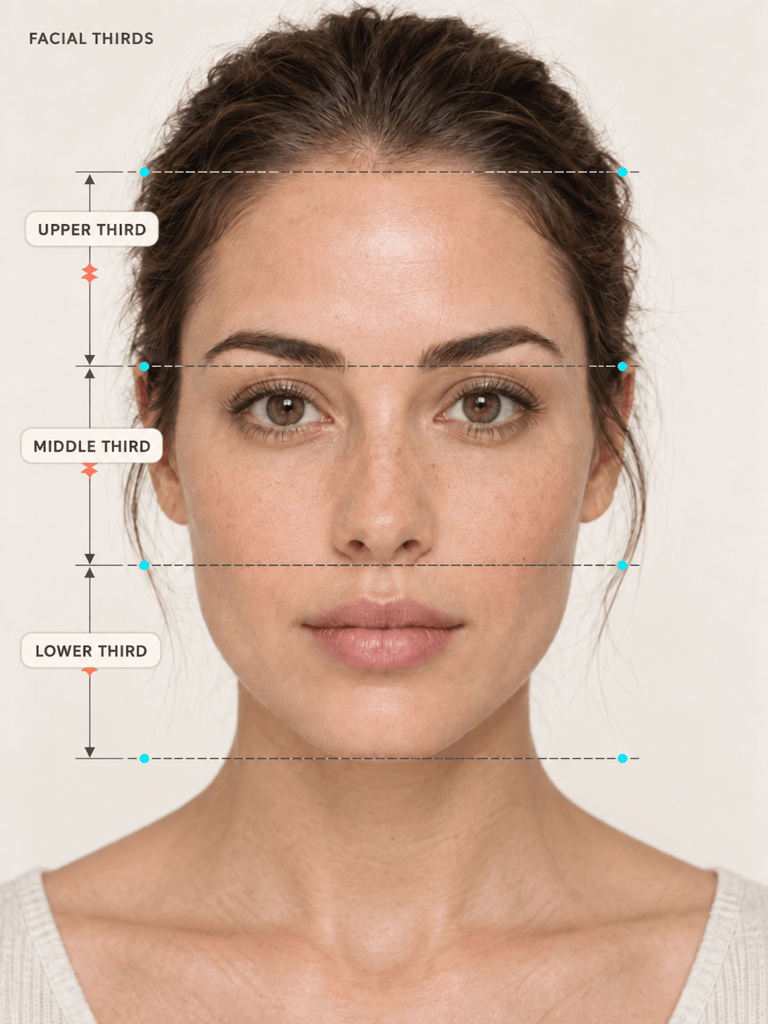
Create a facial thirds analysis from my uploaded front-facing portrait. Add thin horizontal guides at the hairline, brow line, base of the nose, and chin. Keep the face unchanged and label the three visible zones clearly.
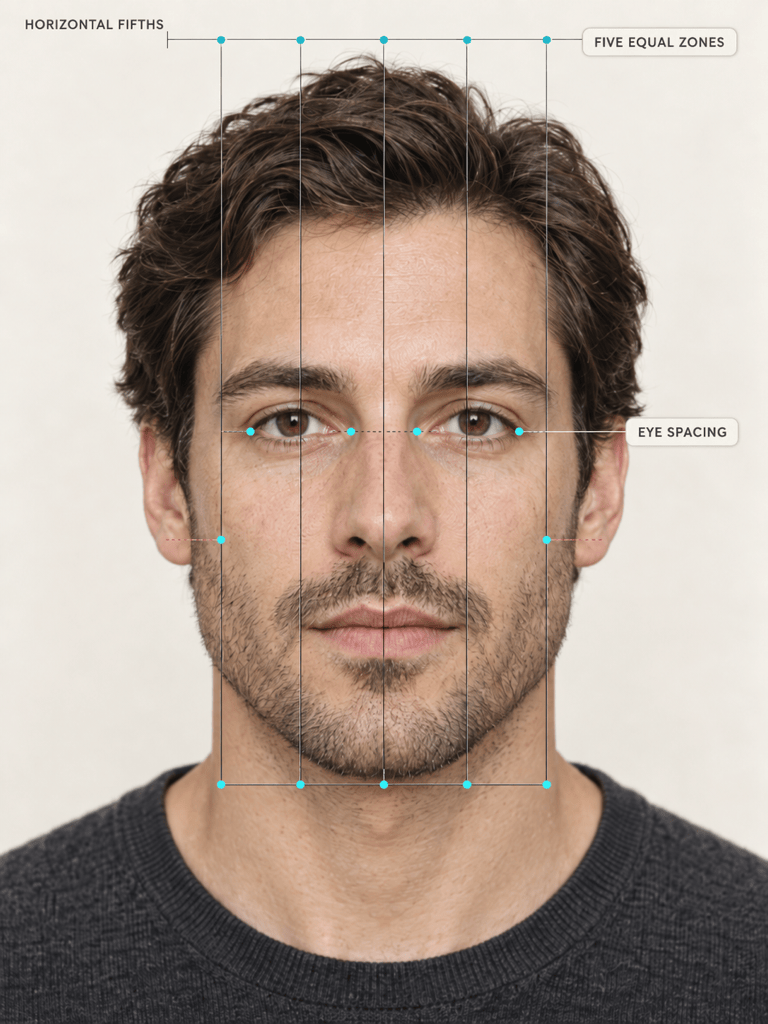
Turn my uploaded portrait into a horizontal fifths guide. Mark the visible face width and eye-spacing divisions with a restrained grid. Keep the design neutral, readable, and free of attractiveness ratings.
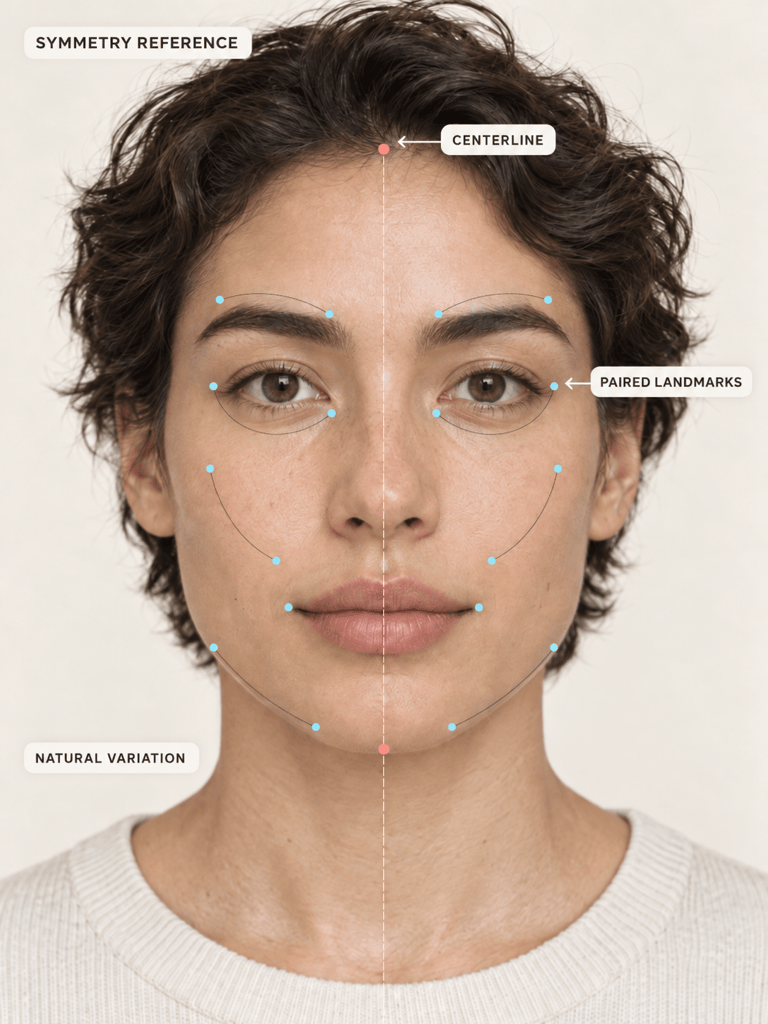
Create an AI facial symmetry reference from this portrait. Add one vertical centerline and subtle paired guides for the eyes, brows, cheeks, mouth corners, and jaw. Describe normal visible differences without calling them flaws.
Compare selected proportions in this front-facing portrait with the classical golden ratio of 1.618. Show which visible distances are being compared and present the result as an educational geometry reference, not a beauty score.
Use my two uploaded portraits to create matching face ratio guides. Apply the same thirds, fifths, and centerline overlay to both, then note how camera distance, head tilt, expression, or lighting may explain visible differences.
Create a clean face proportion reference for portrait drawing from my uploaded image. Emphasize the centerline, eye line, brow-to-nose distance, nose-to-chin distance, and overall face width while preserving the subject's natural features.





