Free OnlineAI Dungeons and Dragons City Generator
How to Create a D&D City with AI
Define the City's Role
Shape Districts and Routes
Populate the City Brief
Prepare the Map and Handouts

Why Use Mew Design for D&D City Worldbuilding
District Logic, Not Random Streets
Describe trade, wealth, water, terrain, walls, and governance, and the AI D&D city generator can group neighborhoods around those pressures. Roads and landmarks gain a reason instead of looking like a decorative maze.
A Map with a Campaign Job
Build a city as a safe haven, political pressure cooker, frontier gate, pilgrimage stop, or villain's stronghold. The role guides the district mix, travel routes, and the locations players are likely to revisit.
Lived-In NPCs and Factions
Generate a magistrate, dockmaster, innkeeper, guild leader, priest, or street fixer with a goal and a point of tension. Tie factions to laws, trade, rumors, and public landmarks so the city produces playable choices.
Secrets That Become Hooks
Keep a sealed gate, hidden shrine, smuggling route, missing person, or old oath in the GM brief. Ask for clues players can discover over several visits instead of revealing every secret on the player map.
Map and Gazetteer Together
Use a D&D city map generator prompt for the visual overview, then request a scannable brief for districts, shops, NPCs, factions, rumors, and hooks. The two outputs answer both 'where is it?' and 'what can we do there?'
Continuity for Returning Parties
Upload a campaign note or earlier map and keep the city's palette, history, naming style, and political pressure consistent. Use Chat Edit when a new festival, siege, faction alliance, or player consequence changes one district.
How to Write an Effective D&D City Prompt
- List the districts: Name the neighborhoods players will visit and give each a function, mood, wealth level, landmark, and reason to cross it. Mix practical districts with one surprising or dangerous area.
- Connect movement: Mention rivers, walls, gates, bridges, markets, canals, roads, elevation, and travel bottlenecks. A city map becomes useful when players can understand how one district leads to another.
- Add people and pressure: Ask for government, economy, factions, notable NPCs, rumors, secrets, laws, and current events. Give each group a goal, resource, rival, and visible location so politics can surface at the table.
- Separate the reveal: Request a clean player-facing overview and a private GM brief. Keep secret doors, villain identities, true rumors, and hidden districts out of the image your players receive.
AI D&D City Generator Prompt Examples
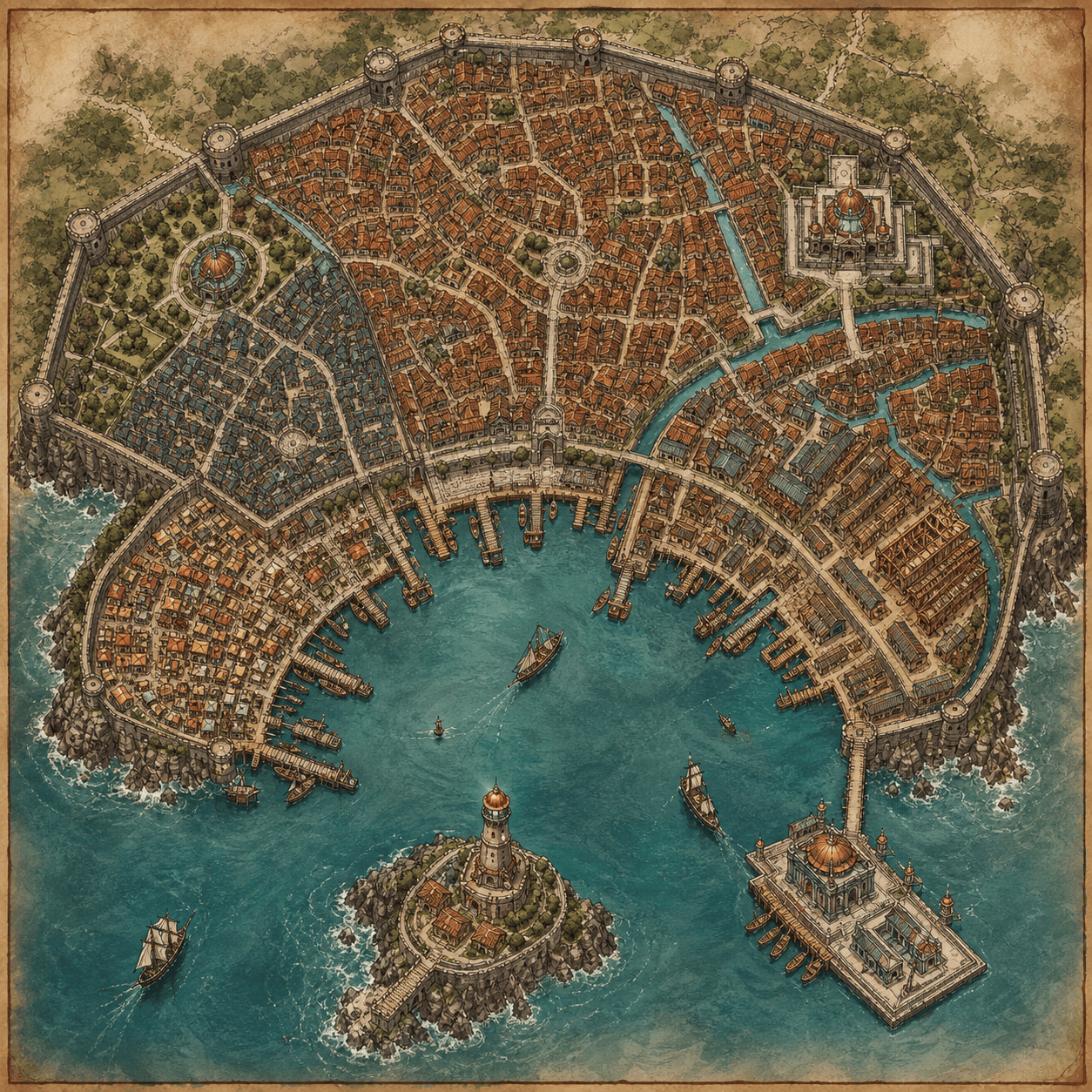
Create a square D&D coastal port city map and GM brief with a crescent harbor, fish market, shipwright quarter, lighthouse island, smugglers' canals, temple pier, and a council split between merchants and privateers. Add three NPCs, two factions, rumors, and a secret route beneath the docks.
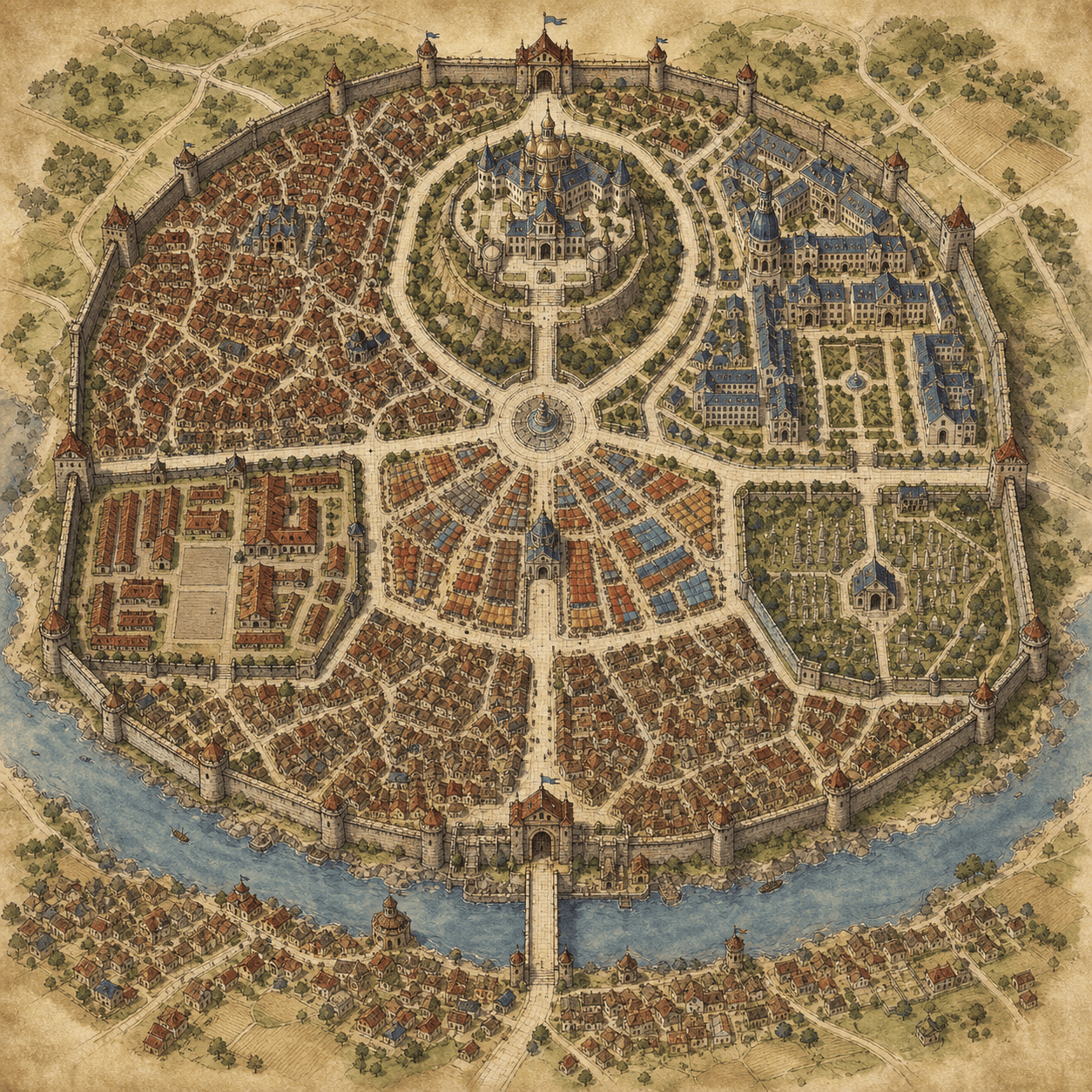
Design a walled capital for a D&D campaign with an old town, palace hill, military barracks, grand bazaar, university ward, cemetery, river gate, and crowded outer boroughs. Show how the roads and bridges connect, then add government tensions, rival nobles, notable residents, and a festival hook.
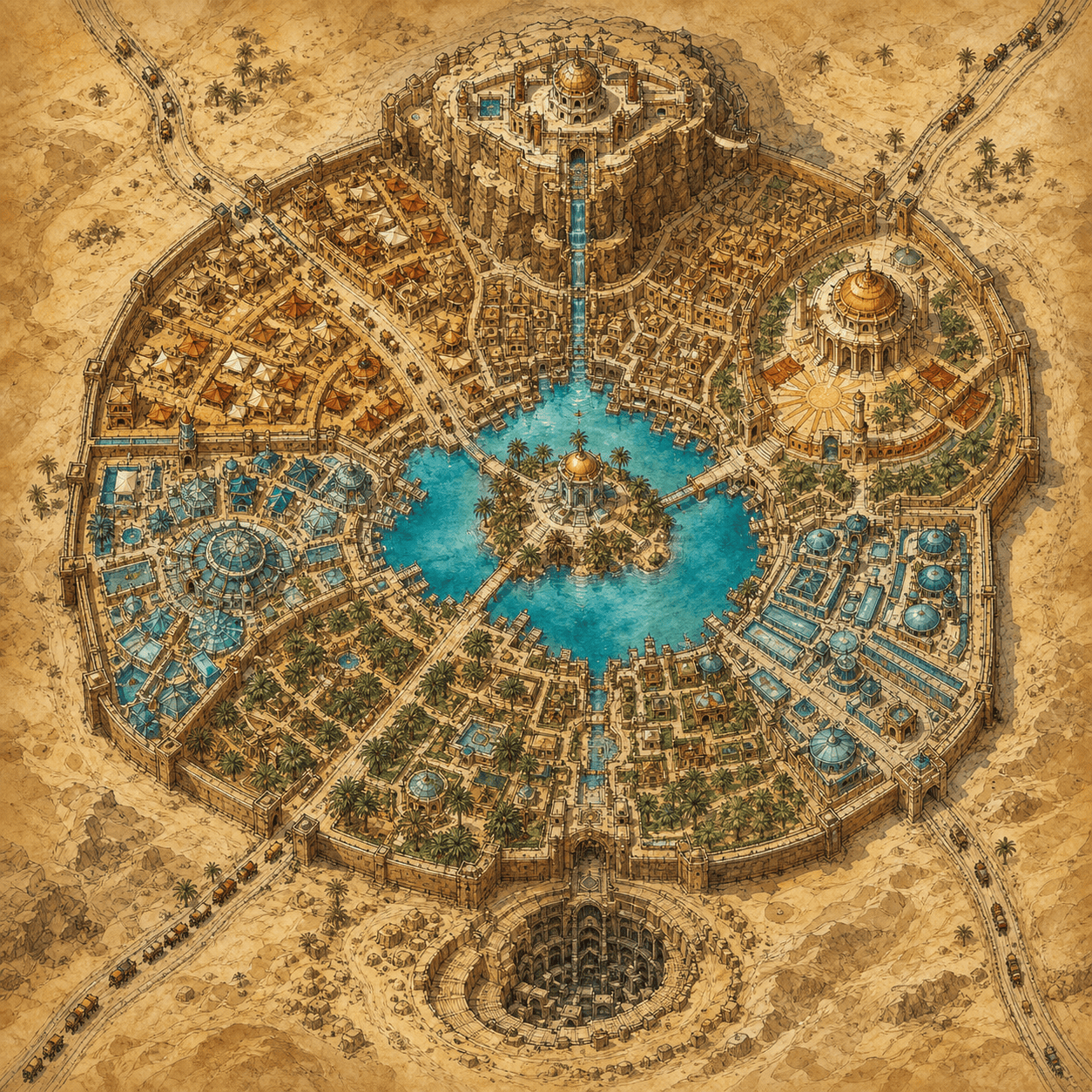
Generate a desert trade-city overview for D&D: oasis gardens, caravanserai, glass market, sun temple, cliffside palace, water authority district, and a buried undercity. Use warm parchment cartography and write hooks about water theft, a missing caravan, and a faction hiding an ancient pact.
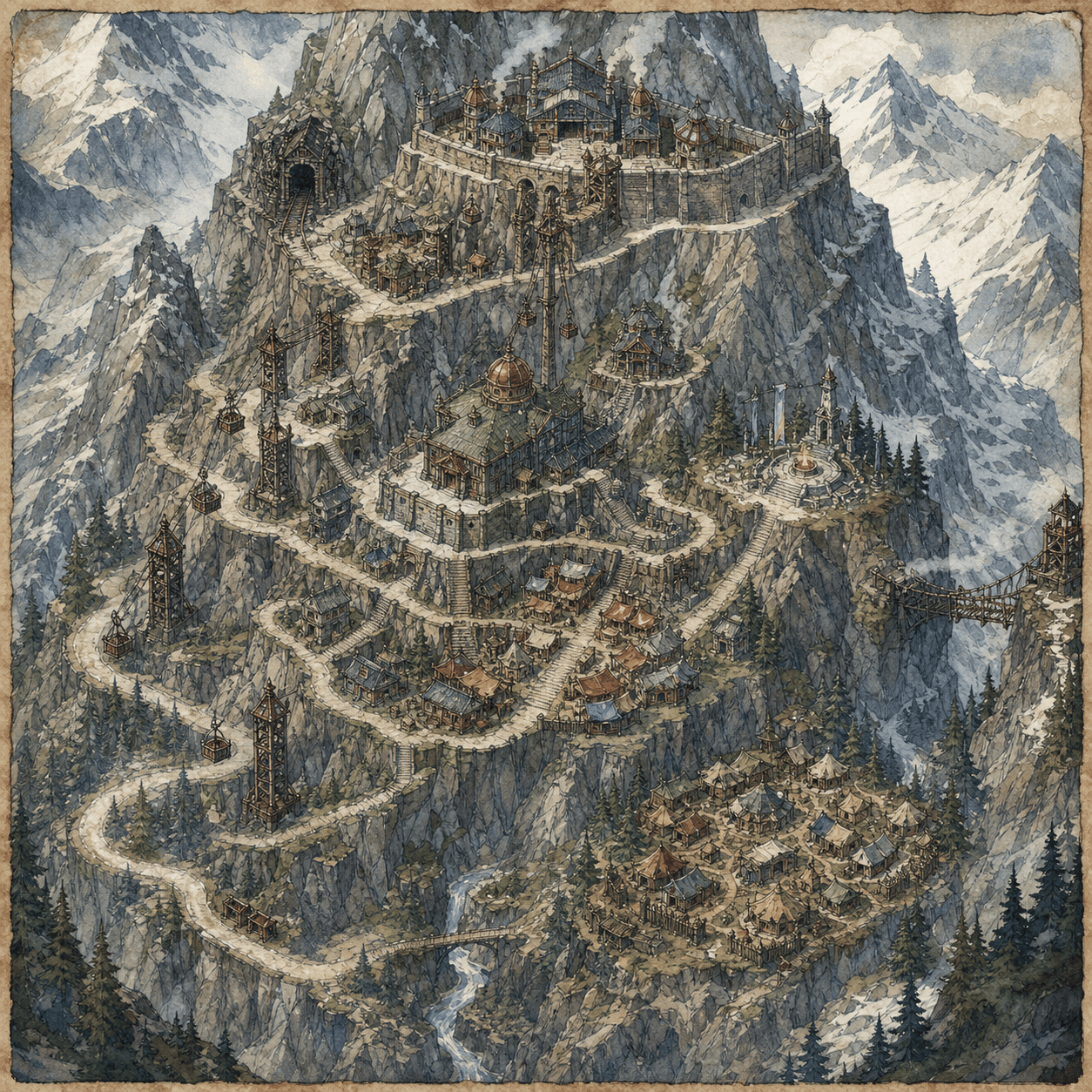
Create a mountain mining city for a D&D party returning from the frontier. Include terraced districts, lift towers, a mine entrance, guildhall, refugee camp, snow pass, shrine, and an unstable bridge. Add an anxious mayor, a miners' union, a rival prospecting company, and secrets beneath the oldest tunnel.
Build a swamp city for a dark-fantasy D&D campaign with raised boardwalks, stilt homes, a floating market, herbalist quarter, watch platforms, a flooded shrine, and a hidden dry route. Include local laws, three NPCs, faction pressure, rumors, and a player map without secret markers.
Design an arcane university city for D&D with colleges, spell-market streets, an observatory, student commons, old city walls, a magical canal, a forbidden archive, and a portal plaza. Keep the map readable, then add rival deans, student societies, a city watch, and four investigation hooks.





