Free OnlineAI Dog Breed Identifier
Upload a clear pet photo to Mew Design - AI Design Agent. This online dog breed detector studies visible traits to suggest likely breeds or mixes, explain the clues, and create an editable result card.

How to Identify a Dog Breed From a Photo with AI

Use our dog breed identifier by picture to explore likely matches, compare visual clues, and save a clear summary of the result.
1

Upload a Clear Dog Photo

Choose a well-lit image with one dog filling the frame. Keep the face, ears, coat, legs, and tail visible; a standing side view gives the online dog breed detector more useful clues.
2

Ask for Likely Breed Matches

Tell Mew Design to identify the dog breed from the photo. The AI agent reviews visible cues such as ear set, muzzle shape, coat texture, markings, and body proportions, then explains the closest possibilities.
3

Compare Mixes and Look-Alikes

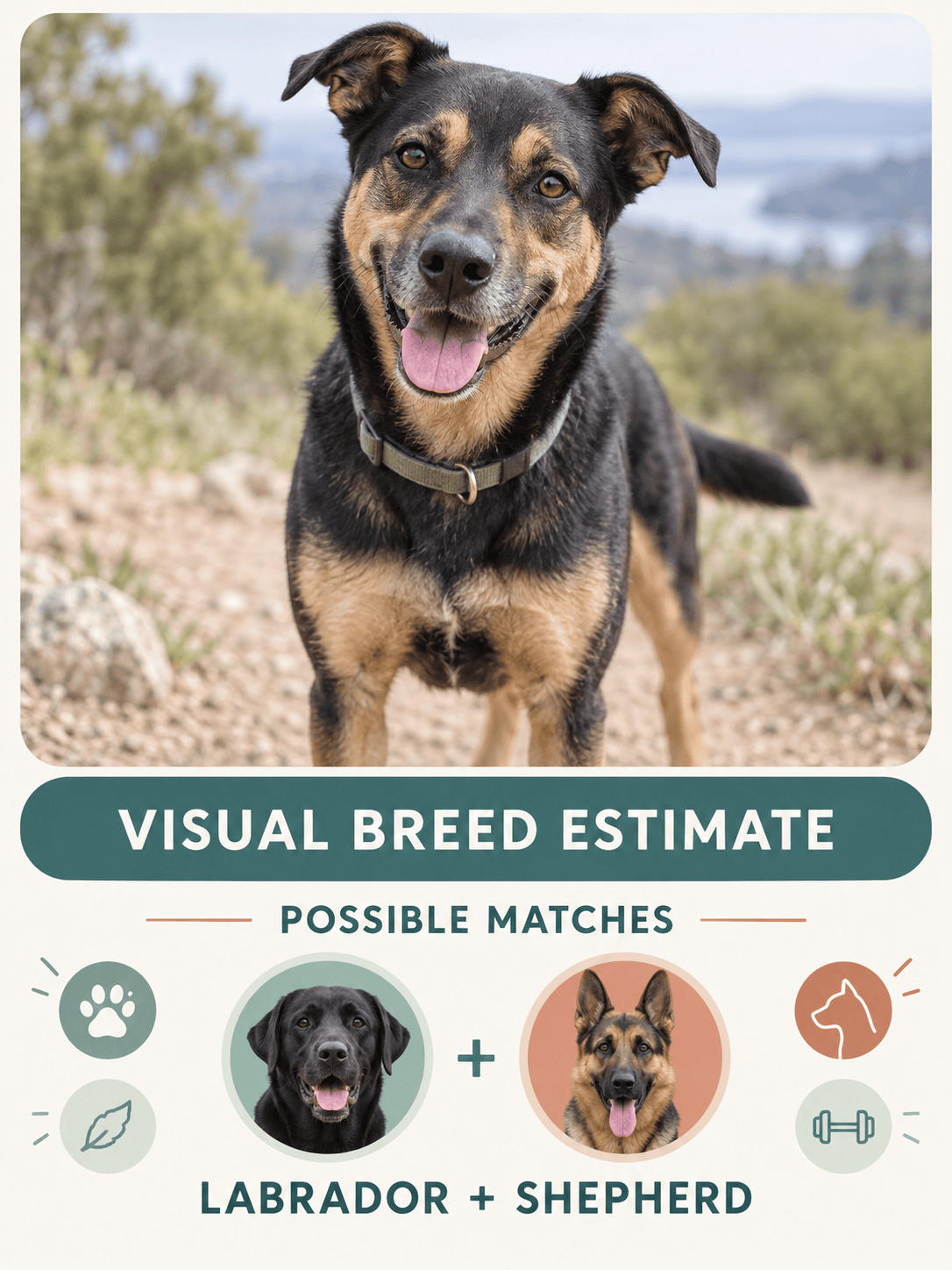
For a rescue, puppy, or mixed-breed dog, ask for two or three plausible matches instead of a single verdict. Add another angle in chat or ask what separates similar breeds.
4

Create and Save a Breed Card

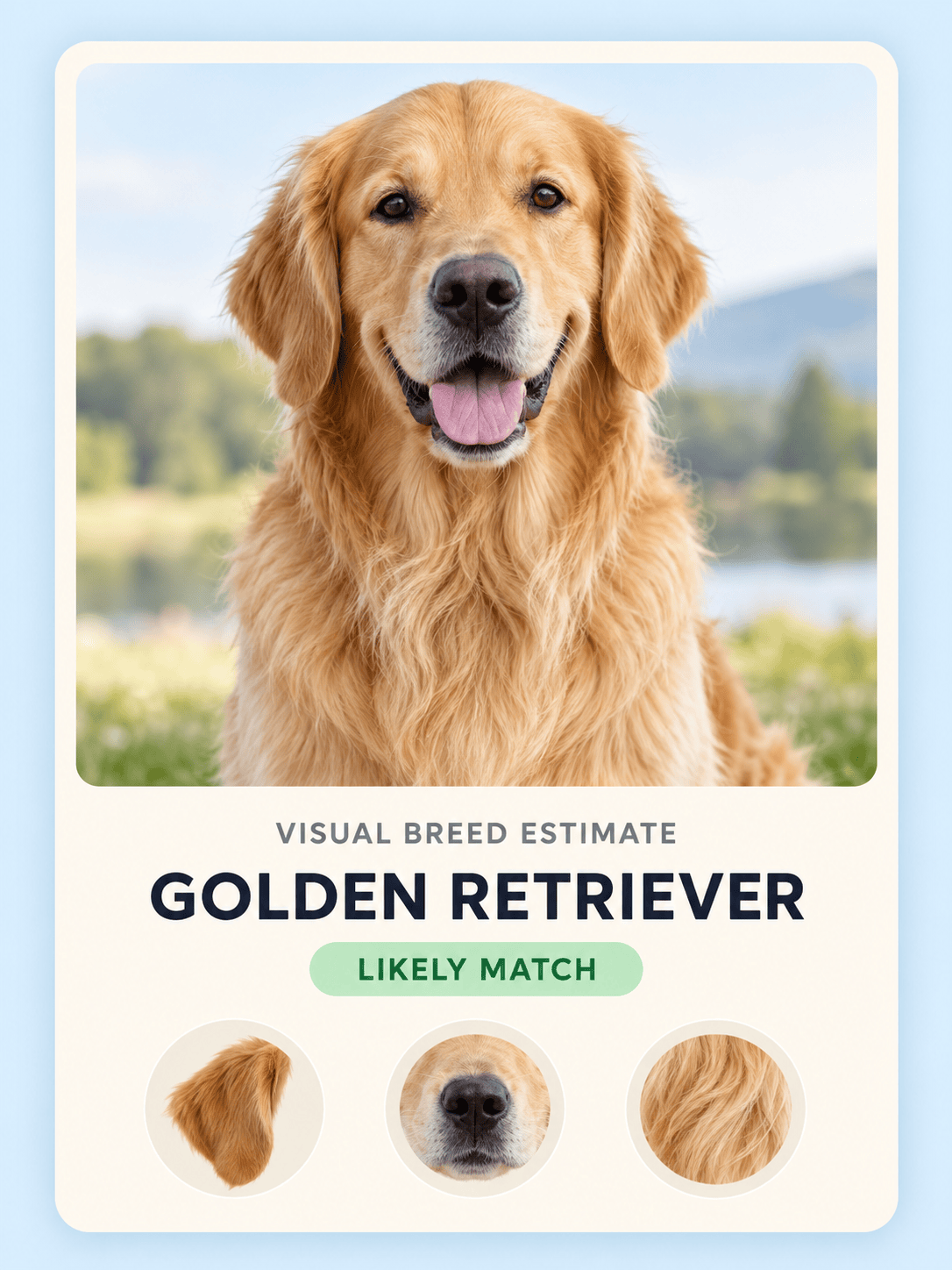
Ask the AI to turn the visual estimate into a pet profile card with your dog's photo, likely matches, and visible clues. Refine the wording or colors, then export it as a PNG or JPG to keep or share.
How to identify a dog breed with AI

Why Use Mew Design for Visual Dog Breed Identification

Photo-In, Explained Results

Upload your dog's image and ask in everyday language. Our AI dog breed identifier can discuss the ear shape, muzzle, coat, markings, and build that support each likely match.

More Useful Than One Guess

Ask for a shortlist of look-alike breeds and the evidence for each. This makes the result easier to compare than an unexplained label, especially when several breeds share a similar silhouette.

Mixed-Breed Nuance

A mixed breed dog identifier should leave room for uncertainty. Mew Design can describe possible visual influences without pretending that a photo reveals genetic percentages or documented ancestry.

Follow-Up Comparisons in Chat

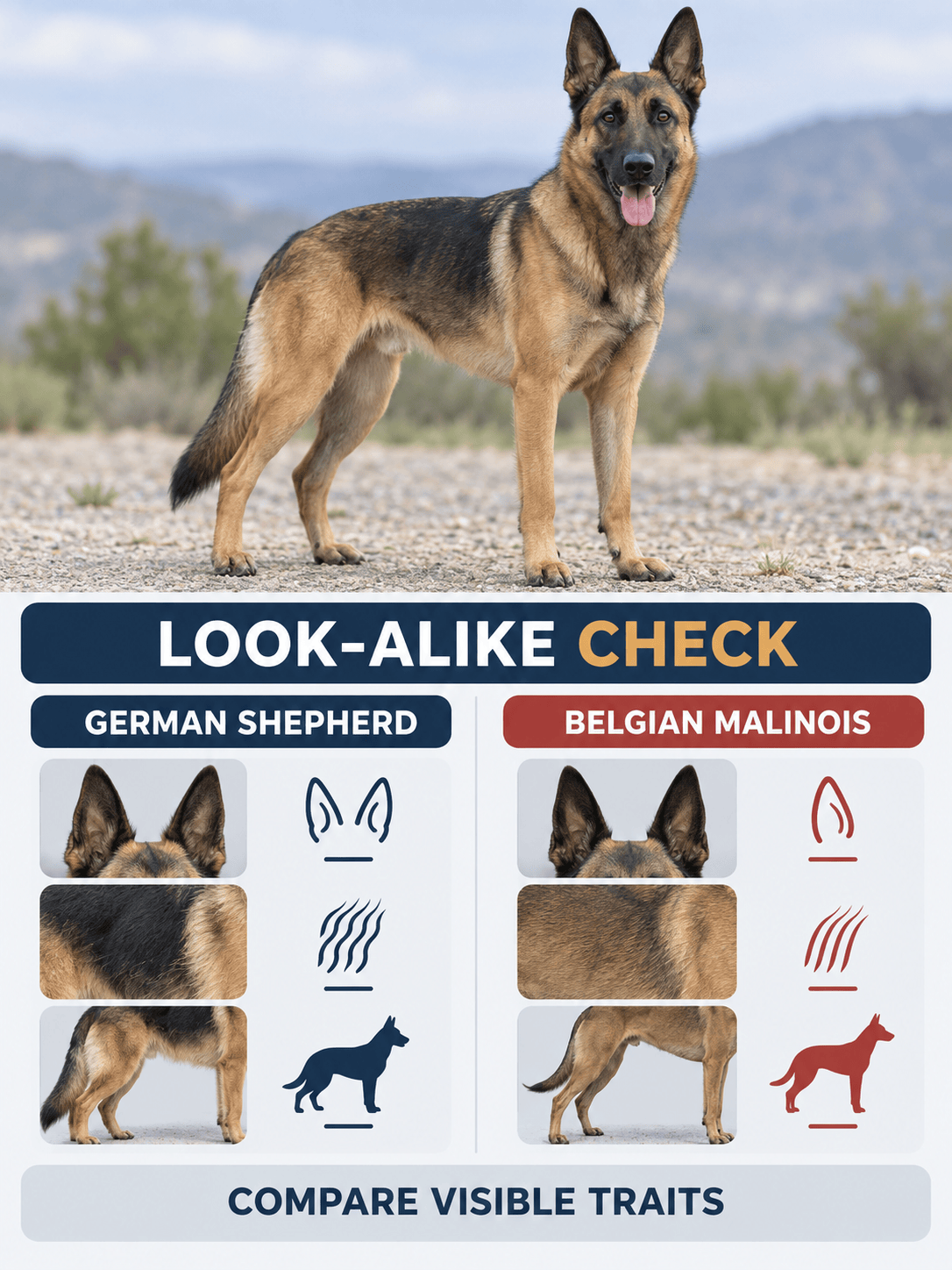
Wondering about German Shepherd versus Belgian Malinois, or Husky versus Malamute? Add context or another photo and ask the AI agent to compare the traits that are actually visible.

Editable Breed Snapshot Cards

After exploring the likely matches, turn the answer into a polished pet card. Use Chat Edit to adjust the hierarchy, colors, labels, or photo treatment without rebuilding the design.

Start Free and Export Without a Watermark

New users receive free AI credits after signing up. Explore a breed guess, refine the result, and export a watermark-free PNG or JPG when your dog profile card is ready.

How to Prompt an AI Dog Breed Identifier

Analyze the dog in my uploaded photo and help answer, 'What breed is my dog?' Give me up to three likely breed matches based only on visible traits. For each match, explain the ear shape, muzzle, coat, markings, body proportions, and other clues you can actually see. Note any ambiguity, especially if the dog may be mixed. Do not present the result as DNA ancestry or infer health or behavior. Then create a clean 3:4 pet profile card labeled 'Visual Breed Estimate' with the photo, likely matches, and key visible clues.
For the best result from an AI dog breed identifier, upload a sharp photo in even light with one dog clearly visible. A result based on appearance is a useful starting point, not proof of ancestry.
  • Show the Face and Body: Keep the ears, muzzle, chest, legs, coat, and tail in frame. A standing side view plus a front view can reveal more than a tight face crop.
  • Add Useful Context: Mention the dog's approximate age, weight, and height when known. This is especially helpful for a puppy breed identifier by photo or a rescue dog with an unknown background.
  • Ask for a Shortlist: Request two or three likely matches, the visible evidence for each, and a note about uncertainty. Avoid asking for guaranteed breed percentages from a picture.
  • Choose the Result Format: Ask for a concise comparison, a pet profile card, or both. Specify a 3:4 share card, preferred colors, and the exact dog name or caption you want included.

Dog Breed Identification Prompts for Real Photos

Rescue dog mix: Identify the dog breed from my uploaded rescue photo. List up to three likely breed influences and explain only the visible clues you used, including ears, muzzle, coat, markings, legs, and tail. Label the result as a visual estimate, not DNA ancestry.

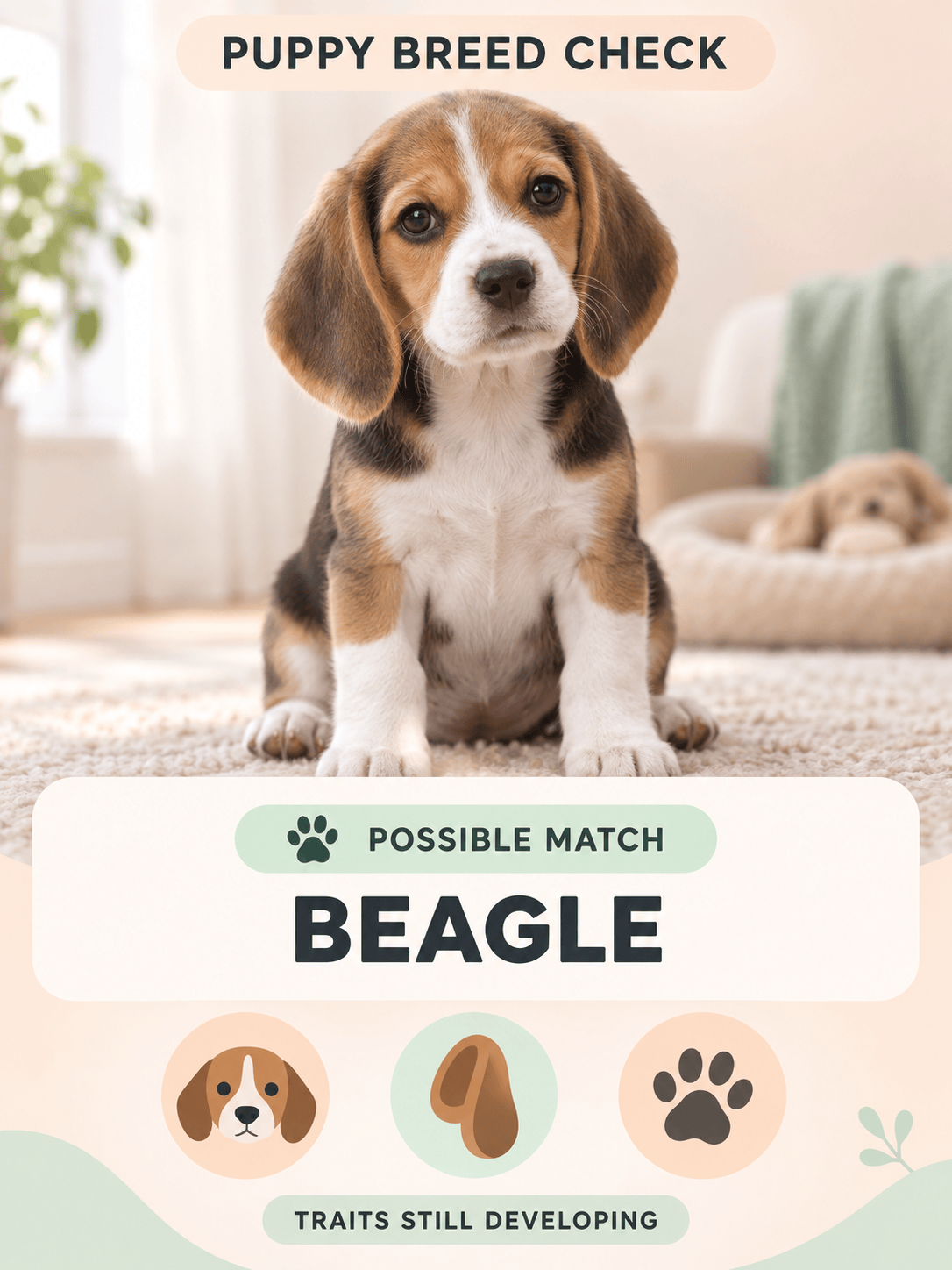
Puppy breed check: Use this puppy breed identifier by photo to compare the puppy's visible traits with likely breeds. The puppy is about [age] old and weighs [weight]. Explain which features may change as the puppy grows and keep the answer tentative.

German Shepherd or Belgian Malinois: Compare my dog's photo with these two breeds. Focus on head shape, ear set, coat length, coloring, chest, and body build. Tell me which visible traits fit each breed and what the image cannot confirm.

Husky or Alaskan Malamute: Review the uploaded full-body photo and compare the coat, face mask, ears, tail carriage, paws, and proportions. Give a likely visual match, list any conflicting clues, and suggest a better second photo if needed.

Doodle-type dog: What breed is my dog? Compare the visible coat texture, face, ears, build, and coloring with Poodle mixes such as a Goldendoodle or Labradoodle. Do not assume a mix percentage. Create a warm pet profile card with the likely matches.

Small mixed-breed dog: Analyze my adopted dog's front and side photos. Compare possible terrier and Chihuahua-type traits, explain why several breeds may look similar, and create a simple 'Visual Breed Estimate' card I can share with family.

FAQs About AI Dog Breed Identification

AI can compare visible features with familiar breed traits and suggest likely matches. It works best as a visual estimate; a photo cannot verify pedigree or genetic ancestry, especially for mixed-breed dogs.
You can start with free AI credits after signing up. Upload a photo, explore the likely matches, and refine a result card before deciding whether you need more credits.
It can suggest breeds that share the dog's visible traits and explain possible influences. It should not assign definitive ancestry or genetic percentages from appearance alone; use a reputable DNA test if heritage matters.
Use a sharp, well-lit image with one dog filling the frame. Show the face, ears, coat, legs, body shape, and tail without costumes or large accessories covering important features.
Angle, lighting, pose, grooming, age, and cropped features change the evidence visible to the AI. Compare separate front, side, and full-body views and look for matches that remain consistent.
Yes. Start with one clear photo, then add another angle in a follow-up message and ask Mew Design to compare the evidence. Use photos of the same dog and avoid crowded images.
It can suggest possibilities, but puppies are harder to judge because their coat, ears, muzzle, and proportions are still changing. Include the puppy's age and size, and treat the answer as tentative.
Yes. Ask Mew Design to place the photo, likely matches, and visible clues into an editable card. Refine the text, colors, and layout in chat, then export a PNG or JPG.
No. A visual breed estimate is for exploration and comparison. Use veterinary advice, reliable records, an appropriate DNA test, or the relevant local authority when a decision needs verified information.

Ready to Generate Designs With AI?

Get Started - 50 Free Credits
No credit card required
© 2025 - 2026 Mew Design, MAGOAI LTD.All rights reserved.