Free OnlineAI Doctor Headshot
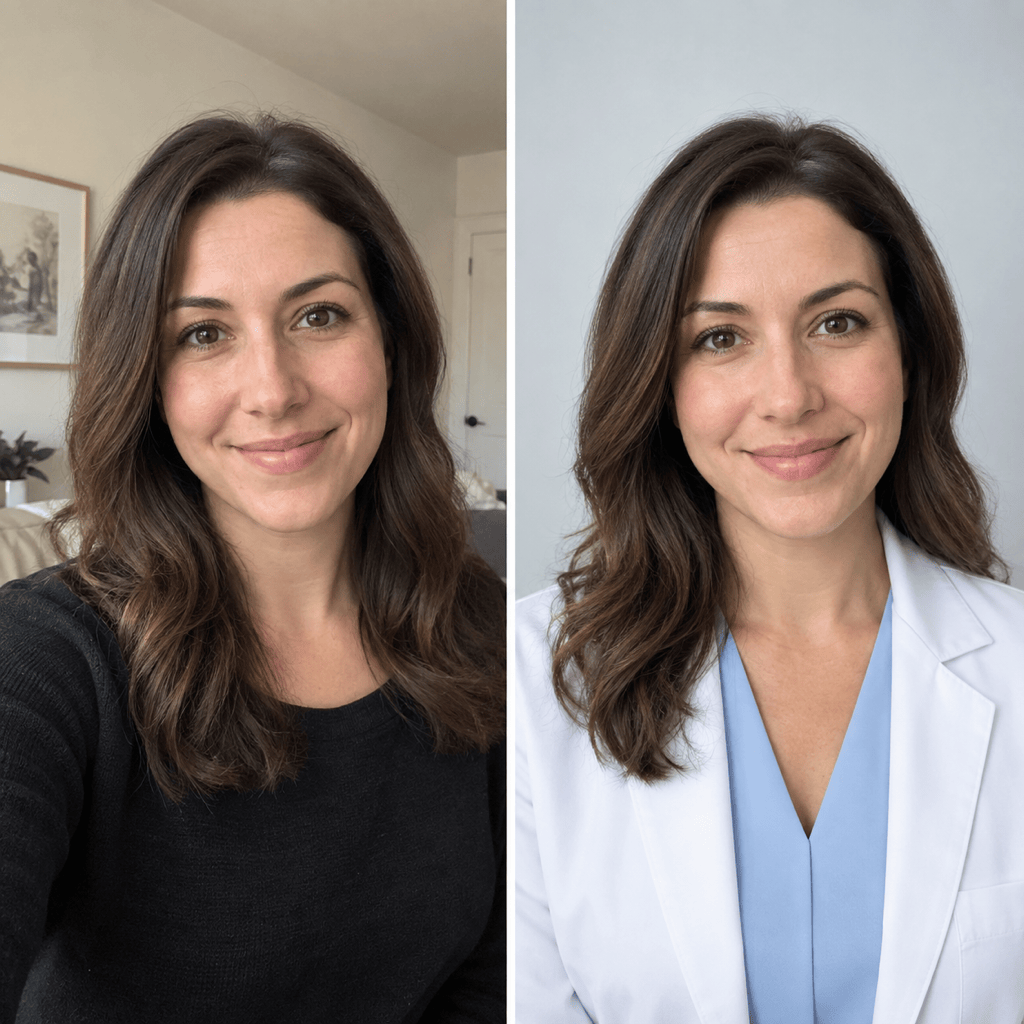
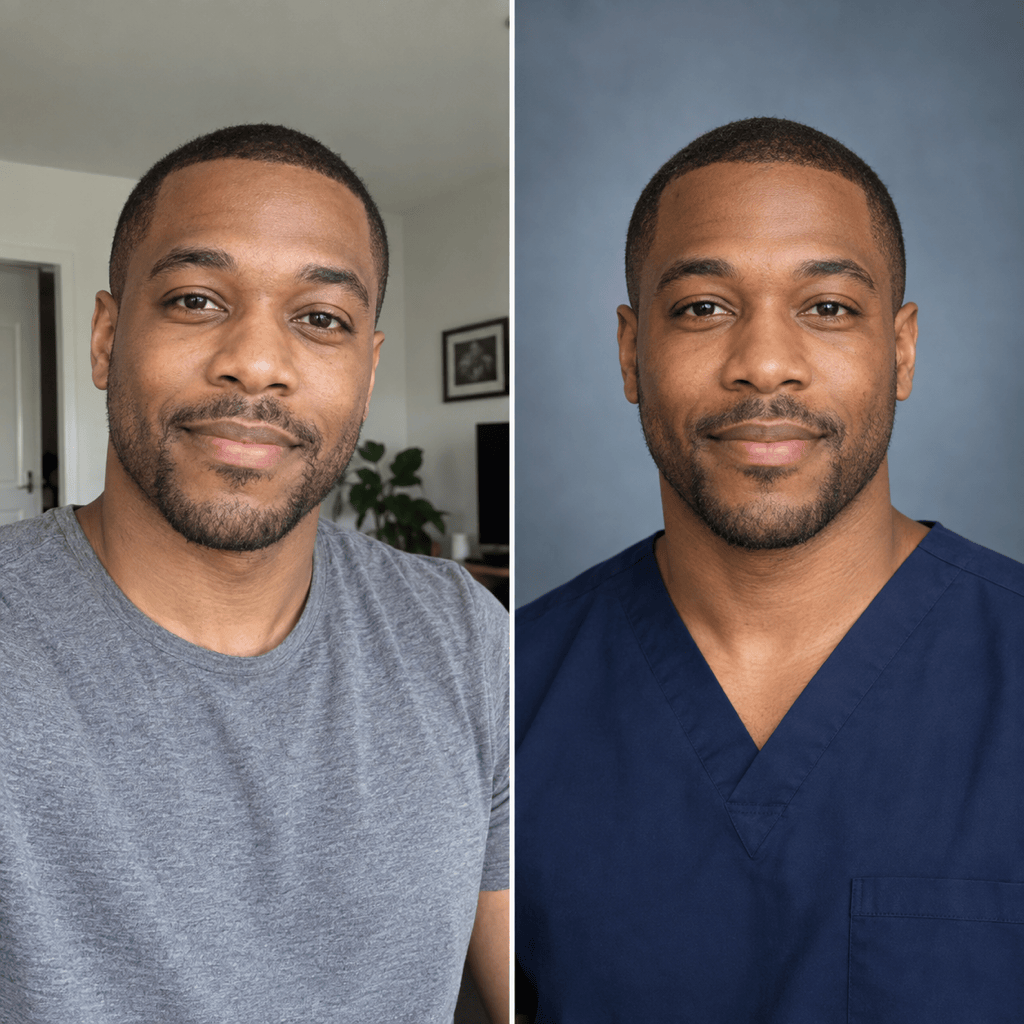
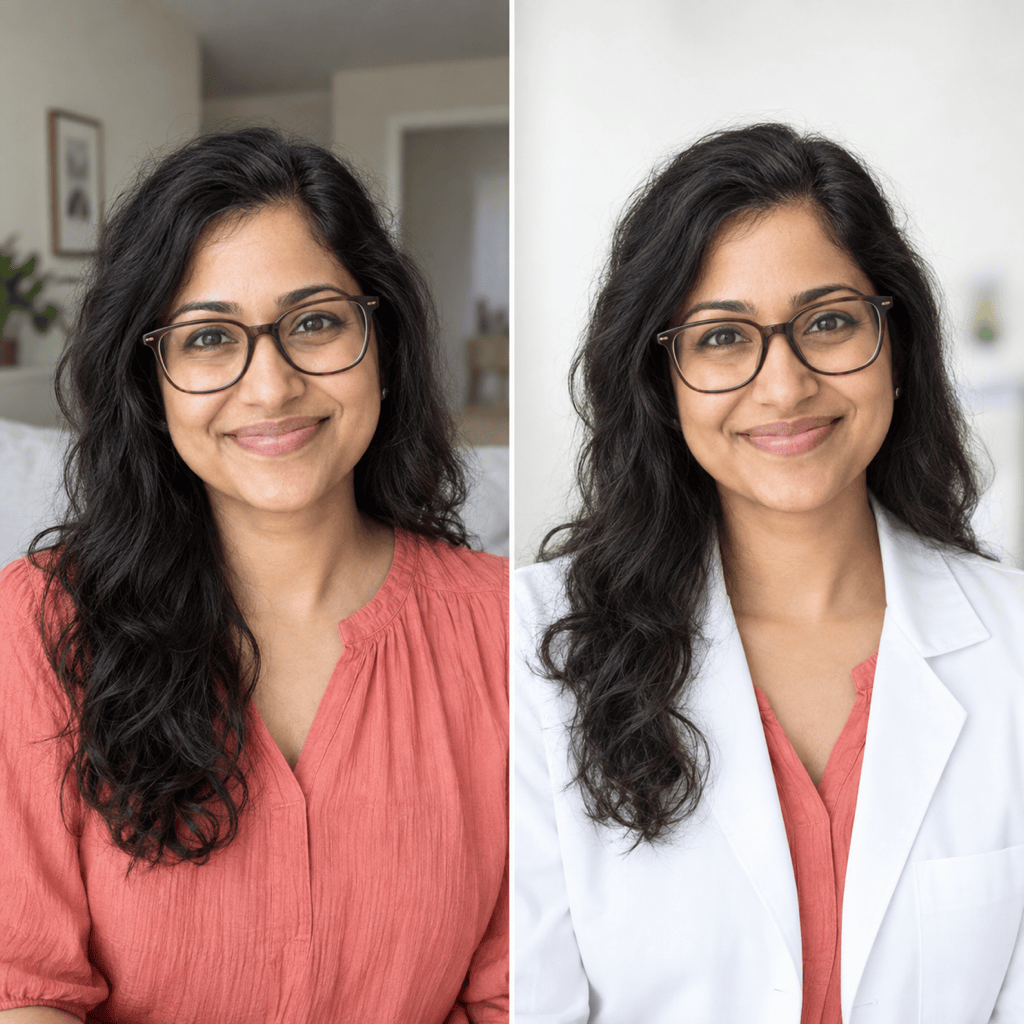
Mew Design - AI Design Agent turns a clear portrait into a polished doctor headshot. Use this online AI doctor headshot generator to create credible profile photos for clinic websites, hospital directories, LinkedIn, telehealth, and speaker bios.

How to Create a Professional Doctor Headshot with AI

Start with a recent photo, define the medical context, and keep every professional detail truthful.
1

Upload a Clear Portrait

Choose a recent, well-lit head-and-shoulders photo where your face, hair, skin tone, and expression are easy to see. Leave space around your head for square and circular crops.
2

Set the Role and Destination

Tell the AI doctor headshot generator whether you need a white coat, scrubs, or business attire and where the photo will appear. Follow the clinic, hospital, platform, or application rules that apply.
3

Generate and Check the Likeness

Create a first physician portrait, then compare facial structure, age, hair, skin tone, clothing, and background with your source. Reject invented logos, badges, names, or credentials.
4

Refine, Crop, and Export

Use Chat Edit to adjust one issue at a time while preserving your identity. Export a clean PNG or JPG with enough margin for a directory, website, LinkedIn, or conference crop.
How to create a doctor headshot with AI

A More Controllable AI Doctor Headshot Workflow

Edit from Your Own Photo

Upload a real portrait and use image-to-image editing to build a medical headshot around your likeness instead of generating a random fictional doctor.

Choose Role-Appropriate Styling

Ask for a white coat, scrubs, or understated business wear with a neutral studio or clinic-inspired background that fits your actual role and destination.

Compose for Profile Crops

This professional doctor headshot generator can create centered head-and-shoulders framing with breathing room for square, circular, 4:5, and application-specific crops.

Correct Details with Chat Edit

If the first result changes your hair, expression, coat, or background, request a focused correction while asking Mew Design to preserve the parts that already look right.

Keep Clinic Teams Cohesive

Turn an approved background, crop, lighting direction, and review method into a reusable Mew Skill for future team portraits without repeating the full brief.

Try It with Free AI Credits

Sign up to test the online medical headshot maker with free AI credits, then export selected results without a watermark as PNG or JPG files.

What Makes a Credible Doctor Headshot

Using my uploaded portrait, create a current, realistic head-and-shoulders doctor headshot for a clinic staff page. Keep my facial structure, skin tone, age, hair, and natural smile recognizable. Add a plain white coat over a light blue shirt, use soft front lighting and a clean light-gray background, and leave space for square and circular crops. Do not add a hospital logo, name badge, credentials, text, or medical equipment.
A trustworthy physician headshot should look current, recognizable, calm, and appropriate for its destination. Treat attire and background as editable presentation choices, not proof of a role or affiliation.
  • Protect the likeness: Name the facial details, hairstyle, age cues, eyewear, and expression that must stay consistent with your source photo.
  • Match the real context: Choose attire you are entitled to wear and a simple background that suits the directory, clinic, conference, or professional network.
  • Leave crop-safe space: Keep the face centered with room above the head and around the shoulders so the portrait survives square, circular, and vertical crops.
  • Audit generated details: Remove invented logos, badges, names, credentials, specialty symbols, or equipment, and confirm that the final image does not imply a false affiliation.

Doctor Headshot Ideas for Real Professional Uses

Turn my uploaded photo into an approachable family physician headshot for a clinic website. Keep my identity unchanged, add a plain white coat over business attire, use soft front light and a light neutral background, and include no badge, logo, text, or credentials.

Create a professional surgeon profile photo from my portrait. Preserve my face, age, hair, and skin tone; use clean navy scrubs against a restrained blue-gray studio background with centered head-and-shoulders framing and no hospital branding.

Make an academic medicine speaker headshot from my photo. Keep my likeness natural, use understated business attire and a warm-gray studio background, and leave generous crop space for a conference program and publication bio.

Create a friendly telehealth doctor headshot for LinkedIn and a virtual care profile. Preserve my recognizable features, use polished business-casual clothing, a clean off-white background, direct eye contact, and natural skin texture.

Prepare a conservative residency headshot from my uploaded portrait. Keep my appearance truthful, use simple professional attire and a plain light background, center my face, and leave room for a 2.5-by-3.5-inch crop. Add no white coat, badge, logo, or credentials.

Use this approved team headshot as a visual reference for my uploaded portrait. Match its crop, neutral background, front lighting, and calm expression while preserving my own identity and avoiding any copied logo, badge, or text.


AI Doctor Headshot FAQ

Yes. Start with one clear, recent, forward-facing portrait. A sharp head-and-shoulders photo with even light gives the image-to-image workflow more reliable identity detail to preserve.
You can sign up and test Mew Design with free AI credits. Credit use depends on the generation or edit you choose, and selected PNG or JPG exports do not include a watermark.
Use the attire that matches your real role and destination. A clinic may prefer a white coat, some clinical profiles may use scrubs, and leadership or conference bios may favor business attire. Always check the receiving organization’s rules.
Yes. Use an approved portrait as a visual reference, then keep the crop, background, lighting, and expression direction consistent. A reusable Mew Skill can package that workflow for later team members.
Use a current high-quality source image and explicitly preserve facial structure, skin tone, hair, age, eyewear, and expression. Compare the result side by side and use Chat Edit for focused corrections.
A professional profile should not invent identifying details or qualifications. Leave badges, logos, names, credentials, and specialty markings out unless you provide authorized, accurate assets and the destination permits them.
You can create a conservative portrait, but verify the latest AAMC and individual program requirements before submitting. Current AAMC guidance includes a centered face and specific file, size, and resolution limits.
A clean light neutral or blue-gray background, soft front lighting, direct eye contact, and centered head-and-shoulders framing are versatile. Keep extra space around the head for circular, square, 4:5, and directory crops.

Ready to Generate Designs With AI?

Get Started - 50 Free Credits
No credit card required
© 2025 - 2026 Mew Design, MAGOAI LTD.All rights reserved.