Free OnlineAI Disney Filter
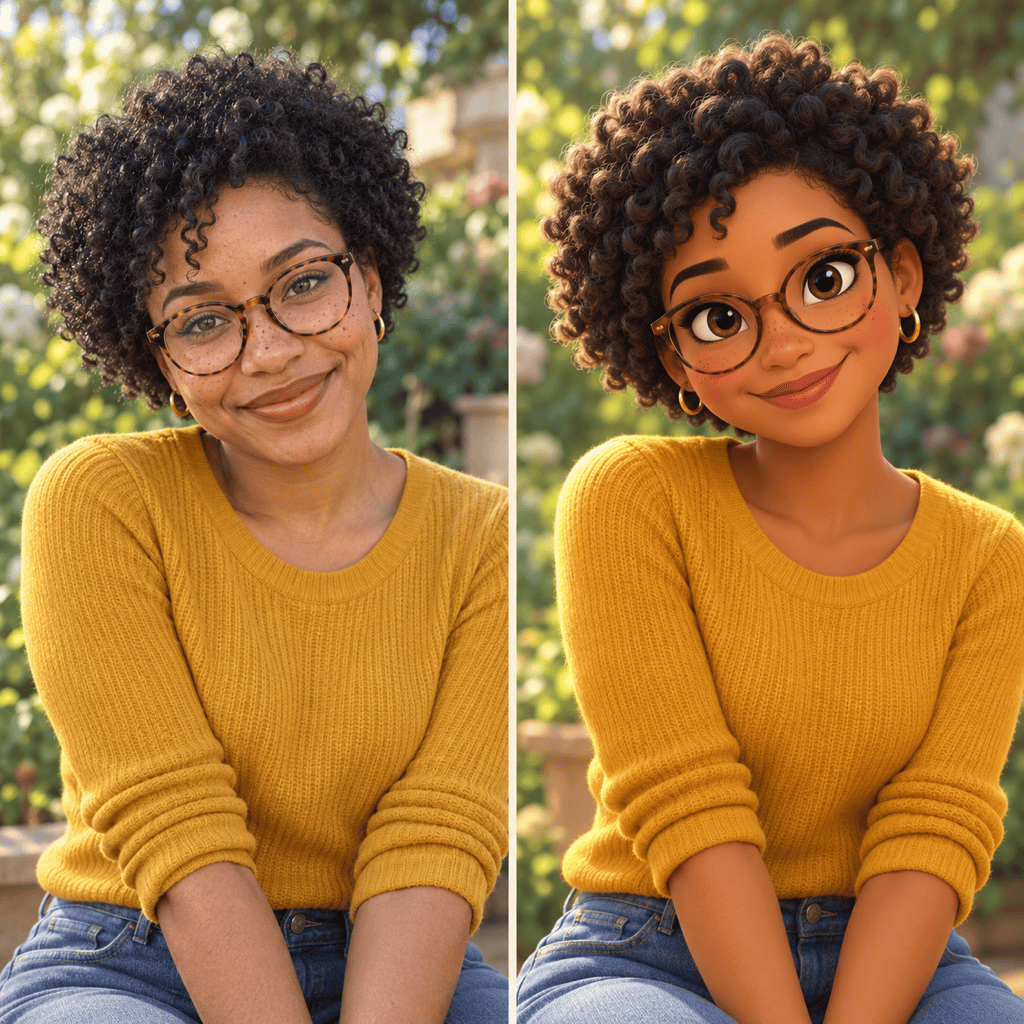
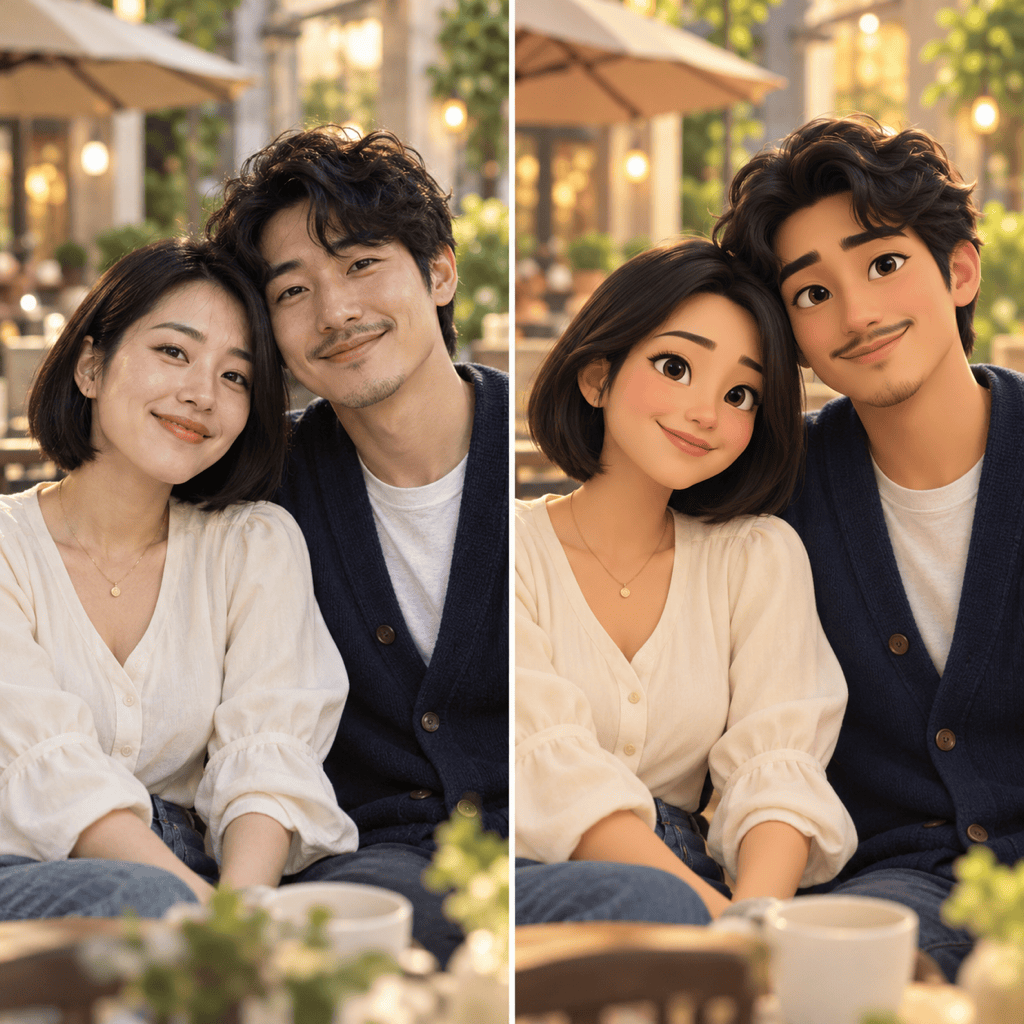
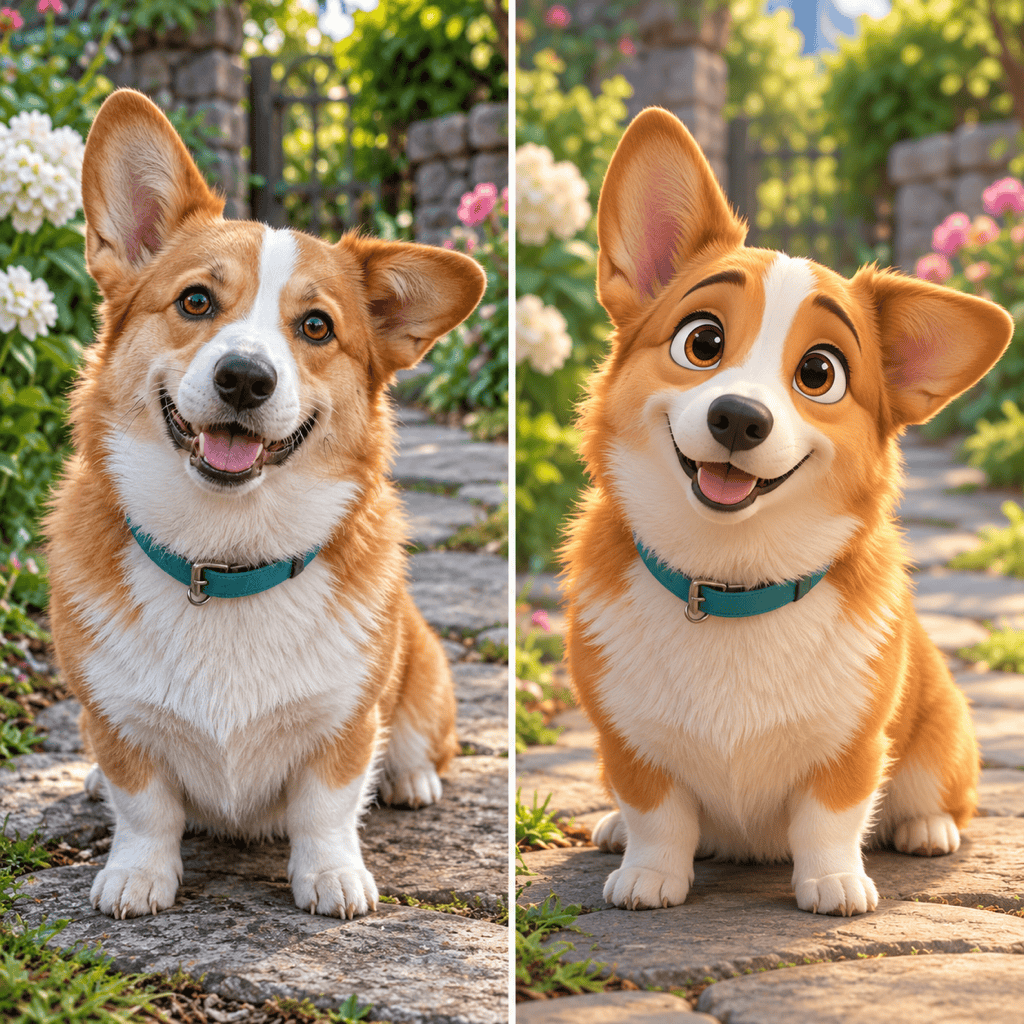
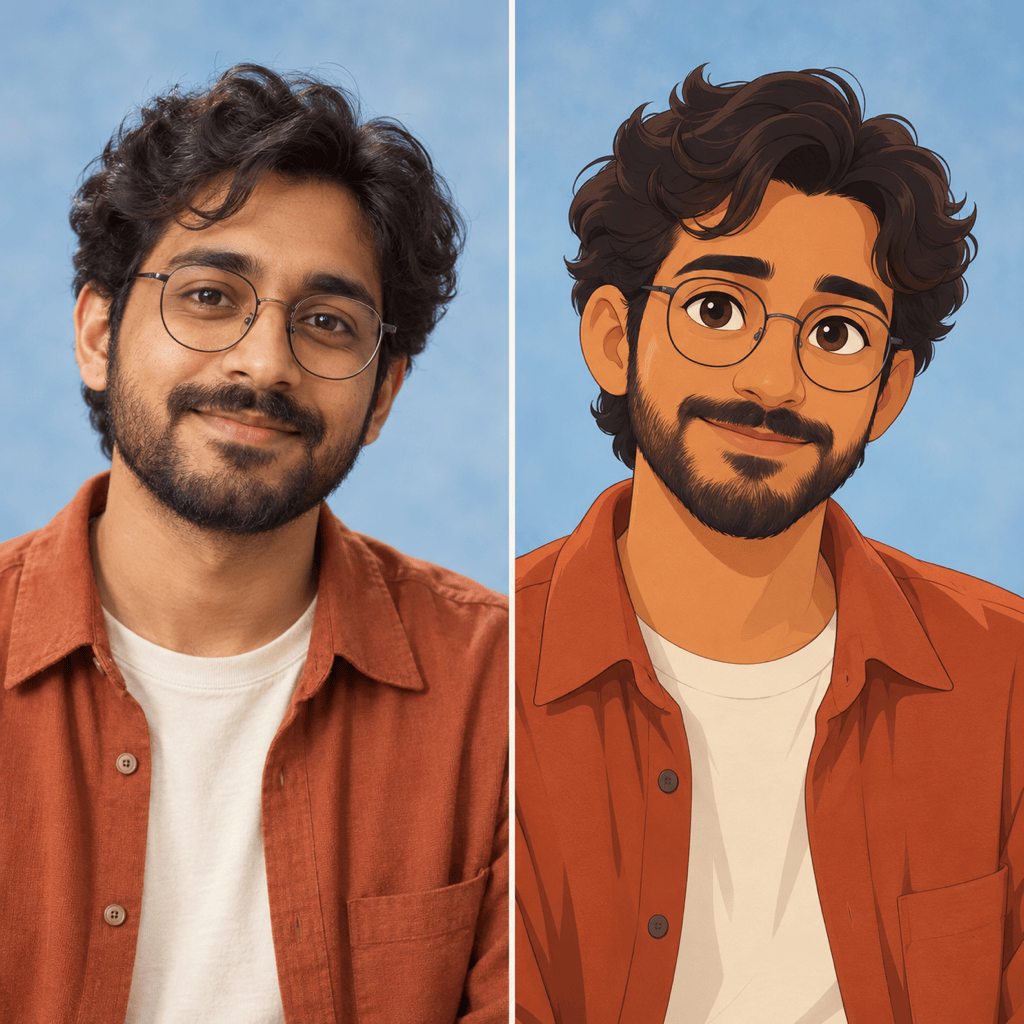
How to Turn Your Photo into a Cartoon with AI
Upload Your Photo
Choose Your Cartoon Look
Check the Likeness
Download Your Portrait

A Cartoon Look You Can Make Your Own
Start with Your Own Features
Our AI Disney filter uses your uploaded photo as a reference. Point out the face shape, hairstyle, accessories, or pet markings you want the portrait to retain.
Explore 2D and 3D Styles
Use this online Disney photo filter to try illustrated outlines and flat color, or rounded 3D forms with soft lighting. Compare versions from the same photo.
Fix Details Through Chat
A face feels too generic? Use Chat Edit to ask for smaller eyes, your original smile, or a closer match to your hairstyle. Review each revision against the source.
Bring Couples and Pets into the Picture
Create a cartoon couple portrait or turn your dog into an animated companion. Ask for one consistent style while keeping each subject distinct.
Choose the Setting
Keep the original scene, request a storybook garden, or remove the background. You can also turn the finished character into custom stickers.
Try It with Free Credits
Sign up for free AI credits to test your photo transformation. Download watermark-free results; additional generations depend on your available credits.
Get a Cartoon Portrait That Still Looks Like You
- Make the Face Visible: Choose sharp focus and even lighting. Avoid heavy beauty filters, sunglasses, and hair covering the eyes.
- Name Distinctive Details: Mention freckles, facial hair, glasses, or fur markings. For couples, describe each person separately.
- Pick One Main Style: Choose hand-drawn 2D or softly rendered 3D. A Disney Pixar filter usually refers to the rounded 3D look.
- Compare Before Sharing: Check faces, skin tones, hands, and the number of subjects. Ask for one focused correction at a time; likeness can vary.
Fine-Tune Your Disney-Style Photo
Closer Likeness: Revise my cartoon portrait using the original photo. Match my face shape, nose, smile, and skin tone more closely. Keep the current outfit and background.
Gentler Eyes: Make the eyes in my 3D portrait slightly smaller and less glossy. Keep the friendly expression, original eye color, and cartoon style.
Couple Details: Refine our cartoon couple portrait. Keep both people in their original positions, with separate facial features, hairstyles, and outfits. Match the lighting across both faces.
Pet Markings: Refine my cartoon pet using the uploaded photo. Restore the original fur patches, muzzle shape, ear positions, and collar color. Keep the playful expression.
Classic 2D Look: Rework my photo as a hand-drawn fairy-tale portrait with clean outlines and flat color. Preserve the pose and recognizable features; replace the glossy 3D shading.
Profile Picture Crop: Make a square version of my cartoon portrait. Center the face with space around the hair and ears for a circular crop. Use a simple background and no text.





