Free OnlineAI Dating Photo Analyzer


How to Review Dating Profile Photos with AI
Upload Recent Candidate Photos
Explain the Profile Goal
Review the Visible Photo Signals
Improve, Retake, or Reorder

Dating Photo Feedback Built Around Fixable Details
Actionable Feedback, Not a Beauty Verdict
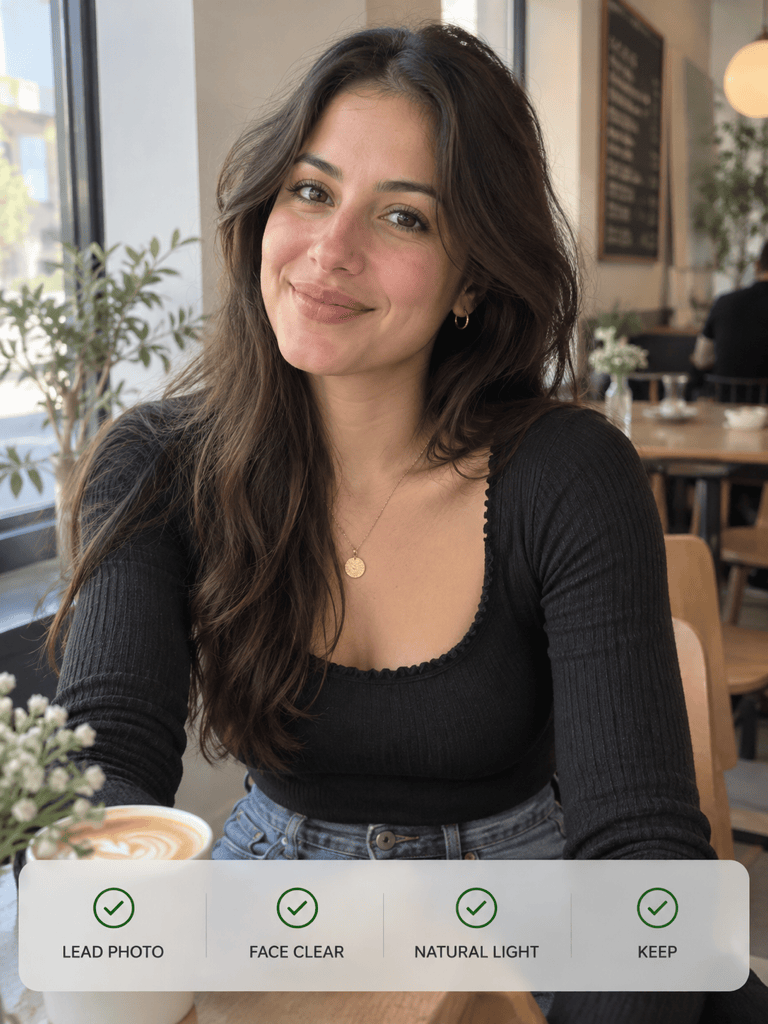
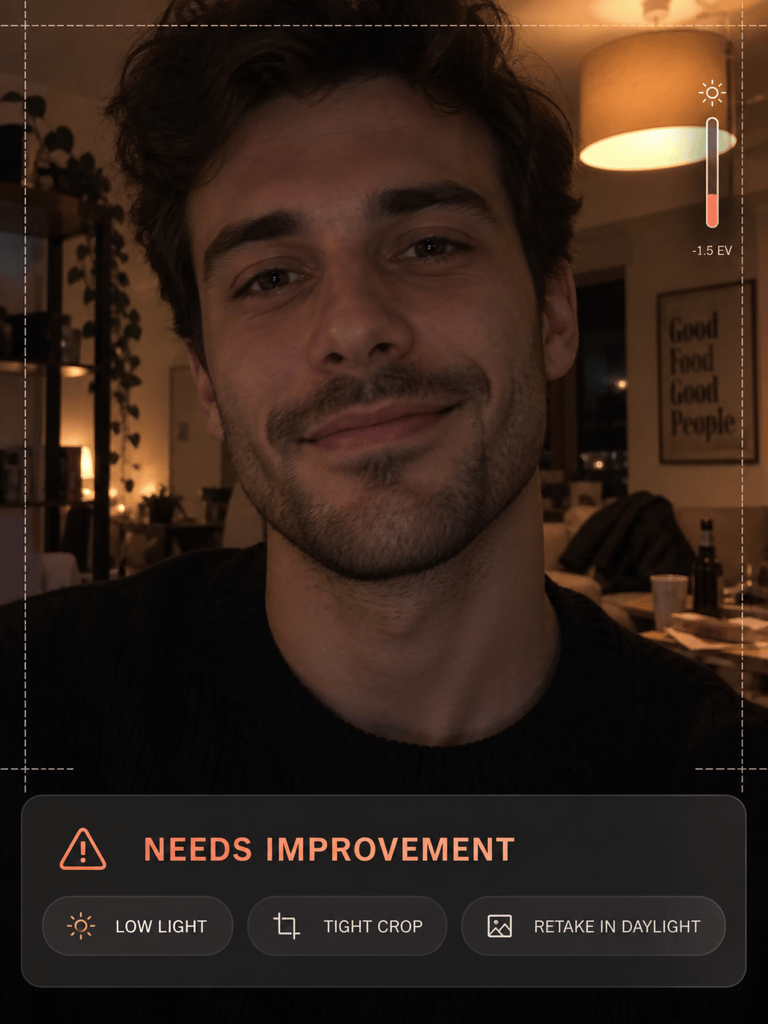
The review centers on observable photo qualities such as lighting, clarity, crop, expression, and background. It does not need to reduce your appearance to an objective attractiveness score.
Compare Photos as a Complete Lineup
Upload several candidates so the online dating profile photo analyzer can identify a clear opener and spot repeated selfies, outfits, angles, or settings across the set.
Reasons You Can Understand
Ask follow-up questions in plain language. Mew Design can explain why a photo works better as the lead, where a background distracts, or which missing photo type would add useful context.
Light Edits That Keep You Recognizable
Use image-to-image editing and Chat Edit to adjust exposure, crop, or background distractions while asking the AI to keep your face, body, age, and distinctive features unchanged.
Advice for the Photo's Actual Role
A strong first photo needs instant face clarity, while hobby and social photos can work later in the lineup. State the intended app and slot to get more relevant review criteria.
Free Online Photo Review Workflow
Start the free AI dating photo analyzer with signup credits, test a comparison, refine the useful parts through chat, and export watermark-free image edits when you are ready.
How to Get Useful Dating Photo Feedback
- Use Recent, Permitted Photos: Upload current images of yourself or photos you have permission to use. Crop out names, chats, exact locations, and other private details.
- Name the App and Photo Slot: Say whether you are choosing a first photo or reviewing a supporting lifestyle, full-body, hobby, or social shot.
- Ask About Observable Factors: Request feedback on light, blur, facial visibility, expression, framing, background, variety, and how quickly the subject is understood.
- Protect Authenticity During Edits: If you request an edit, specify that facial features, body shape, age, skin texture, and identity must remain recognizable.
Dating Photo Checks and Fixes to Try
Choose my best first dating app photo from these candidates. Compare face visibility, natural light, expression, focus, background, and how quickly each image communicates who I am. Rank them and explain the strongest opener without rating my attractiveness.
Review this indoor dating profile photo for low light, blur, color cast, and distracting shadows. Suggest a realistic exposure and crop improvement, keep my identity and natural skin texture unchanged, and tell me if a daylight retake would be better.
Check whether I am easy to identify in this group photo. Suggest a crop that keeps enough social context while making me the obvious subject. If the photo still feels confusing, recommend where it should appear in the lineup.
Review this full dating photo lineup for variety. Flag repeated outfits, angles, backgrounds, and photo roles, then suggest an order using a clear solo lead, a full-body shot, an interest photo, and limited social context.
Compare how these photos may work as a lead image on Tinder, Hinge, or Bumble based on visible crop, face clarity, and the amount of context shown. Do not claim knowledge of private ranking algorithms.
Make a light, authentic edit to this dating photo: balance the exposure, simplify the distracting background, and improve the crop. Keep my face, body, age, hairstyle, clothing, and distinctive features unchanged.





