Create anAI Crayon Drawing
How to Turn a Photo Into a Crayon Drawing with AI
Upload a Clear Photo
Describe the Crayon Treatment
Generate the Crayon Version
Refine and Download

Why Use Mew Design for Photo-to-Crayon Art
Keep the Person or Pet Recognizable
Upload the source photo and tell Mew Design which features must stay unchanged. The AI crayon drawing generator can preserve the subject, pose, outfit, and scene while changing the medium.
Control the Handmade Texture
Ask for chunky wax marks, broken color coverage, shaky outlines, crosshatched shading, or a cleaner storybook finish instead of accepting one fixed crayon photo effect.
Edit the Result Through Conversation
If the first version is too polished or loses an important detail, use Chat Edit to correct one issue at a time while keeping the rest of the crayon artwork intact.
Explore Several Crayon Styles
Compare bright childlike scribbles, soft nostalgic portraits, bold poster-like color, or limited-palette sketches without rebuilding the image from scratch.
Create From a Photo or From Text
Transform an uploaded image when likeness matters, or use this online AI crayon drawing maker to invent a new scene directly from a written idea.
Try It Free and Export Without a Watermark
Sign up to receive free AI credits, test a photo-to-crayon drawing, and export finished images without a watermark when you are ready to share or print them.
How to Make a Photo Look Like Real Crayon Art
- Start with a simple, sharp photo: Clear faces, pets, and silhouettes survive stylization better than tiny subjects, motion blur, or crowded backgrounds.
- Name the crayon marks: Request waxy buildup, uneven pressure, overlapping strokes, exposed paper, and imperfect edges for a believable handmade surface.
- Lock important details: List the expression, pose, markings, clothing, or background elements that should remain recognizable after the transformation.
- Choose the right level of looseness: Ask for tidy storybook crayon art when likeness matters, or rough childlike scribbles when charm and spontaneity matter more than detail.
Photo-to-Crayon Drawing Ideas to Try
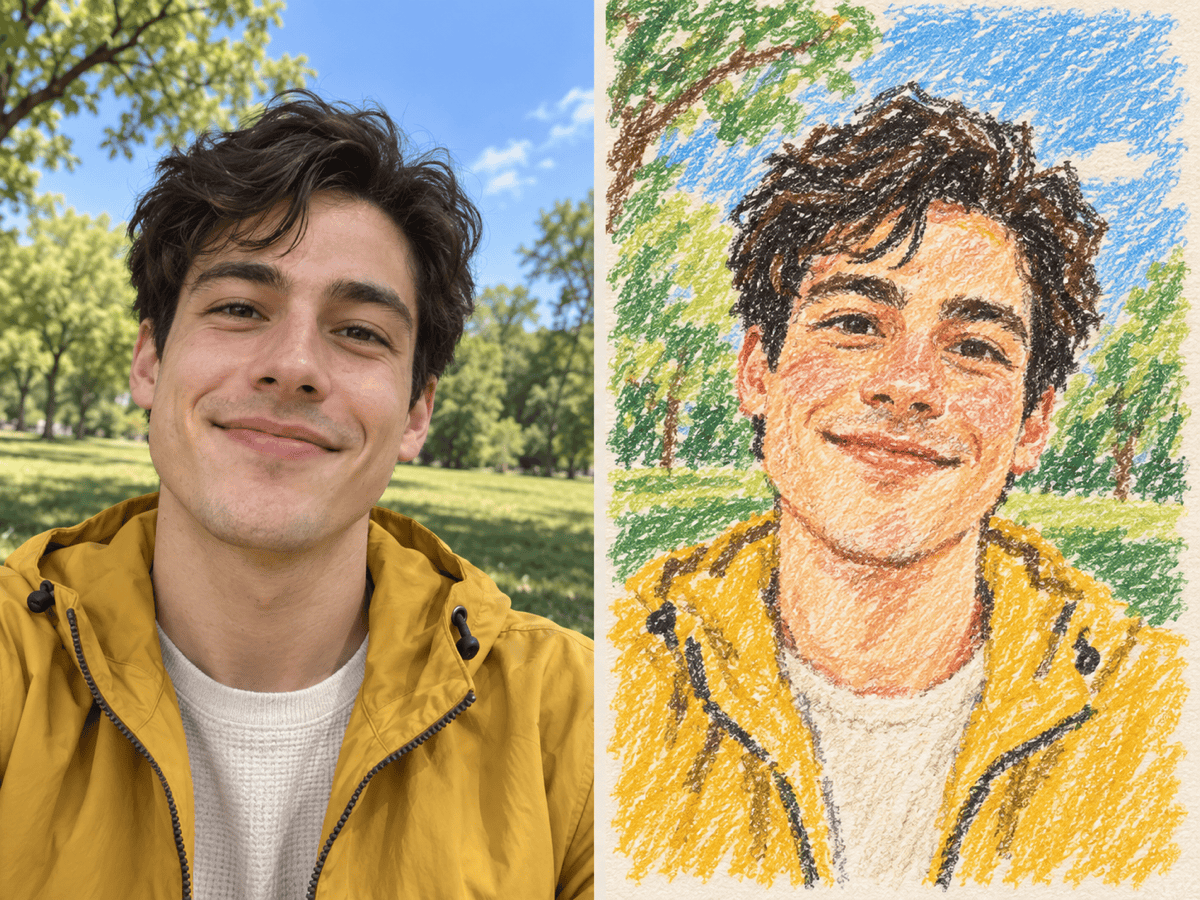
Crayon Portrait: Turn my uploaded selfie into a warm crayon portrait on cream paper. Keep my face, expression, hairstyle, clothing, and pose recognizable. Use layered wax strokes, rosy color, and a simple hand-drawn background.
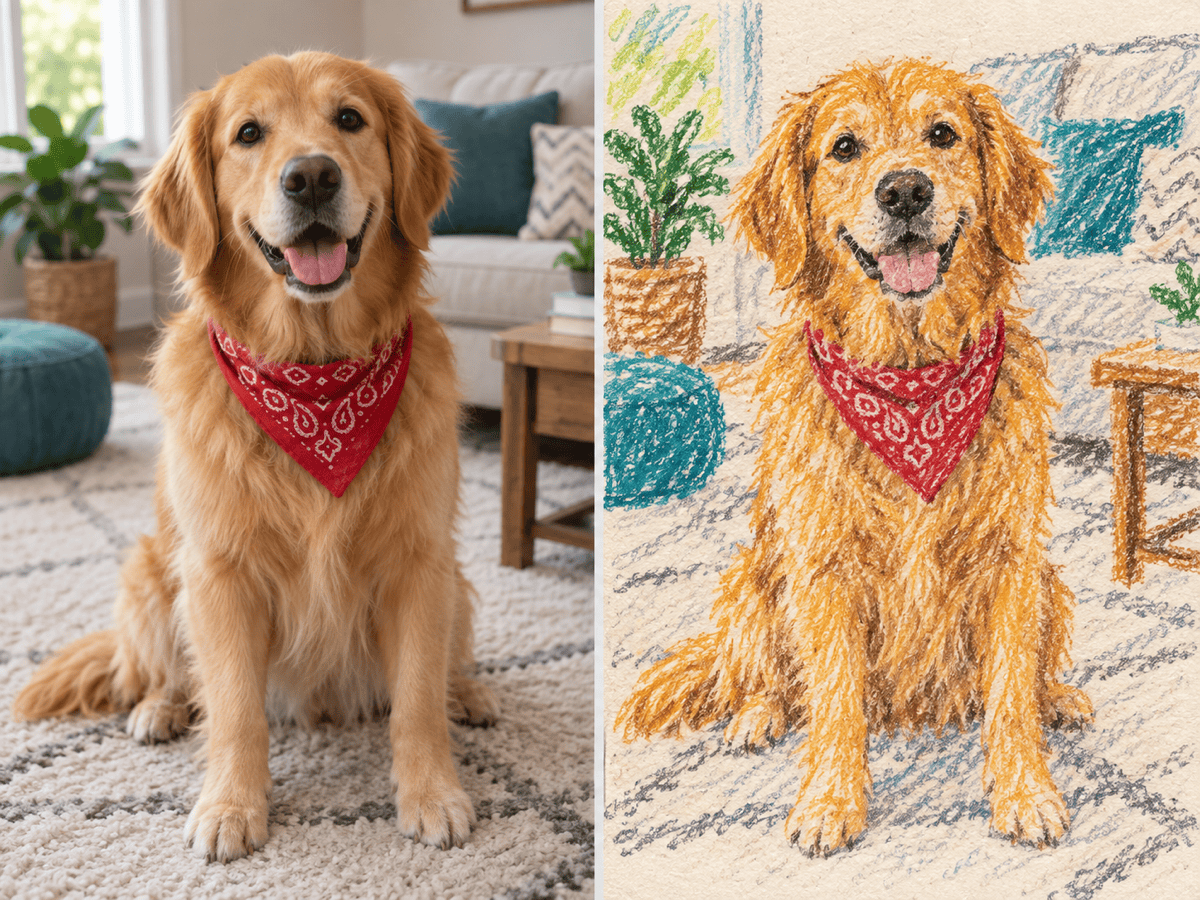
Pet Crayon Drawing: Redraw my pet photo with chunky crayon marks and playful uneven outlines. Preserve the animal's face, fur pattern, pose, and eye color. Simplify the room into broad colorful shapes.
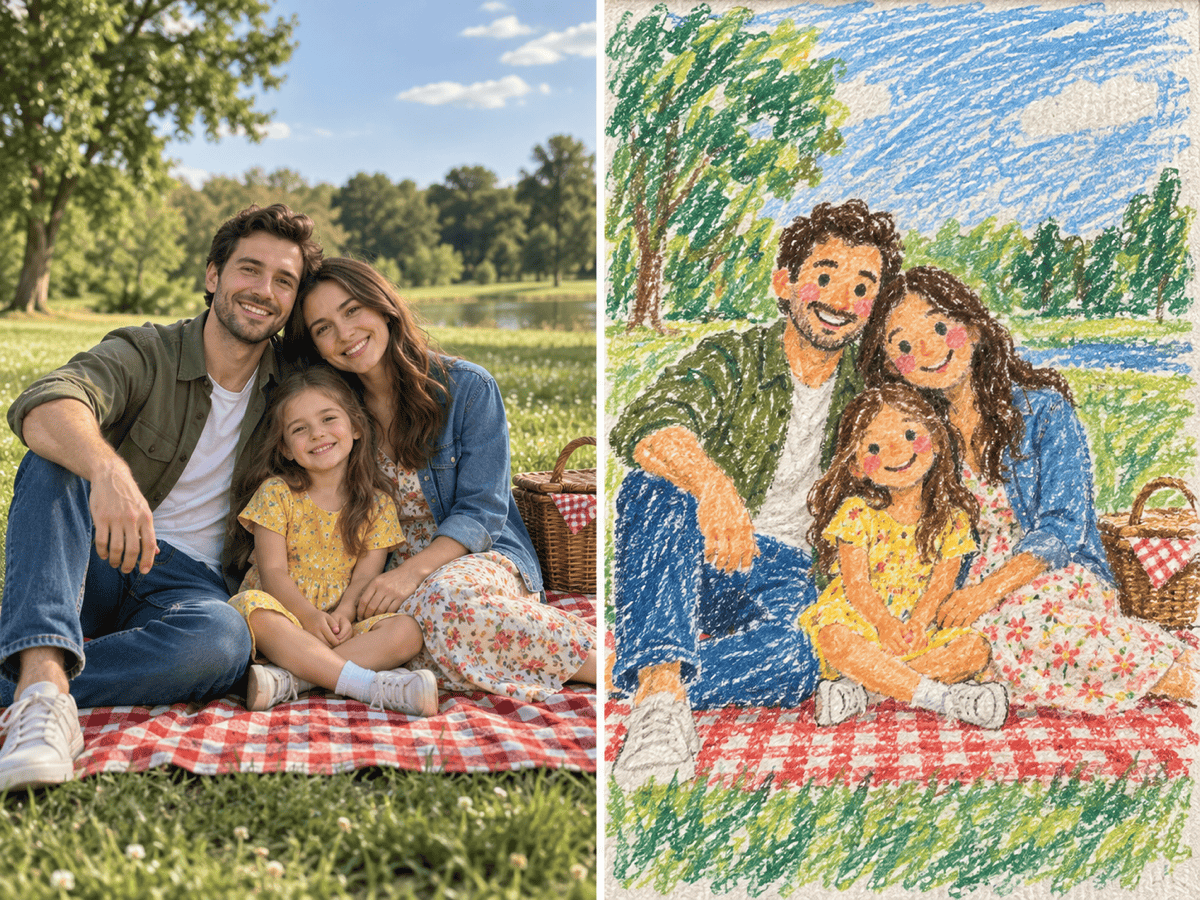
Family Keepsake: Convert this family photo into cheerful childlike crayon art. Keep every person recognizable and in the same position. Use bright colors, visible paper grain, and loose but friendly facial details.
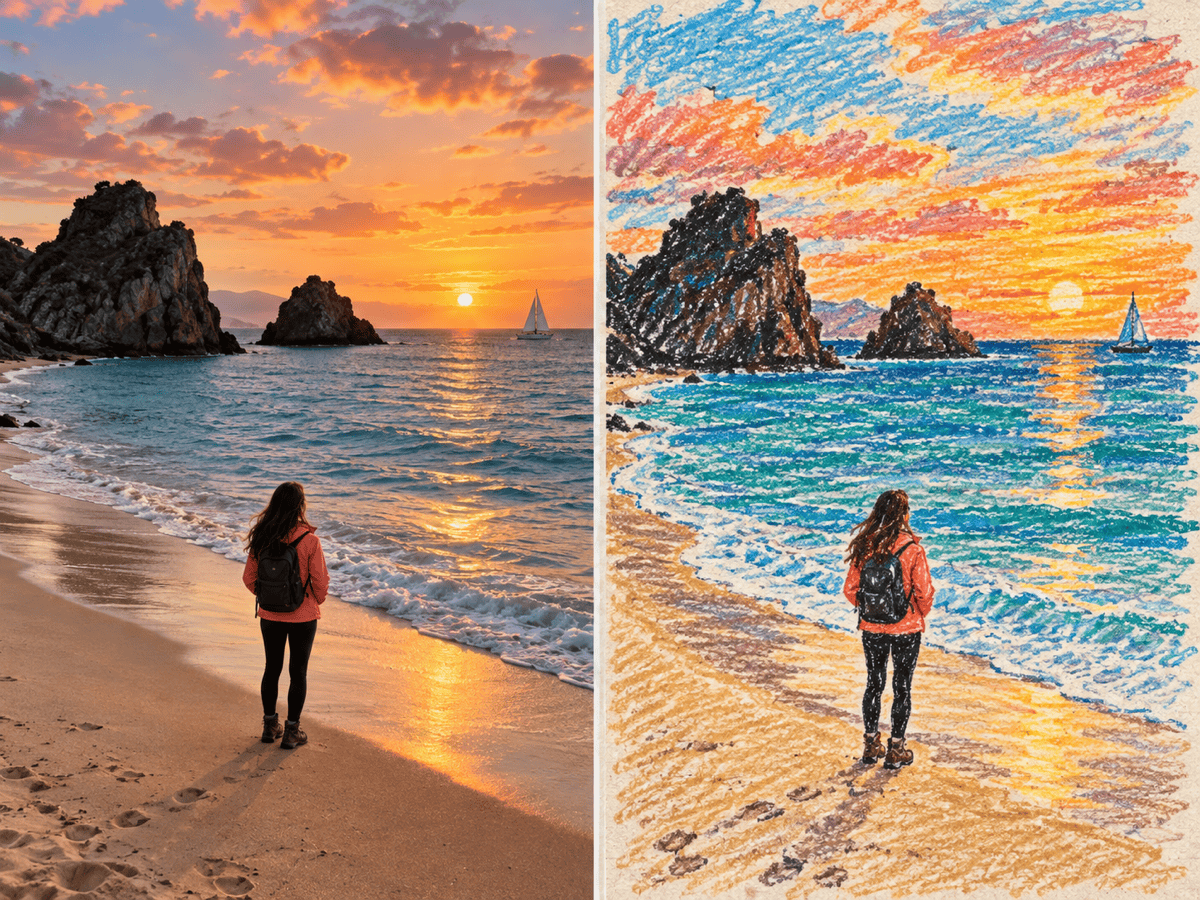
Travel Memory: Transform this landscape photo into textured crayon artwork. Keep the horizon, major landmarks, people, and time-of-day colors. Use overlapping strokes and uneven wax coverage without adding text.
Greeting Card Illustration: Turn the uploaded couple photo into a soft crayon drawing for a greeting card. Preserve both faces and the gesture between them, simplify the background, and leave clean space around the subject for later card text.
Rough Kids' Drawing Style: Redraw this image as a charming crayon picture made by a child. Keep the main subject obvious, but use wobbly lines, bold simple shapes, colors that stray slightly outside the edges, and plenty of visible paper.





