Free OnlineAI Christmas Box Photo

How to Make a Christmas Box Photo with AI
Upload a Clear Portrait
Describe the Gift-Box Scene
Check the Likeness and Details
Download and Share

Make the Gift-Box Portrait Your Own
Begin with Your Own Photo
Upload a selfie, couple portrait, family picture, or pet photo. The online Christmas box photo maker uses your image as the visual starting point for a personalized holiday scene.
Direct the Box and Mood
Ask for a classic red present, velvet ribbon, snowy backdrop, or warm tree lights. Mew Design can interpret the whole scene from a natural-language request.
Refine Awkward Composites
If a hand, bow, or box edge looks wrong, use Chat Edit to describe the specific repair. Review the result again rather than accepting the first version.
Create Versions for Your People
Make separate AI Christmas box portraits for a partner, the family, or a pet, with matching colors or a different mood for each recipient.
Try Without a Physical Photoshoot
An AI Christmas box photo from your photo can give you a festive gift-box setting without buying oversized props, setting up lights, or cutting out the subject by hand.
Start Online with Free Credits
Sign up to try the Christmas gift box portrait idea with free AI credits. Review your result, then export a watermark-free image when it is ready.
What Makes a Source Photo Work?
- Choose a readable photo: Use even light and a face that is not heavily covered. For groups, include everyone in one clear image and leave room between people.
- Name the pose and box: Say whether the subject sits inside, leans over, or peeks out of the gift box. Add a color, ribbon, and simple holiday setting.
- Set the visual finish: Request realistic photography, a cozy indoor glow, or a playful editorial look. Mention a card or vertical social crop if that is where the image will go.
- Review before sharing: Check facial resemblance, fingers, the box rim, and light direction. AI edits may need another pass, especially with multiple people or pets.
Christmas Box Photo Ideas to Try
Use my uploaded selfie to create a realistic Christmas box portrait. Show me smiling inside a red gift box with an open lid, satin bow, warm tree lights, and a cozy living room. Keep my facial features recognizable and both hands natural.
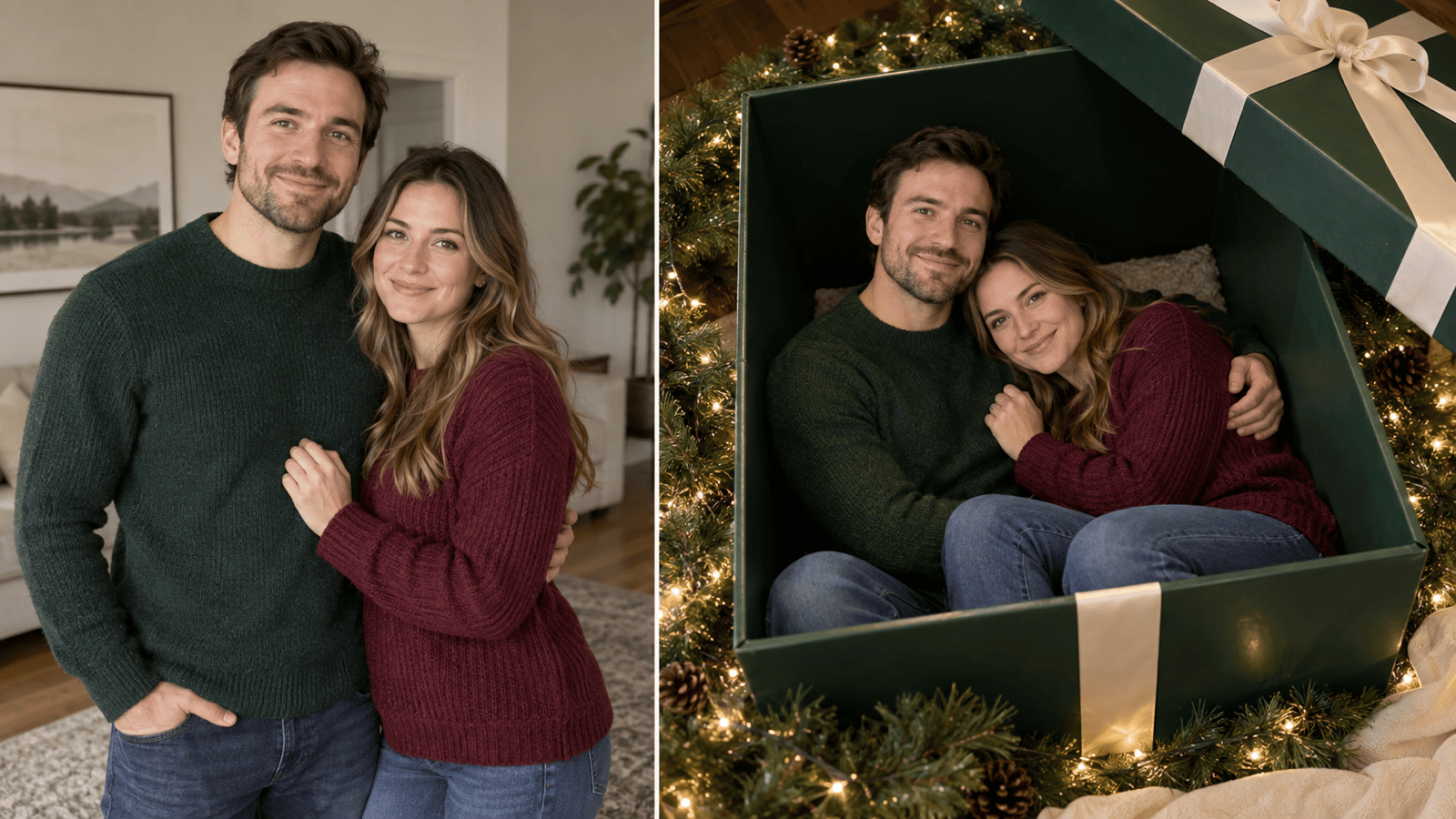
Use our uploaded couple photo to place us together in one deep-green Christmas gift box. Keep both faces recognizable, give us comfortable space, and add a cream ribbon, pine garland, and soft evening light.
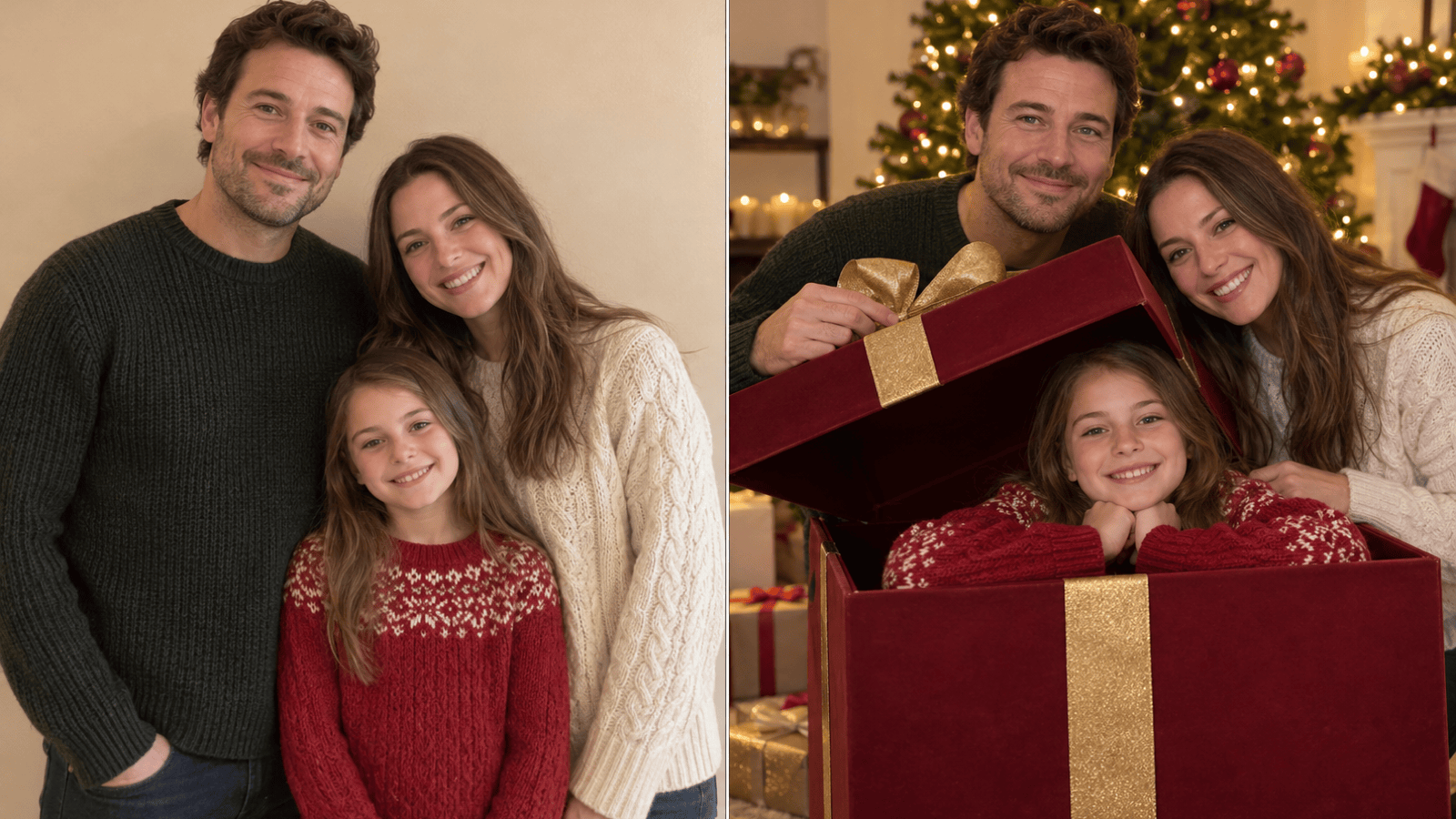
Turn our uploaded family portrait into a family Christmas box photo. Arrange everyone comfortably around a large open gift box, keep each face distinct, and use warm lights and simple decorations without hiding anyone.
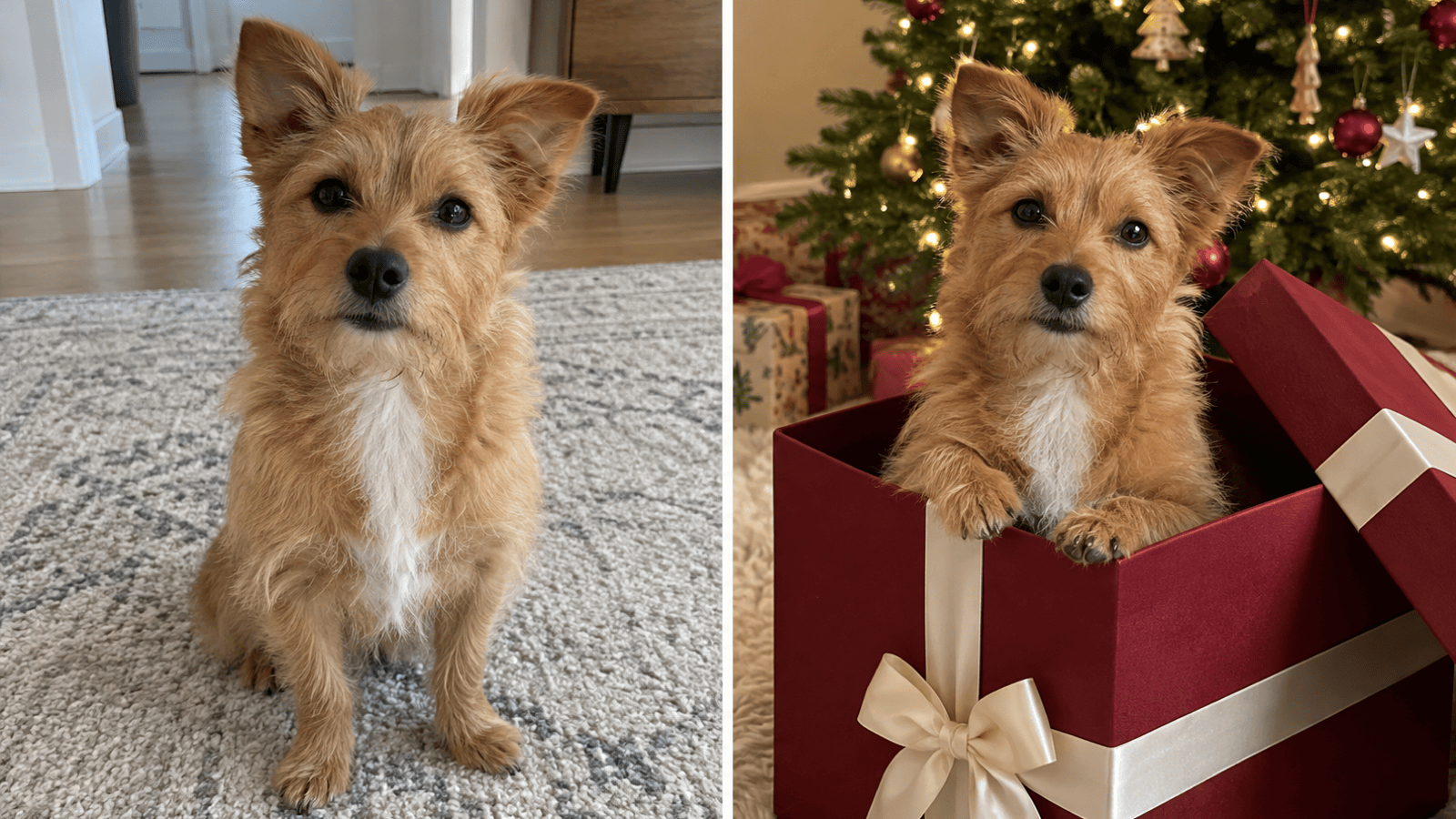
Use my uploaded pet photo to show the same dog peeking out of a burgundy Christmas gift box. Preserve its coat pattern and expression, keep the box rim below its face, and add a few safe-looking ornaments in the background.
Make a cozy Christmas box photo from my uploaded portrait for a digital greeting. Place me in a cream gift box beside a softly lit tree, with natural skin tones, gentle shadows, and a little clear space for a message.
Create an editorial Christmas gift box portrait from my uploaded photo. Use a black velvet box, oversized gold ribbon, clean studio lighting, and a vertical social-media crop. Keep my face recognizable and the box perspective believable.





