Free OnlineAI Bust Down Filter
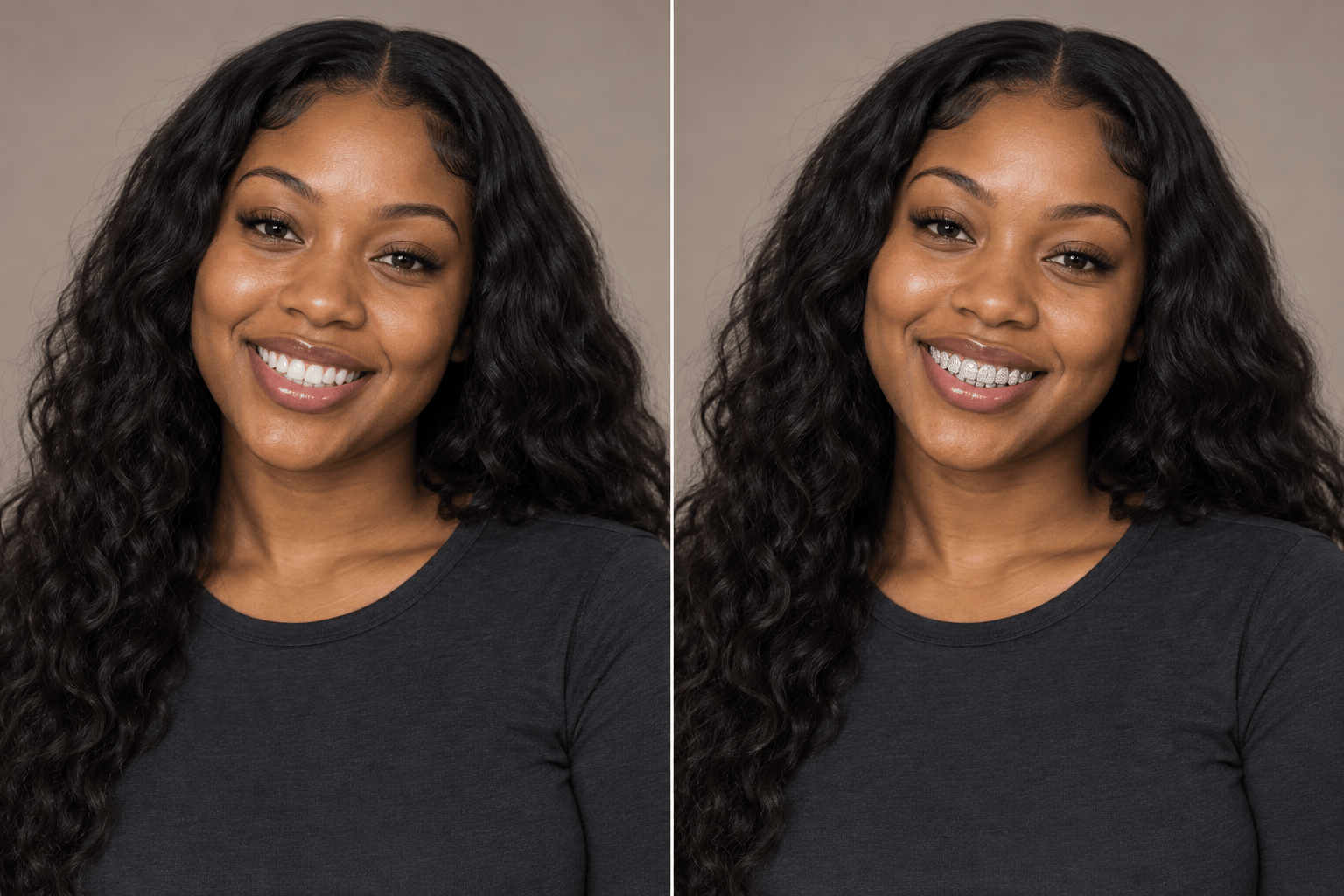
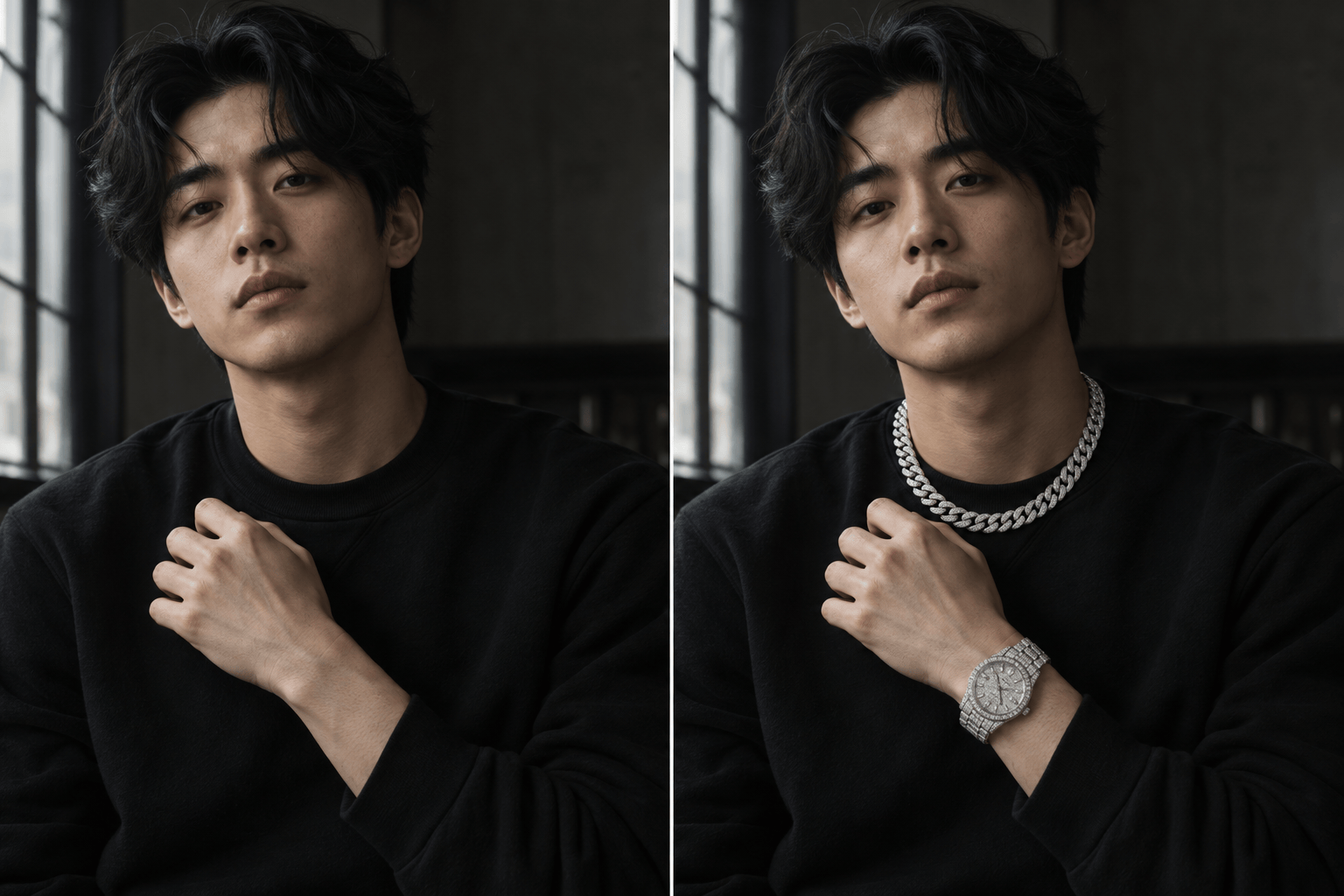
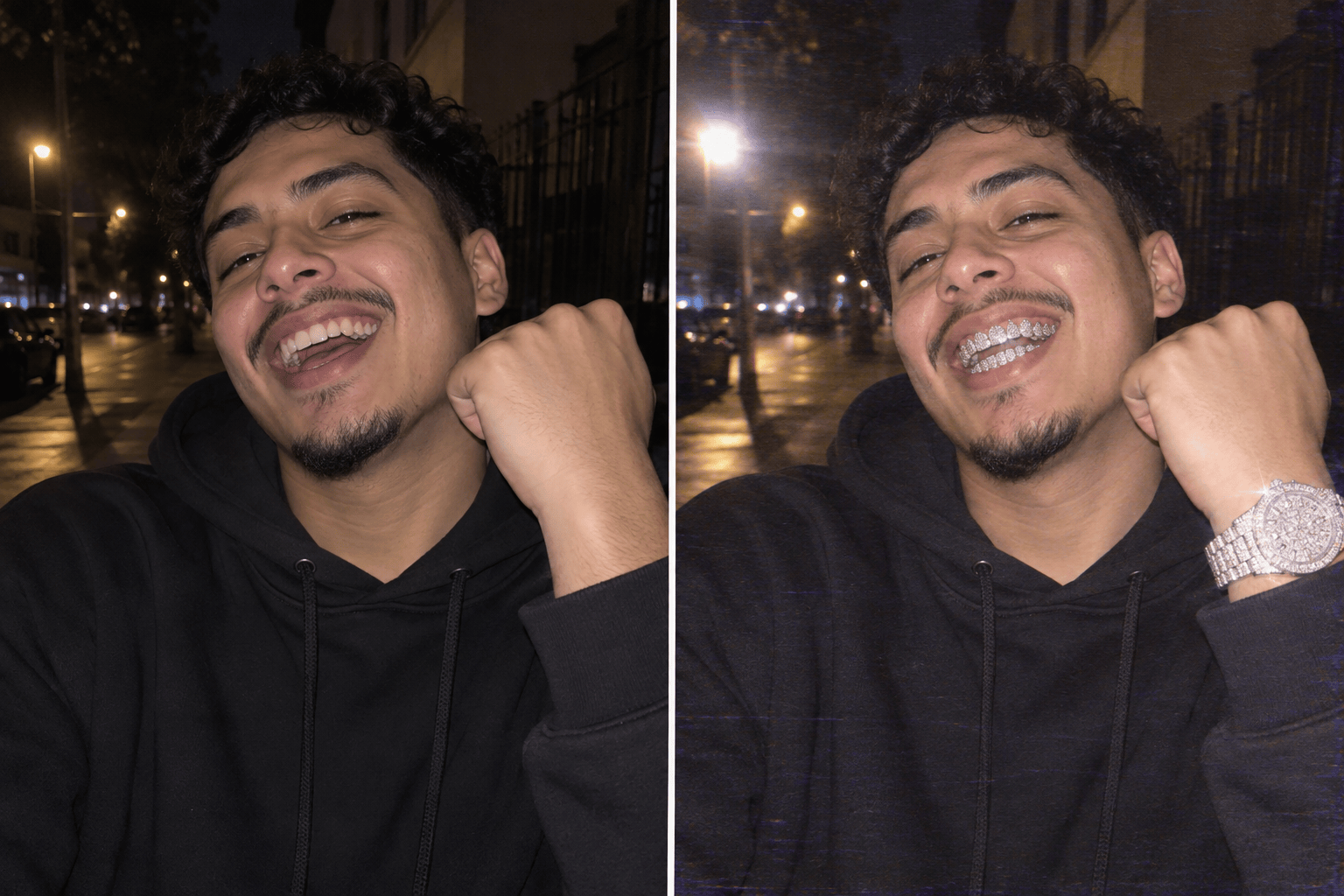
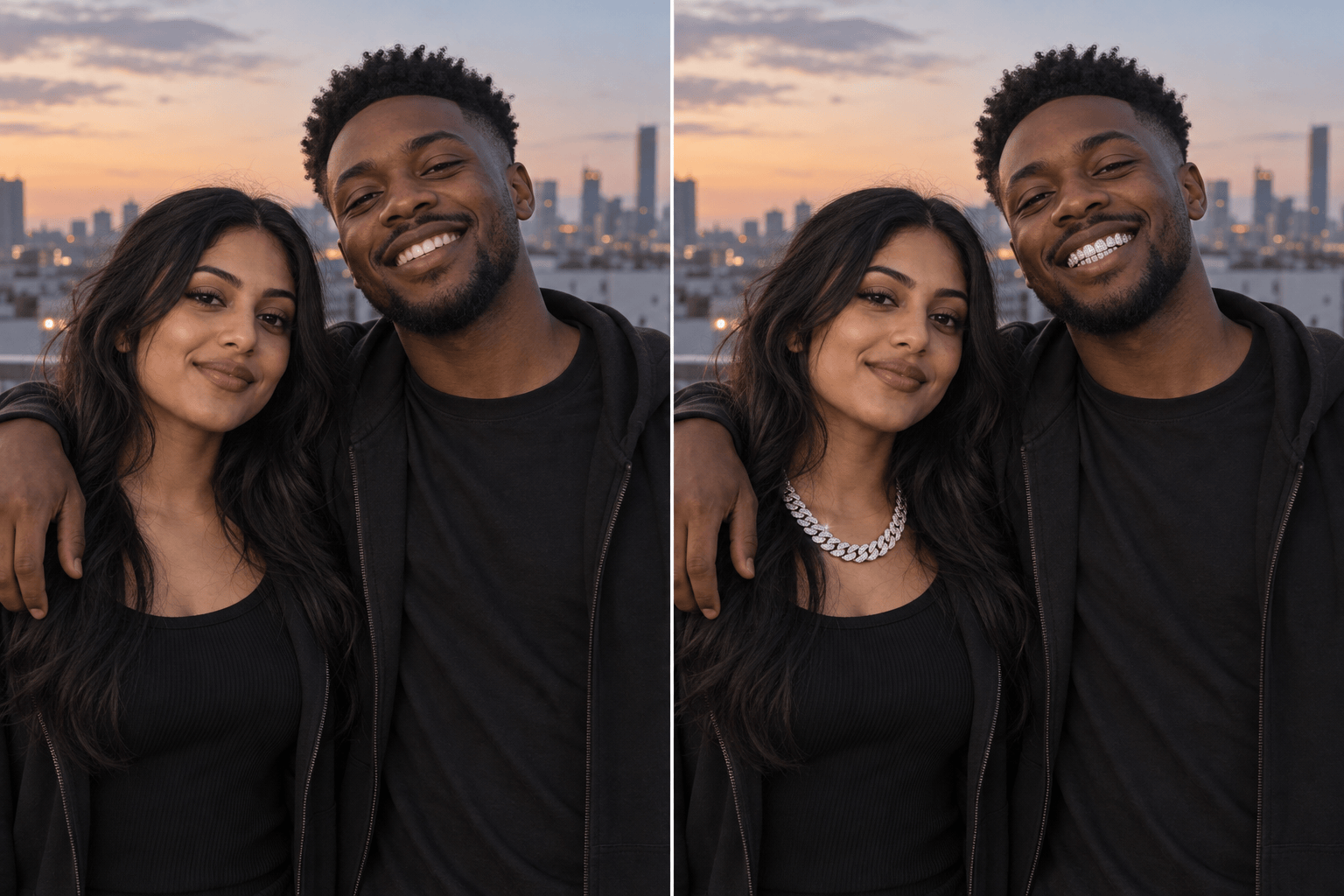
How to Add a Bust Down Effect to a Photo
Upload a Clear Portrait
Name the Jewelry and Mood
Check the First Edit
Download and Share

Create an Iced-Out Edit That Still Looks Like You
Edit Your Own Photo
Upload a selfie and describe the effect. Mew Design uses your image as the visual starting point, so the request can focus on jewelry rather than inventing a new person.
Choose Your Level of Shine
Our AI iced-out photo filter can aim for restrained grillz or a full chain-and-watch look. Specify metal tone, stone size, and flash intensity in plain language.
Correct Small Details in Chat
If grillz cover the lips or a watch sits awkwardly, use Chat Edit to ask for a targeted fix while keeping the parts you like.
Make Variations for Different Posts
Try a clean portrait for a profile picture and a grainy flash version for a bust down meme. Keep the same source photo and vary the styling request.
Use a Jewelry Reference
Upload an example of the grillz or chain style you like and describe what to borrow from it. A reference can clarify the shape or finish while your own photo guides the edit.
Start With Free Credits
New users can test the online photo-editing workflow with free AI credits after signup. Downloaded images are watermark-free.
Choose a Photo That Makes the Filter Work
- Show the target area: Use a visible smile for grillz, an uncropped wrist for a watch, and space around the neckline for a chain.
- Start with one accent: Try grillz or a chain first. Add more pieces only if they fit the face, pose, and frame.
- Match the original light: Ask for reflections and shadows that follow the photo’s existing light, unless you want an intentionally exaggerated flash look.
- Keep identity explicit: Ask to preserve facial structure, skin tone, expression, and clothing; review the result because AI edits can still change details.
Bust Down Looks and Fixes to Try
Add a fitted diamond grill to the visible teeth in my uploaded selfie. Keep the rest of my face, expression, and lighting unchanged.
Add one white-gold iced-out Cuban chain to my portrait. Fit it to the neckline and match the original shadows; do not change my face or clothes.
Add a diamond-covered watch to the visible wrist in my photo. Keep the hand anatomy natural and size the watch realistically for the pose.
Give my uploaded portrait a full bust down look with diamond grillz, a chain, and a watch. Coordinate the metal tones without hiding my face.
Make a playful bust down meme edit from my photo: diamond grillz, bright direct flash, subtle VHS grain, and a candid feel. Keep me recognizable.
The jewelry in this edit looks too large and floats above the skin. Reduce its size, align it to the teeth, neck, or wrist, and match the photo’s reflections while preserving the rest.





