Free OnlineAI Blemish Remover
How to Remove Blemishes from Photos with AI
Upload Your Photo and Name the Spots
Remove Pimples and Soften Acne Marks
Refine the Skin Details in Chat
Check and Download Your Portrait

An AI Blemish Remover for Selfies and Portraits
Remove Pimples and Soften Acne Marks
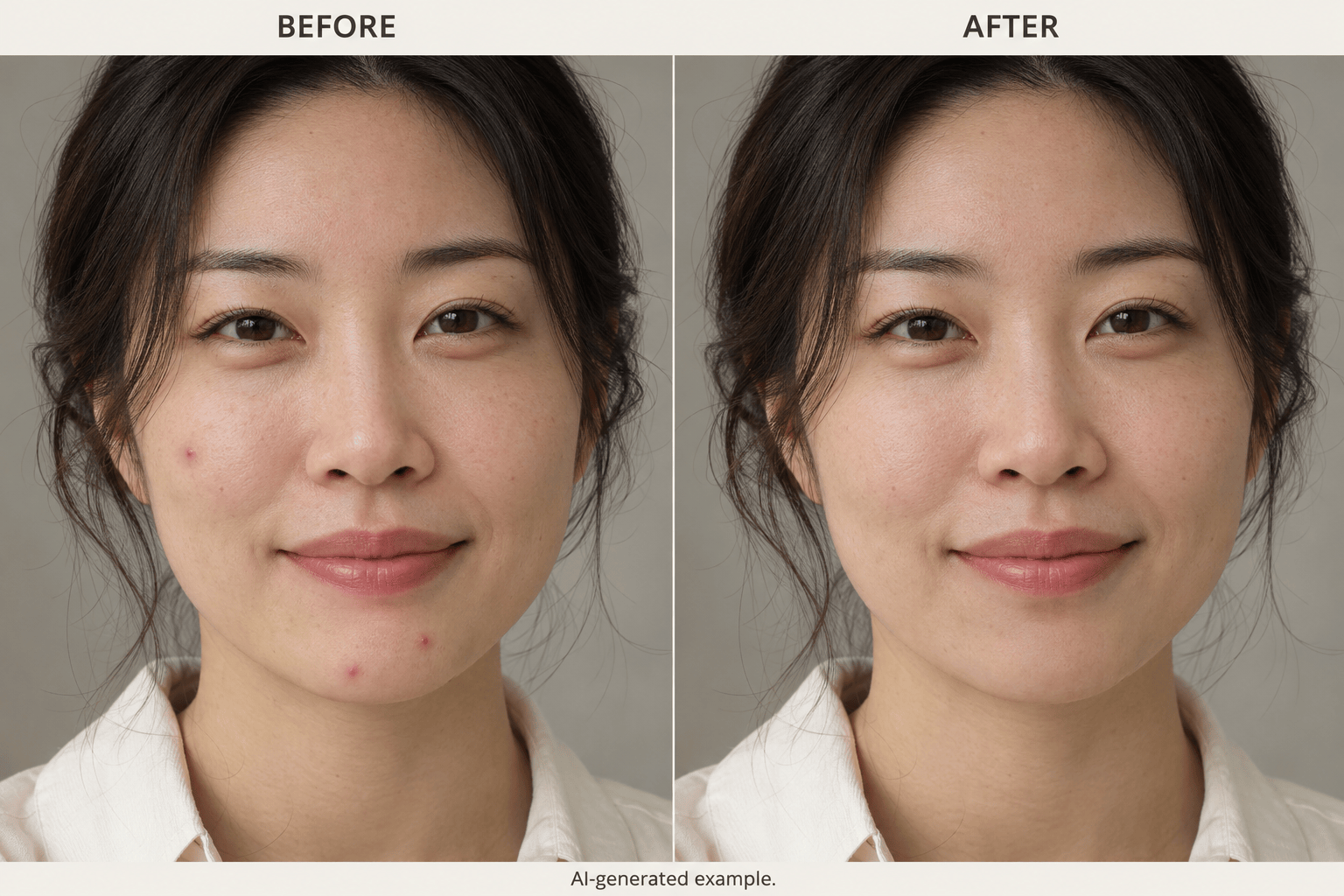
Use our AI acne remover to request changes to specific pimples or acne marks. Describe the area in everyday words instead of applying a broad beauty filter.
Preserve Freckles, Pores, and Skin Tone
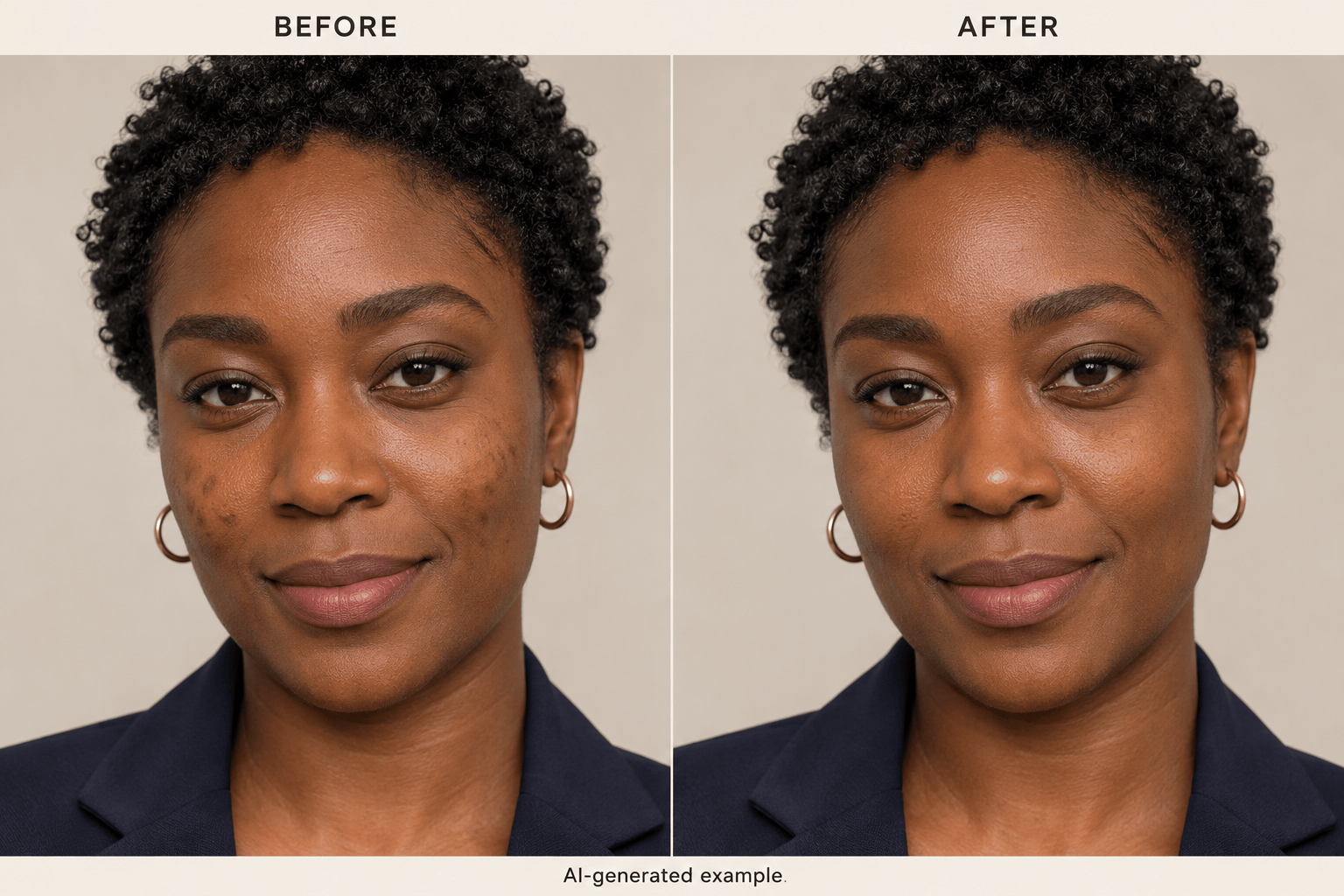
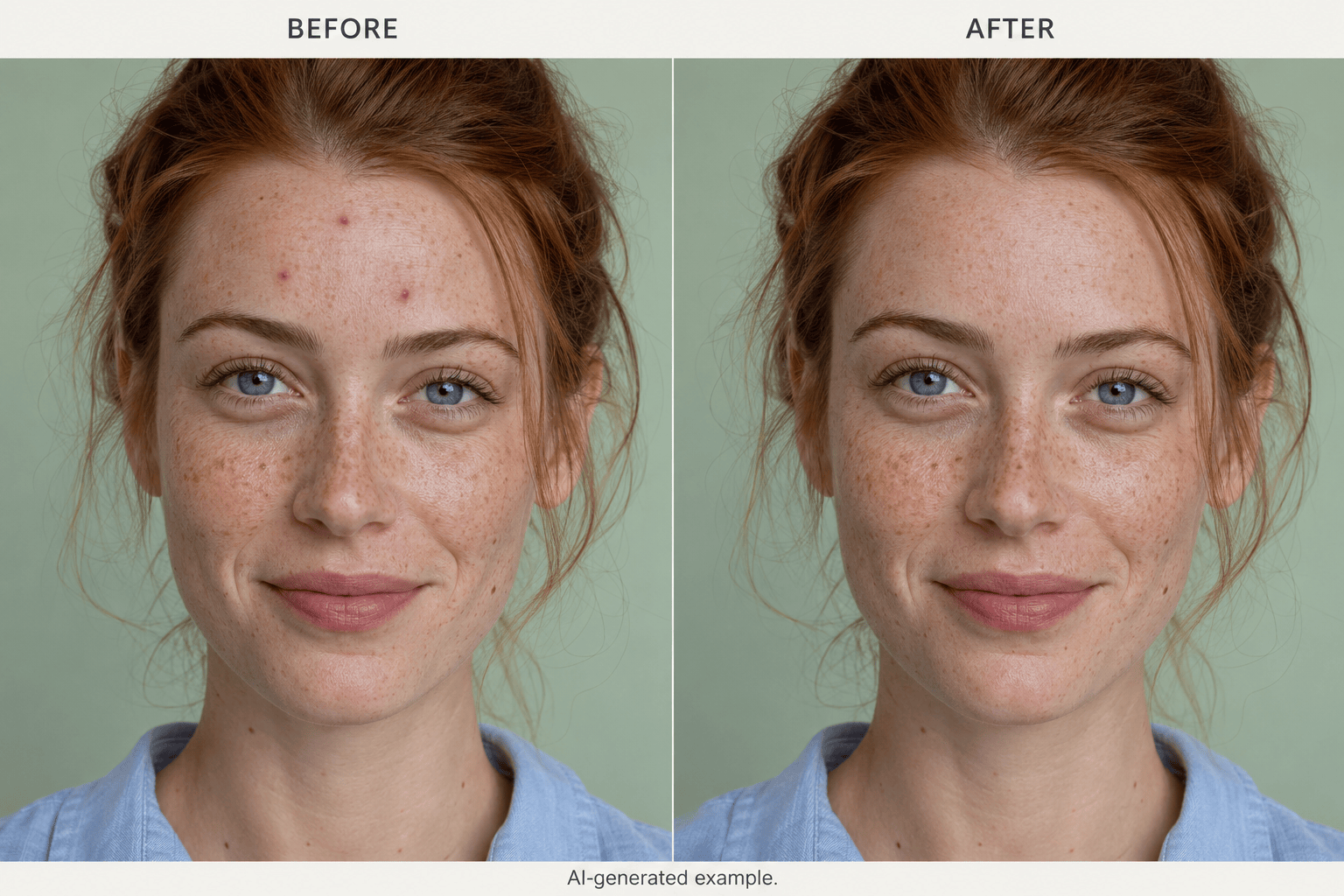
Tell the photo editor to preserve pores, freckles, fine lines, and your original skin tone. Review the result and request a lighter edit if the texture changes too much.
Retouch Selfies and Headshots
Remove blemishes from photos online before sharing a selfie or updating a professional profile. Work from your existing portrait and ask to preserve its lighting, expression, and background.
Fix Missed Spots or Over-Smoothed Skin
A remaining spot or an over-smoothed cheek does not need a new brief. Use Chat Edit to explain the correction and refer back to your original photo.
Choose a Model for Photo Retouching
Let Mew Auto select a suitable model for the photo and requested retouch. On eligible paid plans, choose a model yourself. Mew Design adds new leading image models as they become available.
Try It with Free Signup Credits
Start with free credits after signup and export without a watermark. Download your retouched portrait as PNG or JPG; available resolution and further usage depend on your plan.
Remove Blemishes without Over-Smoothing Skin
- Start with Visible Detail: Use the original photo when possible. Heavy filters, deep shadows, and compression can hide the boundary between a spot and surrounding skin.
- Separate Spots from Features: Name the marks you want reduced and the freckles, moles, or fine lines you want to keep. Avoid a vague request to remove every imperfection.
- Compare Color and Texture: View the original and edited photo at the same size. Check for blurred pores, pale patches, changed makeup, or edges that no longer match.
- Reduce the Scope if Needed: If too much changes, return to the original and request one small correction. Keep the face shape, expression, and unedited skin in the instruction.
Remove Blemishes from Selfies, Headshots, and Event Photos
Remove the single pimple on my chin in this selfie. Keep the rest of my face, pores, lip shape, and original lighting unchanged.
Soften the small dark acne marks on my cheeks in this headshot. Preserve my deep skin tone and natural highlights; do not brighten the whole face.
Remove the red pimples on my forehead in this freckled portrait. Keep all freckles and beauty marks, with no extra skin smoothing.
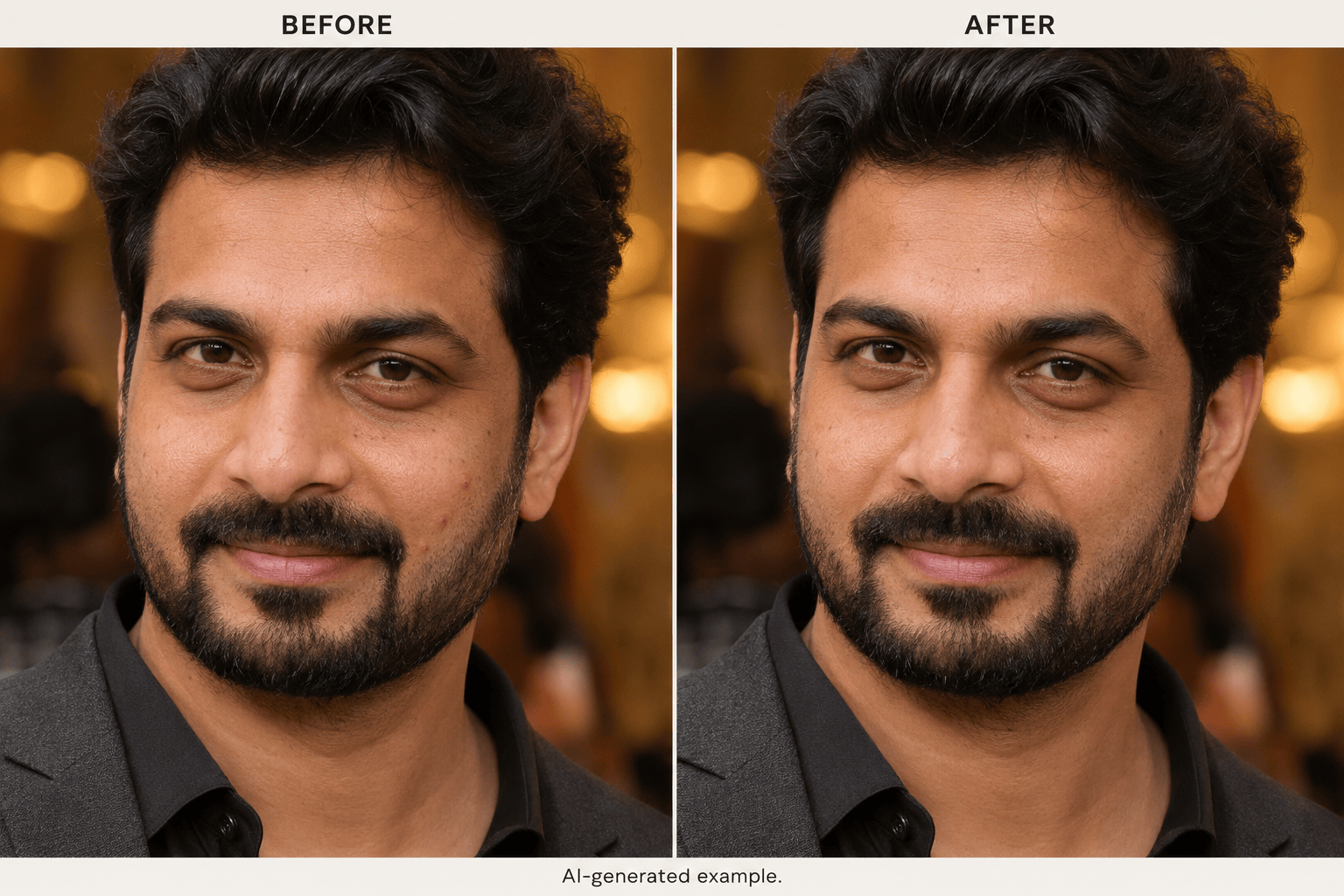
Retouch the visible spots beside my beard in this portrait. Preserve individual beard hairs, stubble, jawline, and shadows.
Reduce the small blemishes visible through makeup in this event portrait. Keep the blush, foundation texture, eye makeup, and warm lighting unchanged.
The last edit made my cheek too smooth. Use my original photo as reference and reduce only the pimple, keeping the surrounding pores and fine lines.





