Free OnlineAI Black Friday Instagram Post Generator

How to Create a Black Friday Instagram Post with AI
Set the Offer
Build the Sale Layout
Refine the Details
Check and Download

Give Every Sale Detail Its Place
An Offer Shoppers Can Read
Our AI Black Friday Instagram post generator helps give the discount priority while leaving room for eligible products, dates and a clear next action.
Your Products in the Spotlight
Upload your own photos and logo for a clothing drop, beauty bundle or store promotion. Ask for background removal when a cleaner product cutout suits the layout.
Changes Without Rebuilding
Revise prices, coupon codes or type size through Chat Edit. Keep the successful direction while requesting focused changes to your sale graphic.
Layouts for Each Placement
Create a portrait feed post, then request a Story version with the same offer. Recompose the text and product instead of stretching the image.
A Connected Campaign
Generate related teaser, launch and last-chance graphics. A Black Friday Instagram carousel can share a palette and typography while each slide introduces a different product.
Reuse Your Campaign Style
Turn a successful design workflow into a Mew Skill. Reuse your brand direction and layout preferences for Cyber Monday or the next sale with less repeated briefing.
What to Put on a Black Friday Sale Post
- One Clear Offer: Distinguish a flat discount from up to a stated amount. Keep exclusions and minimum-spend conditions easy to find.
- Real Product Details: Use accurate product photos and approved prices. Do not invent stock shortages or savings to fill the design.
- A Specific Deadline: Provide the date, time and time zone. A countdown graphic is static, so replace it when the remaining time changes.
- A Useful Next Step: Choose the action that matches your sale: visit the store, use a code or follow the bio link. Match the caption and destination to the offer.
Black Friday Instagram Post Ideas for Your Campaign
Create a Black Friday countdown Instagram post for my small business. Use my brand colors, a restrained product teaser and the confirmed launch date I provide. Ask for missing details; do not invent a discount.
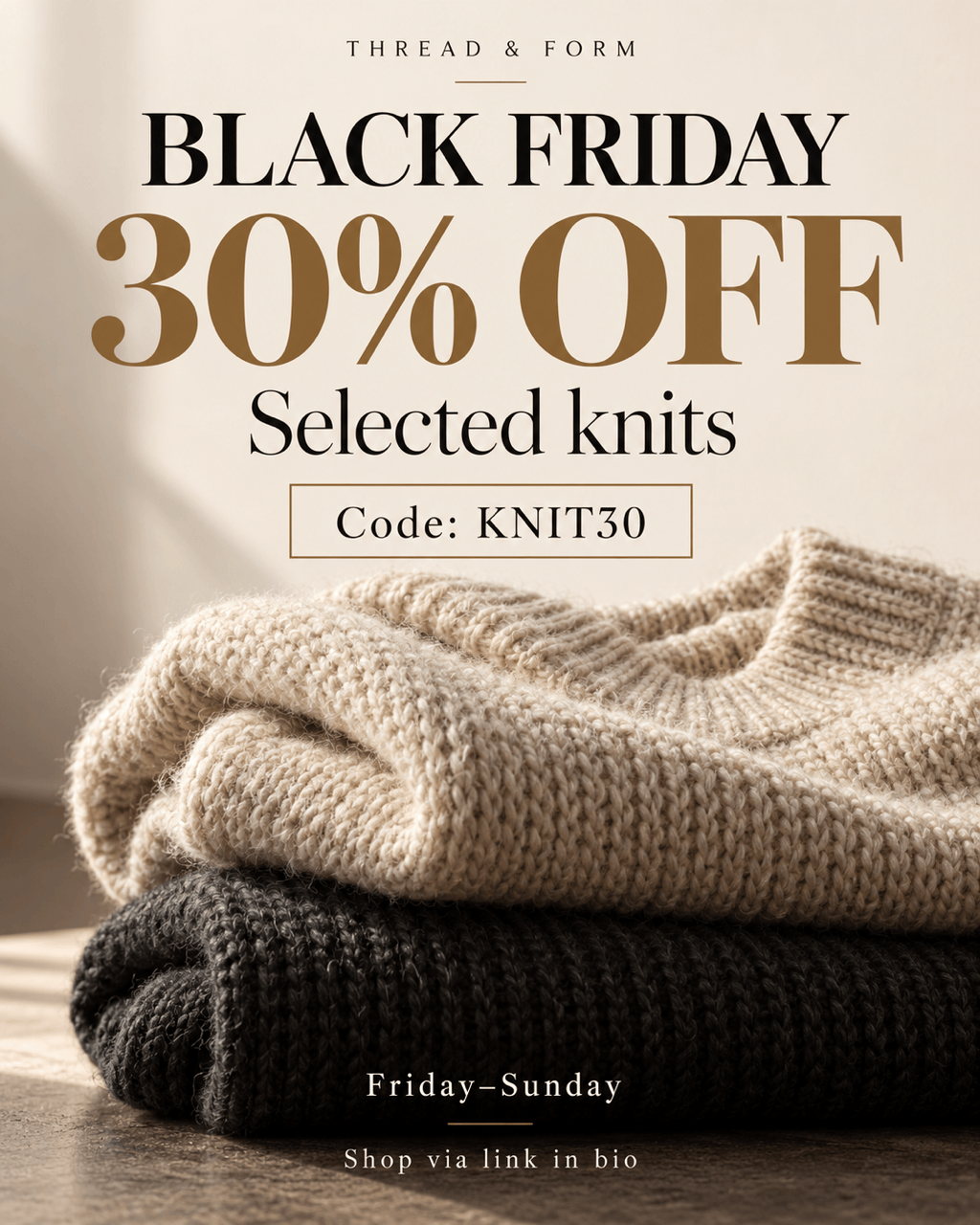
Design a Black Friday clothing sale Instagram post using my uploaded knitwear photo. Feature 30% off selected knits and code KNIT30. Use bold type and generous space; ask for the sale dates before finalizing.
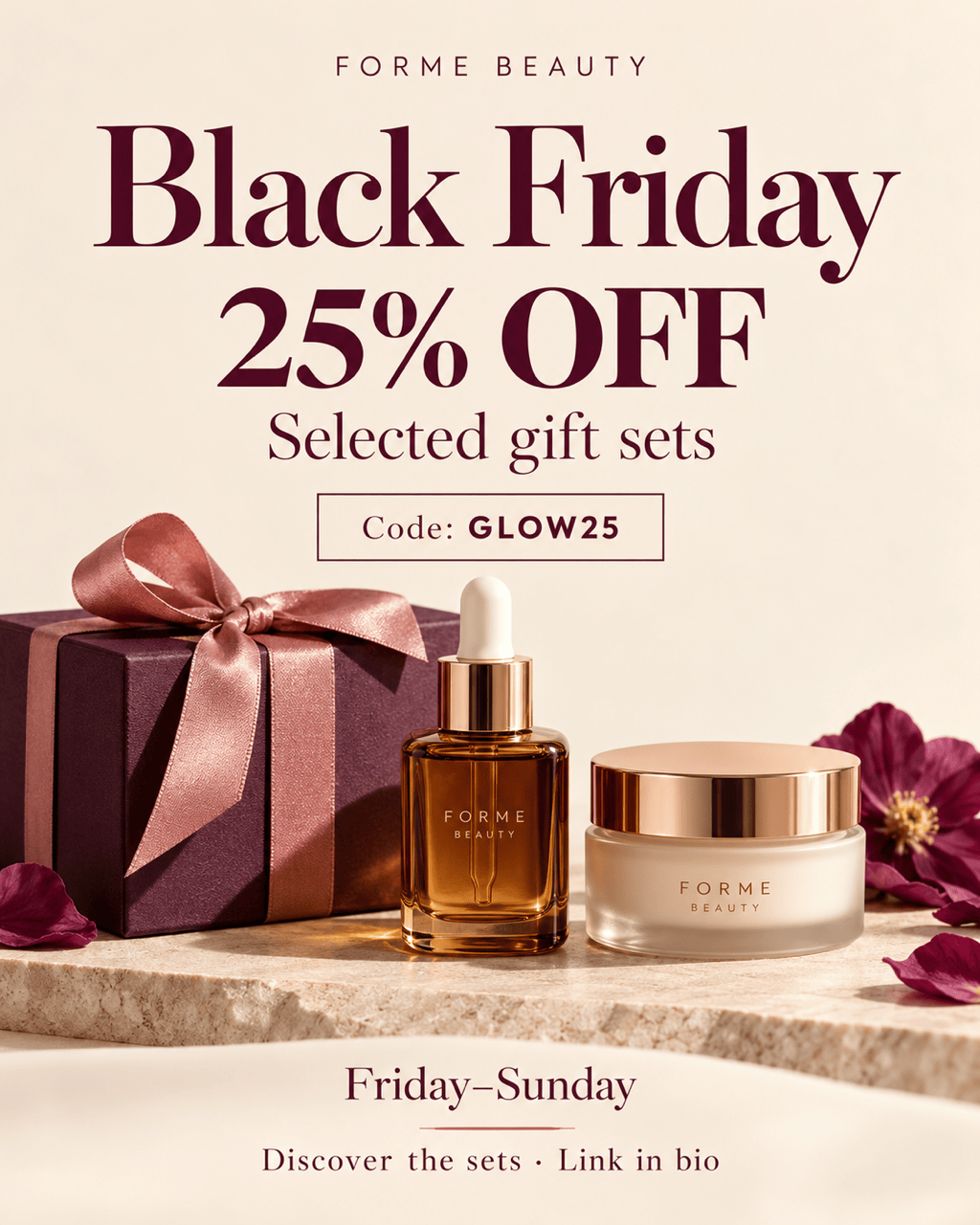
Make a Black Friday beauty sale Instagram post for a gift set. Use my product photo, a warm ivory background and 25% off selected sets. Give the contents and discount separate space; request the confirmed deadline.
Create a three-slide Black Friday Instagram carousel from my product photos and approved prices: an offer overview, featured products and a final code-and-deadline slide. Keep all slides 4:5 with matching typography.
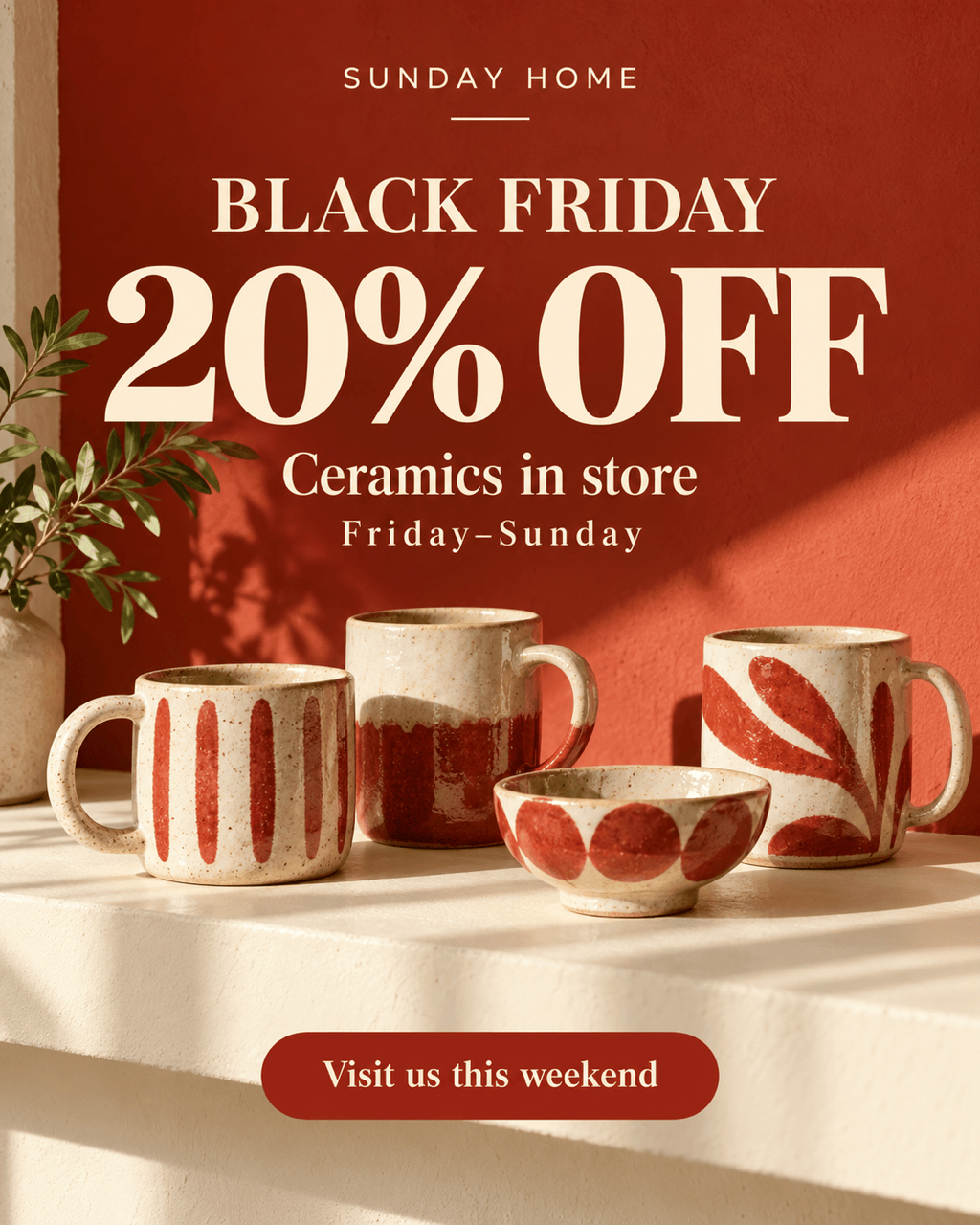
Design a Black Friday sale post for my local homeware shop. Highlight 20% off ceramics in store. Use warm red and cream, and ask for the shop address, opening hours and sale dates before adding them.
Make a final-hours reminder using my approved Black Friday design. Keep the product and palette, emphasize the exact end time and time zone I supply, and retain the offer conditions. Do not add a live countdown.





