Free OnlineAI Bald Generator
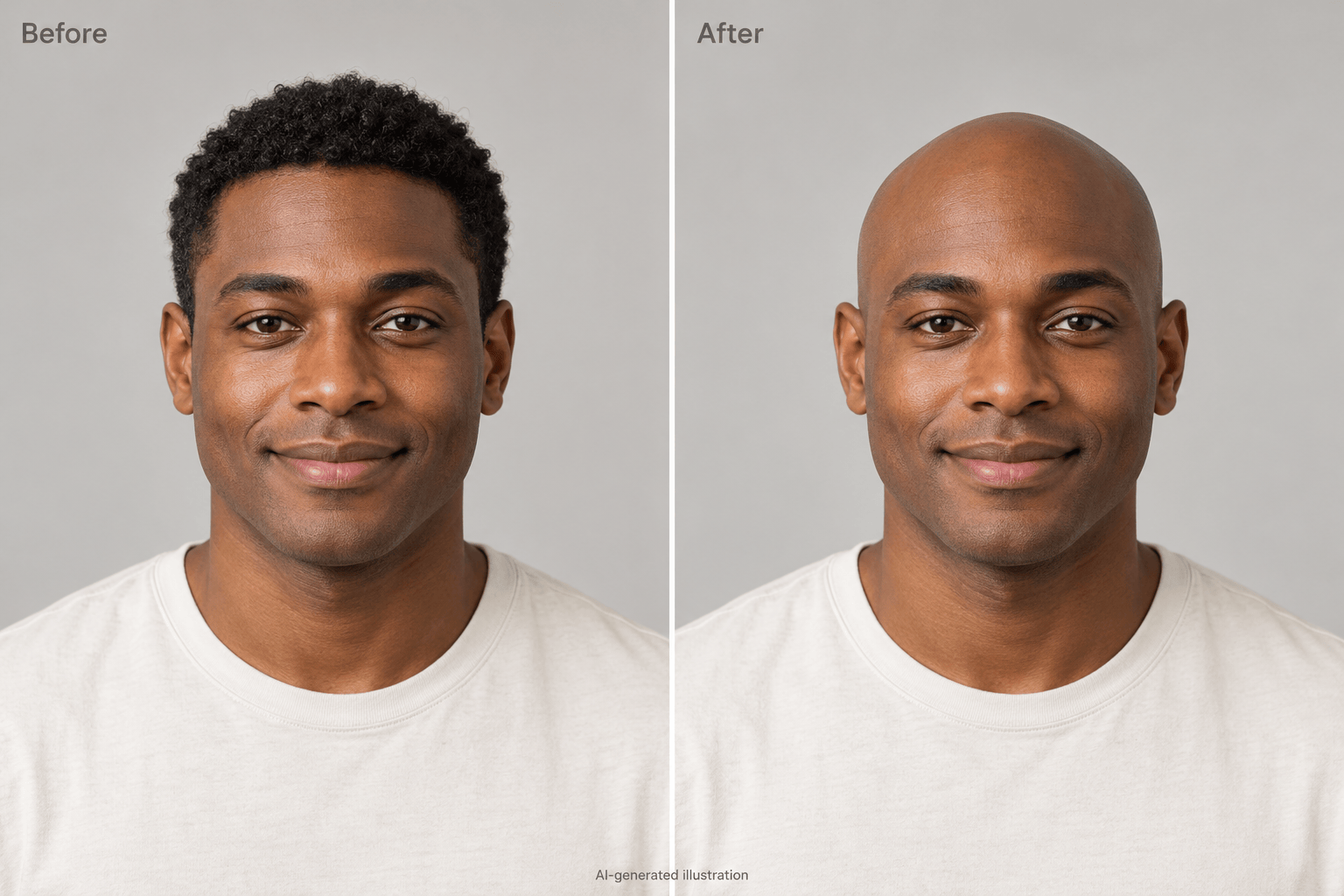
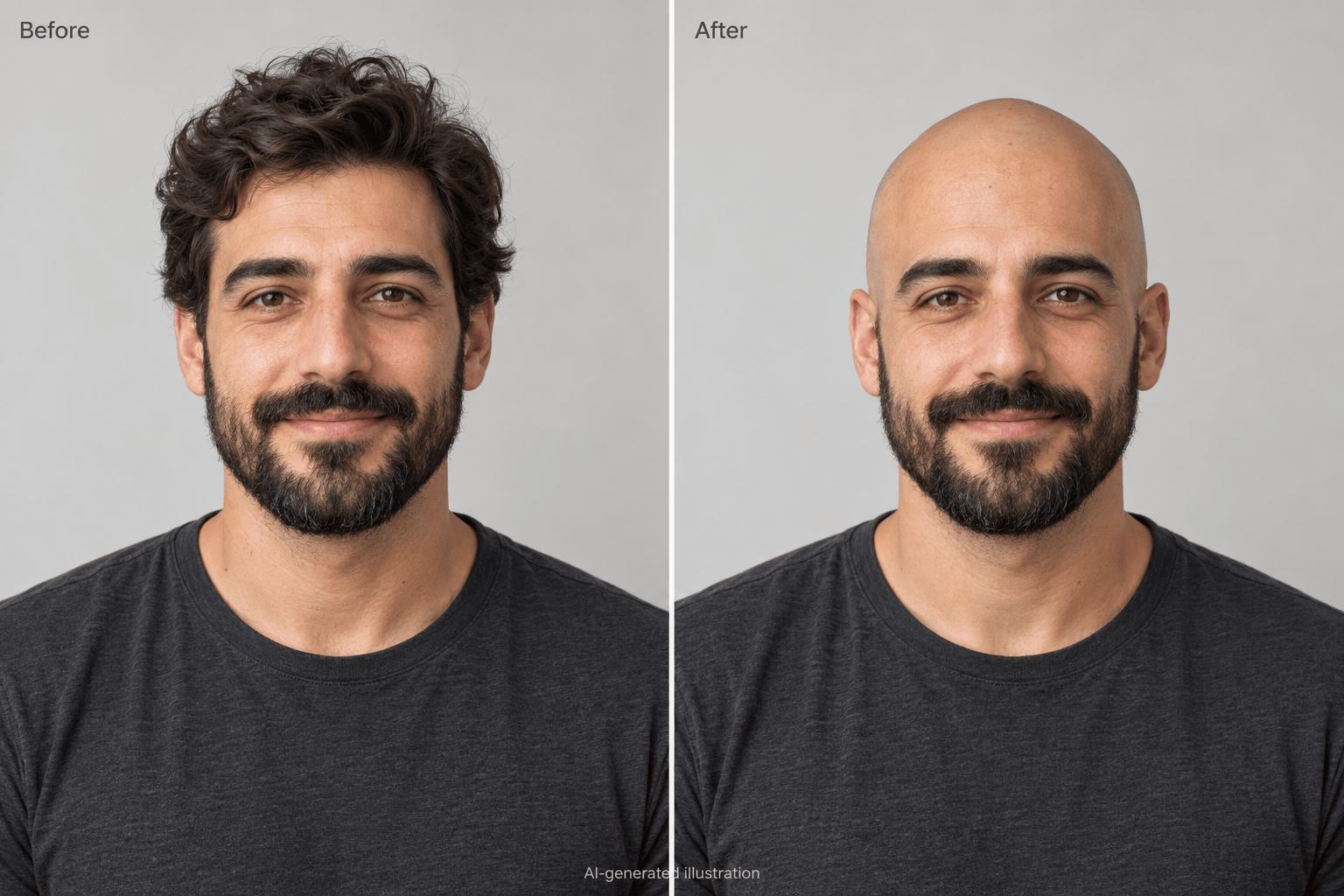
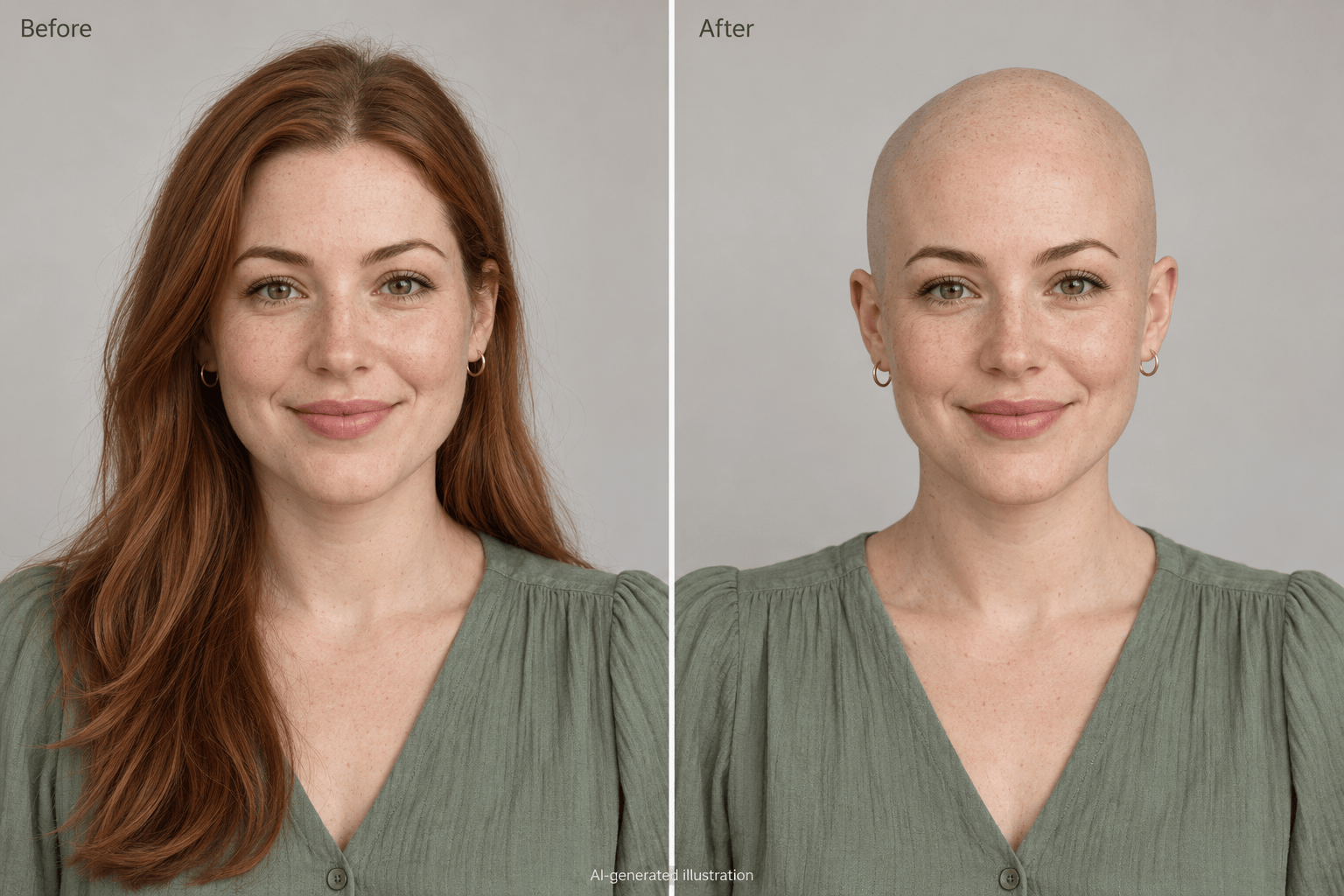
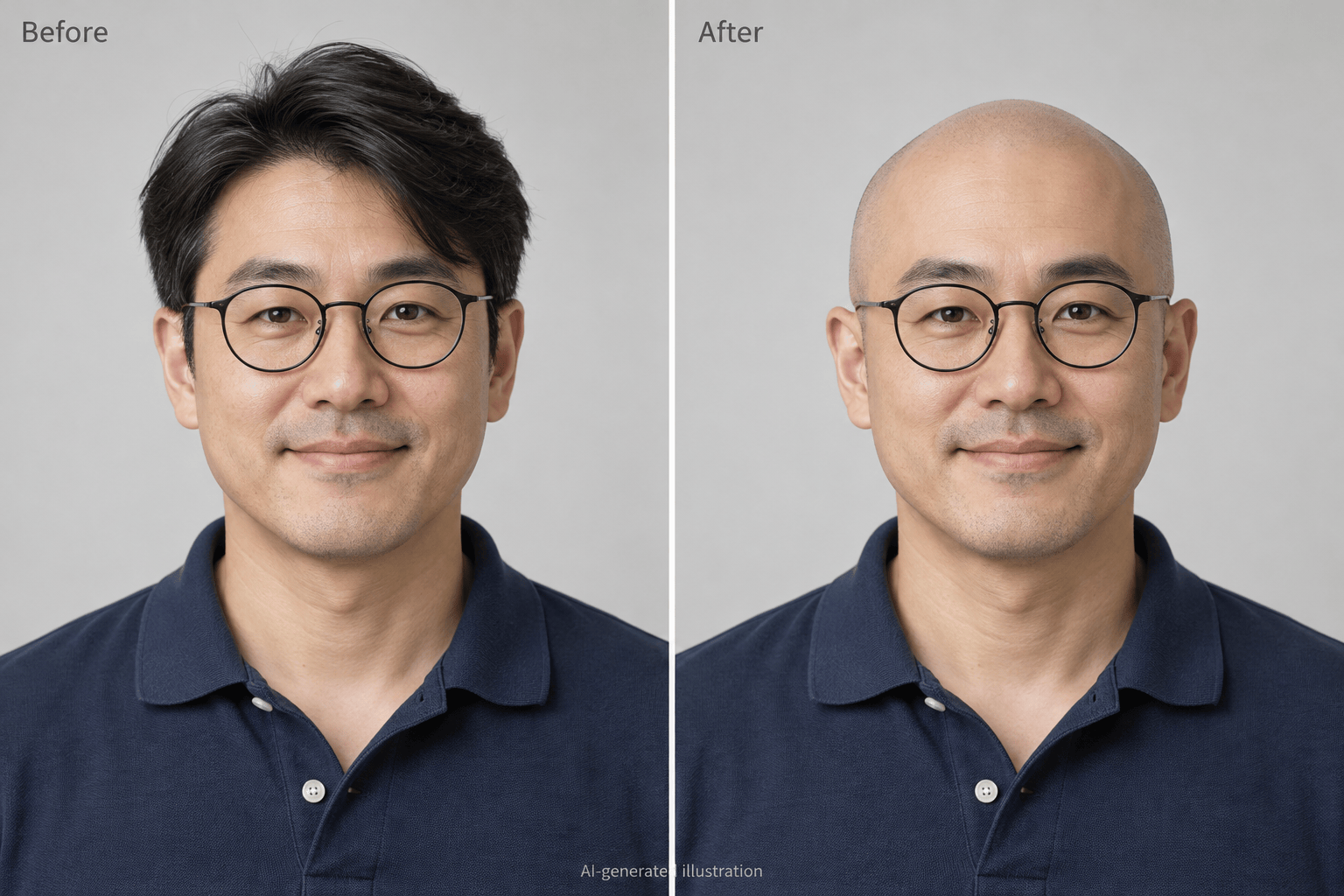
How to Create a Bald Look with AI
Upload a Clear Portrait
Generate Your Bald Preview
Check and Refine the Details
Save Your New Look

Explore a Shaved Head on Your Own Terms
Start with Your Own Face
Use this online bald head simulator with an uploaded portrait to explore the change on your own face, instead of judging a haircut on someone else.
Keep the Beard You Like
Ask the AI bald filter to remove scalp hair while retaining your beard and eyebrows. Review those details and request corrections if they change.
Compare Smooth and Stubbled Looks
Request separate clean-shaven and close-buzzed versions from the same photo. Keeping the pose and lighting similar makes the difference easier to judge.
Fix the Parts That Look Off
Use Chat Edit to soften excessive scalp shine, remove leftover hair, or restore an altered expression. Describe the correction without manually painting over your photo.
Build a Before-and-After Comparison
Ask Mew Design to place your original and bald preview side by side at the same scale. Check face shape, ears, and shadows before saving the comparison.
Try It Online with Free Credits
New users receive free AI credits after signup. Explore your shaved-head look in the browser and export watermark-free images; further generation depends on your available credits.
Choose a Photo That Gives a Better Bald Preview
- Show the Whole Head:Use one person, a front-facing view, and space above the hair. Avoid hats, cropped crowns, and hands covering the head.
- Use Even Light:Choose a sharp photo with soft, balanced light. Heavy shadows and beauty filters can hide skin texture and change facial detail.
- Move Long Hair Aside:Tuck hair behind your ears and away from your shoulders when possible. Hidden ears, clothing, and background areas must otherwise be reconstructed.
- Judge the Preview Carefully:Check the forehead, ears, scalp outline, and skin tone against the original. AI cannot know the exact head shape beneath your hair.
Refine Your Bald Filter Result
Keep my beard: Remove only the hair on my scalp. Restore the beard, mustache, and eyebrows from my original photo, keeping their shape and color.
Remove leftover hair: Clean up the remaining strands around my ears, temples, and neckline. Keep my ear shape, clothing, and background as close to the original as possible.
Reduce scalp shine: Make the bald scalp less glossy. Match its tone, texture, and shadows to my forehead without smoothing or brightening the rest of my face.
Restore my expression: Use my original photo as the reference for my eyes, smile, and facial proportions. Keep the bald edit, without adding beauty retouching.
Compare bald and buzzed: Create two versions of my uploaded portrait, one clean-shaven and one with very short, visible hair. Keep the pose, expression, and lighting consistent.
Make a comparison: Place my original photo on the left and my bald preview on the right at the same scale. Keep both heads fully visible and label the edited version as an AI preview.





