CreateAI Art with My Face
How to Turn Your Photo into AI Art
Choose a Clear Photo
Turn Your Selfie into Art
Compare and Refine Your Face
Download Your Portrait
Why Use Mew Design for AI Art from Your Photo
Your Photo as the Starting Point
Create AI art of yourself from a photo. Upload your face reference and specify the features that matter, instead of relying on a text description alone.
Explore More Than One Art Style
Use our online AI face art generator to try painterly textures, anime linework, or fantasy lighting. Add a separate style reference when words are not enough.
Revise Details Through Chat
Ask to soften a brushstroke, restore your glasses, or simplify the background. Chat Edit lets you refine the portrait without learning an editing tool.
Compose for Your Profile Picture
Request a square portrait with room around your head. Keep your face prominent and the background simple so the artwork reads at avatar size.
Create a Related Portrait Series
Request several versions with a shared palette and composition. Reuse your photo reference and compare each face before choosing your favorites.
Try Your First Portrait Online
Use free AI credits after signup to explore selfie-to-art ideas. Download watermark-free results as PNG or JPG when you are happy with the portrait.
How to Make AI Art That Looks Like You
- Start with Visible Features: Choose a sharp, evenly lit photo without heavy filters, sunglasses, or hair covering your face.
- Separate Face and Style: Identify which upload shows you and which shows the art style. Ask to borrow the texture or colors, not the other person’s face.
- Name What Should Stay: Mention distinctive features such as freckles, glasses, facial hair, or your natural hairline. Keep the first pose close to the source photo.
- Correct One Detail at a Time: If the portrait looks unlike you, request a specific correction and less stylization before changing the outfit or scene.
AI Face Art Ideas to Try with Your Photo
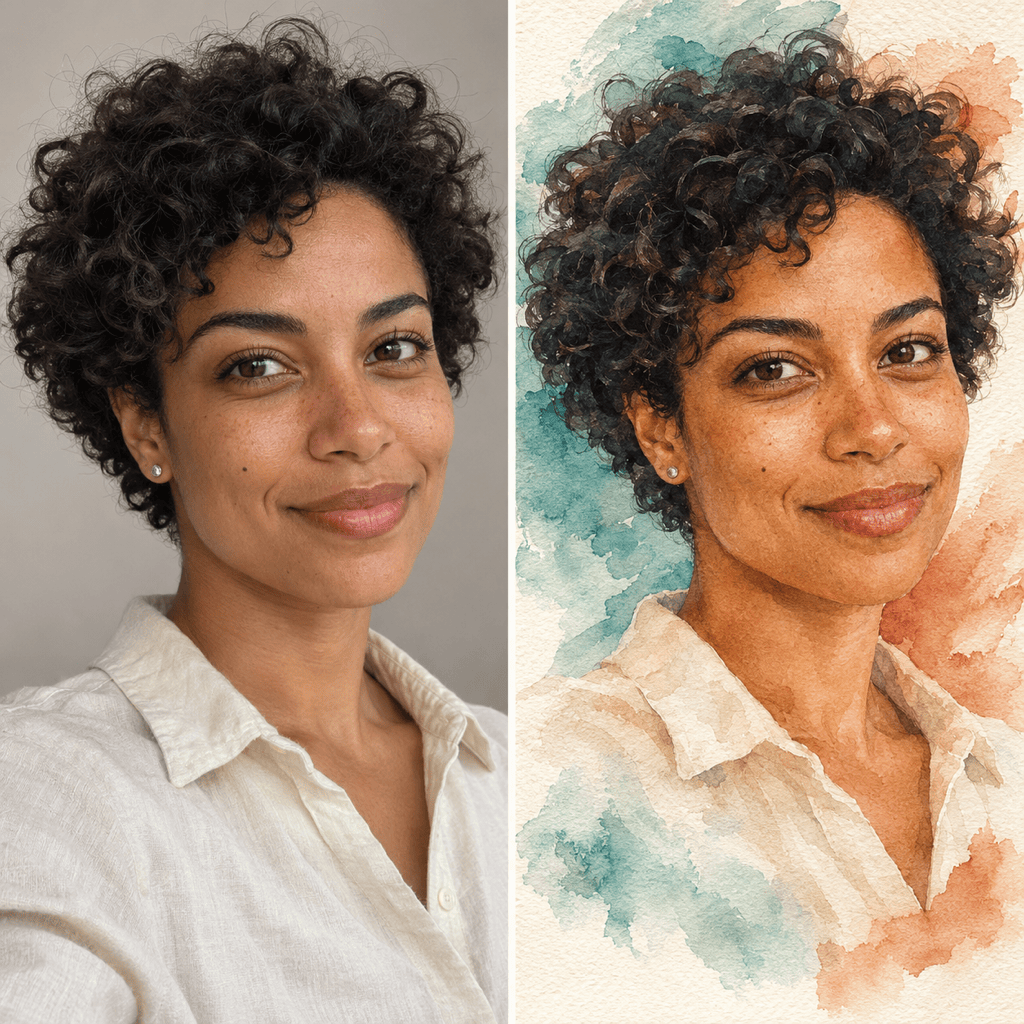
Watercolor Portrait from a Photo: Turn my uploaded photo into a watercolor portrait with soft washes and visible paper texture. Keep my face shape, natural skin tone, and expression close to the reference. Use a pale teal background.
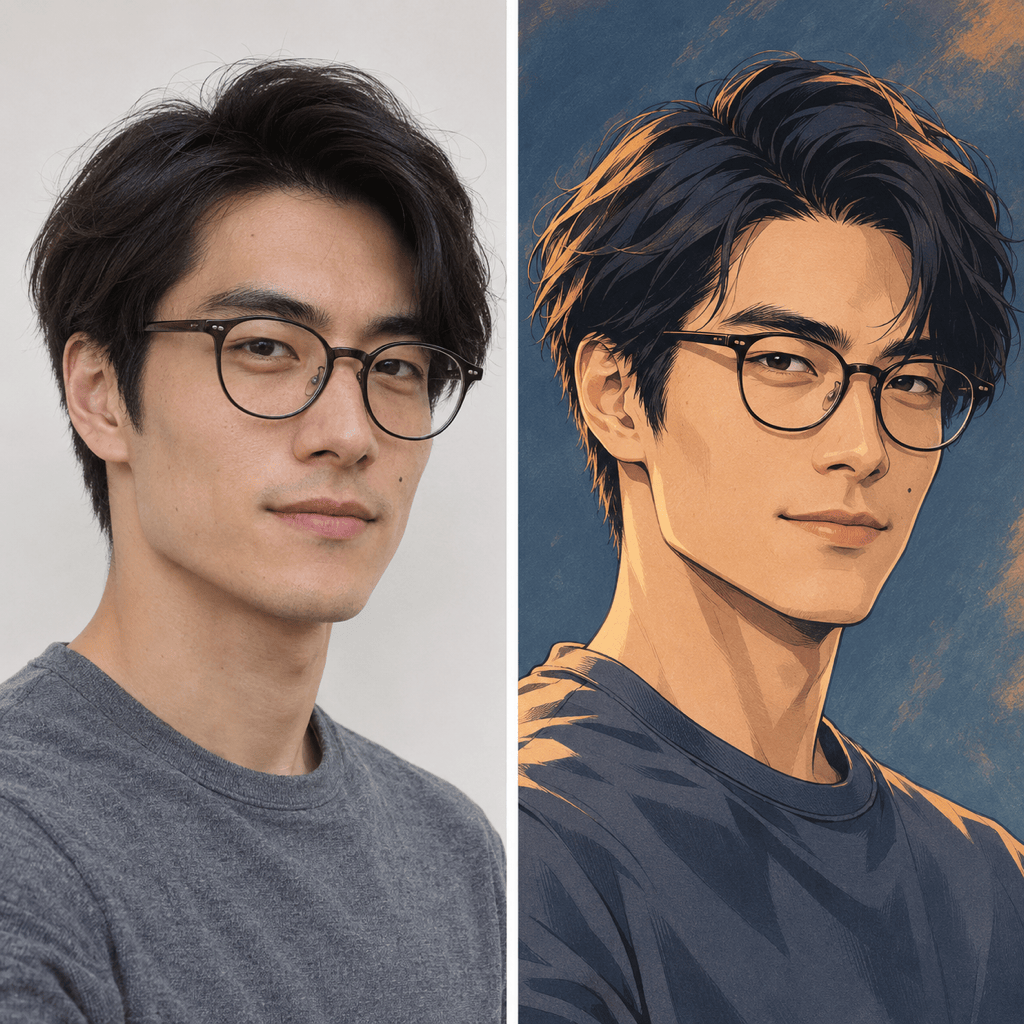
Anime Avatar from a Selfie: Turn my selfie into an anime avatar with clean linework and soft cel shading. Keep my hairstyle, glasses, and face proportions recognizable. Use a simple blue background without text.
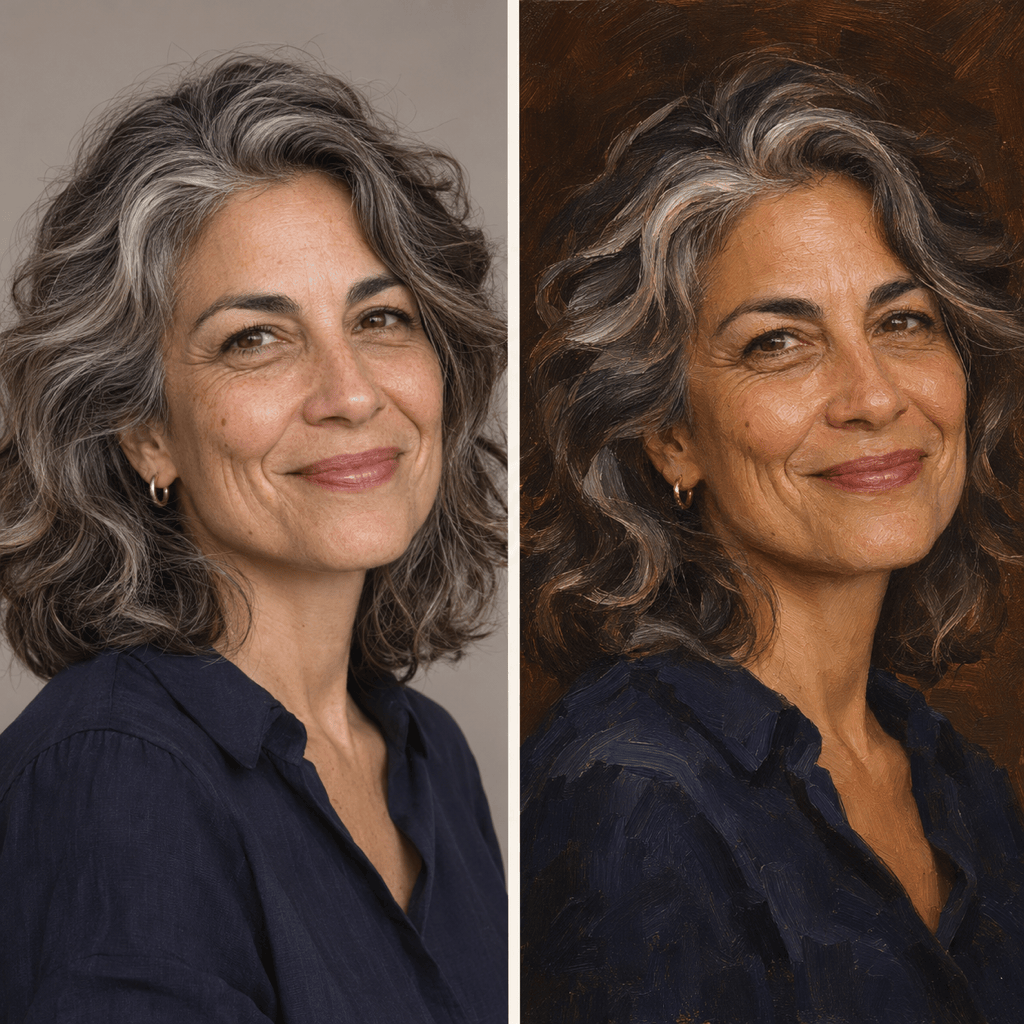
Oil Painting of Myself: Create an oil-painted portrait from my uploaded photo, with visible brushstrokes, warm side lighting, and a deep brown background. Keep my age, facial features, and expression close to the original.
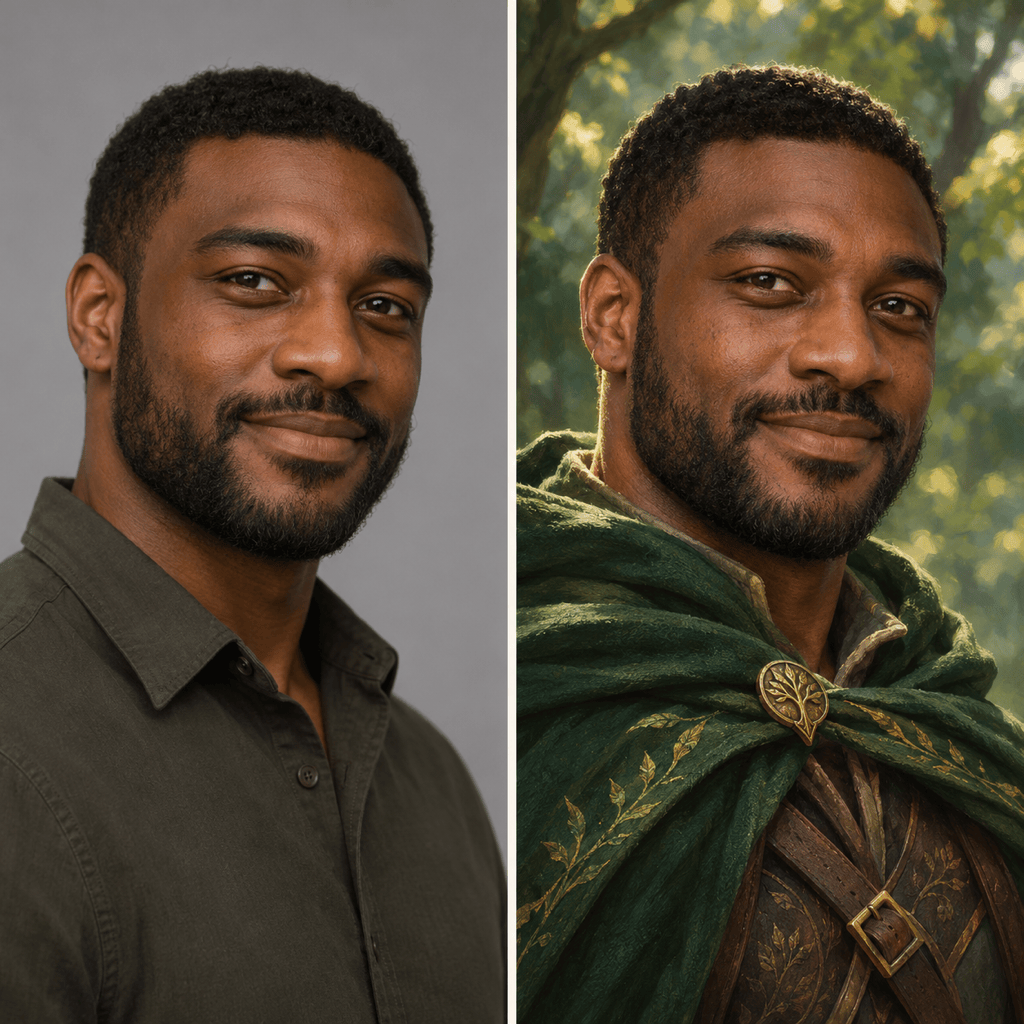
Fantasy Character with My Face: Use my uploaded portrait as the face reference for a fantasy ranger in an emerald cloak. Add a softly lit forest background. Keep my face visible and preserve my skin tone, hairline, and distinctive features.
Artistic Profile Picture: Turn my photo into a square illustrated avatar with a simple cream background. Center my face, keep my natural expression, and leave space around my hair so it fits a circular profile crop.
Make the Portrait Look More Like Me: Revise this AI portrait using my original photo. Bring the eye spacing, nose shape, and jawline closer to the reference. Reduce stylization around the face while keeping the current palette and background.