Refresh Your Professional ProfileAdd an Office Background with AI
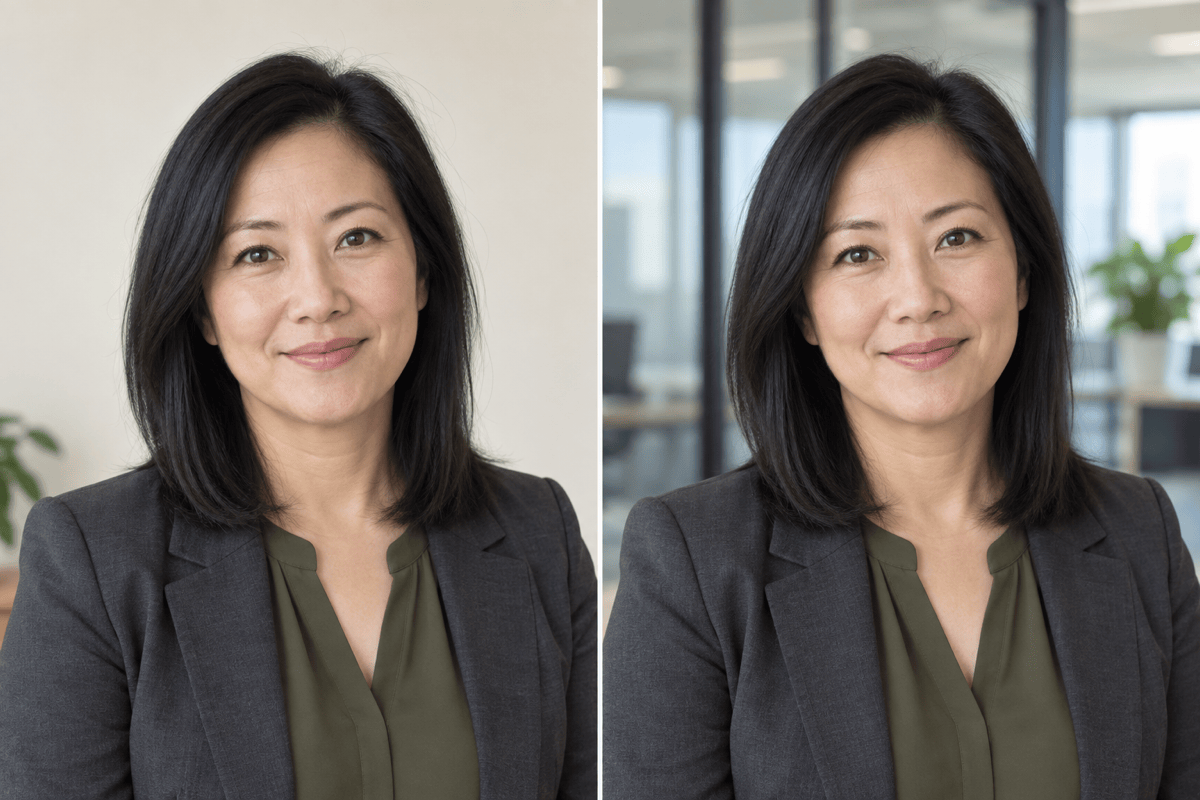
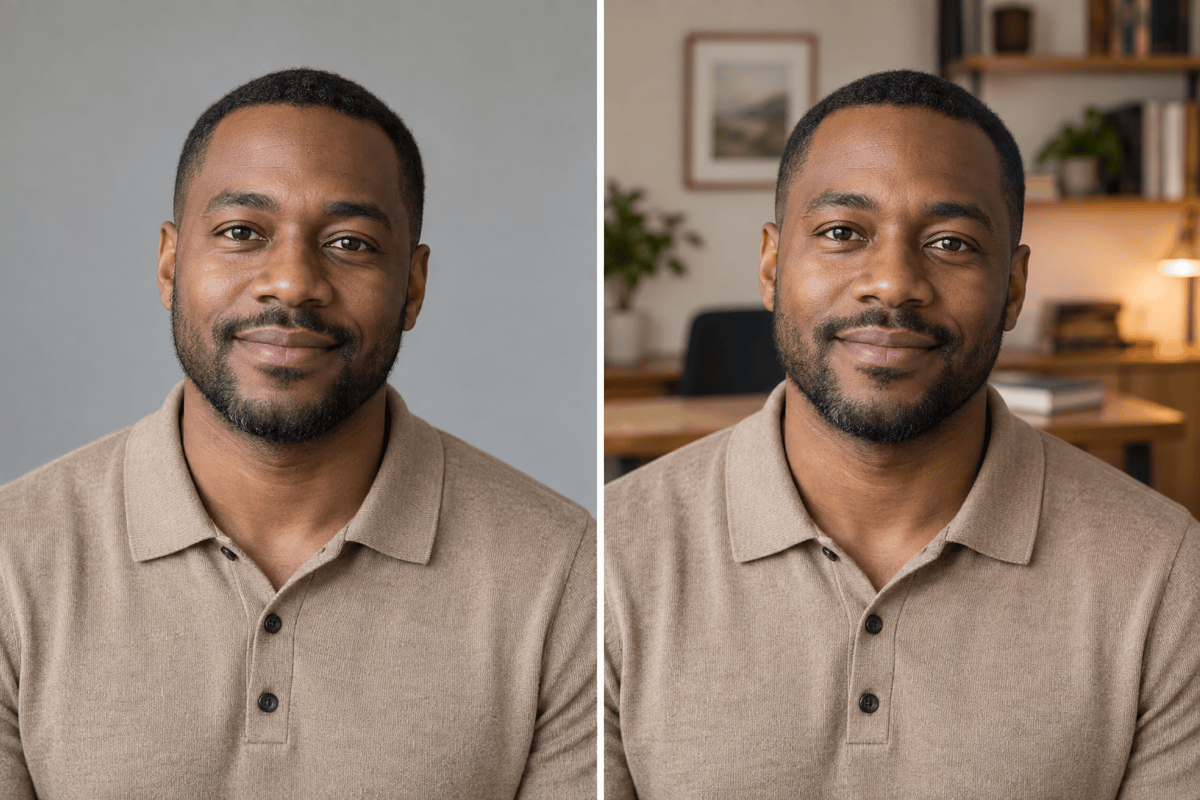
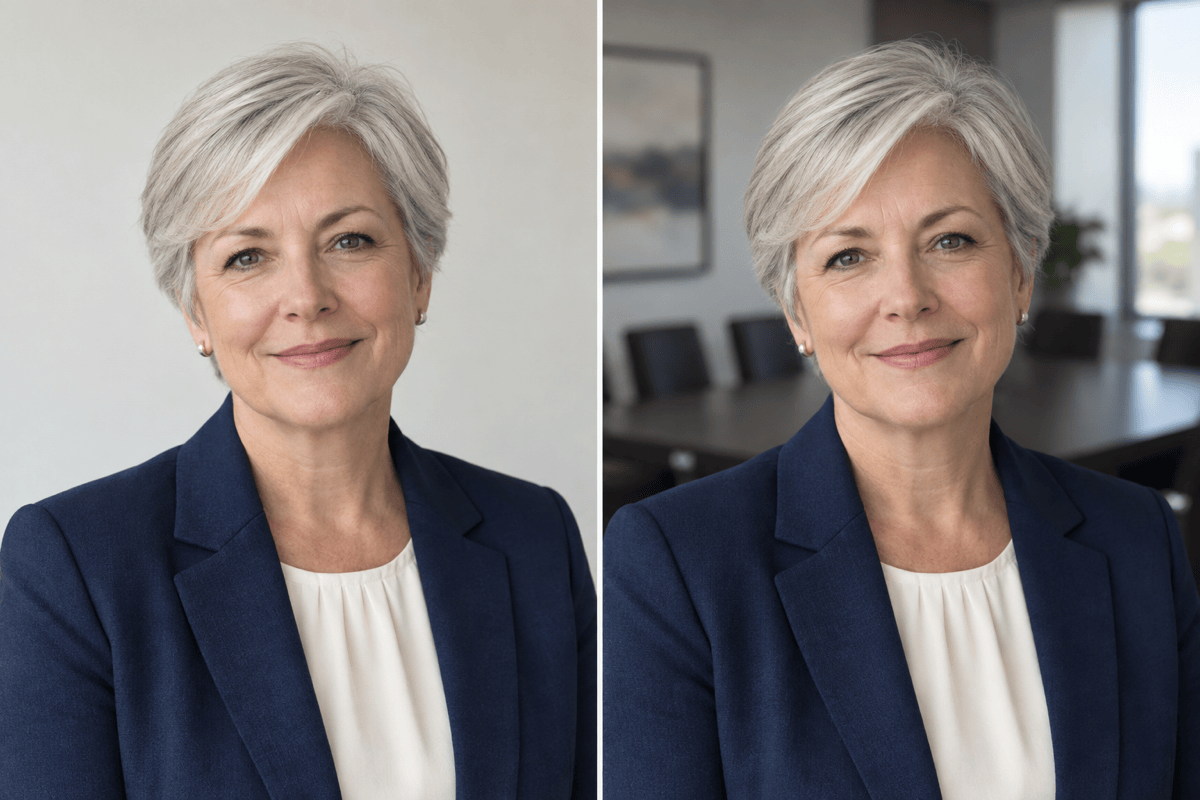

How to Create an Office Portrait from Your Photo
Select a Clear Headshot
Describe the Work Environment
Review at Profile Size
Prepare Your Profile Image

A Workplace Backdrop That Supports Your Profile
Use a Headshot You Recognize
Start with your own photo and request a background-only edit. Compare the result for changes to your appearance.
Keep the Setting Understated
Describe soft office colors and simple furnishings so the background does not overpower your face.
Bring Your Office as a Reference
Upload a workspace photo to guide the setting, materials, and light of your professional photo background.
Fine-Tune Depth and Distractions
Use Chat Edit to soften shelves, remove invented signage, or move a window edge away from your head.
Coordinate Staff Profile Images
Use a shared office reference and framing brief across team photos, reviewing each person separately.
Reuse Your Team Photo Approach
Save a successful background style and framing workflow as a Mew Skill for future staff portraits. Review consistency each time.
Check Your Office Portrait Before Using It
- Check Personal Details: Compare eyes, glasses, hairline, and skin texture with the original; request corrections if they change.
- Simplify Behind the Head: Move strong window frames, shelf edges, and bright lights away from the face.
- Use Plausible Room Scale: Furniture should sit behind the person, with a camera height that matches the source portrait.
- Preview the Crop: Check a small square or circular preview so hair and shoulders are not awkwardly cut off.
Finishing Adjustments for Professional Headshots
Soften the office background in this headshot while keeping eyes, hair, glasses, and clothing sharp.
Move the vertical window frame away from my head. Preserve my face, pose, and the rest of the office style.
Replace the overly luxurious boardroom with a modest, bright workspace. Keep my appearance and original lighting.
Remove invented company names and unreadable text from the office background. Keep walls and furniture simple.
Reframe this office portrait with extra room around my head and shoulders for a circular profile crop. Do not change my face.
Use the uploaded office reference for this staff portrait, matching the team's neutral palette and headroom. Preserve this person's own features.





