Free OnlineAI Instructional Poster Generator
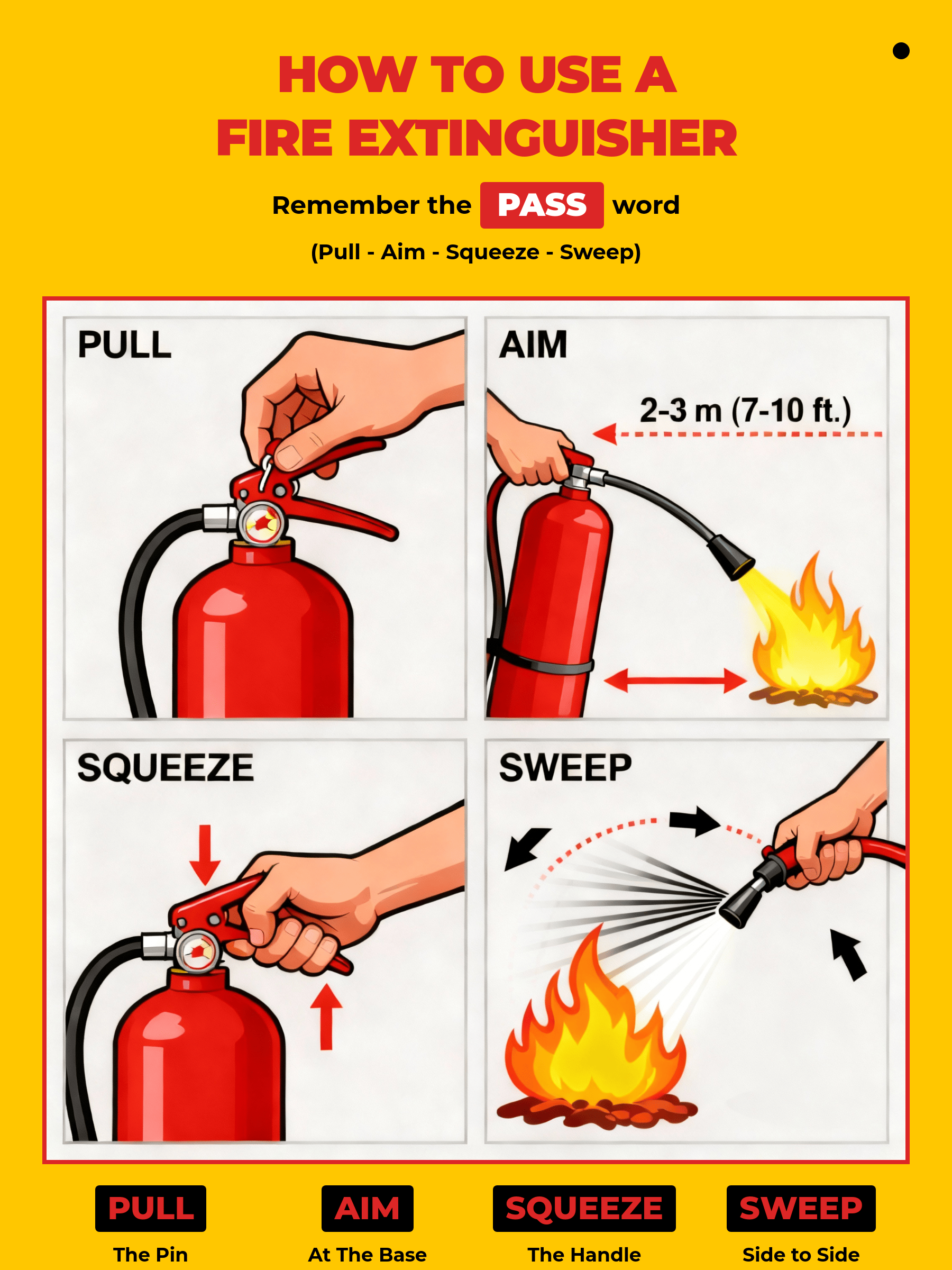
Create clear, step-by-step instructional posters with Mew Design. Our AI instructional poster generator turns your written instructions into an accurate, well-structured poster in minutes—no templates, no complicated tools, and no text errors. You can refine your instructional poster design at any time by adding new steps, adjusting the layout, or updating the visuals.

How to Make an Instructional Poster with AI

Creating an instructional poster with AI is simple. Whether you’re designing a classroom guide, a safety workflow, or a step-by-step training visual, Mew Design guides you through the full process.

1

Sign Up to Get Free AI Credits

New users receive free AI credits, and you can earn more by inviting friends.

2

Write your prompt and click Generate

Describe what kind of instructional poster you want—topic, steps, colors, icons, layout and any details. Then press Generate.

3

Let the AI agent build your poster

The AI analyzes your instructions, interprets your visual intent, and produces a full instructional poster design.

4

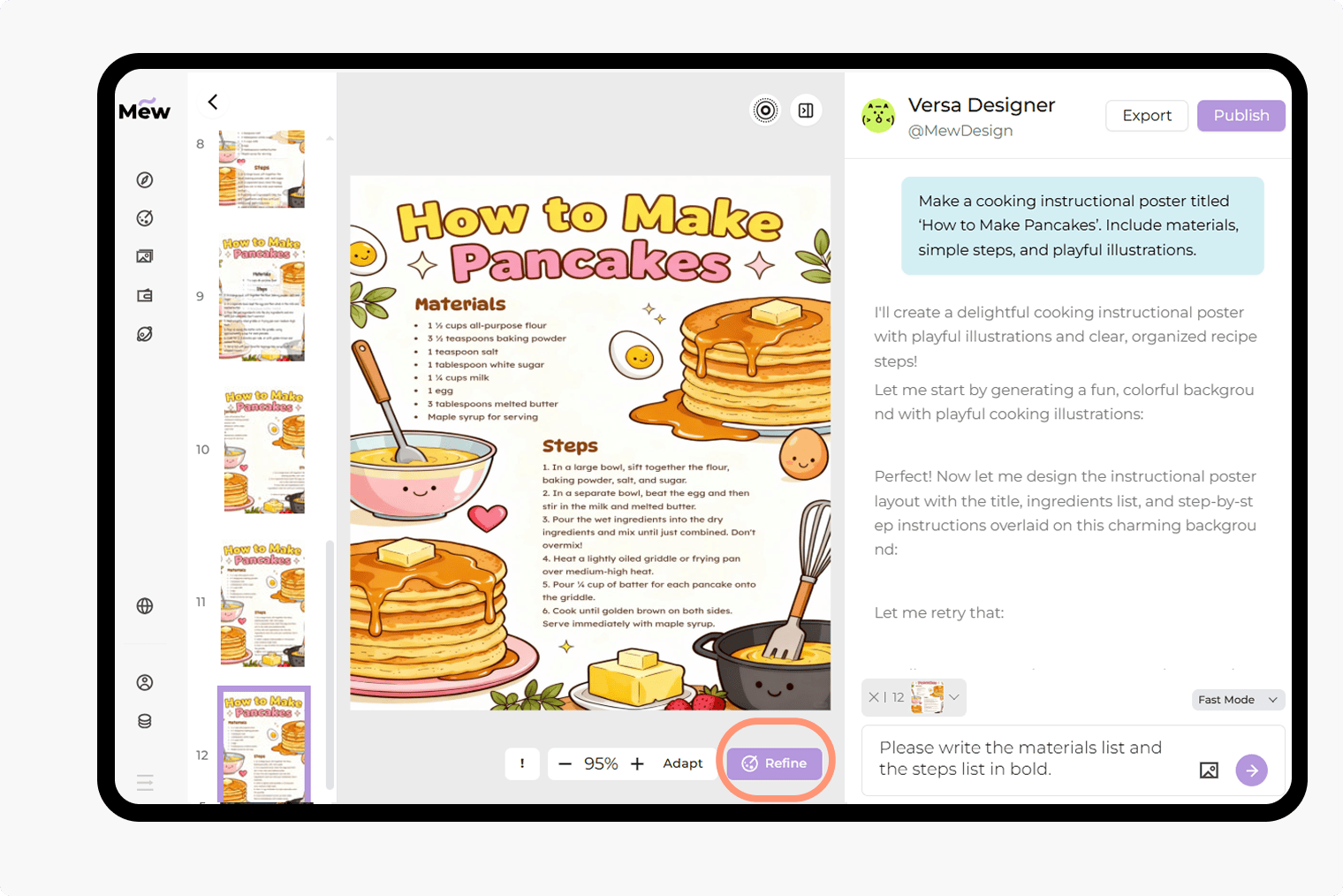
Refine and adjust

If you want changes, click Refine and type instructions such as “use a different heading font,” “add icons,” “improve spacing,” or “make the steps clearer.”

5

Export or share

Download your poster for printing or share it directly on social media.

How to make demo

Why Choose Mew Design for Your Instructional Poster Design

Create posters directly from your ideas

You’re not limited by templates. Simply describe your instructional poster idea, and our instructional poster maker will build your poster from scratch.

Accurate text and layout control

Your titles, steps, and explanations appear correctly—without text hallucinations or the broken formatting common in many AI image generators.

Edit visuals and layout with natural instructions

First draft not quite right? You can adjust spacing, change colors, rewrite sections, swap icons, or modify images using simple text commands.

Deep understanding of instructional content

The AI design agent recognizes structure, sequencing, labeling, hierarchy, and the style typically used in instructional poster examples.

Visual recognition and brand elements

Upload logos, QR codes, or brand elements, and the AI can incorporate them into your final design. You can also upload reference images to let the AI learn the style from your preferred design.

Get inspiration from design gallery

Share your work with the Mew Design community, or explore creations from others to discover new instructional poster ideas and templates.

How to Write a Good Prompt for an Instructional Poster

Create an instructional poster titled ‘How to Wash Your Hands.’ Include six steps with short descriptions [insert your step content here], simple icons, soap and water illustrations, and a clean, health-education style. Use a blue-and-white color palette and make the instructions easy for children to follow
👍
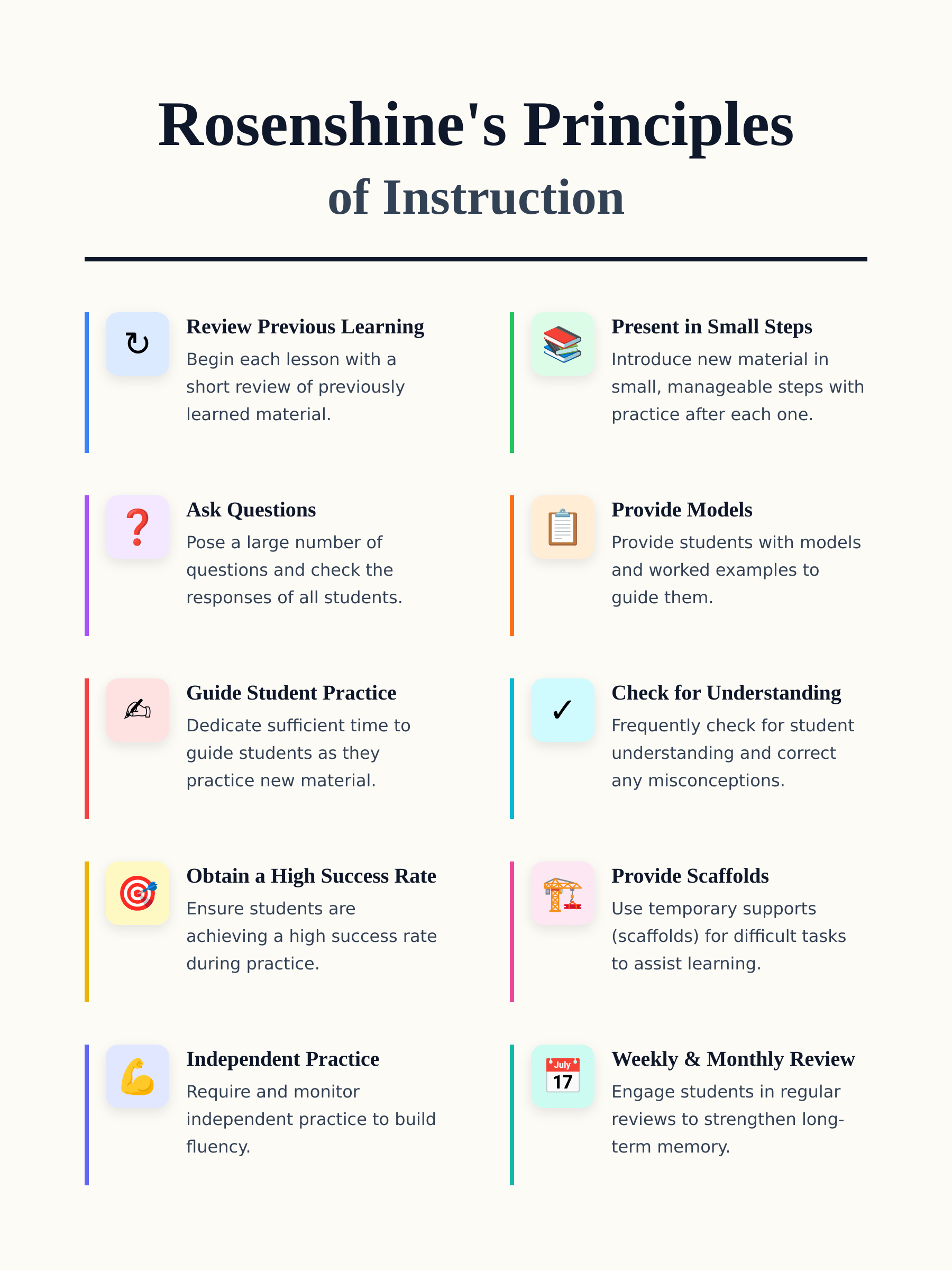
A strong prompt gives the AI a clear idea of your topic, audience, steps, and desired layout. Start by explaining what the poster teaches, who it is for, and what structure you prefer. Mention whether you want icons, diagrams, or a simple step-by-step layout. You can also refer to popular formats, such as classroom instructional posters, workplace process posters, or Rosenshine Principles of Instruction posters.
  • State the title of the instructional poster
  • Mention the audience (students, employees, customers, kids)
  • Provide the steps or sections you want included
  • Describe the visual style (simple, bold, playful, academic)

Sample Prompts You Can Modify and Use

Classroom Science Instruction Poster: Create a classroom instructional poster titled ‘How Plants Grow’. Include stages with short descriptions [Insert your steps here], arrows, simple diagrams, and labels for sunlight, soil, water, and roots. Use a light, educational color palette.

Workplace Training Instruction Poster: Create a workplace instructional poster titled ‘How to Lift Safely’. Include 5 steps with short text, stick-figure icons, and clear do/don’t notes [Your safety instructions here]. Use a clean, professional layout.

Rosenshine Principles of Instruction Poster: Generate a poster for the Rosenshine Principles of Instruction. Include all 10 principles with short explanations in a clean, academic layout.

Medical or Health Instruction Poster: Design a health instructional poster titled ‘How to Use an Inhaler’. Include four steps with simple illustrations [patient instructions here], and use a blue-and-white medical color palette.

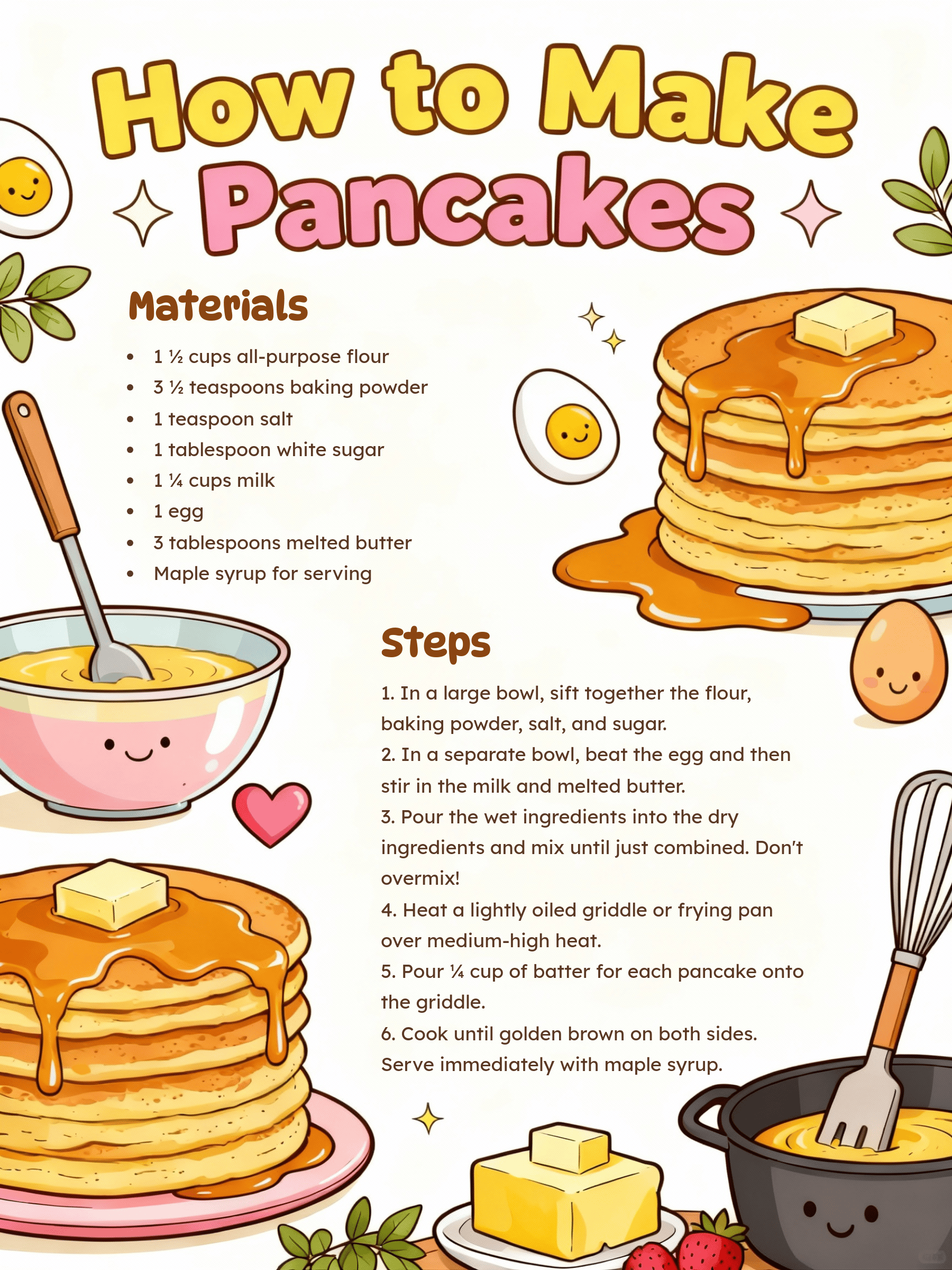
Kitchen / Household Instruction Poster: Create a home instructional poster titled ‘How to Clean a Cutting Board’. Include steps with small icons [insert your cleaning steps here], and a friendly, easy-to-read layout.

Student Project Instructional Poster Example: Make an instructional poster titled ‘How a Volcano Erupts’. Include steps with labeled diagrams [your project steps description here] and bright visuals suitable for students.


Frequently Asked Questions

What is an instructional poster?
An instructional poster is a visual guide that explains a process or teaches a concept in clear, step-by-step form. These posters often include short text, icons, arrows, diagrams, and simple layouts. They are common in classrooms, workplaces, laboratories, kitchens, and health-education environments.
How does the AI instructional poster generator work?
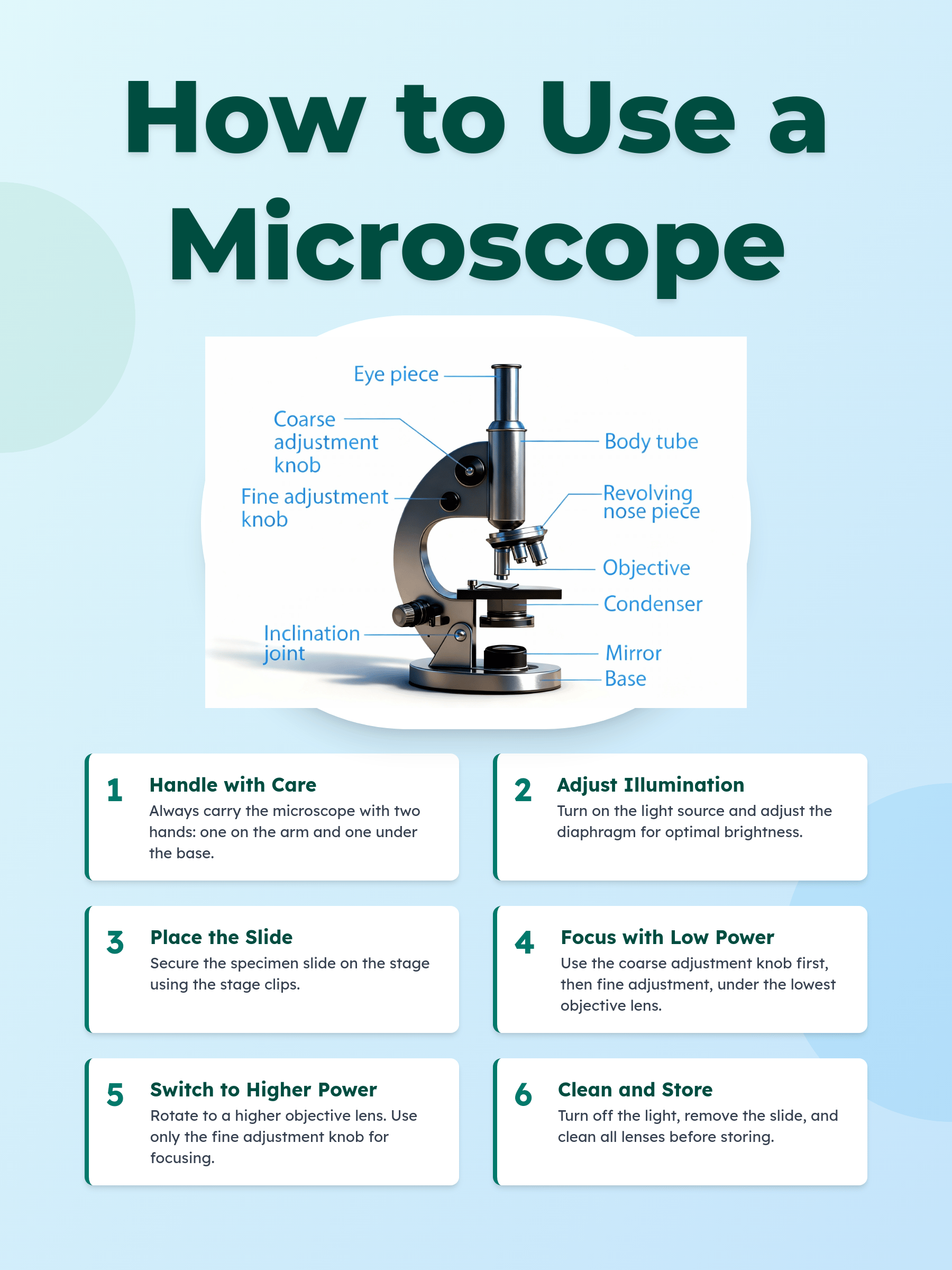
You describe your topic using a prompt—such as "How to Use a Microscope" or "Handwashing Steps for Kids." Mew Design's AI design agent reads your instructions, understands the structure, and builds a complete poster layout with steps, icons, and organized sections. You can refine the draft anytime by adding direction-based commands.
What makes a good instructional poster layout?
A good instructional poster should be: • Clear and organized – use a prominent title and logical flow. • Step-by-step – number the steps or sections so viewers can follow easily. • Visual – include simple icons, diagrams, or arrows to support the text. • Concise text – short phrases instead of long paragraphs. • Readable and consistent – use legible fonts, proper spacing, and a cohesive color palette. • Example: A science poster showing "How Plants Grow" with 4 numbered stages, arrows, labeled diagrams, and a light educational color scheme.
Can I create Rosenshine Principles of Instruction posters?
Yes. Mew Design instructional poster maker supports educational frameworks like the Rosenshine Principles. Simply type your request (e.g., "Rosenshine Principles of Instruction poster with all 10 principles") and the generator produces a clean academic layout.
How do the Rosenshine Principles of Instruction apply to posters?
Rosenshine's principles help make instructional posters more effective by: • Breaking content into small steps – avoid overwhelming the viewer. • Using examples and models – include diagrams or labeled visuals to illustrate instructions. • Guiding practice – use numbered steps or arrows to simulate hands-on practice. • Highlighting key points and common mistakes – use bold text, color cues, or "Do/Don't" sections. • Supporting independent learning – ensure instructions are clear enough to follow without extra guidance.
Can I upload my own images or logos?
Yes. Mew Design supports adding brand components, photos, reference diagrams, or icons. The AI can integrate these into the final design while maintaining layout balance.
Is the instructional poster maker free to try?
Yes. New users receive 100 free AI credits. Credits can be earned through referrals or by upgrading your plan.
Can I edit the poster after generating it?
Yes. Click "Refine" and enter follow-up instructions like "increase step icons," "use brighter colors," "change the title font," or "add spacing between sections." You can continue refining until you are happy with the final result.
What file formats can I export?
You can export your instructional poster as high-resolution PNG or JPG for printing, social media and digital use.

Ready to Generate Designs With AI?

Get Started - 50 Free Credits
No credit card required
© 2025 Mew Design. All rights reserved.️
Mew Design - Your AI design partner, now with full control. | Product Hunt