免费在线AI 换衣器
如何使用 AI 在照片中更换衣服
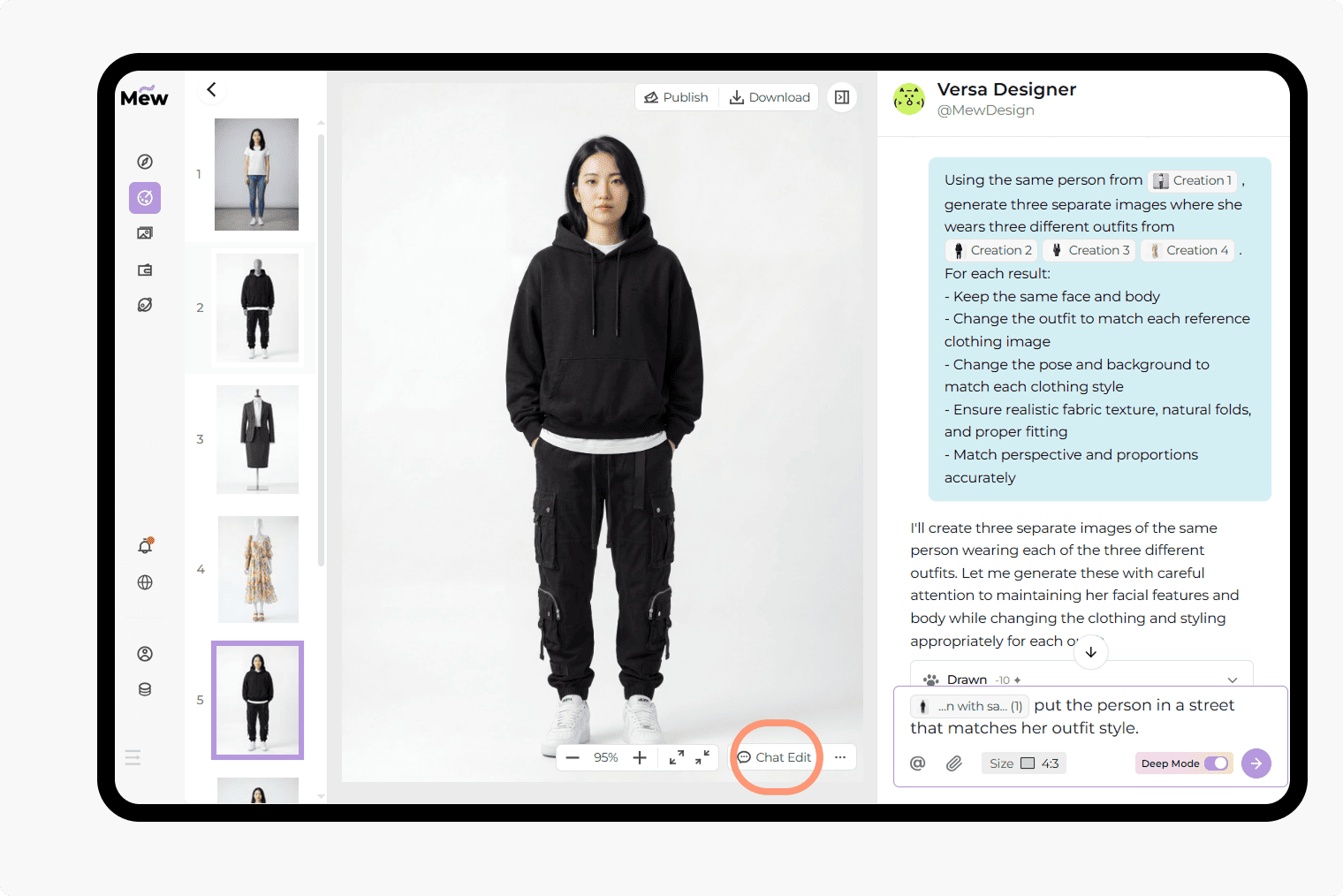
为真实编辑需求打造的更智能 AI 换衣器
通过与 AI 对话在照片中更换服装
直接描述你想要的效果或上传参考图片。基于聊天的工作流程使得 AI 换衣和细节服装编辑变得简单易行。
在编辑中保持身份一致
在更换服装的同时保持面部特征和身体形态不变。非常适合逼真的 AI 虚拟试穿和资料照片更新。
对姿势和造型的灵活控制
并非所有服装都适合相同的姿势。你可以保持一切不变,或允许姿势、造型甚至妆容随新服装自然调整。
文字与图片引导的服装编辑
使用文字描述、参考图片或两者结合来指导结果。在替换服装时这可以提供更多控制,帮助 AI 更好匹配风格、合身度和场景。
使用深度模式进行多图服装生成
上传一位人物和多张服装图片,一次生成多种造型。Mew Design 深度模式可在一次运行中创建多个结果,同时保持身份和视觉一致性。
免费试用,无水印
注册后即可获得免费额度开始使用。你可以在照片中更换衣服、生成造型并下载无水印图片,方便在投入前测试想法。
AI 换衣器如何融入你的工作流程
- 电商: 无需雇佣模特或安排新拍摄即可创建不同服装或风格的产品图片
- 虚拟试穿: 在购买或发布内容前查看特定服装在人物身上的效果
- 社交媒体: 优化头像照片或为帖文与品牌创建更精致、有风格的内容
- 时装设计: 探索服装搭配想法、比较风格并快速测试不同组合
使用我们的 AI 换衣器可以做的事情 [+提示示例]
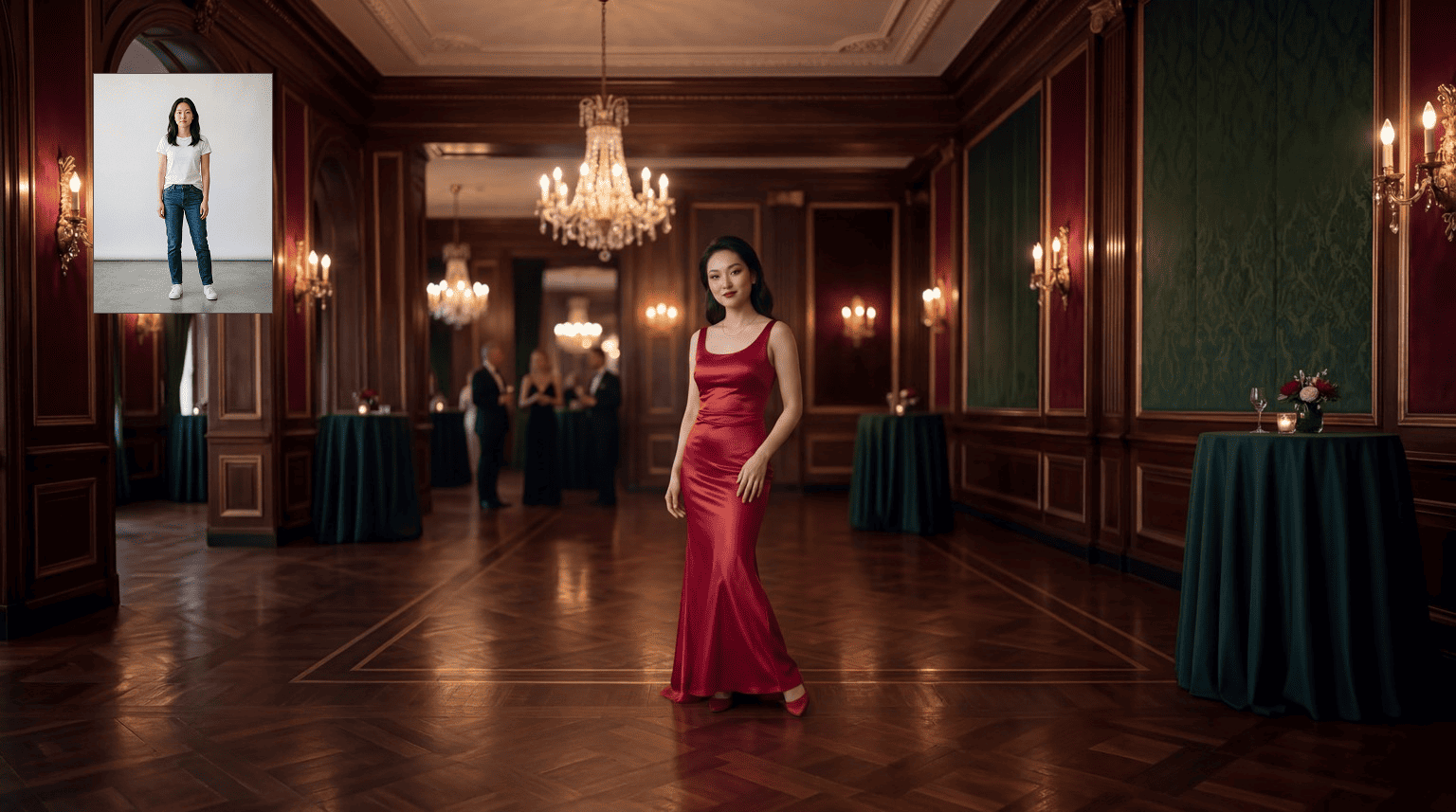
文本到服装:使用文本提示在照片中更换服装。提示示例:“Change the outfit in the @[uploaded image] to a black evening dress, smooth fabric, adjust pose slightly for elegance, keep facial features unchanged, realistic lighting”
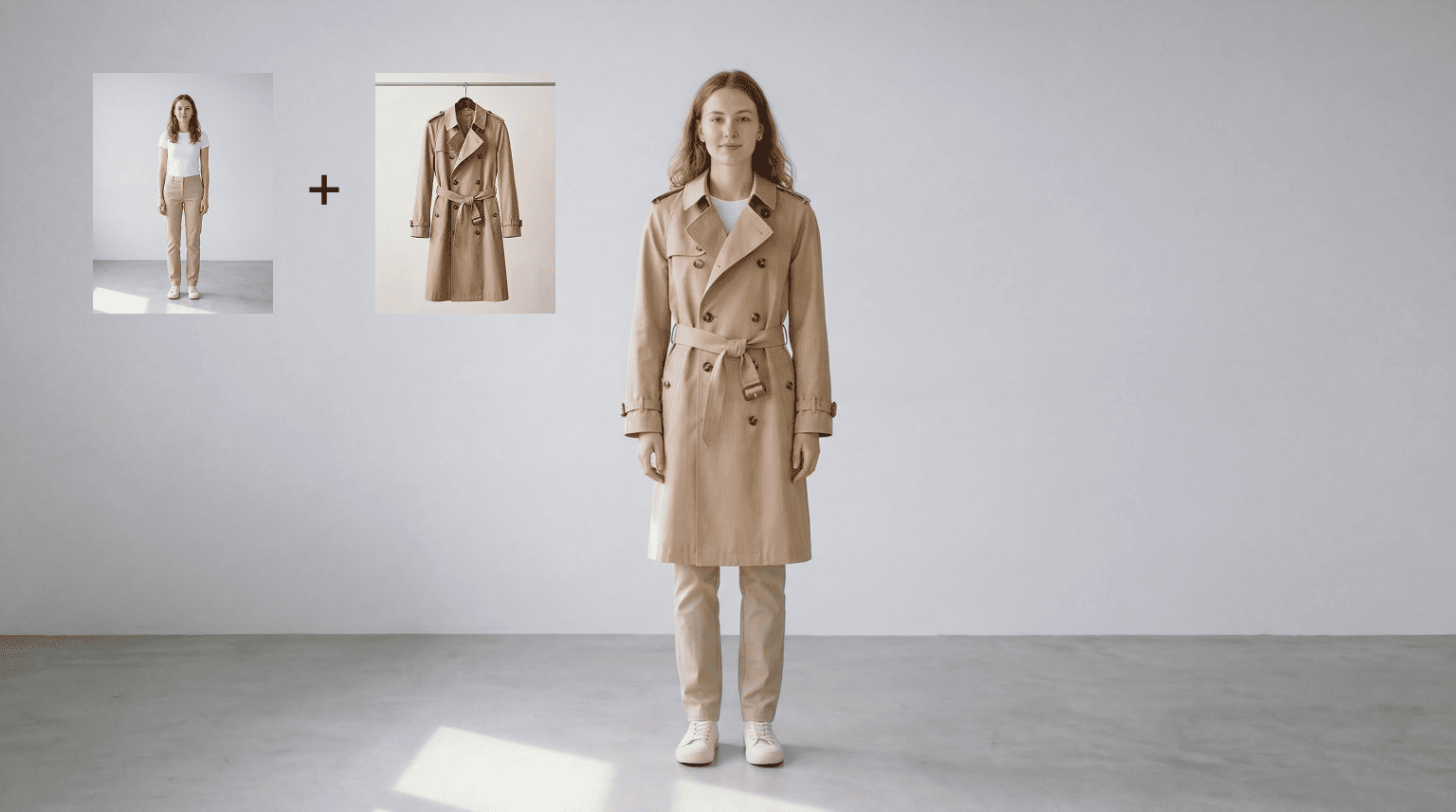
图片到服装:使用参考图片替换服装。提示示例:“Make @[person] wear the clothes from @[outfit image], adapt fit naturally, keep face and body features unchanged”
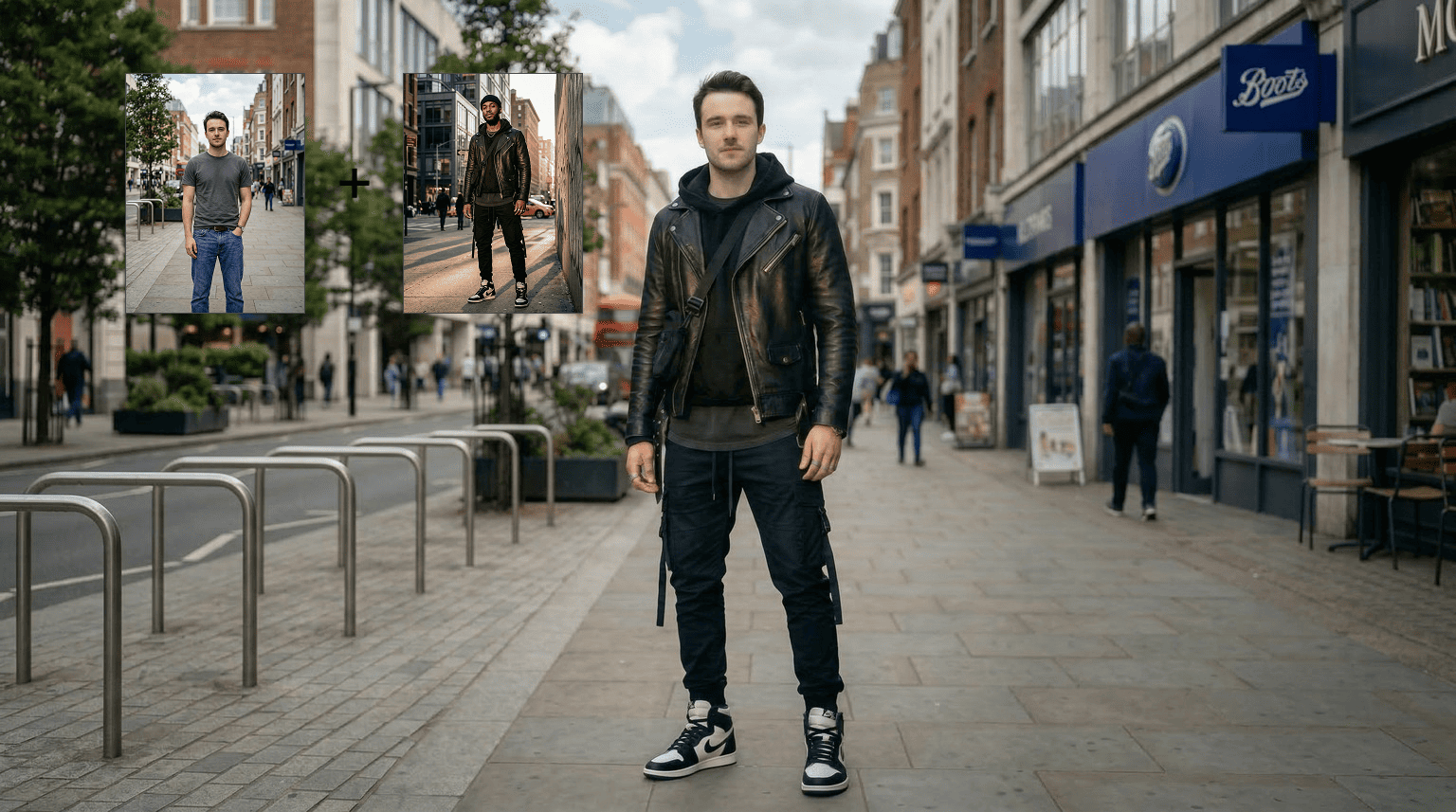
人对人服装互换:在人物间互换服装。提示示例:“Apply the clothes from @[person image B] to @[person image A], keep person A’s facial and body features unchanged, adjust posture if needed”
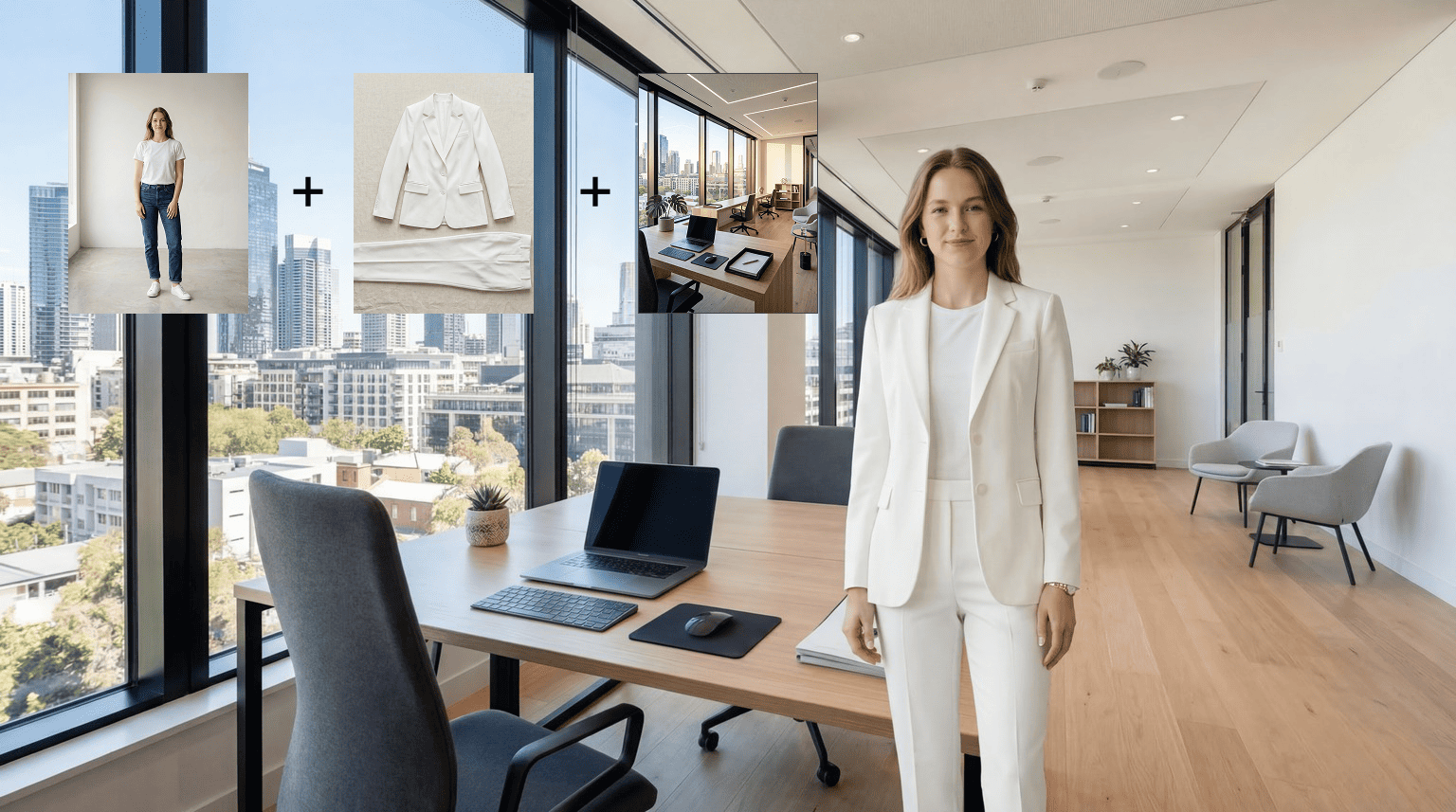
服装 + 场景变换:更换服装并将人物置于新场景中。提示示例:“Change outfit to a formal suit and place the person in an office, adjust pose and lighting to match, keep identity consistent”
多套服装变体:从一位人物和多张服装参考中生成多套造型。提示示例:“Use @[person] and apply outfits from @[outfit1], @[outfit2], @[outfit3], generate separate images, keep face and body features consistent across all results”
AI 虚拟试穿:在实际使用前逼真预览服装。提示示例:“Try on a beige trench coat, adjust posture naturally, keep facial features unchanged, realistic texture and lighting”





